88192278-01-19 Installation Master.pdf - 第135页
PRINTER PREPARATION PRINTER ASSEMBLY Chapter Issue 15, May 20 Installation Manual 4.33 5. Fit the monitor arm to the monito r bracket ensuring that no cables are trapped between the arm and bracket. 6. Secure the monitor…
PRINTER PREPARATION
PRINTER ASSEMBLY
4.32 Installation Manual Chapter Issue 15, May 20
MMI Assembly Fitting
NOTE
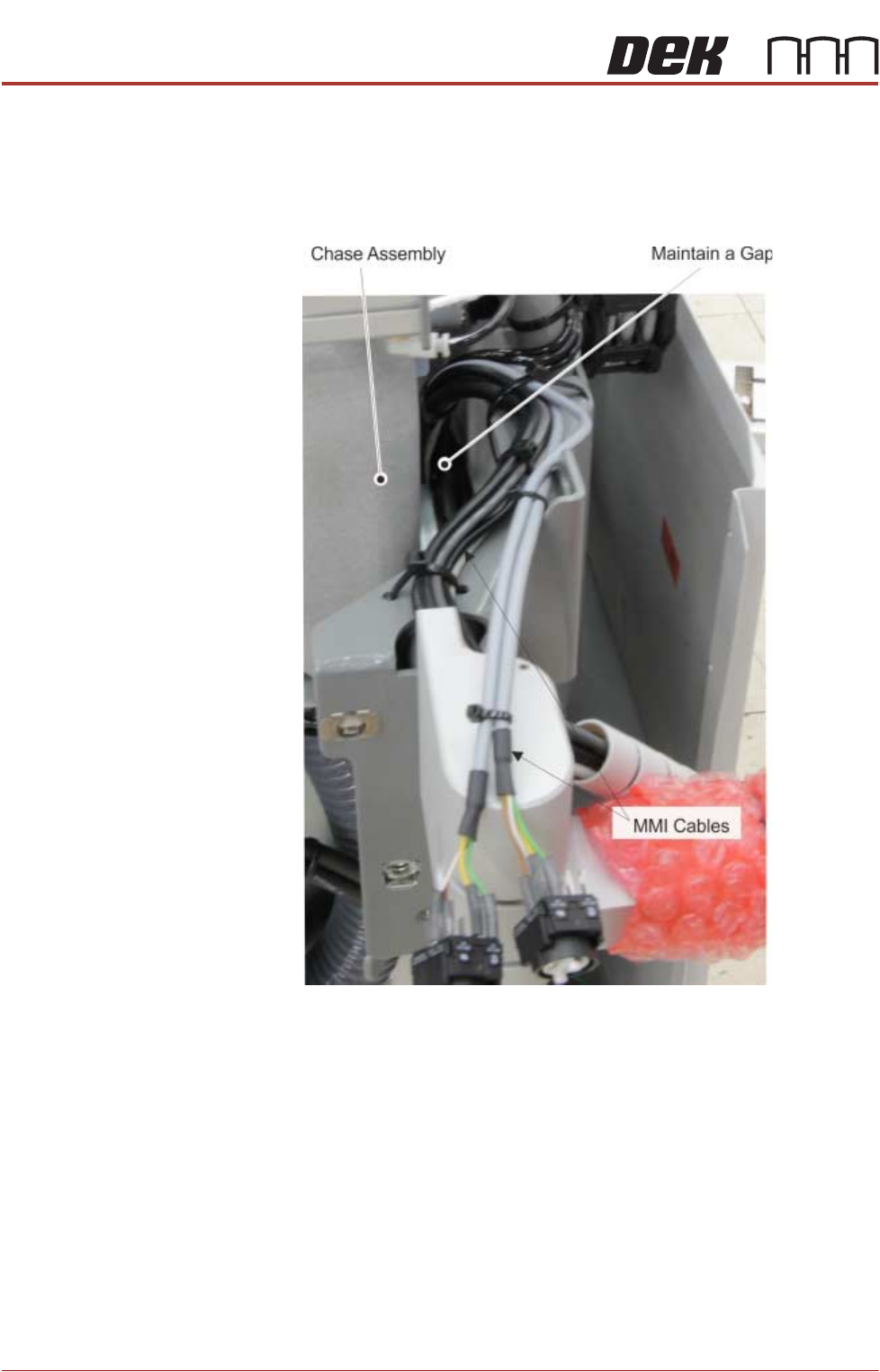
When fitting the MMI assembly to the printer, ensure that the cables are routed
and secured so they do not foul on any of the printer’s moving parts e.g: the
chase assembly.
Use the following procedures to fit the monitor:
Type 1 Covers 1. Remove the front panel.
2. Locate the following cables stowed within the printer:
• Monitor Power Cable
•VGA Cable
• Touchscreen Cable (USB)
• USB Cable - Rear Monitor USB Connector
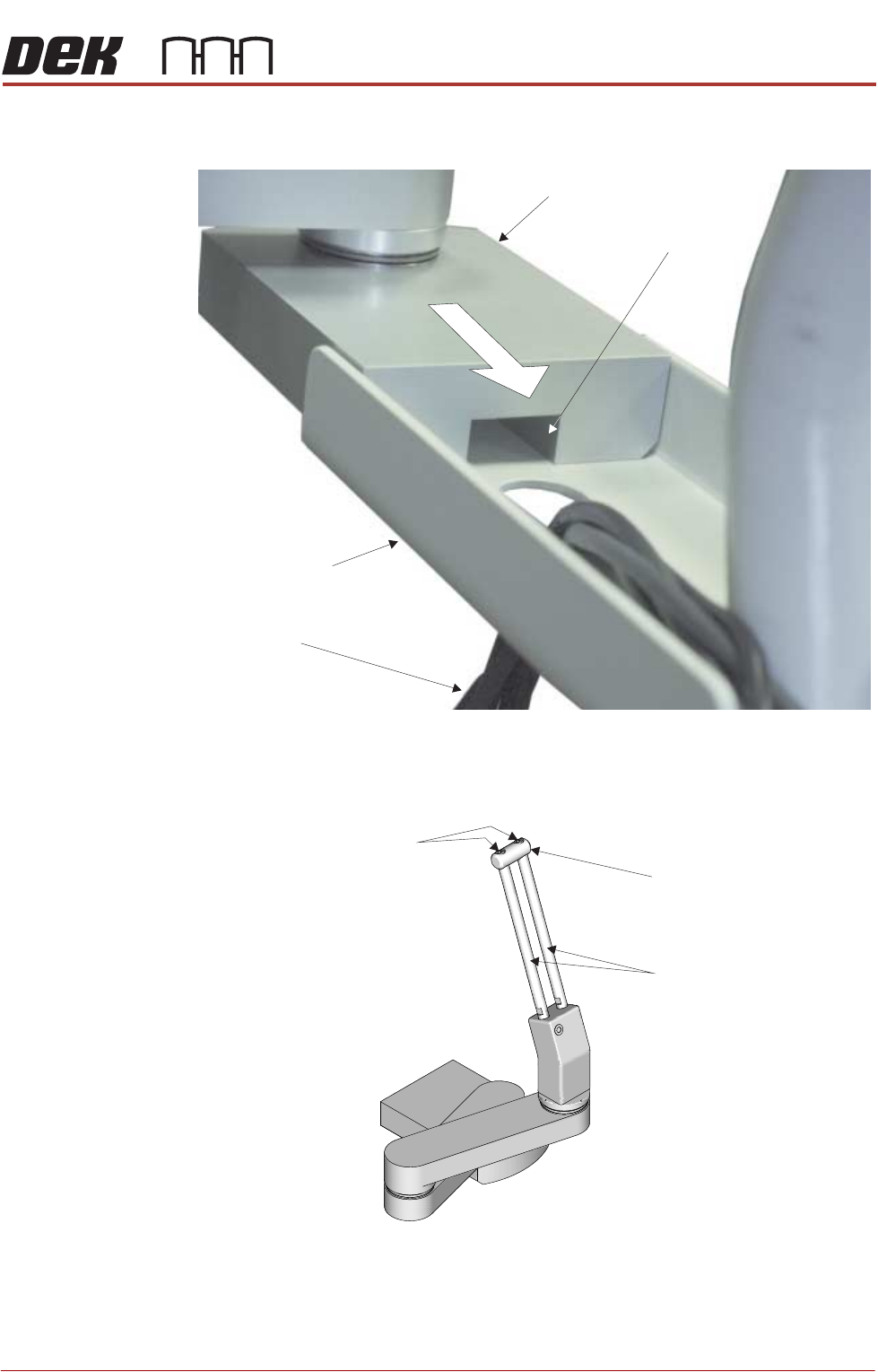
3. Feed the cables out of the printer and downwards through the hole of the
monitor arm support bracket
4. From the monitor arm, feed the IR Receiver cable upwards through the hole
of the monitor arm support bracket and into the printer.
PRINTER PREPARATION
PRINTER ASSEMBLY
Chapter Issue 15, May 20 Installation Manual 4.33
5. Fit the monitor arm to the monitor bracket ensuring that no cables are
trapped between the arm and bracket.
6. Secure the monitor arm to the bracket with three screws from below.
7. Using a 2.5mm Allen key, remove the end block from the top of the
adjustment bars.
8. Slide the monitor bracket on to the adjustment bars and tighten the locking
thumbscrew.
9. Refit the end block.
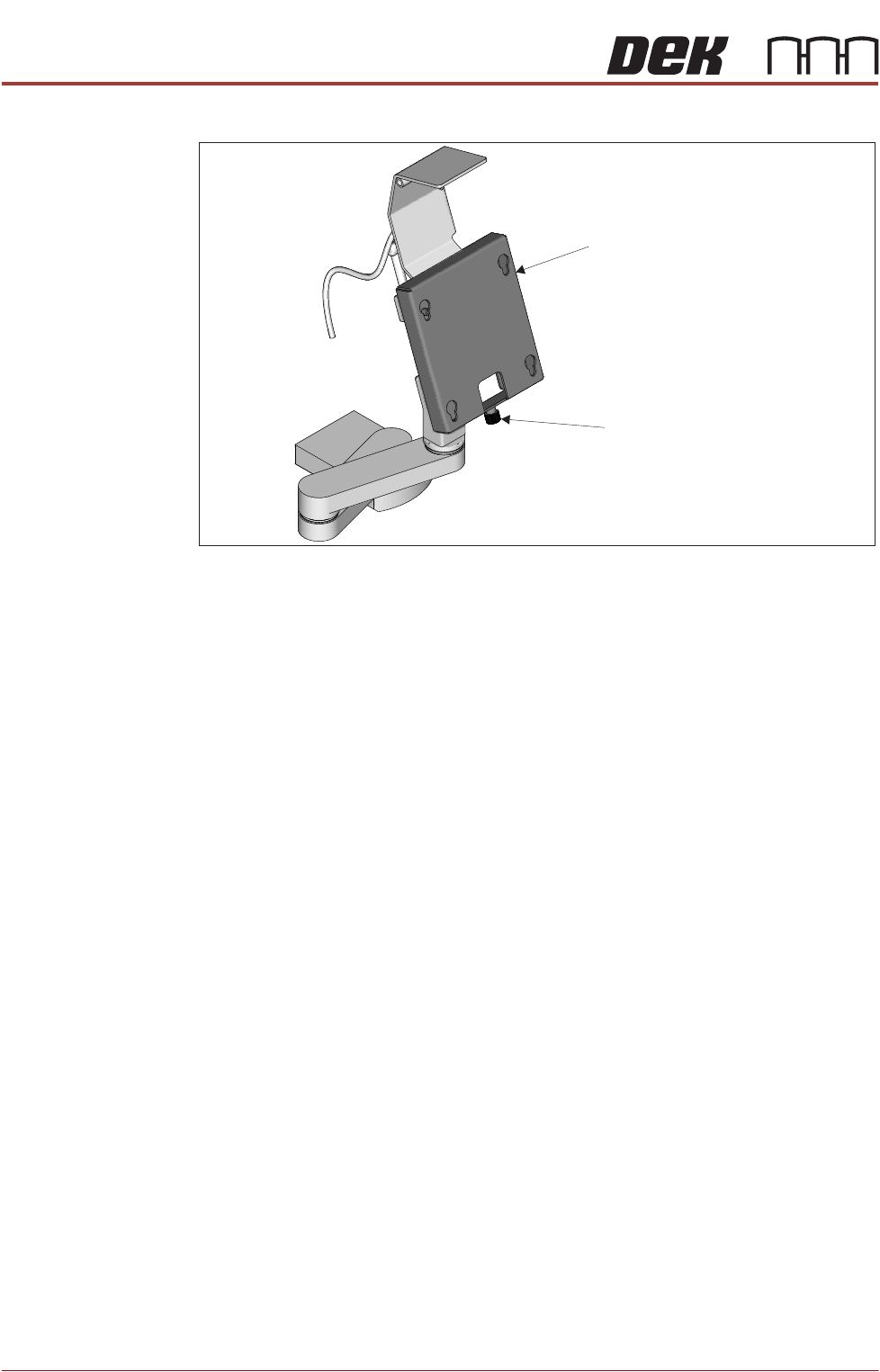
10. Fit the monitor to the monitor fixing bracket ensuring that all four studs are
Monitor Support Arm
MMI Cable Channel
MMI Cables
Monitor Support
Arm Bracket
Securing Screws
End Block
Adjustment Bars
PRINTER PREPARATION
PRINTER ASSEMBLY
4.34 Installation Manual Chapter Issue 15, May 20
located in the key slots.
11. Secure the monitor using the monitor securing screw.
Monitor Fixing Bracket
Monitor Securing Screw