88192278-01-19 Installation Master.pdf - 第144页
PRINTER PREPARATION PRINTER ASSEMBLY 4.42 Installation Manual Chapter Issue 15, May 20 5. Fit and secure the monitor to the monitor bracket. 6. Connect the following cables to t he monitor: • Monitor Power Cable (DC) •V …
PRINTER PREPARATION
PRINTER ASSEMBLY
Chapter Issue 15, May 20 Installation Manual 4.41
3. Feed the cables outside the printer
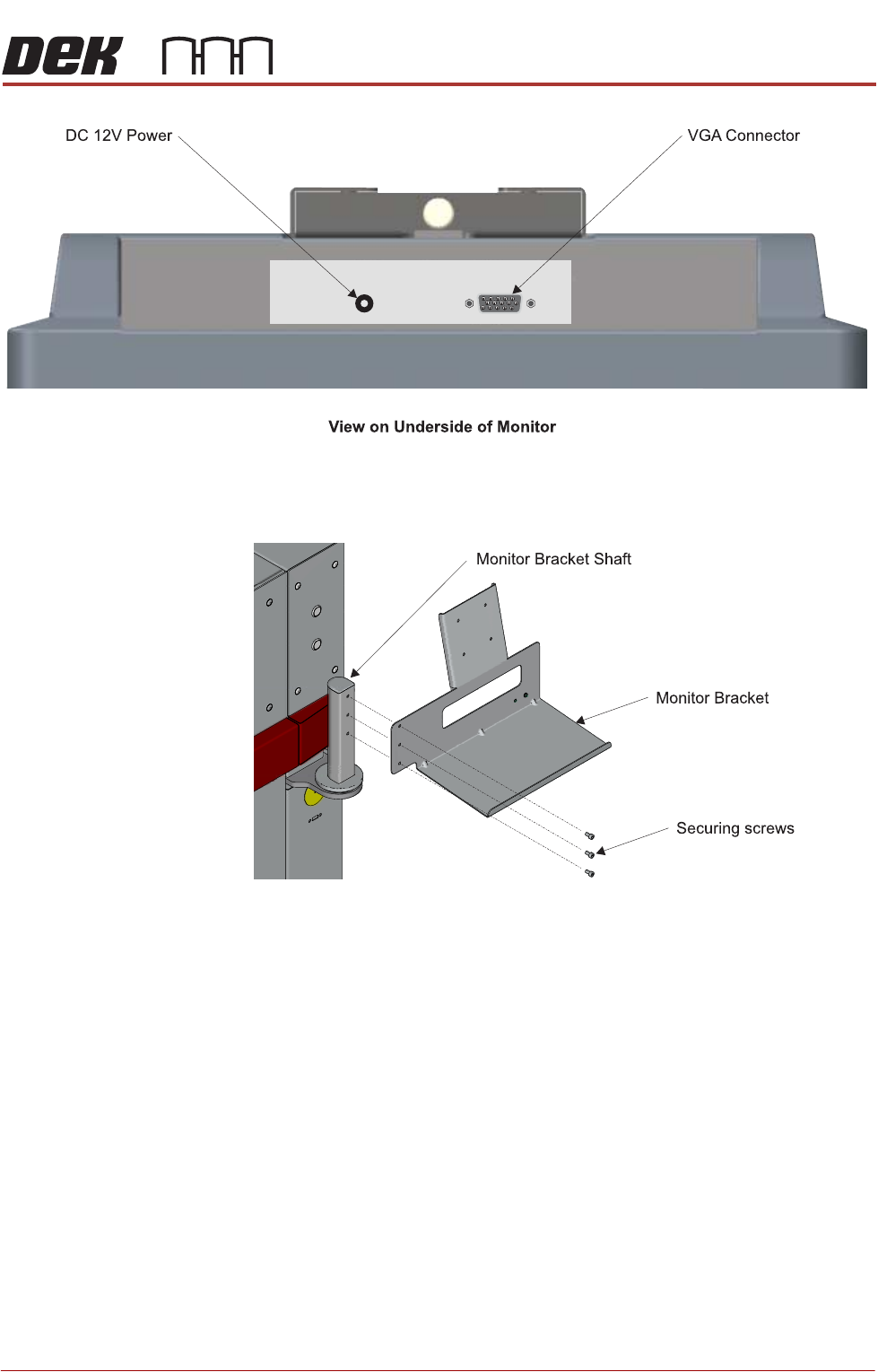
4. Fit the monitor bracket on to the monitor bracket shaft.
PRINTER PREPARATION
PRINTER ASSEMBLY
4.42 Installation Manual Chapter Issue 15, May 20
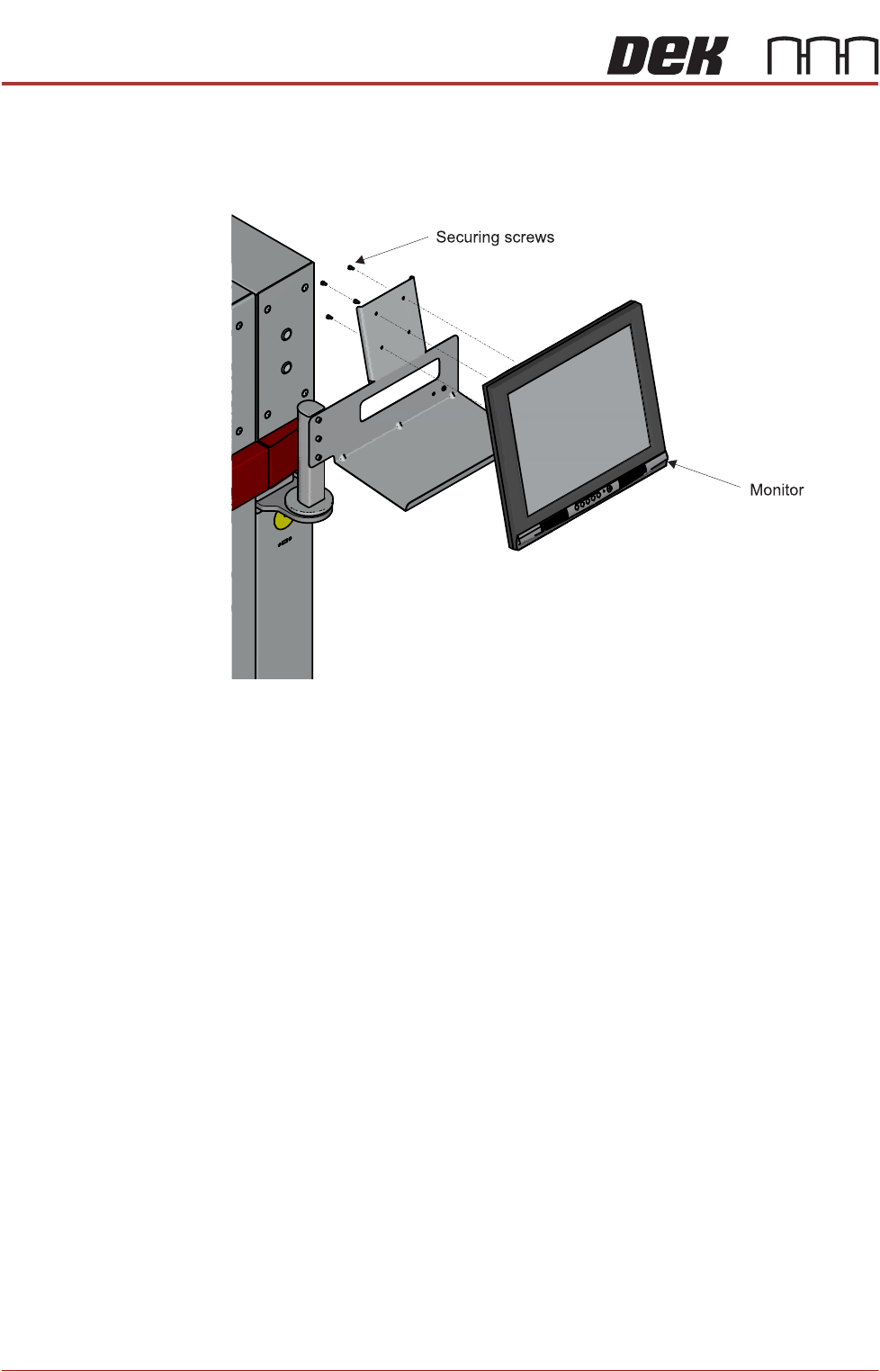
5. Fit and secure the monitor to the monitor bracket.
6. Connect the following cables to the monitor:
• Monitor Power Cable (DC)
•VGA Cable
7. Place the keyboard on the bracket and feed the keyboard cable into the
printer.
8. Refit the front cover.
PRINTER PREPARATION
PRINTER ASSEMBLY
Chapter Issue 15, May 20 Installation Manual 4.43
High Throughput
Conveyors (HTC)
The following procedure details how to install the HTC auxiliary conveyors to
the printer. This installation procedure is for a printer product transfer in the left
to right direction.
To install the auxiliary conveyors, remove the left and right safety covers and
the following panels (as detailed in the Covers chapter):
• Type 1 covers - front and rear corner panels and the centre side panel on
both sides
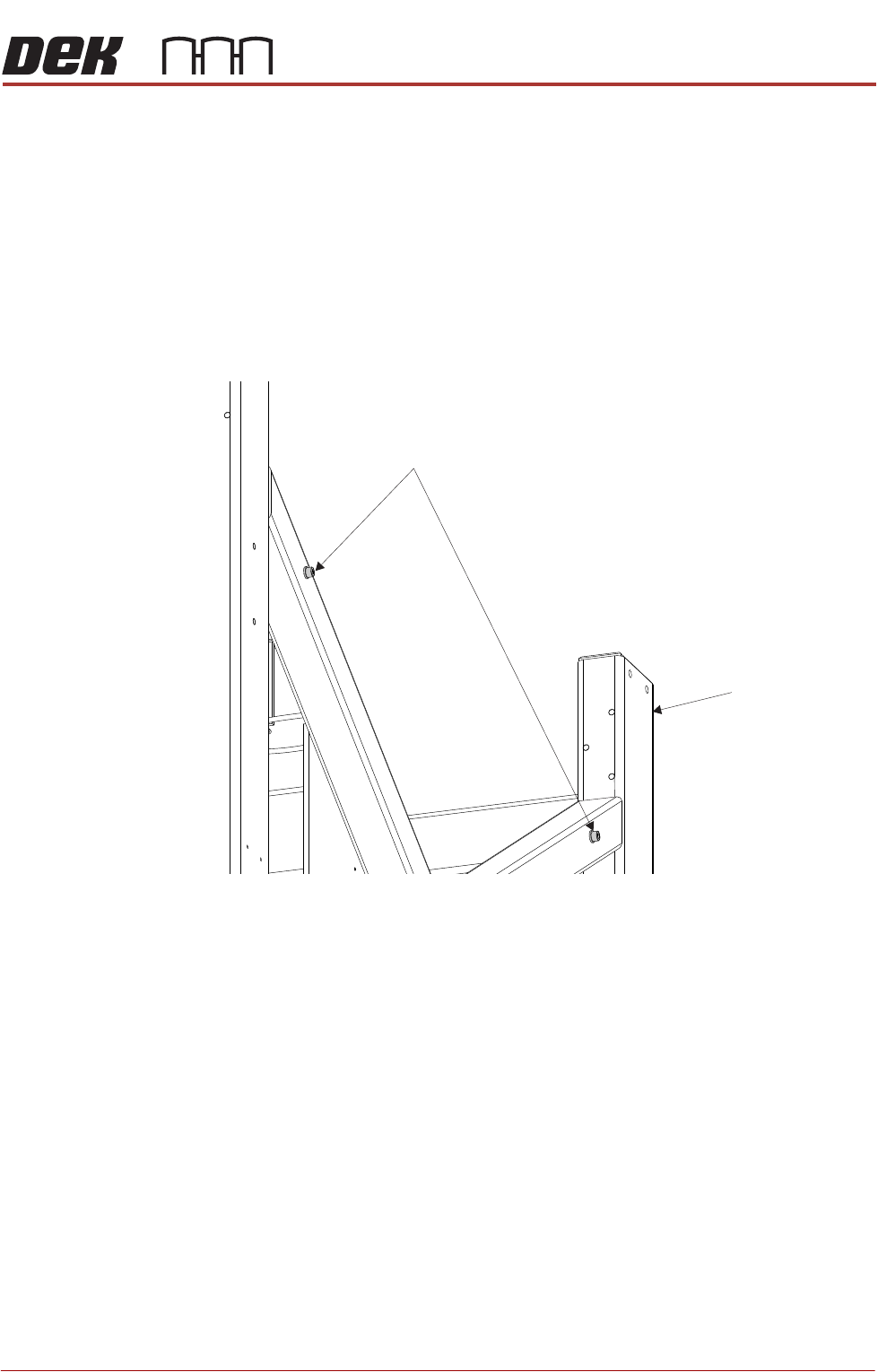
1. Remove the four auxiliary conveyor securing bolts from the holes in the
printer frame (two either side).
2. On the right hand side of the printer, align the holes in the right hand auxiliary
conveyor mounting bracket to the holes in the printer frame and refit the
Auxiliary Conveyor Securing Bolts
Machine Frame