88192278-01-19 Installation Master.pdf - 第147页
PRINTER PREPARATION PRINTER ASSEMBLY Chapter Issue 15, May 20 Installation Manual 4.45 • Electrical connection to M27SOL03 (p neumatic solenoid) on t he front rail • Pneumatic feed to the input co nnector of M27SOL03 • M…
PRINTER PREPARATION
PRINTER ASSEMBLY
4.44 Installation Manual Chapter Issue 15, May 20
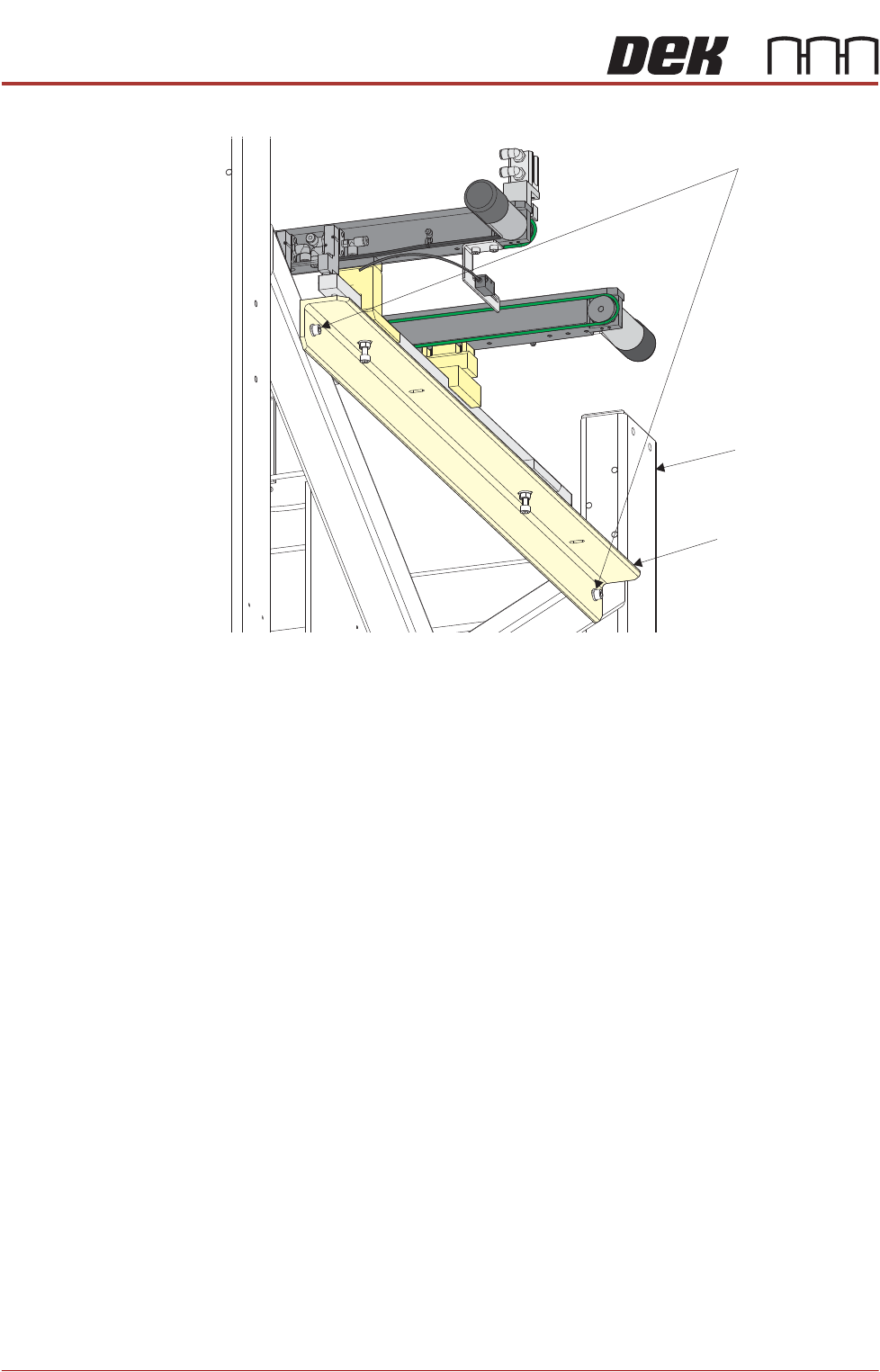
auxiliary conveyor securing bolts.
NOTE
The right hand auxiliary rail has two pneumatic solenoids mounted on its
front rail, the left hand auxiliary rail only has one.
3. Align the auxiliary conveyor to the print station rails and tighten the securing
bolts.
4. On the left hand side of the printer, align the holes in the left hand auxiliary
conveyor mounting bracket to the holes in the printer frame and refit the
auxiliary conveyor securing bolts.
5. Align the auxiliary conveyor to the print station rails and tighten the securing
bolts.
6. Connect the following to the left hand auxiliary conveyor:
• M27PL07 to M27SK07 on the rear rail
• M27PL06 to M27SK06 on the front rail
• Clip M27SK05 into its bracket on the front rail and connect M27PL05 to
M27SK05
• Electrical connection to M27SOL02 (pneumatic solenoid) on the front rail
• Pneumatic feed to the input connector of M27SOL02
7. Connect the following to the right hand auxiliary conveyor:
• M27PL17 to M27SK17 on the rear rail
• M27PL16 to M27SK16 on the front rail
• Clip M27SK14 into its bracket on the front rail and connect M27PL14 to
M27SK14
• Electrical connection to M27SOL01 (pneumatic solenoid) on the front rail
Auxiliary Conveyor Securing Bolts
Auxiliary Conveyor
Mounting Bracket
Machine Frame
PRINTER PREPARATION
PRINTER ASSEMBLY
Chapter Issue 15, May 20 Installation Manual 4.45
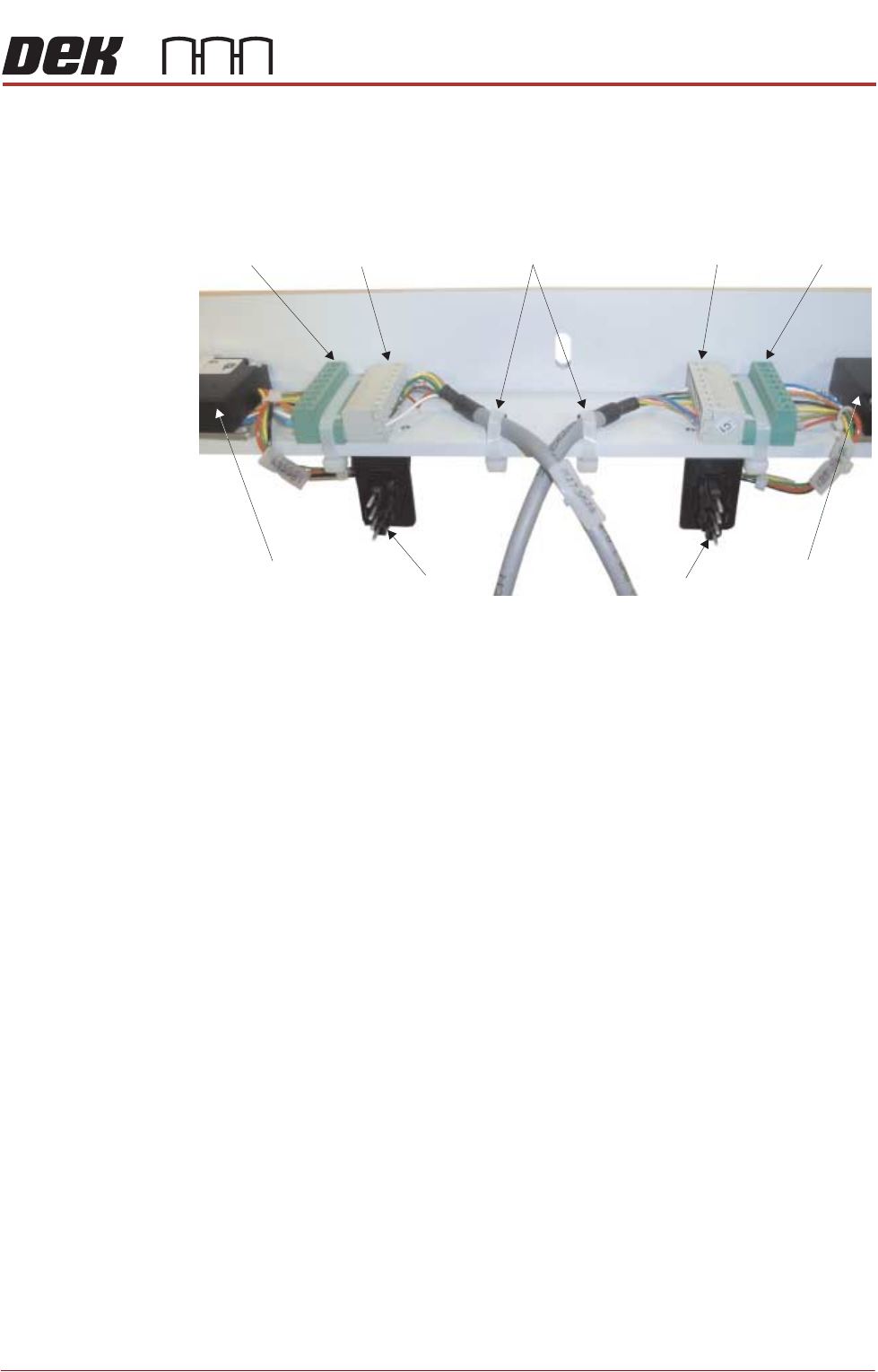
• Electrical connection to M27SOL03 (pneumatic solenoid) on the front rail
• Pneumatic feed to the input connector of M27SOL03
• M27SK24 to M27PL24 and M27SK25 to M27PL25 of the belt speed motor
controllers. Fit two cable ties to secure the cables to the mounting bracket
• 8SK21 to 8PL21 and 8SK23 to 8PL23 of the belt speed motor controllers
8. Cable tie any loose cables together to prevent them catching or rubbing on
any moving parts.
M27PL24 M27SK24 M27SK25 M27PL25
8PL21 8PL23
Front Belt Speed
Motor Controller
Rear Belt Speed
Motor Controller
Cable Ties
View on Underside of Right Hand Auxiliary Conveyor Mounting Bracket
PRINTER PREPARATION
PRINTER ASSEMBLY
4.46 Installation Manual Chapter Issue 15, May 20
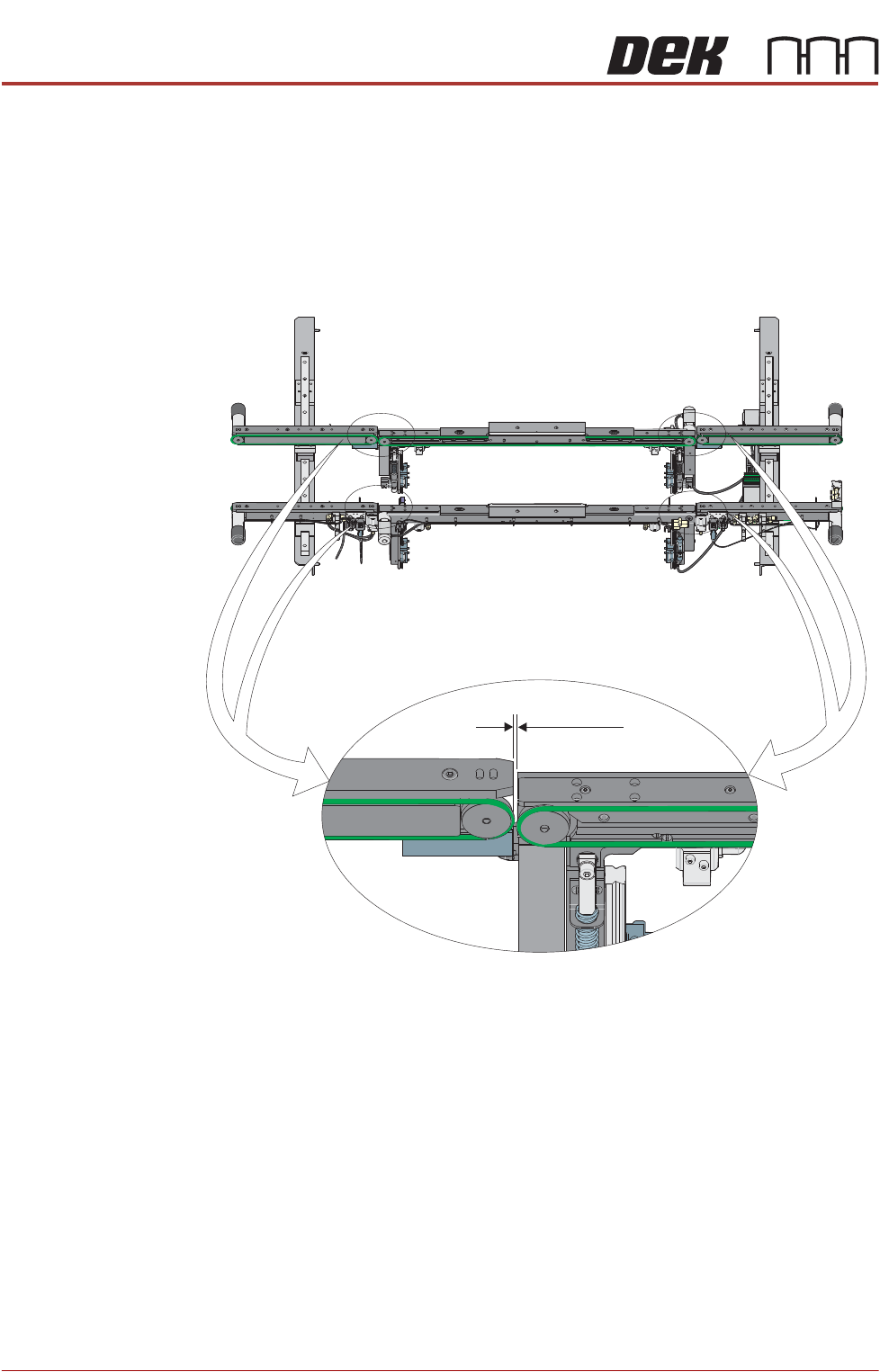
Auxiliary Conveyor
to Print Station
Gap
To check and if required adjust the gaps between the print station rail and the
auxiliary conveyors carry out the following procedure:
NOTE
To carry out this procedure on the front rail, the board stops between the print
station and the auxiliary conveyors must be removed.
1. Using feeler gauges, ensure that the gap between the print station and the
auxiliary conveyors (in four positions) is 3.5mm ±0.5mm.
2. If adjustment is required, loosen the locking nuts on the two auxiliary
Front View of HTC Rails
3.5 ±0.5mm