88192278-01-19 Installation Master.pdf - 第198页
HIGH THROUGHPUT CONVEYOR (HTC) OPERATION 6.8 Installation Manual Chapter Issue 6, May 20
HIGH THROUGHPUT CONVEYOR (HTC)
OPERATION
Chapter Issue 6, May 20 Installation Manual 6.7
2. Place a second board clamp setting plate onto the transport belts of the print
station.
3. Ensure the plates abut and are fully supported by the transport belts.
4. Using a spirit level, place across both setting plates and check the plates
are level.
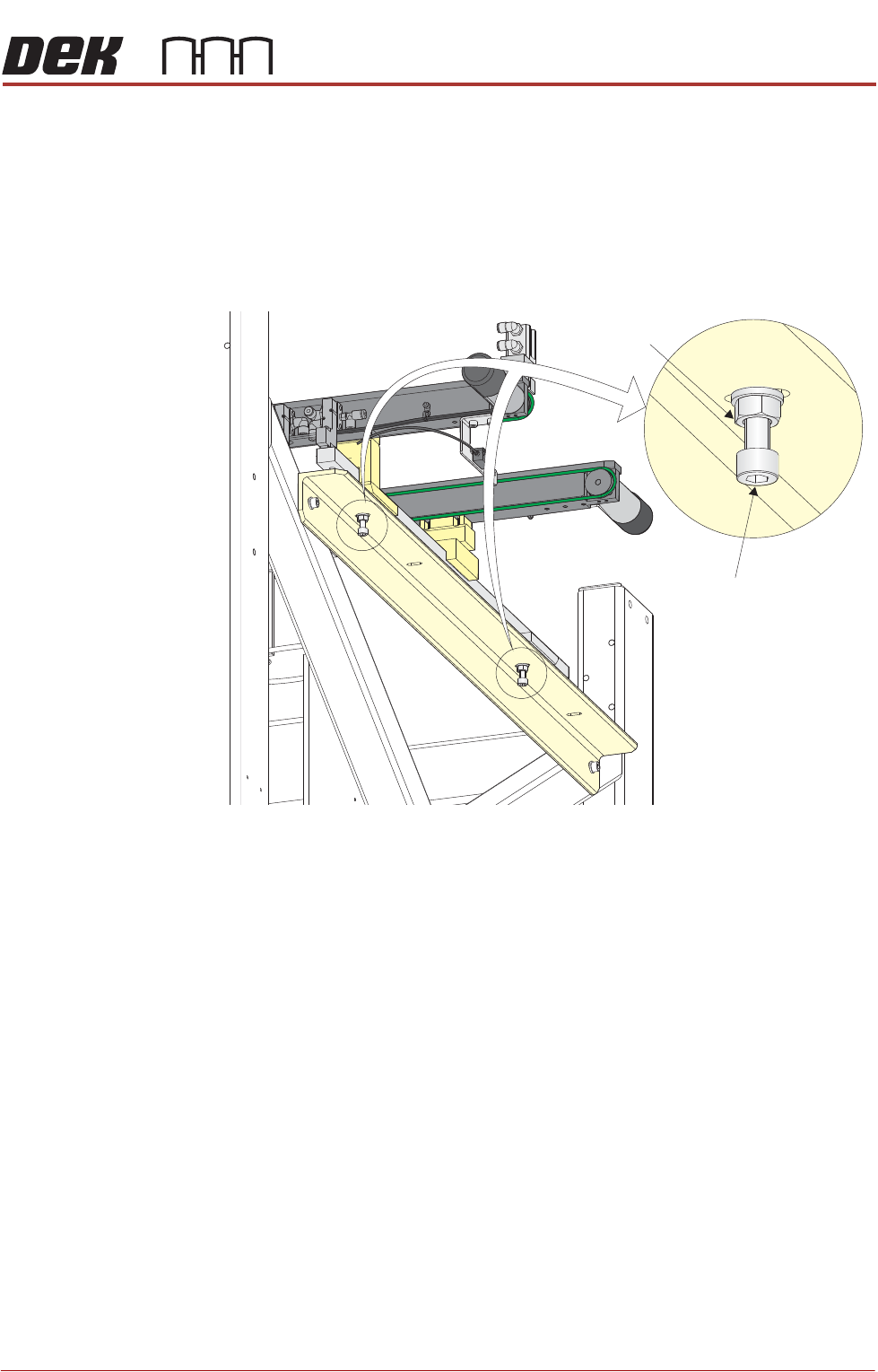
5. If adjustment is required, loosen the locking nuts on the two auxiliary
conveyor height adjustment bolts.
6. To alter the height of the conveyor carefully adjust both height adjustment
bolts.
7. Carefully adjust the height of the conveyor rails until they match the print
station rails.
8. Re-tighten the locking nuts loosened in Step 5 and repeat the check.
9. If adjustment has occurred, carry out Auxiliary Conveyor Levelling check.
10. Fit the side covers and panels that were previously removed.
Auxiliary Conveyor
Height Adjustment
Bolt
Locking Nut

HIGH THROUGHPUT CONVEYOR (HTC)
OPERATION
6.8 Installation Manual Chapter Issue 6, May 20
FOREIGN MACHINE INTERFACE
INTRODUCTION
Chapter Issue 7. May 20 Installation Manual 7.1
CHAPTER 7 FOREIGN MACHINE INTERFACE
INTRODUCTION The Foreign Machine Interface (FMI) is an electrical means of communication
between the DEK machine and an adjacent machine/conveyor, using electrical
signals. The signals are transferred using opto-couplers and/or solid state
relays which keep the machines electrically isolated.
The DEK machine can interface with many different types of adjacent machine.
The FMI manages the movement of boards being transferred between the
machines ensuring a constant flow is maintained. There are two different types
of interface available for the DEK machine:
• An FMI Pod for SMEMA, Fuji or Panasonic protocols
• A Multi-Interface Unit (MIU) for all other protocols
The FMI Pod and the MIU are supplied with the following cables:
• An FMI loom which connects the FMI port on the machine controller, to the
MIU or FMI Pod
• Two interface cables, one cable for each adjacent machine
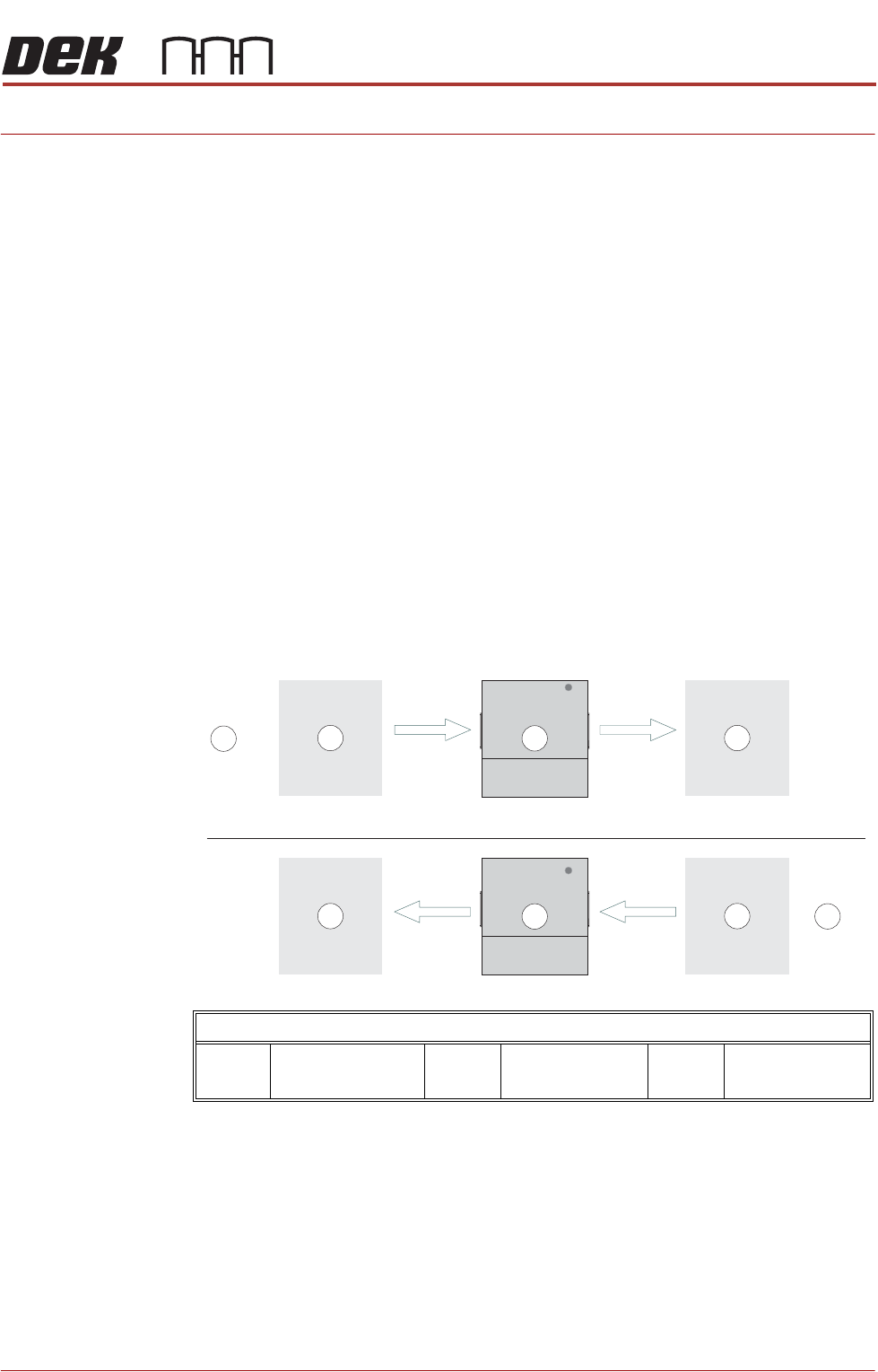
The adjacent machine/conveyor can be in the following configurations:
Printer Arrangements for Board Transfers
1 Downline Machine
or Conveyor
2 DEK Printer 3 Upline Machine or
Conveyor