88192278-01-19 Installation Master.pdf - 第67页
COVERS PRINTER COVERS Chapter Issue 12, Feb 18 Installation Manual 2.33 Upper Rear Panel T o remove the upper rear panel, carry out the following: 1. Using a 4mm Allen key , undo the two captive screws. 2. T ilt the top …
COVERS
PRINTER COVERS
2.32 Installation Manual Chapter Issue 12, Feb 18
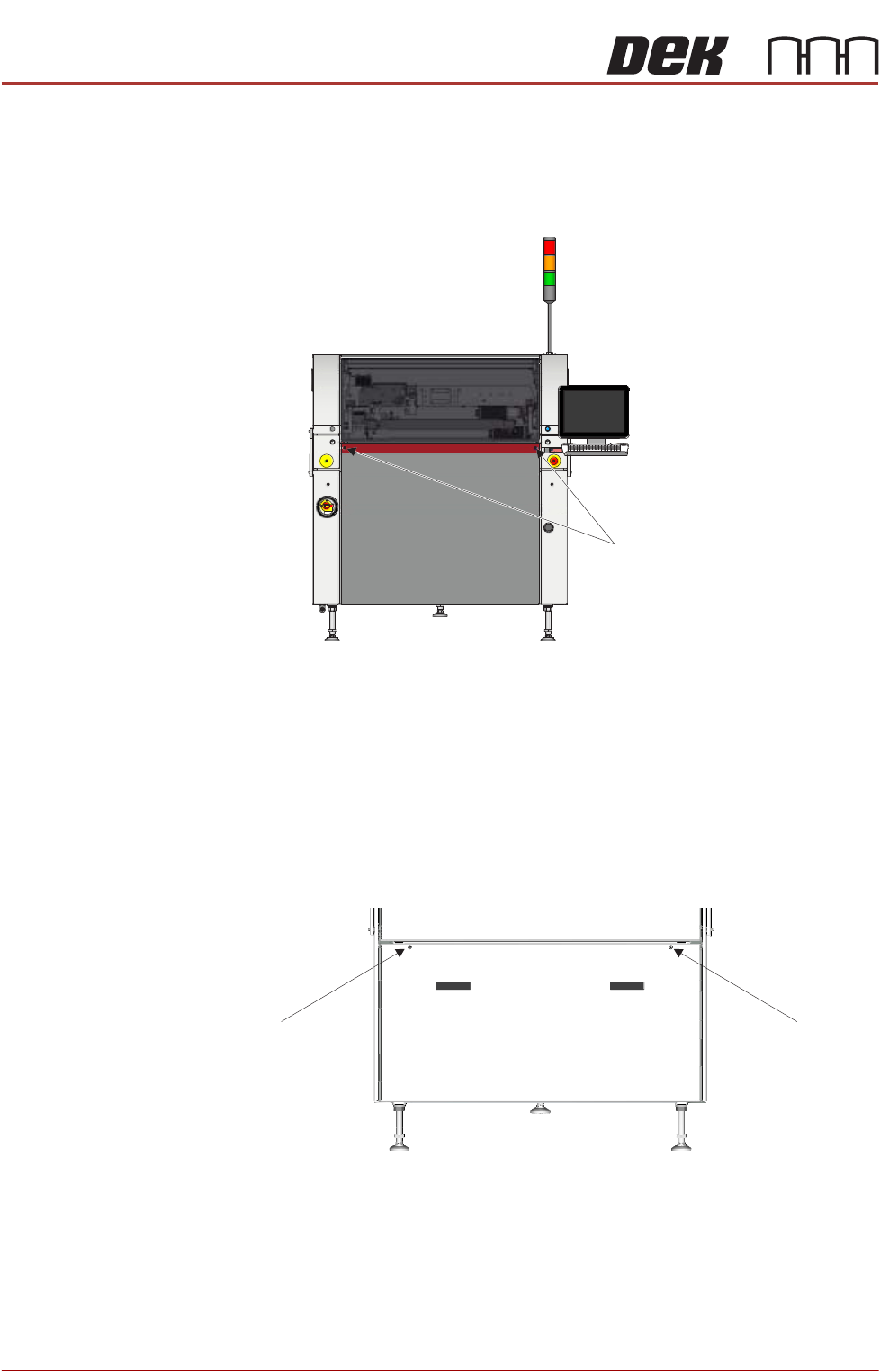
Front Panel To remove the front panel, carry out the following:
1. Open the front printhead cover.
2. Using a 4mm Allen key, undo the two captive screws on the front side of the
panel.
3. Tilt the top of the panel away from the printer and lift the panel clear of the
location pins that locate the panel to the printer frame, taking care not to
damage the earth cable.
Lower Rear Panel To remove the lower rear panel, carry out the following:
1. Using a 4mm Allen key, undo the two captive screws.
2. Tilt the top of the panel away from the printer and lift the panel clear of the
location pins that locate the panel to the printer frame, taking care not to
damage the earth cable.
M5 Captive Screws
View on Front of Machine
M5 Captive Screw
View on Rear of Machine
M5 Captive Screw
COVERS
PRINTER COVERS
Chapter Issue 12, Feb 18 Installation Manual 2.33
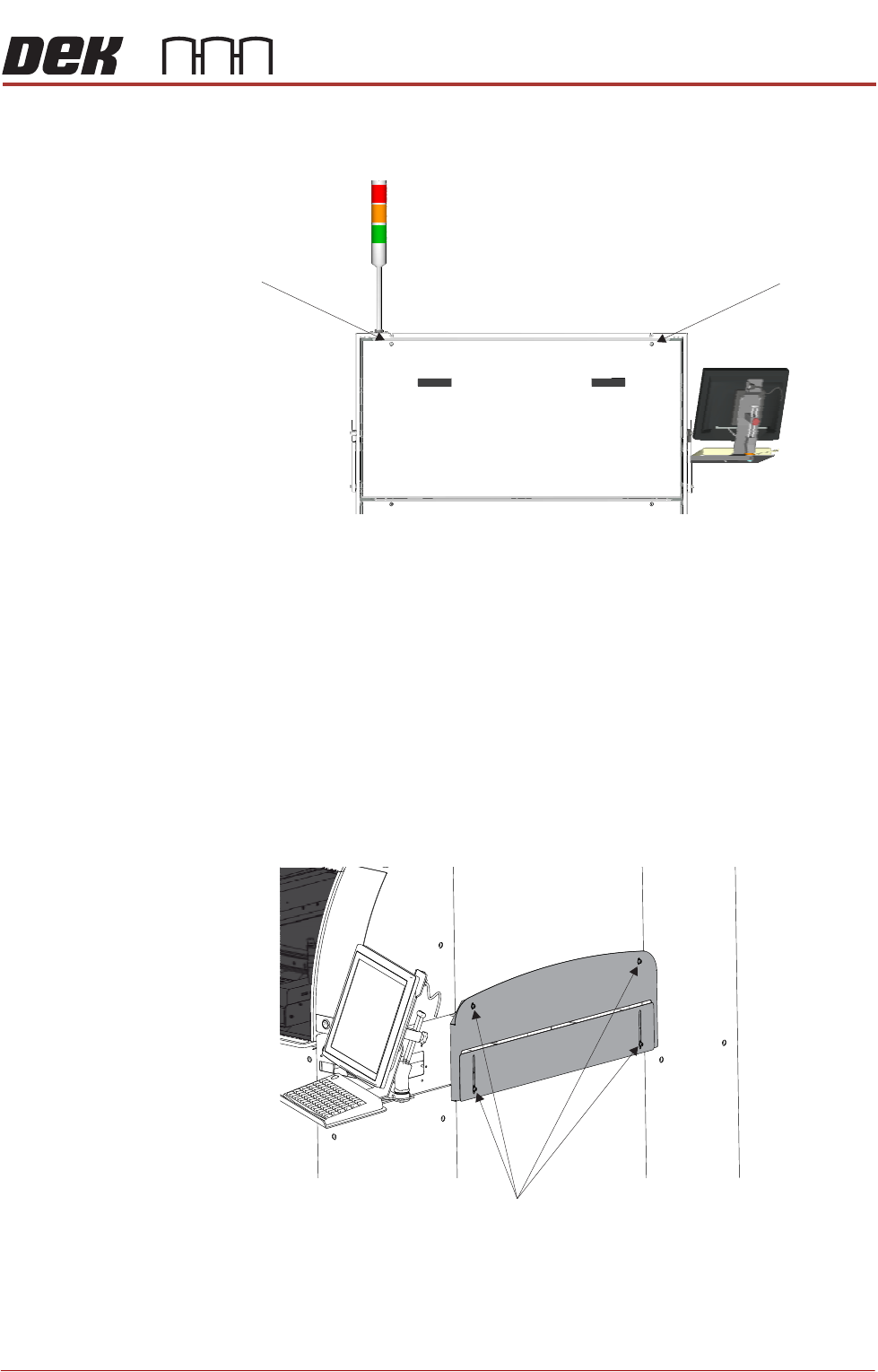
Upper Rear Panel To remove the upper rear panel, carry out the following:
1. Using a 4mm Allen key, undo the two captive screws.
2. Tilt the top of the panel away from the printer and lift the panel clear of the
location pins that locate the panel to the printer frame, taking care not to
damage the earth cable.
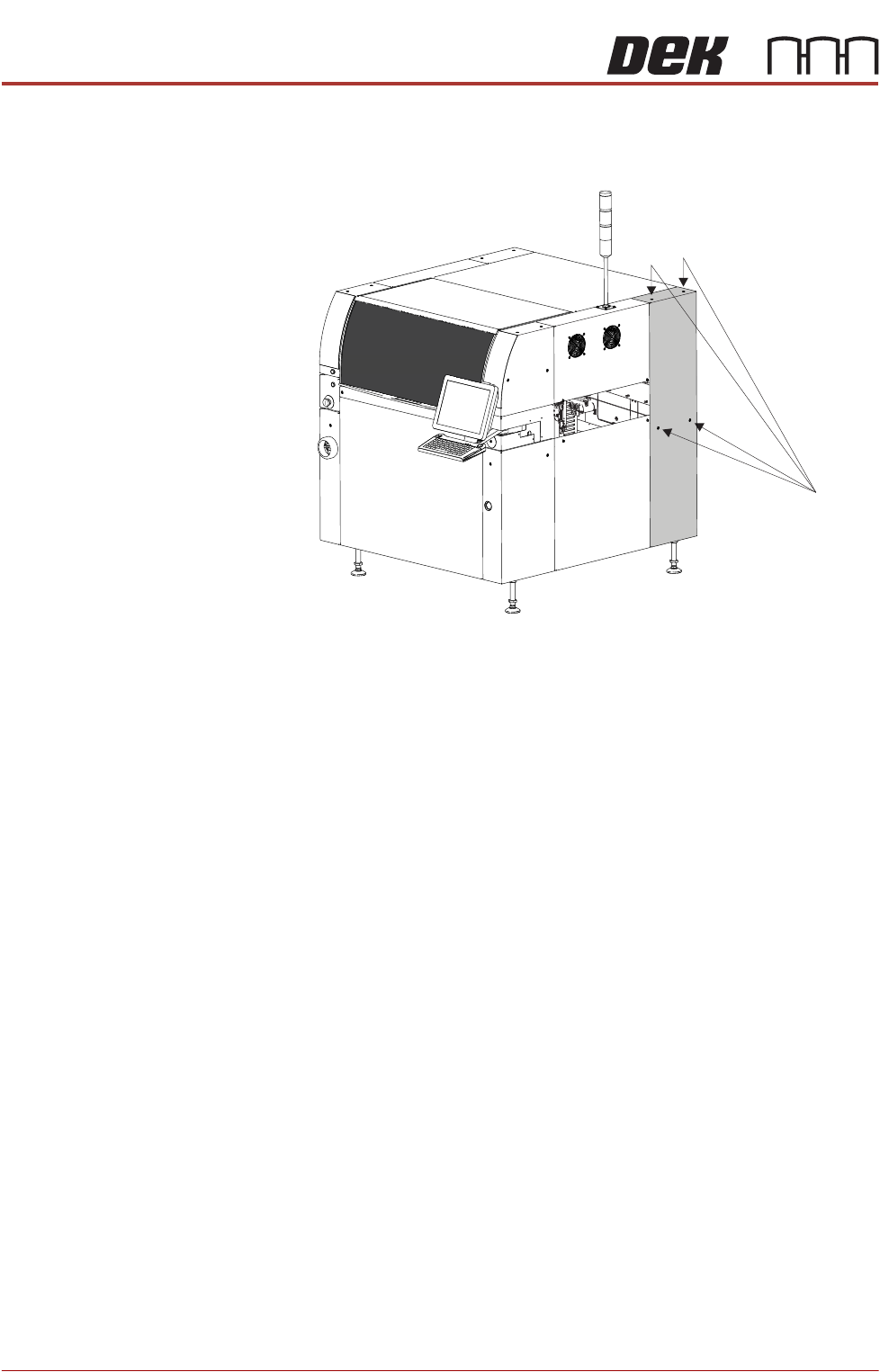
Safety Covers Safety covers are fitted to the side panels to protect personnel from inadvertent
access to the board entry/exit ports.
NOTE
The lower section of the safety panel can be adjusted to accommodate the
thickness of the product.
To remove the safety cover, remove the four securing screws.
Rear Corner Panels To remove the rear corner panels, carry out the following:
1. Remove the Left Hand Safety Cover (as detailed previously).
2. Remove the Right Hand Safety Cover (as detailed previously).
M5 Captive Screw
View on Rear of Machine
M5 Captive Screw
Safety Cover Securing Screws
COVERS
PRINTER COVERS
2.34 Installation Manual Chapter Issue 12, Feb 18
3. Using a 4mm Allen key, undo the appropriate two captive screws.
4. Lift the panel clear of the location pins that locate the panel to the printer
frame, taking care not to damage the earth cable.
5. Repeat Steps 3 and 4 for the other rear corner panel, if required.
Front Right Quarter View
Captive Screws