D-serie level 1 EN.pdf - 第177页
SIPLACE Vision Inkspot Recognition Optical Fiducia l Models S tude nt Guide Advanced Level 1 SIPLACE D-Series EN 05/2007 SIPLACE V i sion 10-1 1 Features : Fast procedure. Classification consists of global image attr…
SIPLACE Vision
Optical Fiducial Models Inkspot Recognition
Student Guide Advanced Level 1 SIPLACE D-Series
SIPLACE Vision EN 05/2007
10-10
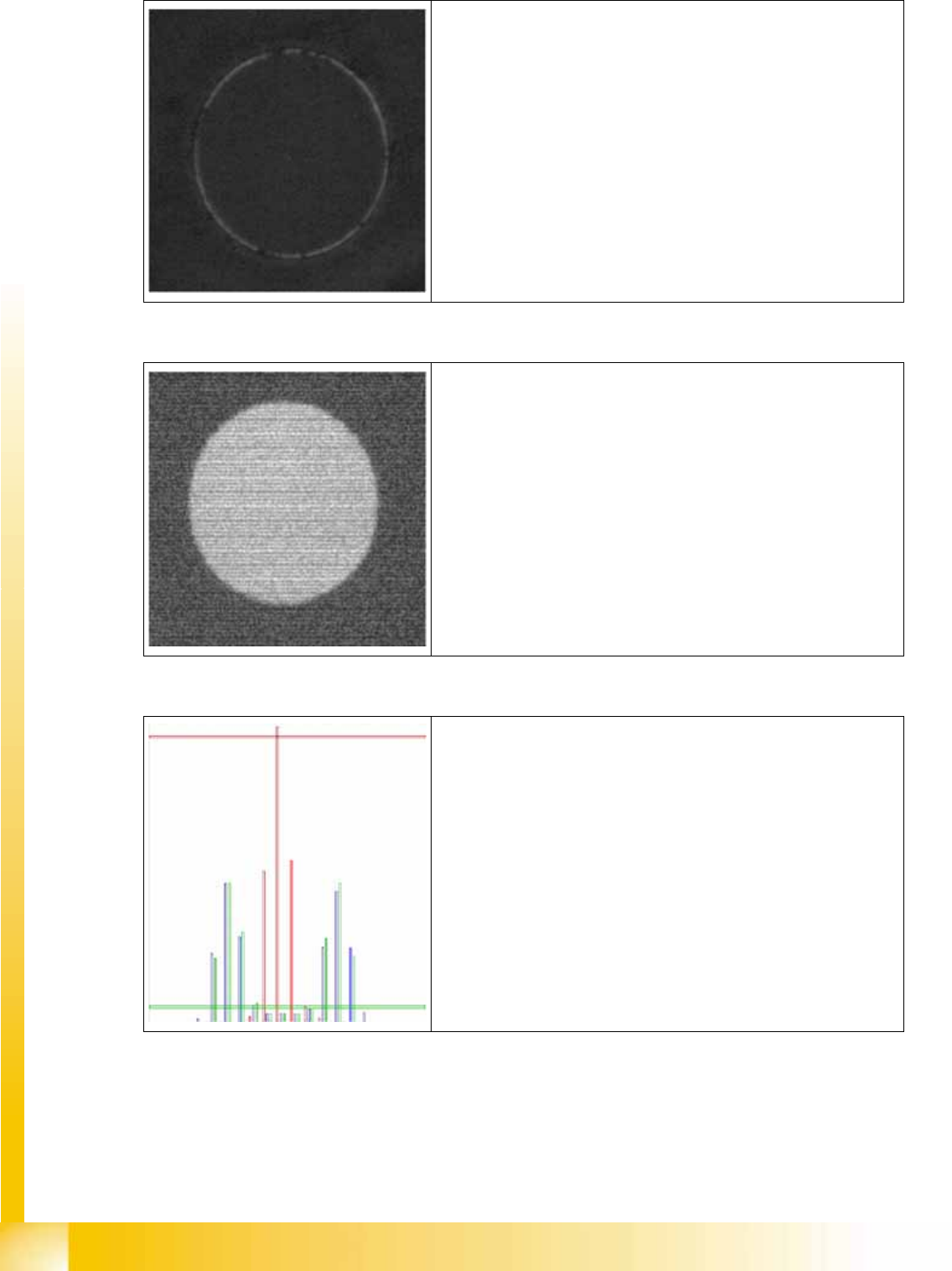
Teaching image do not place:
Fiducial has been hidden by black marker pen
Image to be classified
Red vertical bar:
Taught histogram do not place
Green vertical bar:
Taught histogram place
Blue vertical bar:
Histogram of evaluation image
Horizontal bar: Deviation from the teaching histogram; in this case
there is very little deviation to the green bar -> place
SIPLACE Vision
Inkspot Recognition Optical Fiducial Models
Student Guide Advanced Level 1 SIPLACE D-Series
EN 05/2007 SIPLACE Vision
10-11
Features:
Fast procedure.
Classification consists of global image attributes, meaning that a defined shape is not required.
Non-sensitive to fluctuation in brightness.
Can be seen as an advanced contrast method for SW platform II.
The method can be switched over in the Geometry menu.
You need to make sure that the evaluation area for the image is in the same position as that for
teaching i.e. perform a position recognition run before inkspot recognition.
10.1.3.4 Simple Brightness Method
The brightness method is a general method which is subject to brightness fluctuation at the line cameras.
This method also calculates the model information by teaching both a good and a bad case . It is the
simplest of all the methods. The good and bad cases calculated are used to determine an average
brightness for each case. The system then defines two brightness thresholds, which split the gray value
range into three areas: bad – in doubt – good. During classification, the average brightness of the
evaluation area is calculated and compared against the two thresholds so that it can be assigned to one
of the three areas.
Features:
Fast procedure.
Classification consists of global image attributes, meaning that a defined shape is not required.
Sensitive to fluctuations in brightness, meaning that this method is not ideal when used with lines
which have different PCB camera brightnesses.
Once again, you need to perform a position recognition run before inkspot recognition.
Overlay during classification: the blue bar indicates the brightness deviation calculated between the values and
shows that our example has been assigned to the do not place class.

SIPLACE Vision
Optical Fiducial Models Inkspot Recognition
Student Guide Advanced Level 1 SIPLACE D-Series
SIPLACE Vision EN 05/2007
10-12
10.1.3.5 Template Method for LASER Marking
The third option for teaching inkspots is to use fiducials on a ceramic background, which can be struck
out by a laser. In order to recognize these relatively thin lines on the fiducial, a template comparison can
be programmed.
The teaching procedure for the single-sided template method (e.g. only the good case is used for
correlation - in relation to one another) is performed as follows:
A template is calculated for the class place. This template is taken as the average evaluation area,
in case the class consists of multiple teaching images.
A correlation value to this template is calculated for each teaching image.This correlation value will
be from –1 to +1 and shows how well the gray values in the image match the template (+1: images
are identical; 0: no match between the images; -1: image is inverted in relation to the template). All
the correlation values for the images which the operator has classified as place, should have a high
correlation value, near to +1. The correlation values for the bad case images should be significantly
lower.
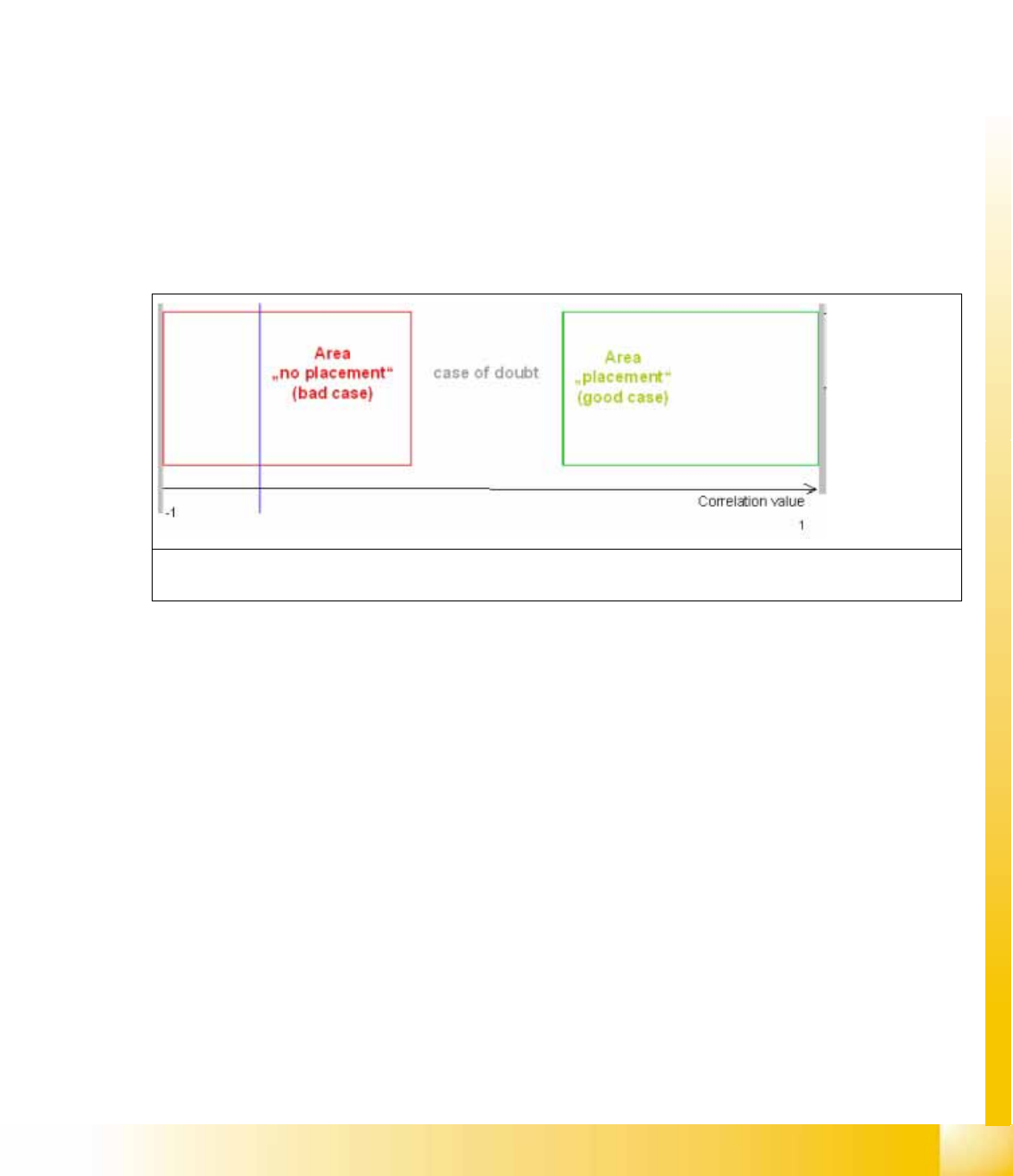
The system determines two thresholds from these correlation values. These thresholds split the
evaluation into three areas between -1 and +1:do not place, Allocation not clear and place.
During evaluation, the system determines how well the image section correlates with the template.
Classification then compares this value with the two thresholds.
In the following recognition example, both template cases are used (good and bad):