D-serie level 1 EN.pdf - 第64页
Communication and Control Overview Communication CAN Bus Structure D1 S tuden t Guide Advanced Level 1 SIPLACE D-Series Communication and Control EN 05/2007 4-2 4.1.2 Communication CAN Bus Structure D1 4.1.3 Communicatio…
Communication and Control
Networking Overview Overview
Student Guide Advanced Level 1 SIPLACE D-Series
EN 05/2007 Communication and Control
4-1
4 Communication and Control
4.1 Overview
4.1.1 Networking Overview
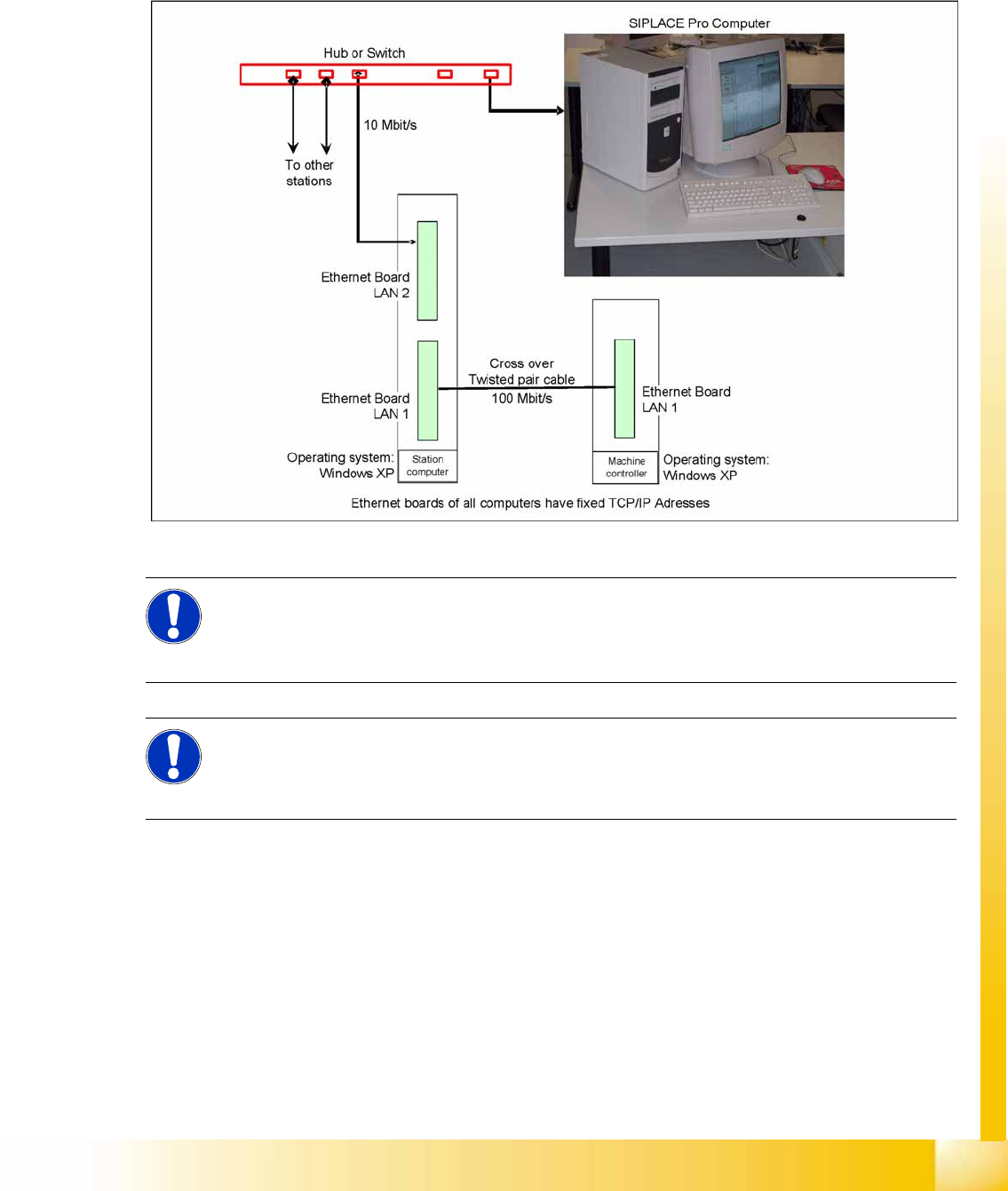
4-1: Overview of network connections
The fixed TCP/IP addresses of the computers may not be changed and are the same at all machines.
Overview network addresses
Station computer: 192.168.255.249 – "Connection to MC" (100 Mbit/s)
Machine controller: 192.168.255.250
Station computer connection to main computer<. 172.xxx.yyy.zzz – "Connection to SIPLACE Pro"
(10 Mbit/s)
The address of the SIPLACE Pro computer is not specified as a fixed entry. Each controlling SIPLACE
Pro computer has access rights to this station, as soon as it is connected to it.
NOTE: Valid from 6 03.xx-SW
If the SIPLACE GUI at the station computer can not be operated, the MC operating system can
be shut down via the station computer operating system GUI (
Start --> Programs --> Siplace
--> Shutdown all
), as an exception.
NOTE:
The SIPLACE Vision software runs on the station computer.
The station computer is directly connected via a twisted pair crossover cable to the machine
controller.
Communication and Control
Overview Communication CAN Bus Structure D1
Student Guide Advanced Level 1 SIPLACE D-Series
Communication and Control EN 05/2007
4-2
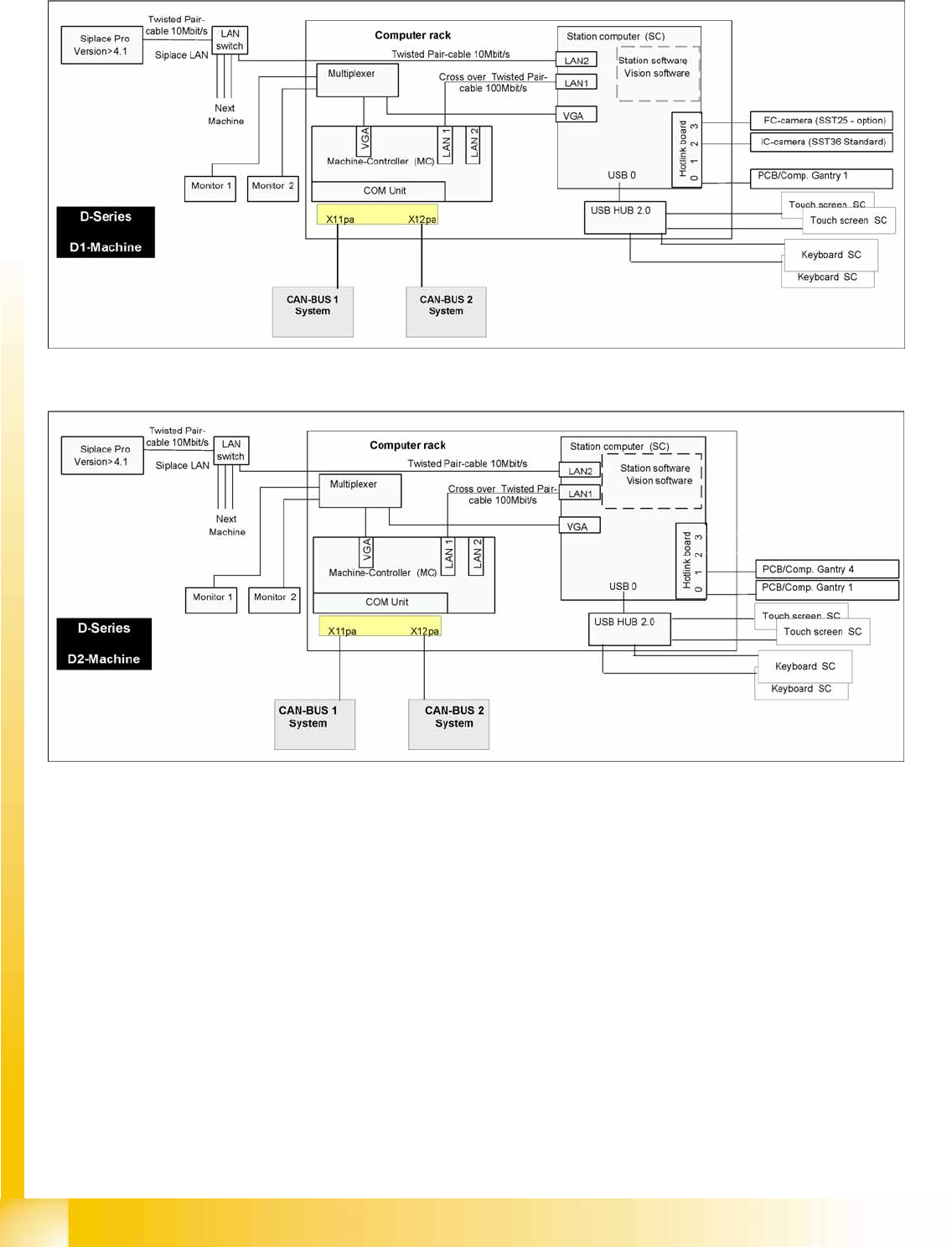
4.1.2 Communication CAN Bus Structure D1
4.1.3 Communication CAN Bus Structure D2
Communication and Control
Communication CAN Bus Structure D3 Overview
Student Guide Advanced Level 1 SIPLACE D-Series
EN 05/2007 Communication and Control
4-3
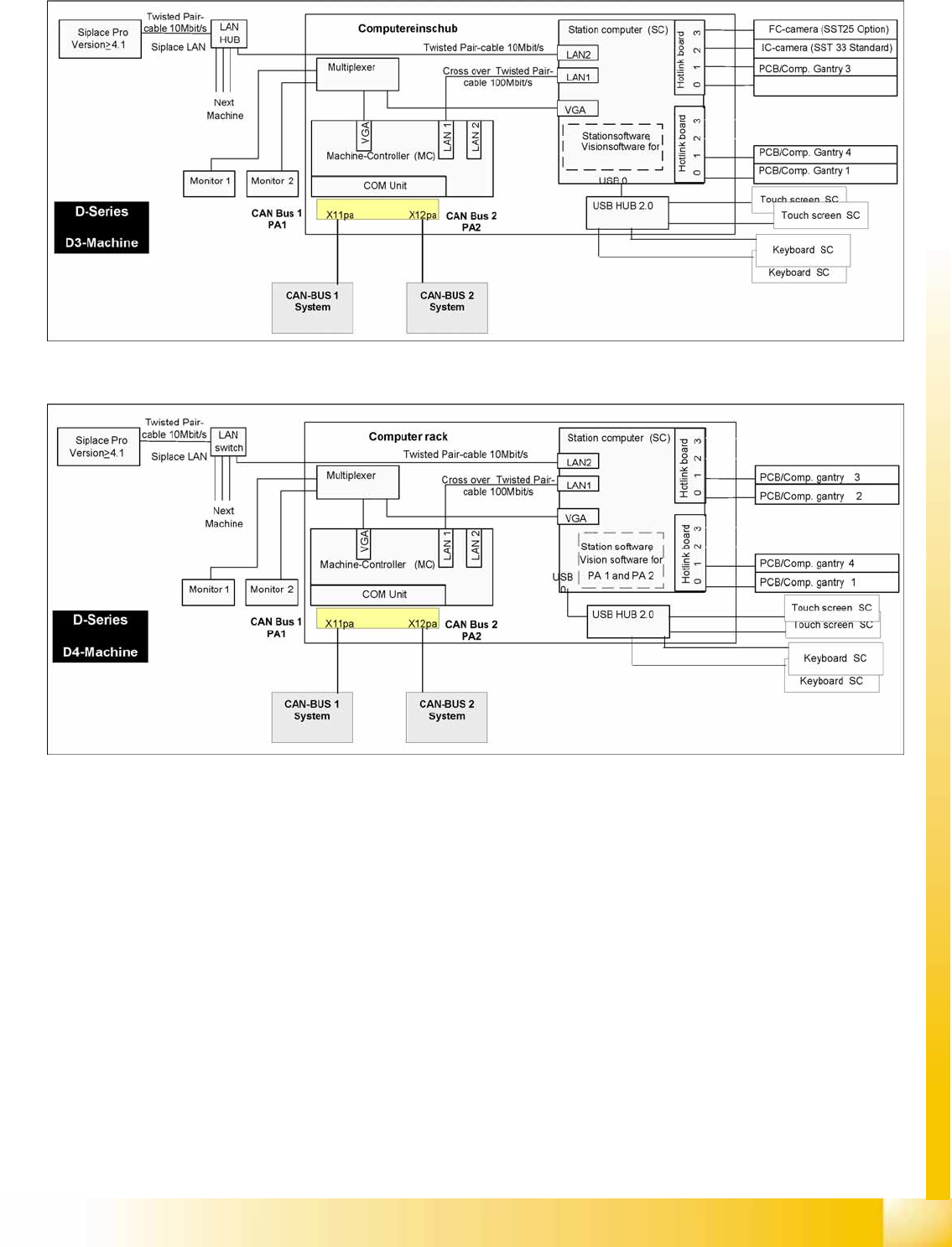
4.1.4 Communication CAN Bus Structure D3
4.1.5 Communication CAN Bus Structure D4