1OM-1003-007.pdf - 第133页
(2) The "Login T ype Selection" window opens. Fig. 1C29 (3) When the [SHUT DOWN] button is pressed in the "Login T ype Se- lection" window , the "SHUT DOWN" dialog box opens for the con- fir…
1.7 Shut-Down Operation
1.7.1 Shut-Down Procedure
The following explains how to shut down the power to the machine.
Be sure to log out from an operation window to
open the "Login Type Selection" window and go
through the shutdown procedure by pressing the
[SHUT DOWN] button before turning off the
power to the machine.
• When the power is shut down at a window other
than the "Login Type Selection" window, the saved
data (the management data, various data on the
hard disk, etc.) may be deleted.
Operation Procedure
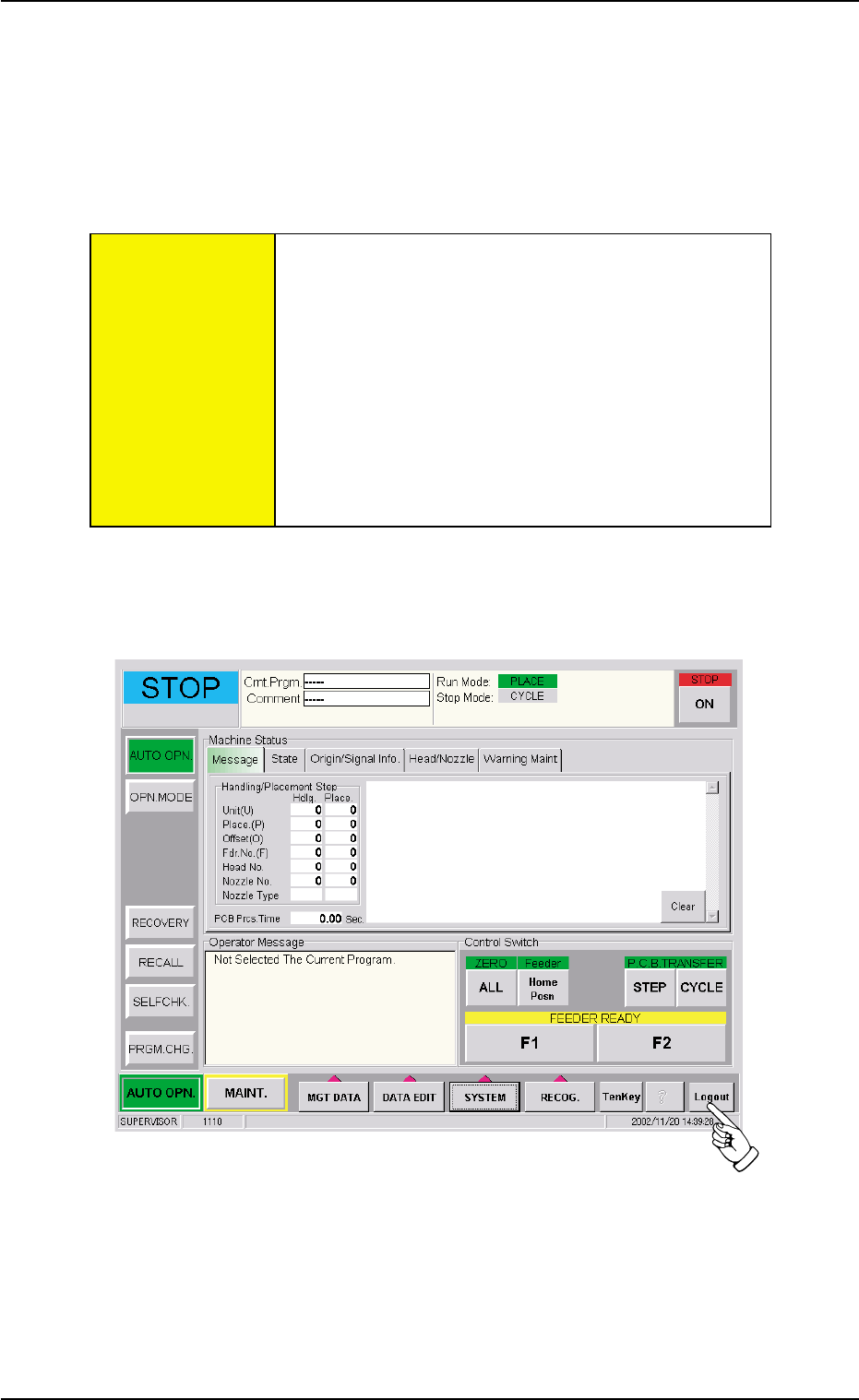
(1) Press the [Logout] button on the main menu bar.
Fig. 1C28
1.7 Shut-Down Operation
CAUTION
0412-002 3-21 AIL01EOPP
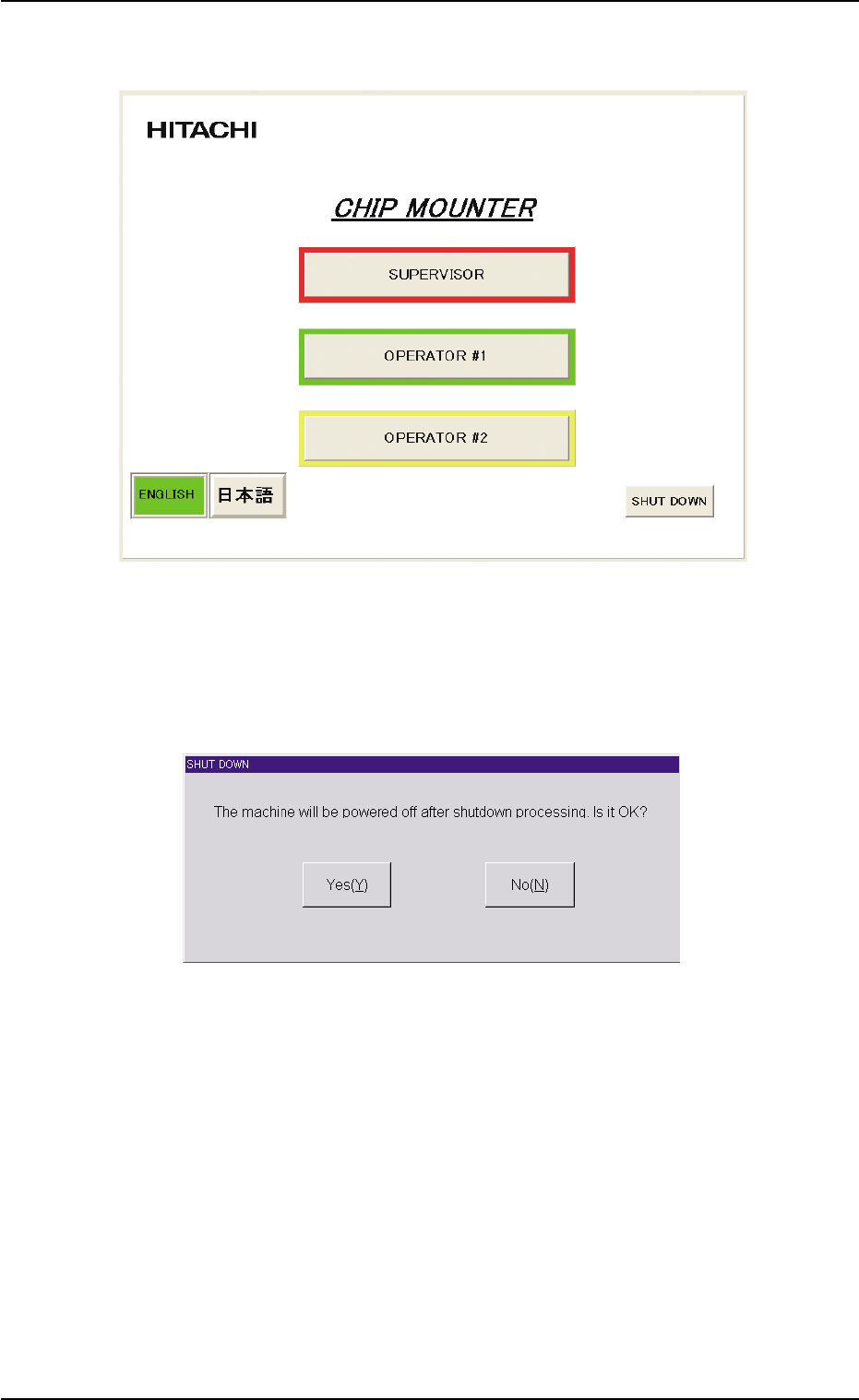
(2) The "Login Type Selection" window opens.
Fig. 1C29
(3) When the [SHUT DOWN] button is pressed in the "Login Type Se-
lection" window, the "SHUT DOWN" dialog box opens for the con-
firmation.
Fig. 1C30 "SHUT DOWN" Dialog Box for Confirmation
(4) When the [Yes(Y)] button is pressed, the power to the machine is
turned off.
When the [No(N)] button is pressed, the shut-down operation is
canceled.
1.7 Shut-Down Operation
0511-003 3-22 AIL01EOPP
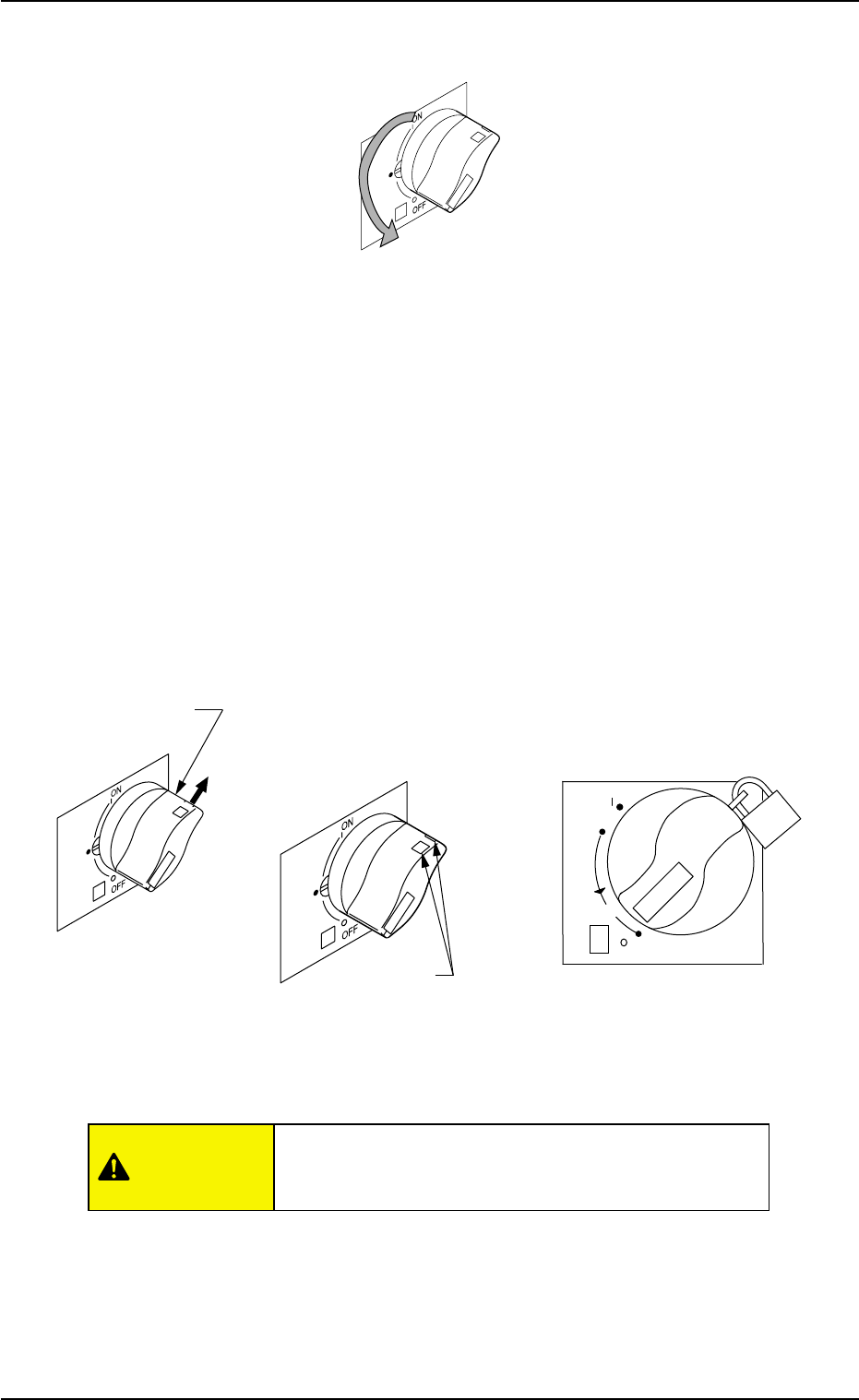
(5) Set the lever of the power breaker to the "OFF" position.
Fig. 1C31
1.7.2 Locking the Power Breaker with the Padlock
When the machine is not used for a long period of time, lock the power
breaker using the padlock.
(1) Pull out the lock lever of the power breaker in the A direction. See
the figure below.
Keep holding the lock lever. Otherwise, the lever will pull back.
(2) Engage the shackle of the padlock through the lock slots and lock
the crank.
Fig. 1C32
Keep the padlock key inaccessible to any person ex-
cept for the person in charge of maintenance.
1.7 Shut-Down Operation
reset
OFF
ON
tripped
push
20
Lock Slot
Lock Lever
(Before Padlocking) (Padlock)
A
CAUTION
0412-002 3-23 AIL01EOPP