1OM-1003-007.pdf - 第68页
2.2.2 Front Safety Door Fig. 1A5 The machine is provided with a safety door on the front side of the machine to keep any part of body , clothes and any object away from the moving parts of the machine, avoiding any dange…
2.2 Safety Mechanisms
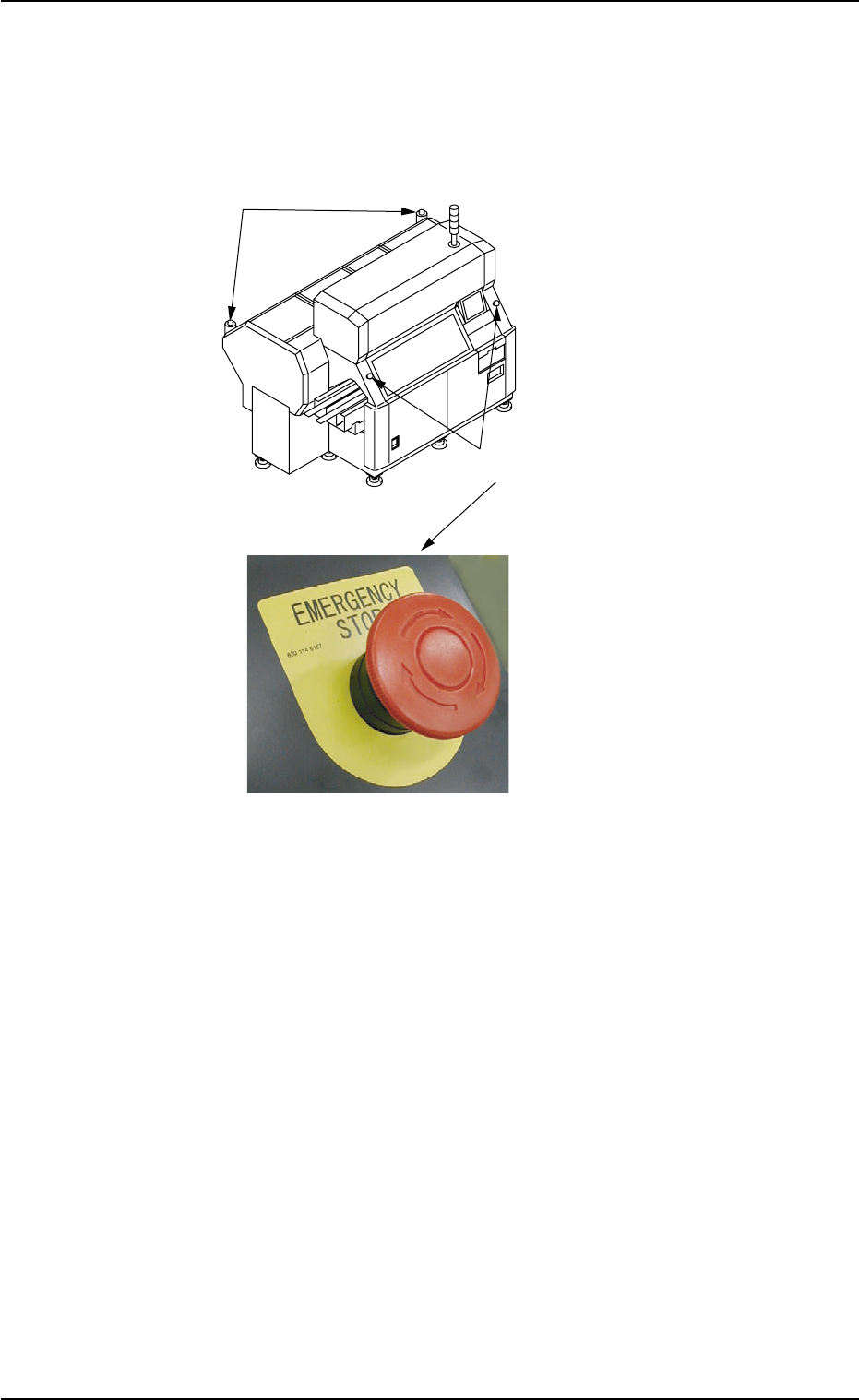
2.2.1 [EMERGENCY STOP] Switches
Fig. 1A4
Use the [EMERGENCY STOP] switches to immediately stop the ma-
chine in an emergency.
When an [EMERGENCY STOP] switch is pressed, the power is turned
off and the machine stops immediately.
When the power is turned off, the LED of the [POWER ON] button on
the operation panel illuminates in red.
••
••
• Locking the [EMERGENCY STOP] Switch
When an [EMERGENCY STOP] switch is pressed, all power is shut
off, the machine stops running, and the [EMERGENCY STOP] switch
is locked to avoid any careless power re-supply to the machine.
••
••
• Unlocking the [EMERGENCY STOP] Switch
Before re-supplying power to the machine, check and remove the
cause of emergency stop and inspect each section of the machine.
Then, unlock the [EMERGENCY STOP] switch.
To unlock the button, turn the button clockwise and pull it out.
[EMERGENCY STOP] Switches (Front)
[EMERGENCY STOP] Switches (Rear)
0409-002 1-4 AIL01EOPP
2.2 Safety Mechanisms
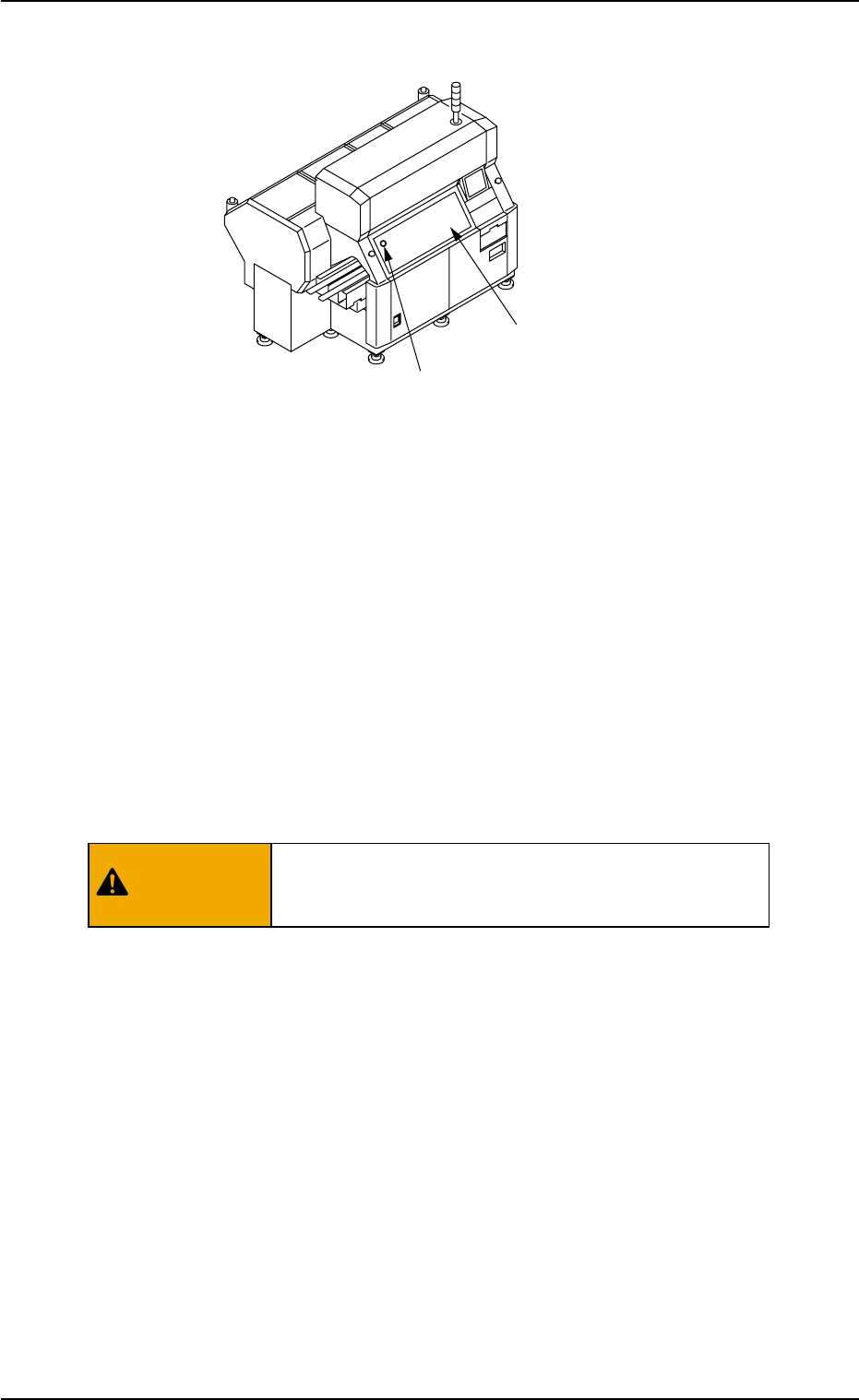
2.2.2 Front Safety Door
Fig. 1A5
The machine is provided with a safety door on the front side of the
machine to keep any part of body, clothes and any object away from the
moving parts of the machine, avoiding any danger during automatic
operation.
The machine is also provided with a [FRONT SAFETY DOOR CHECK]
switch that works to detect whether the front safety door is open or
closed.
When the front safety door is opened with the [OPERATION] switch on
the front operation panel set to "RUN", the switch is activated and an
error occurs.
When the switch is set to "SETUP", it is not activated.
Keep the front safety door closed during automatic
operation to avoid any danger.
0412-002 1-5
AIL01EOPP
[FRONT SAFETY DOOR CHECK] Switch
Front Safety Door
2.2 Safety Mechanisms
WARNING
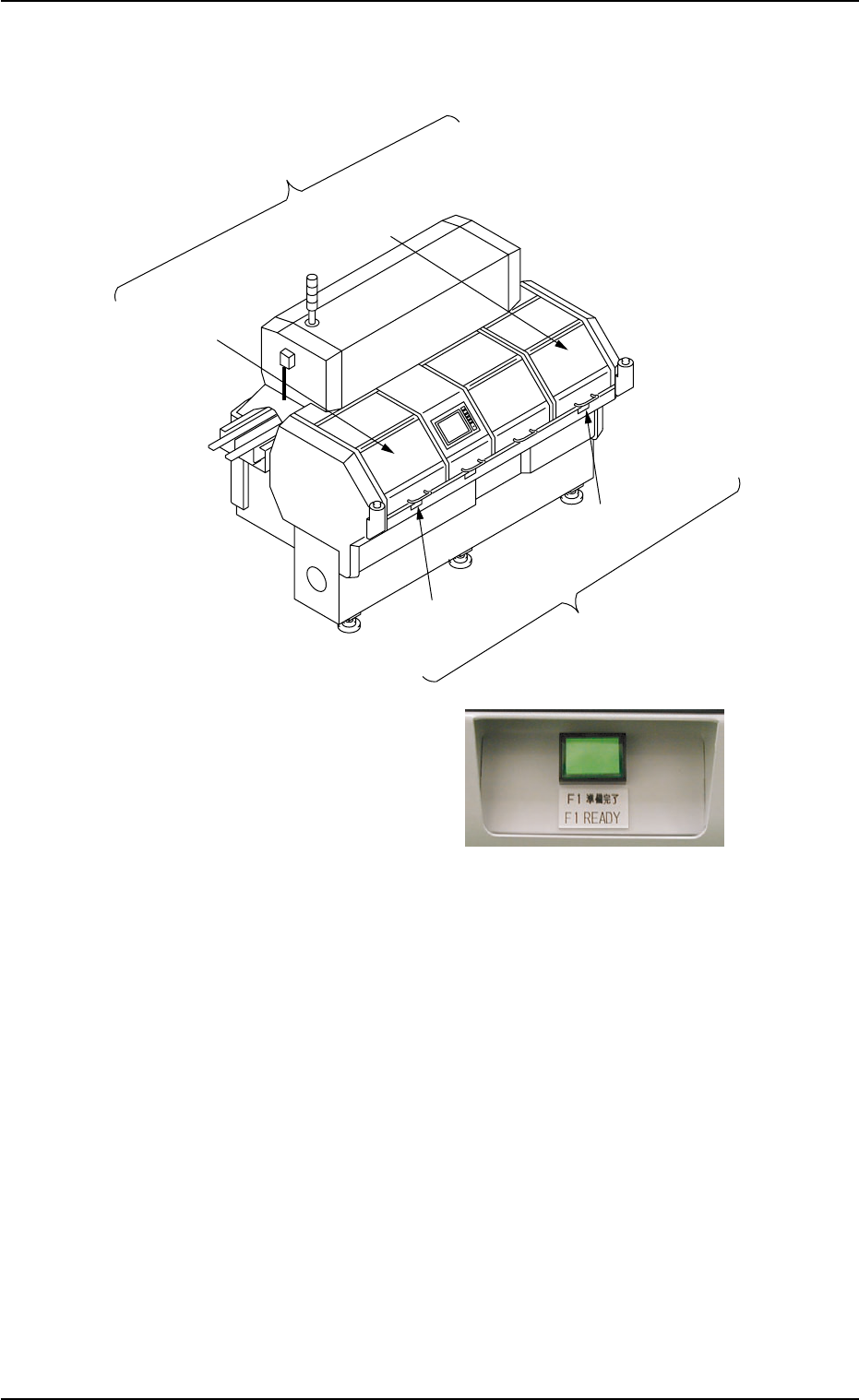
2.2.3 Feeder Work Area Safety Doors
Fig. 1A6 Feeder Work Area Safety Doors and Feeder Ready Buttons
The machine is provided with feeder work area safety doors on the rear
side of the machine to avoid any danger possible to be caused while
the feeder carriage is moving during automatic operation.
To open a feeder work area safety door, press the corresponding feeder
ready button and ensure the safety around the machine before opening
the door.
F1 Work Area
Safety Door
[F1 READY]
Button
Feeder Work Area
Safety Door
F2A Work Area
Safety Door
[F2A READY]
Button
Feeder Ready Buttons
0409-002 1-6 AIL01EOPP
2.2 Safety Mechanisms