1OM-1003-007.pdf - 第72页
2.2.5 [FEEDER READY] Buttons Fig. 1A8 [FEEDER READY] Buttons • • • • • The [FEEDER READY] buttons are used to inform the machine that the tape feeders on the feeder carriages are set ready for use after replacement or co…
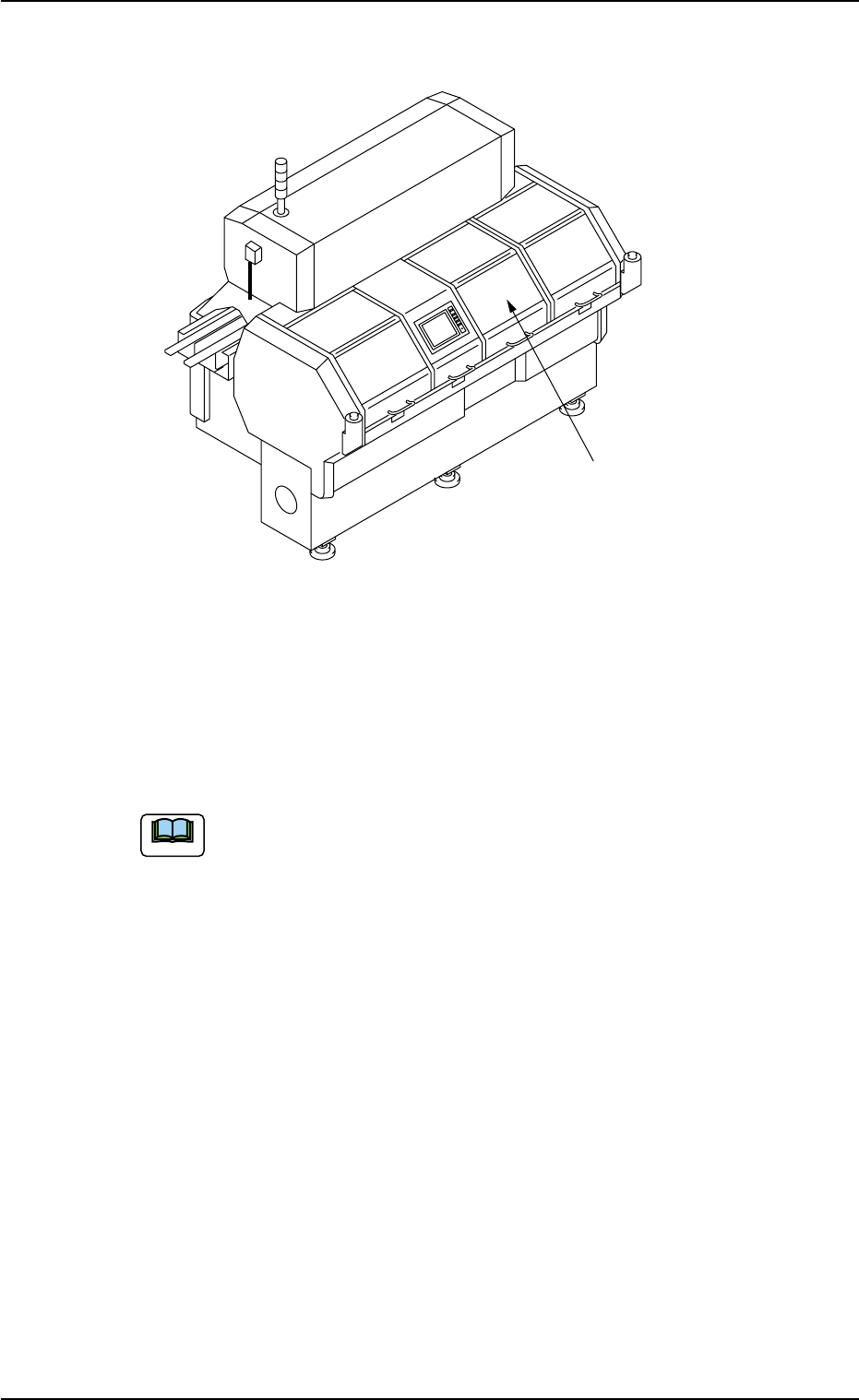
2.2.4 Feeder Carriage Covers
Fig. 1A7
The machine is provided with feeder carriage covers at the central sec-
tion of the rear side, allowing the operator to stay clear of any danger
possible to be caused while the feeder carriages are moving during
automatic operation.
• When the machine is powered, the feeder carriage cover
cannot be opened.
• The machine cannot be powered with the feeder carriage
cover being open.
0412-002 1-8
AIL01EOPP
Feeder Carriage Covers
2.2 Safety Mechanisms
Note
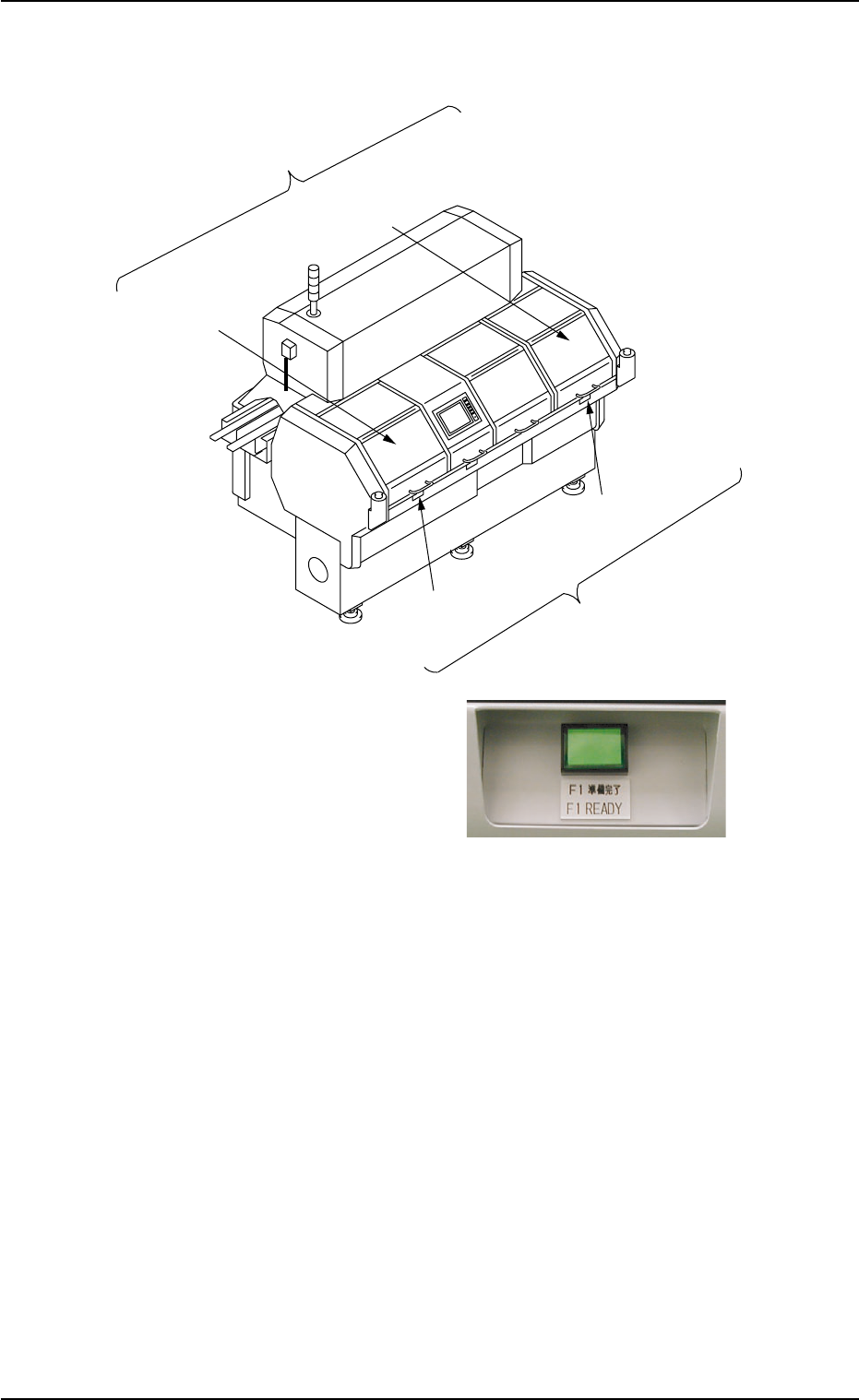
2.2.5 [FEEDER READY] Buttons
Fig. 1A8 [FEEDER READY] Buttons
••
••
• The [FEEDER READY] buttons are used to inform the machine that
the tape feeders on the feeder carriages are set ready for use after
replacement or component replenishment.
One feeder carriage section is provided with a pair of [FEEDER
READY] button and feeder work area safety door.
••
••
• When the related [FEEDER READY] button is pressed after the tape
feeders are installed on the feeder carriage, the feeder work area
safety door is locked (opening prohibited) and the lamp of the button
illuminates, indicating that the feeder carriage is set ready for use.
F1 Work Area
Safety Door
[F1 READY]
Button
Feeder Work Area
Safety Door
F2A Work Area
Safety Door
[F2A READY]
Button
Feeder Ready Buttons
0409-002 1-9 AIL01EOPP
2.2 Safety Mechanisms

(a) Unless the lamp of the [FEEDER READY] button illumi-
nates, the automatic operation cannot be started. While
the lamp of the [FEEDER READY] button is ON, the feeder
work area safety door is locked and cannot be opened.
(b) When the [FEEDER READY] button is pressed right after
the feeder work area safety door is closed, the lamp may
not illuminate soon. This is not trouble. In this case, just
press the [FEEDER READY] button again.
(c) When a component shortage error occurs during automatic
operation, the feeder carriage moves to the work area and
the lamp of the [FEEDER READY] button related to the
error-caused feeder carriage extinguishes.
After completion of feeder replacement or component sup-
ply replenishment, press the [FEEDER READY] button to
set the feeder carriage ready for use.
0409-002 1-10
AIL01EOPP
Note
2.2 Safety Mechanisms