00198615-04_UM_IPC-HERMES-9852-V1.2_DE_EN_ZH.pdf - 第19页
3 Configuration 3.1 Connection configuration in the LAN Administrator Guide / Administrator Handbuch / 管理员指南 IPC-HERMES-9852 - V1.2 05/2020 19 3.1.5 Using the HPE Office Connect 1920S 8G (JL380A) as a router The HPE Offi…

3 Configuration
3.1 Connection configuration in the LAN
18 Administrator Guide / Administrator Handbuch / 管理员指南 IPC-HERMES-9852 - V1.2 05/2020
3.1.4.2 iptables
NOTICE
Customzing iptables
iptables needs to be adapted to your own configuration.
Basic configuration
► Set up the basic configuration:
ð iptables -I FORWARD -m conntrack --ctstate ESTABLISHED,RELATED -j ACCEPT
ð iptables -t nat -I POSTROUTING -o eth0 -j MASQUERADE
Setting up
► Create a connection between stacker and printer:
ð iptables -t nat -I PREROUTING -i eth1 -p tcp --dport 40101 -j DNAT
--to-destination 192.168.0.1:50101
ð iptables -I FORWARD -i eth1 -o eth0 -p tcp --syn -d 192.168.0.1 --dport 50101 m conntrack
--ctstate NEW -j ACCEPT
► Establish a connection between placement machine and conveyor:
ð iptables -t nat -I PREROUTING -i eth0 -p tcp --dport 60101 -j DNAT
--to-destination 172.22.0.101:50101
ð iptables -I FORWARD -i eht0 -o eth1 -p tcp --syn -d 172.22.0.101 --dport 50101
m conntrack --ctstate NEW -j ACCEPT
► To ensure that changes are permanently stored also refer to the information on the internet
Displaying
► A list of configured connections can be viewed via:
ð iptables -t nat -nvL
ð iptables -nvL
Deleting
► Deleting the connections that have been set up:
ð iptables -D FORWARD -m conntrack --ctstate ESTABLISHED,RELATED -j ACCEPT
ð iptables -t nat -D POSTROUTING -o eth0 -j MASQUERADE
ð iptables -t nat -I PREROUTING -i eth1 -p tcp --dport 40101 -j DNAT
--to-destination 192.168.0.1:50101
ð iptables -I FORWARD -i eth1 -o eth0 -p tcp --syn -d 192.168.0.1 --dport 50101
m conntrack --ctstate NEW -j ACCEPT
ð iptables -t nat -D PREROUTING -i eth0 -p tcp --dport 60101 -j DNAT
--to-destination 172.22.0.101:50101
ð iptables -D FORWARD -i eth0 -o eth1 -p tcp --syn -d 172.22.0.101 --dport 50101
-m conntrack --ctstate NEW -j ACCEPT
► To ensure that changes are permanently stored also refer to the information on the internet.
NOTICE
Configuring a network card under Linux
Information on configuring a network card under Linux can also be found in the internet.
3 Configuration
3.1 Connection configuration in the LAN
Administrator Guide / Administrator Handbuch / 管理员指南 IPC-HERMES-9852 - V1.2 05/2020 19
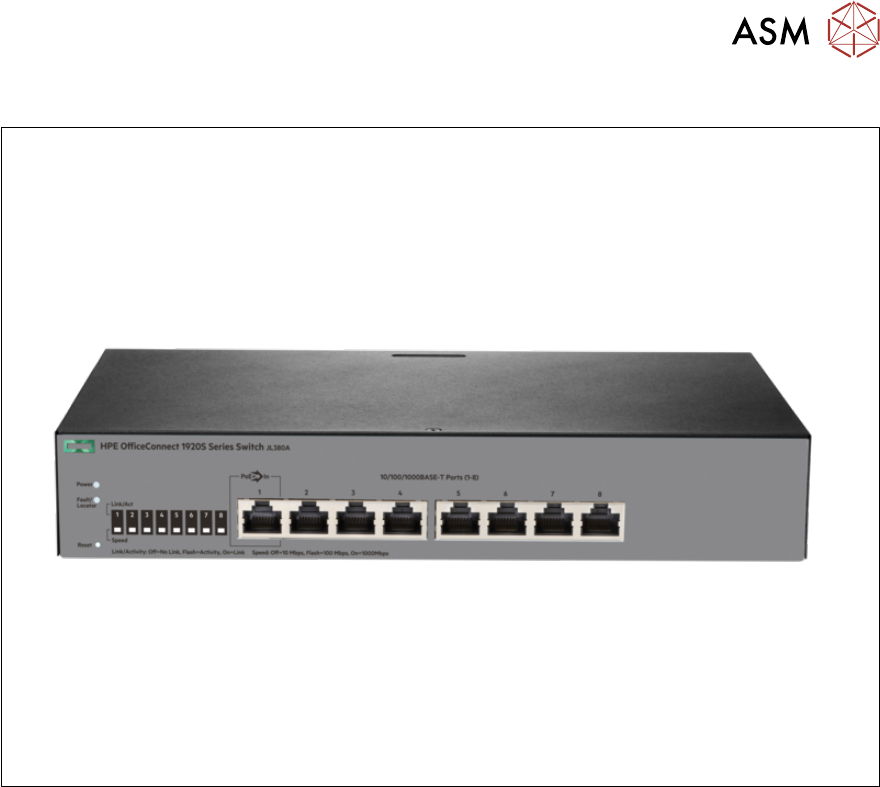
3.1.5 Using the HPE Office Connect 1920S 8G (JL380A) as a router
The HPE Office Connect 1920S 8G can be used as a router to establish Hermes connections as
well. The router must be configured accordingly.
The router is used parallel to the line computer.
Connecting to the router
► Create a connection between stacker and printer.
► Open a browser and go to http://192.168.1.1/. This is the default configuration which can,
however, differ for the actual router.
► To enter the configuration site, use the user “admin”. No password needs to be entered. This
is the default configuration which can, however, differ for the actual router.
3 Configuration
3.1 Connection configuration in the LAN
20 Administrator Guide / Administrator Handbuch / 管理员指南 IPC-HERMES-9852 - V1.2 05/2020
Interface configuration
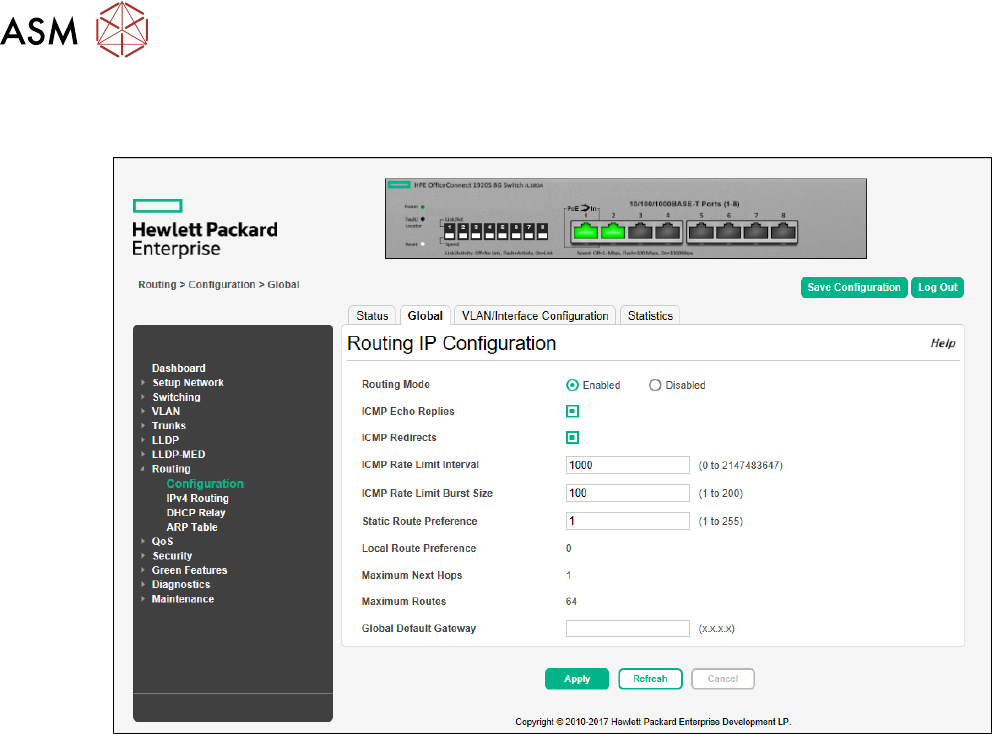
► Go to Routing -> Configuration -> Global and enable Routing Mode.