00198615-04_UM_IPC-HERMES-9852-V1.2_DE_EN_ZH.pdf - 第38页
4 Working with the Line Control GUI 4.1 Connection view in the Line Control GUI 38 Administrator Guide / Administrator Handbuch / 管理员指南 IPC-HERMES-9852 - V1.2 05/2020 Parameters of the connection view Table of the graphi…
4 Working with the Line Control GUI
4.1 Connection view in the Line Control GUI
Administrator Guide / Administrator Handbuch / 管理员指南 IPC-HERMES-9852 - V1.2 05/2020 37
4 Working with the Line Control GUI
4.1 Connection view in the Line Control GUI
► Open the Line Control GUI.
► Open the line view area.
ð The data of the line and the respective operating states are displayed.
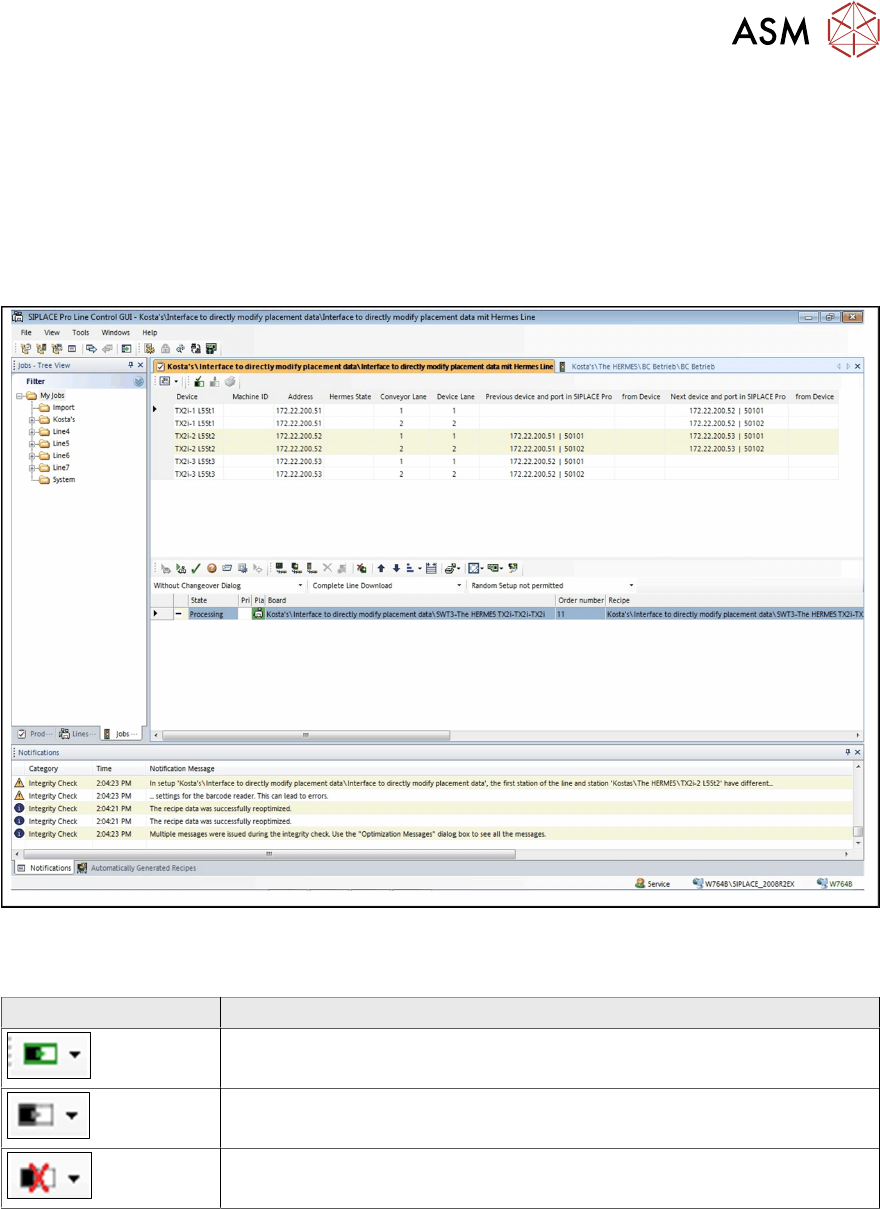
You can switch between a graphic view and a table view in which the information on the Devices
of the line and of SIPLACE Pro is displayed that is relevant for IPC-HERMES-9852. Depending on
the connection status of the IPC-HERMES-9852 configuration, the corresponding icon is displayed.
Field Value/Meaning
Connection to IPC-HERMES-9852 successful.
Connection to IPC-HERMES-9852 not verified.
Connection to IPC-HERMES-9852 with errors.
4 Working with the Line Control GUI
4.1 Connection view in the Line Control GUI
38 Administrator Guide / Administrator Handbuch / 管理员指南 IPC-HERMES-9852 - V1.2 05/2020
Parameters of the connection view
Table of the graphic view
Field Value/Meaning
Device Shows the name of the device in the line.
Machine ID Shows the machine ID of the device in the line.
Address Shows the IP address or the host name of the device in the line.
Depending on what has been entered for this device in the line
in SIPLACE Pro.
Hermes State Shows the state of IPC-HERMES-9852 configuration.
OK: The configuration of the device in the line matches the con-
figuration in SIPLACE Pro.
Error: The configuration of the device in the line DOES NOT
match the configuration in SIPLACE Pro.
Conveyor lane Shows the conveyor lane for which, for example, a download to
the DEK printers and the SIPLACE stations is made.
Device Lane Shows the lane of the device in the line.
Previous device and port in
SIPLACE Pro
Shows the IP address or the host name and the port number for
the connection to the previous device in the line.
from Device Shows the state of IPC-HERMES-9852 configuration. If the con-
figuration of the device in the line matches the configuration in
SIPLACE Pro, only OK is displayed for a better readability.
Next device and port in
SIPLACE Pro
Shows the IP address or the host name and the port number for
the connection to the next device in the line.
from Device Shows the state of IPC-HERMES-9852 configuration. If the con-
figuration of the device in the line matches the configuration in
SIPLACE Pro, only OK is displayed for a better readability.
4.1.1 Checking the device configuration
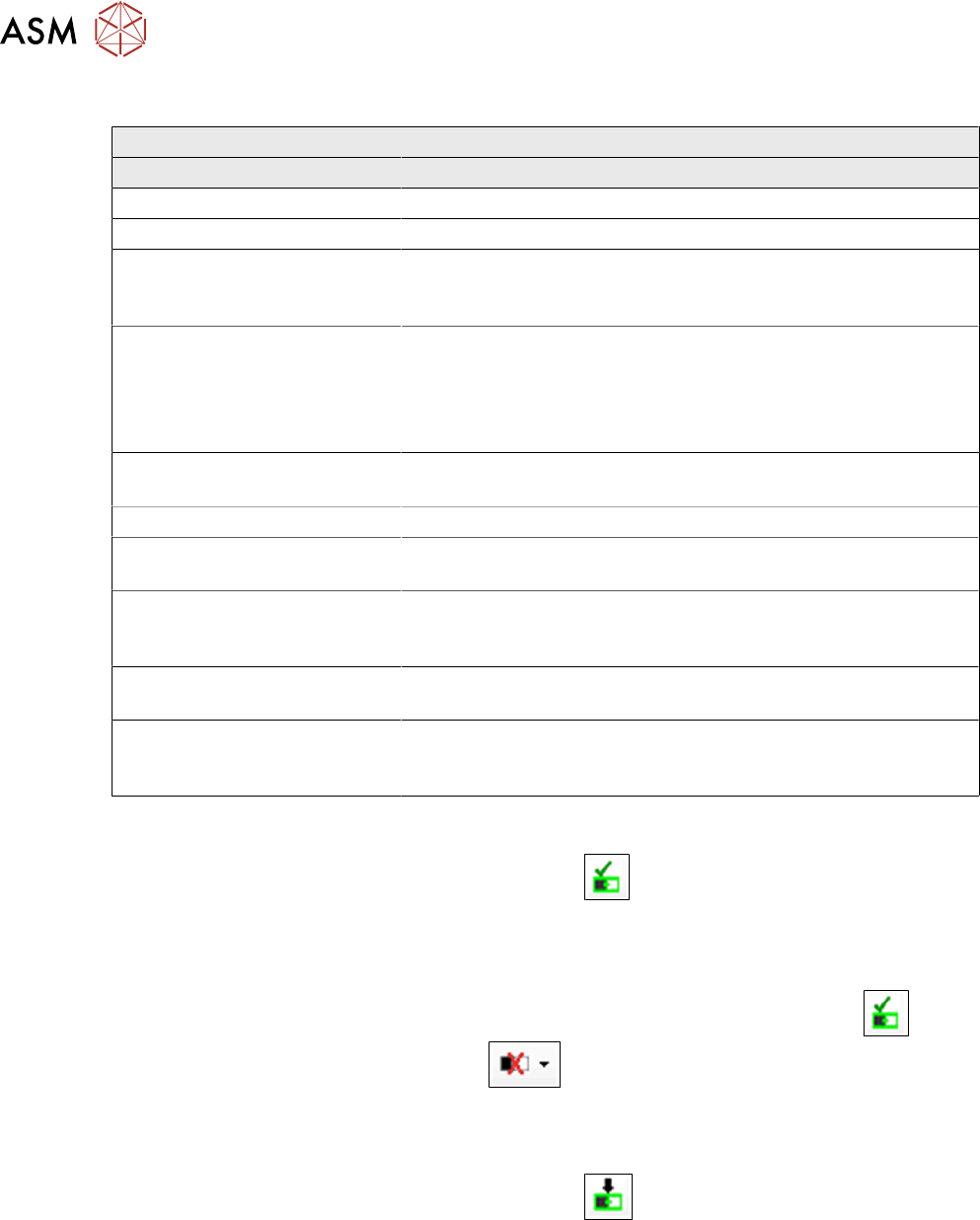
► In the toolbar of the graphic view, select the icon Check the IPC-HERMES-9852 device
configuration.
ð IPC-HERMES-9852 configurations of all devices in the line are loaded and compared with
the SIPLACE Pro data.
ð The results are displayed in the main view. If the result is successful, the icon is dis-
played. If an error occurs, the icon is displayed between the affected devices in
the line.
4.1.2 Download of the device configuration
► In the toolbar of the graphic view, select the icon Download IPC-HERMES-9852
device configuration.
ð The results are displayed in the main view. If the procedure was not successful, a mes-
sage is displayed in the notification window of the Line Control GUI that states why the
download of the IPC-HERMES-9852 configuration failed.
4 Working with the Line Control GUI
4.2 Graphic representations
Administrator Guide / Administrator Handbuch / 管理员指南 IPC-HERMES-9852 - V1.2 05/2020 39
4.2 Graphic representations
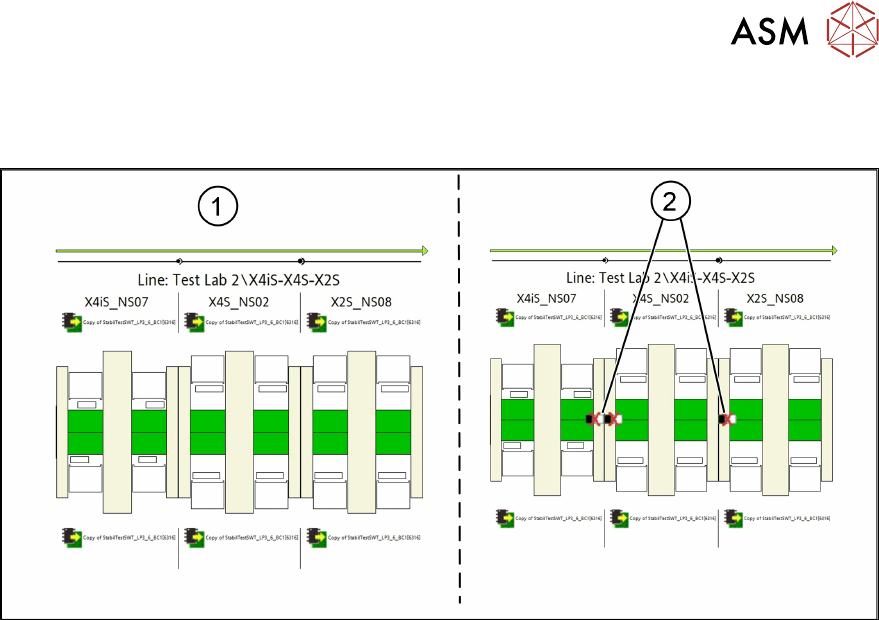
The figure shows the graphic representation in the LCGUI with IPC-HERMES-9852 connections.
1. IPC-HERMES-9852 connections OK
2. IPC-HERMES-9852 connections NOT OK. Deviation of SIPLACE Pro data from the station
settings