00198615-04_UM_IPC-HERMES-9852-V1.2_DE_EN_ZH.pdf - 第46页
5 Operating the station software 5.2 Apply board width of the IPC-HERMES-9852 data 46 Administrator Guide / Administrator Handbuch / 管理员指南 IPC-HERMES-9852 - V1.2 05/2020
5 Operating the station software
5.2 Apply board width of the IPC-HERMES-9852 data
Administrator Guide / Administrator Handbuch / 管理员指南 IPC-HERMES-9852 - V1.2 05/2020 45
5.2 Apply board width of the IPC-HERMES-9852 data
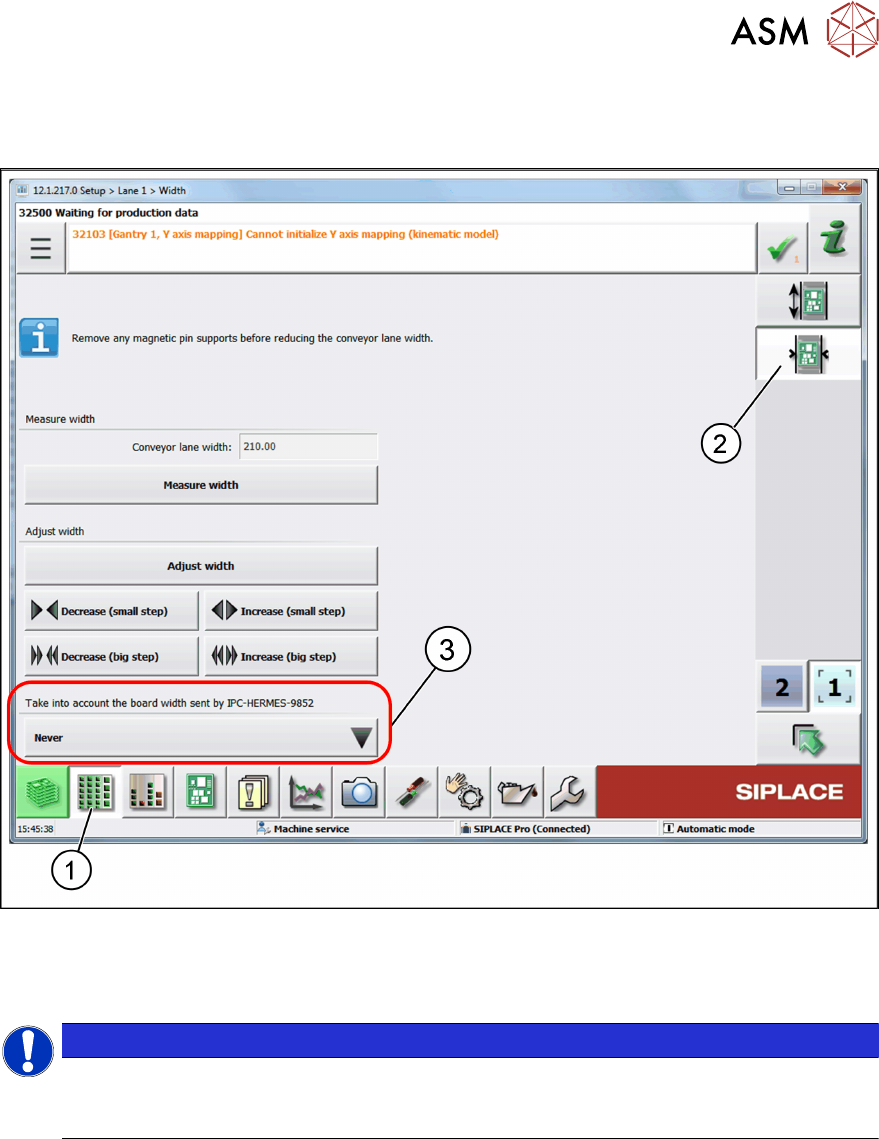
► Click on the Setup toolbar (1) and select Conveyor lane => Width (2) ....
Apply the Board Width sent by IPC-HERMES-9852 (3)
Choose whether the board width will be applied if it was sent via the IPC-HERMES-9852 messages
(BoardForecast" or "BoardAvailable"):
NOTICE
The board width of the Hermes message must be the same as the board width in
SIPLACEPro if either Only when barcode mode is active (default) or Always is set.
●
Only when barcode mode is active (default)
– Only when the machine is in barcode mode, the conveyor lane is set to the board width
specified in the message.
●
Always
– When a board width is sent via an IPC-HERMES-9852 message, it will be applied.
●
Never
– A board width sent via IPC-HERMES-9852 is always ignored.

5 Operating the station software
5.2 Apply board width of the IPC-HERMES-9852 data
46 Administrator Guide / Administrator Handbuch / 管理员指南 IPC-HERMES-9852 - V1.2 05/2020
6 Restrictions
Administrator Guide / Administrator Handbuch / 管理员指南 IPC-HERMES-9852 - V1.2 05/2020 47
6 Restrictions
The following station configurations are not supported by IPC-HERMES-9852:
●
IPC-HERMES-9852 with shuttle extension
●
IPC-HERMES-9852 with advanced conveyor interface (Advanced PCB)
If a Shuttle Extension or the advanced conveyor interface (Advanced PCB) is present at the
SIPLACE station, the IPC-HERMES-9852 interface must be deactivated accordingly. You cannot
use the affected conveyor lane in the input or output section for IPC-HERMES-9852 then.
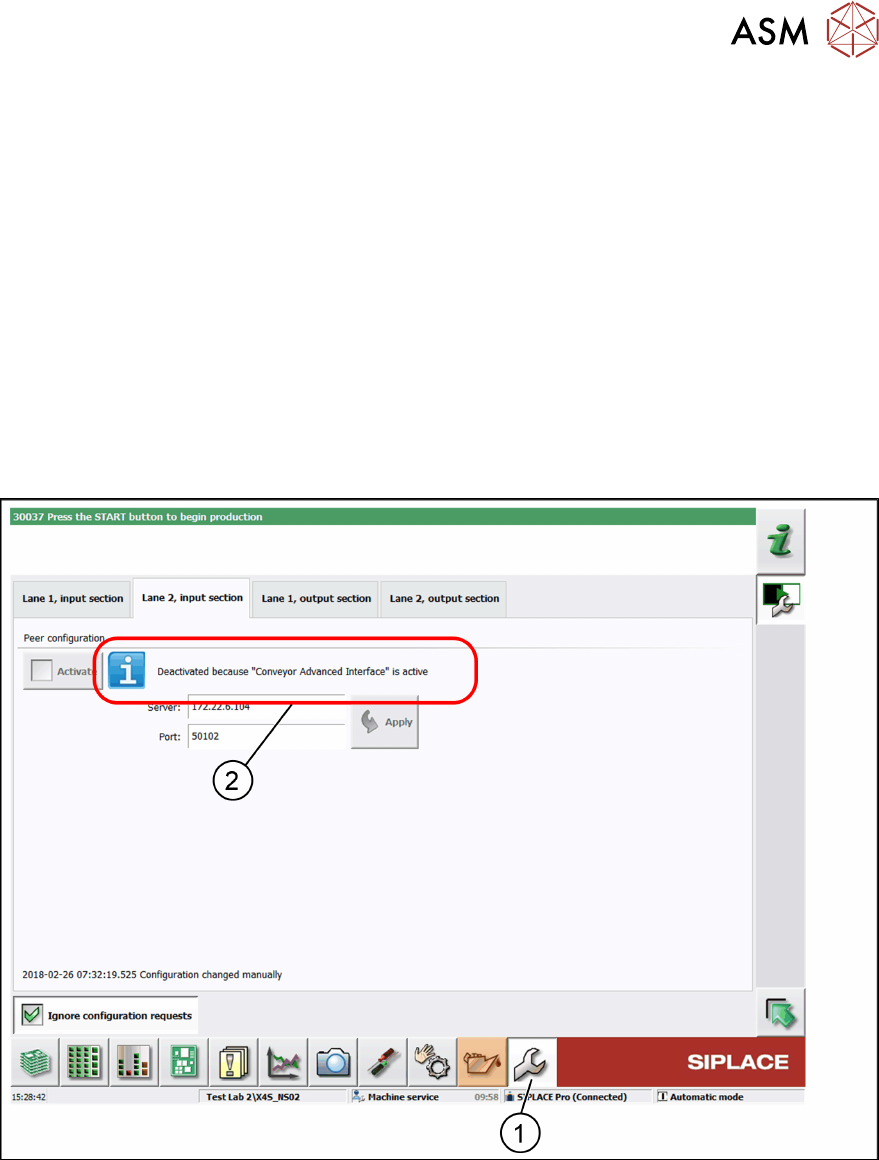
► In the toolbar, click Service (1) and select IPC-HERMES-9852.
ð The IPC-HERMES-9852 – Configuration view is displayed.
► Deactivate the corresponding conveyor lane.
ð A corresponding information is displayed (2).
In the following example, the Advanced PCB conveyor interface is present at conveyor lane 2 (2)
and for this reason it is deactivated for IPC-HERMES-9852.
In the following example, the shuttle extension is present in the input section (2) and for this reason
it is deactivated for IPC-HERMES-9852.