00198615-04_UM_IPC-HERMES-9852-V1.2_DE_EN_ZH.pdf - 第25页
3 Configuration 3.1 Connection configuration in the LAN Administrator Guide / Administrator Handbuch / 管理员指南 IPC-HERMES-9852 - V1.2 05/2020 25 ► The result under QoS -> Access Control Lists -> Summary looks like: ►…
3 Configuration
3.1 Connection configuration in the LAN
24 Administrator Guide / Administrator Handbuch / 管理员指南 IPC-HERMES-9852 - V1.2 05/2020
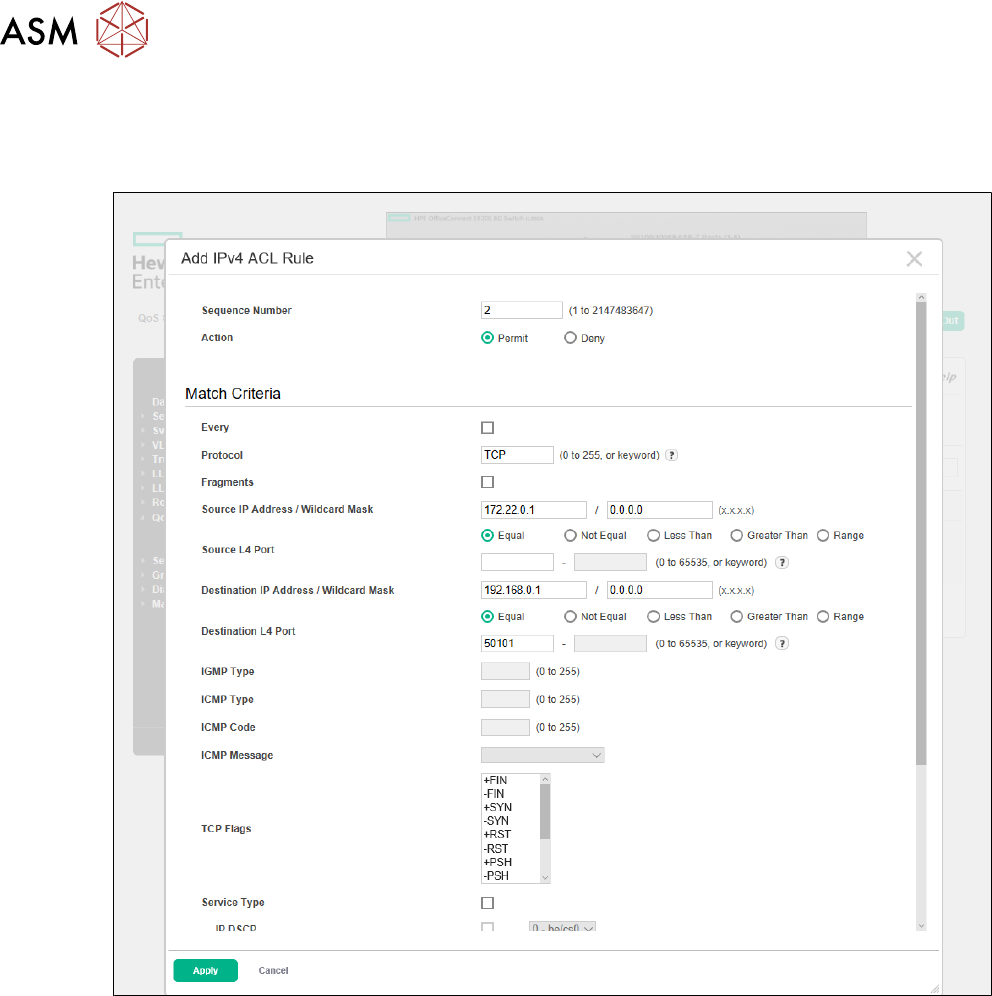
► Go to QoS -> Access Control Lists -> Configuration and add a rule for the Hermes connec-
tion (Sequence Number = e.g. 2, Action = Permit, Protocol = TCP, Source IP Address /
Wildcard Mask = 172.22.0.1 / 0.0.0.0,, Destination IP Address / Wildcard Mask =
192.168.0.1 / 0.0.0.0, Destination L4 Port = Equal 50101).
3 Configuration
3.1 Connection configuration in the LAN
Administrator Guide / Administrator Handbuch / 管理员指南 IPC-HERMES-9852 - V1.2 05/2020 25
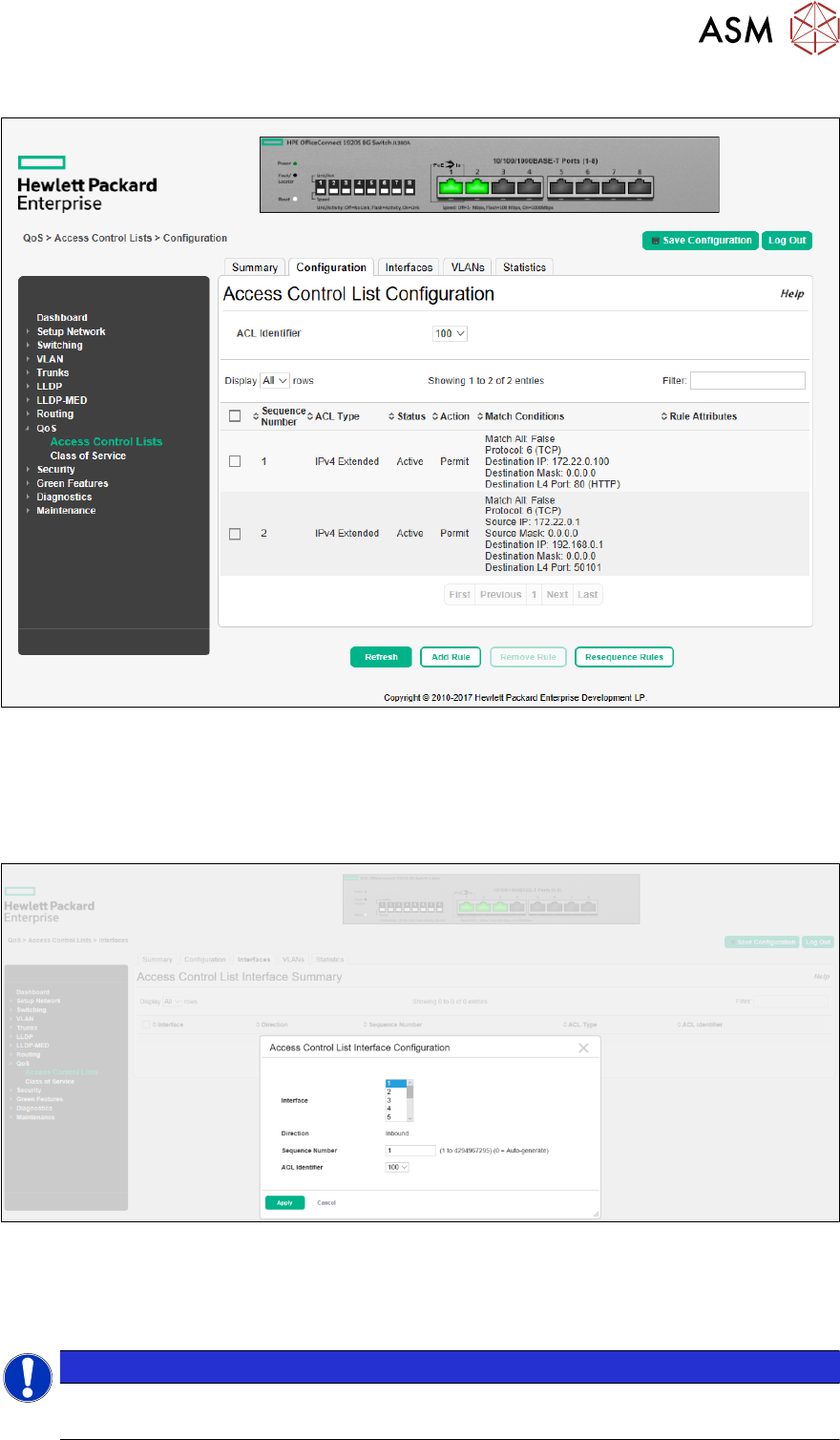
► The result under QoS -> Access Control Lists -> Summary looks like:
► Go to QoS -> Access Control Lists -> Interfaces and add the access control list (ACL) to
the respective interface, e.g. Interface = 2, Sequence Number = e.g. 1 and ACL Identifier =
100.
ð Before activating the ACL, make sure that you do not apply it to all interfaces and that
there is another interface which can be used for changing the configuration if something
has gone wrong.
► Test the applied configuration.
► If everything is working properly, you can save the configuration.
Creating a connection between placement machine and conveyor works in an analogous way as
the configuration of the connection between stacker and printer.
NOTICE
Router in the network infrastructure
Ensure that the router is integrated correctly into your network infrastructure!

3 Configuration
3.1 Connection configuration in the LAN
26 Administrator Guide / Administrator Handbuch / 管理员指南 IPC-HERMES-9852 - V1.2 05/2020
Deleting
To delete the configured connections proceed in the reverse order and delete the created entries.
3.1.6 Using another router
If another router shall be used to establish Hermes connections between the SIPLACE LAN and
the shop floor LAN, which is possible, please consider the guidelines regarding port forwarding
provided by the vendor of the selected router.