00198615-04_UM_IPC-HERMES-9852-V1.2_DE_EN_ZH.pdf - 第22页
3 Configuration 3.1 Connection configuration in the LAN 22 Administrator Guide / Administrator Handbuch / 管理员指南 IPC-HERMES-9852 - V1.2 05/2020 ► The result under Routing -> Configuration -> Status looks like: Setti…
3 Configuration
3.1 Connection configuration in the LAN
Administrator Guide / Administrator Handbuch / 管理员指南 IPC-HERMES-9852 - V1.2 05/2020 21
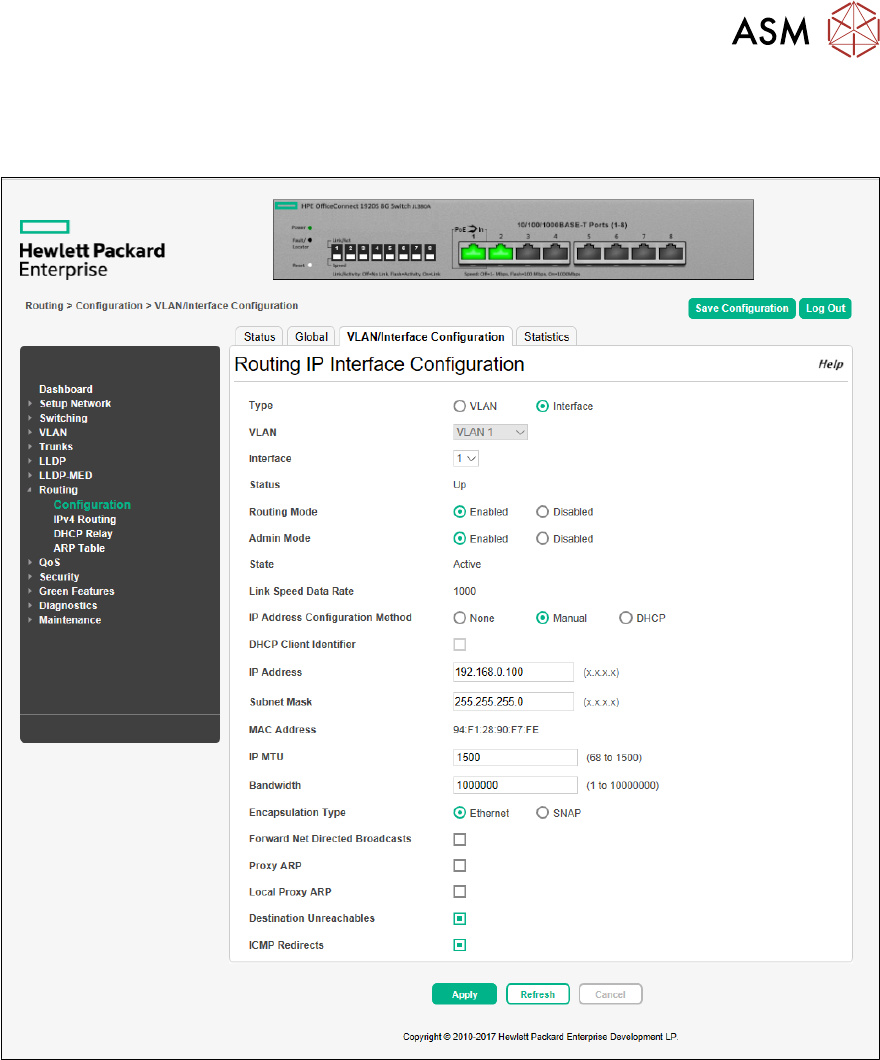
► Go to Routing -> Configuration -> VLAN/Interface Configuration and configure the related
network interfaces.
► Activate Routing Mode, configure IP Address and Subnet Mask.
3 Configuration
3.1 Connection configuration in the LAN
22 Administrator Guide / Administrator Handbuch / 管理员指南 IPC-HERMES-9852 - V1.2 05/2020
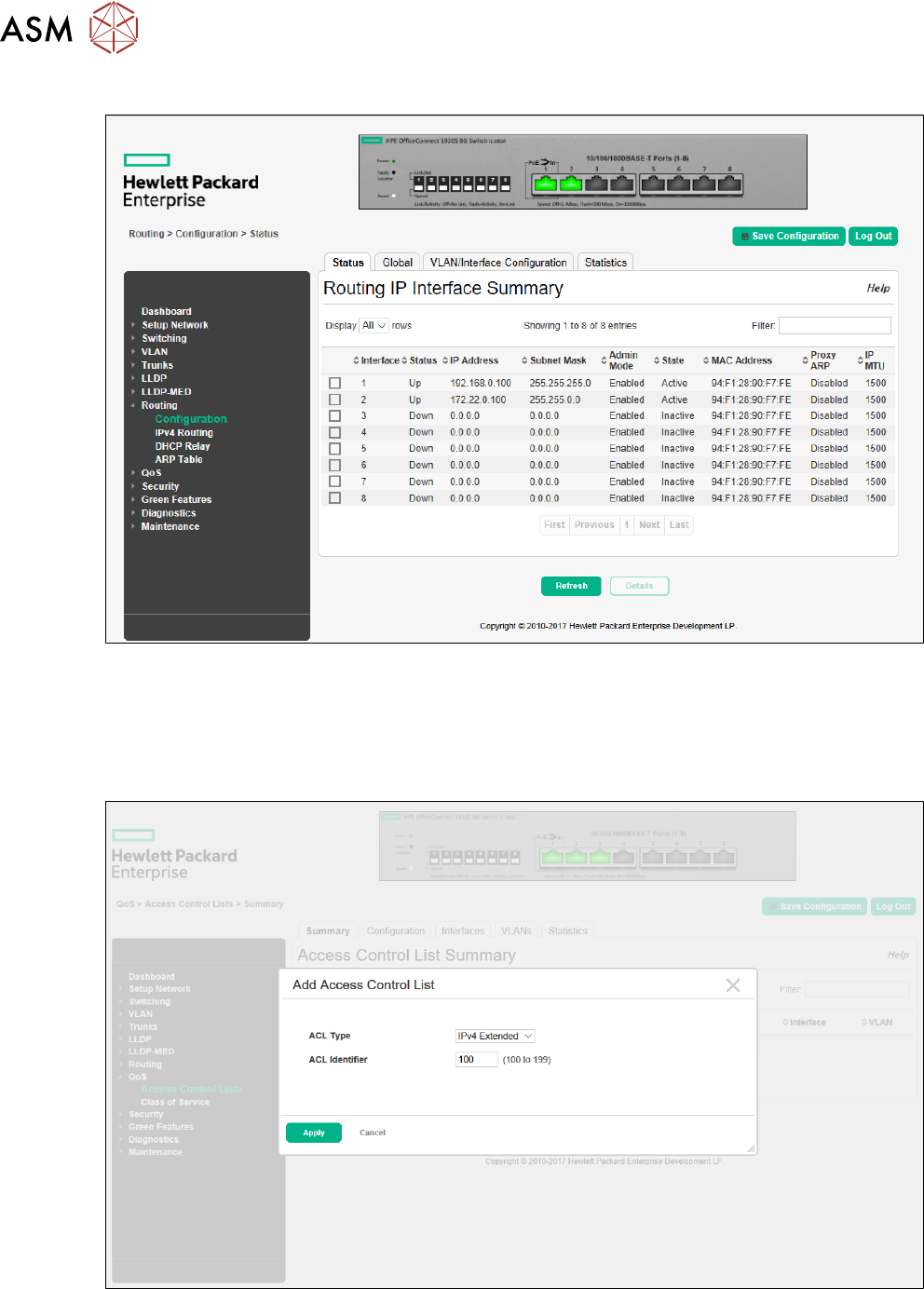
► The result under Routing -> Configuration -> Status looks like:
Setting up
► Create a connection between stacker and printer.
► The access control lists (ACLs) of the router need to be configured accordingly.
► Go to QoS -> Access Control Lists -> Summary and add a new IPv4 Extended ACL and
assign a number, e.g. 100.
3 Configuration
3.1 Connection configuration in the LAN
Administrator Guide / Administrator Handbuch / 管理员指南 IPC-HERMES-9852 - V1.2 05/2020 23
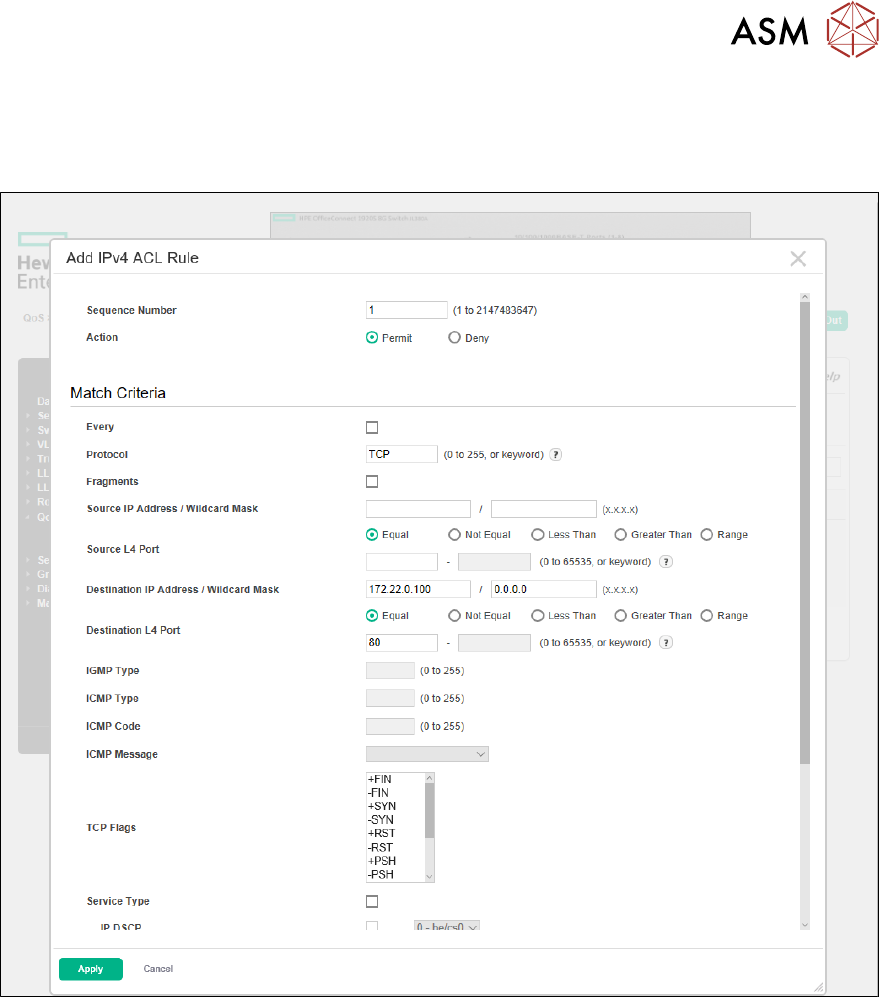
► Go to QoS -> Access Control Lists -> Configuration and add a rule that permits the access
via browser, if needed (Sequence Number = e.g. 1, Action = Permit, Protocol = TCP, Des-
tination IP Address / Wildcard Mask = 172.22.0.100 / 0.0.0.0, Destination L4 Port = Equal
80).