00198615-04_UM_IPC-HERMES-9852-V1.2_DE_EN_ZH.pdf - 第20页
3 Configuration 3.1 Connection configuration in the LAN 20 Administrator Guide / Administrator Handbuch / 管理员指南 IPC-HERMES-9852 - V1.2 05/2020 Interface configuration ► Go to Routing -> Configuration -> Global and …
3 Configuration
3.1 Connection configuration in the LAN
Administrator Guide / Administrator Handbuch / 管理员指南 IPC-HERMES-9852 - V1.2 05/2020 19
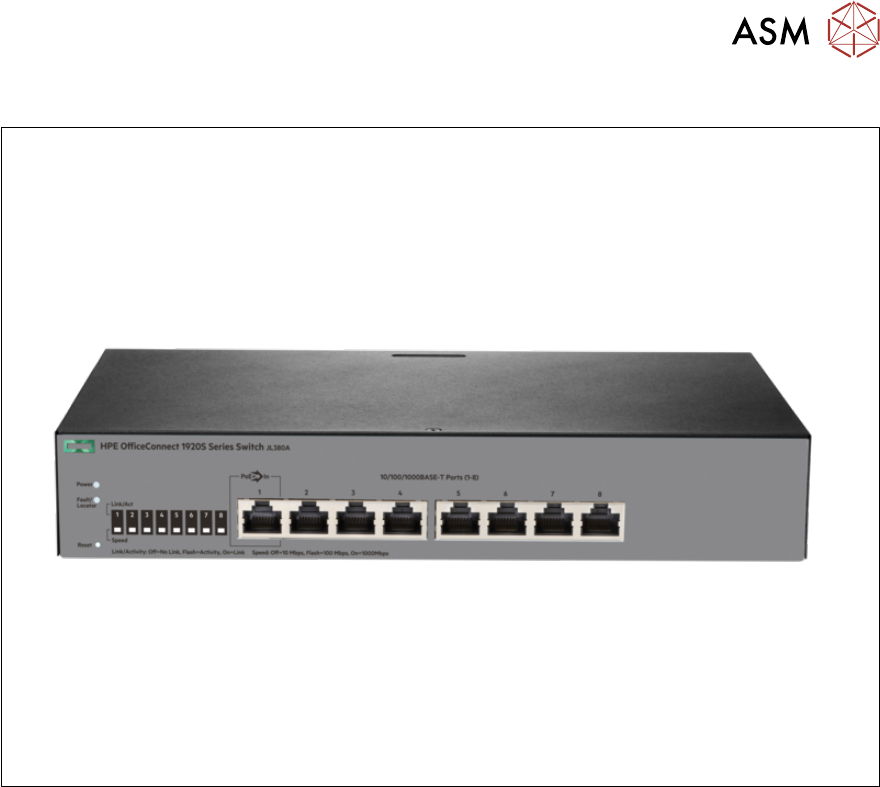
3.1.5 Using the HPE Office Connect 1920S 8G (JL380A) as a router
The HPE Office Connect 1920S 8G can be used as a router to establish Hermes connections as
well. The router must be configured accordingly.
The router is used parallel to the line computer.
Connecting to the router
► Create a connection between stacker and printer.
► Open a browser and go to http://192.168.1.1/. This is the default configuration which can,
however, differ for the actual router.
► To enter the configuration site, use the user “admin”. No password needs to be entered. This
is the default configuration which can, however, differ for the actual router.
3 Configuration
3.1 Connection configuration in the LAN
20 Administrator Guide / Administrator Handbuch / 管理员指南 IPC-HERMES-9852 - V1.2 05/2020
Interface configuration
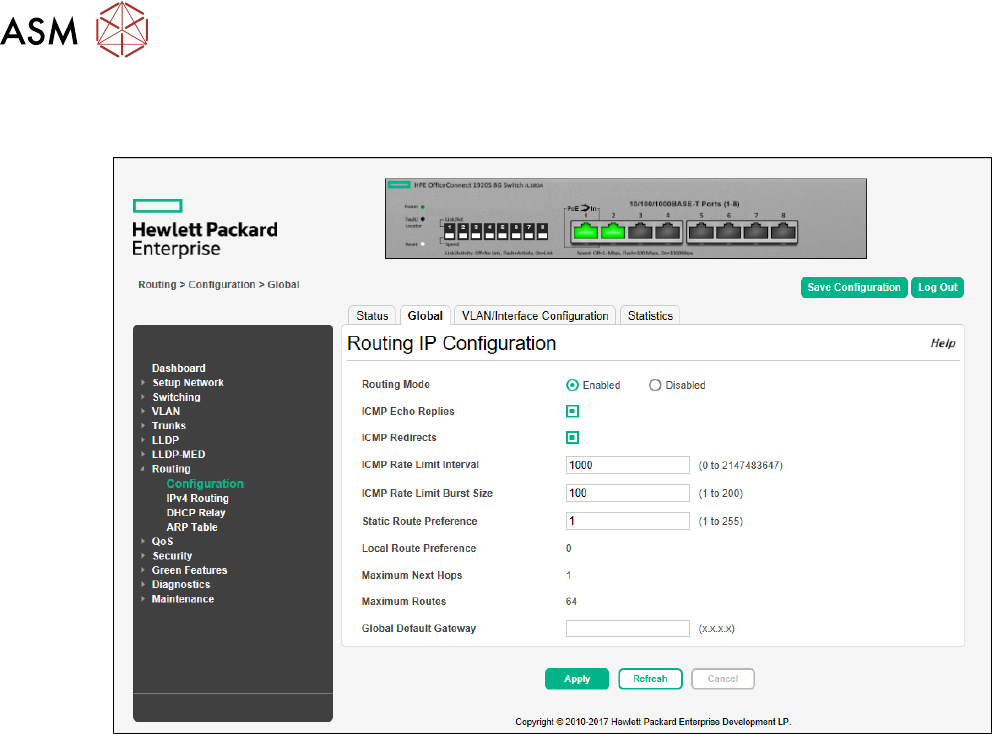
► Go to Routing -> Configuration -> Global and enable Routing Mode.
3 Configuration
3.1 Connection configuration in the LAN
Administrator Guide / Administrator Handbuch / 管理员指南 IPC-HERMES-9852 - V1.2 05/2020 21
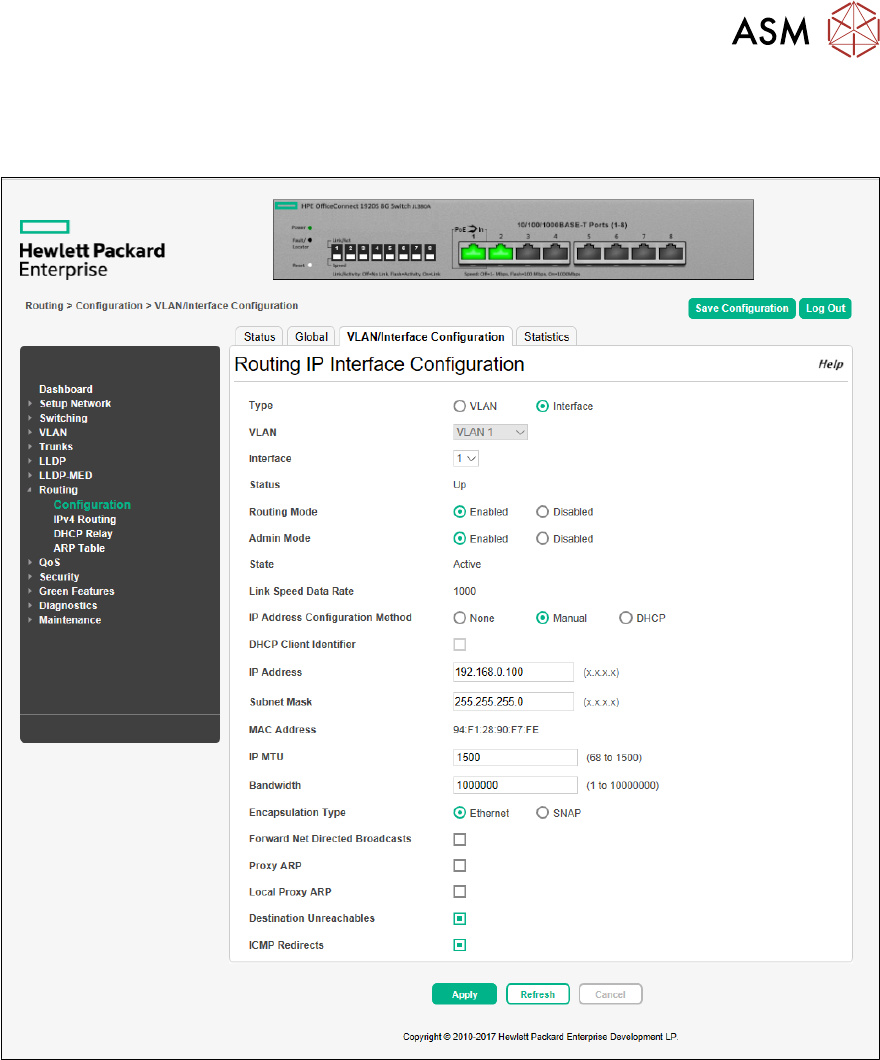
► Go to Routing -> Configuration -> VLAN/Interface Configuration and configure the related
network interfaces.
► Activate Routing Mode, configure IP Address and Subnet Mask.