00198615-04_UM_IPC-HERMES-9852-V1.2_DE_EN_ZH.pdf - 第40页
4 Working with the Line Control GUI 4.2 Graphic representations 40 Administrator Guide / Administrator Handbuch / 管理员指南 IPC-HERMES-9852 - V1.2 05/2020
4 Working with the Line Control GUI
4.2 Graphic representations
Administrator Guide / Administrator Handbuch / 管理员指南 IPC-HERMES-9852 - V1.2 05/2020 39
4.2 Graphic representations
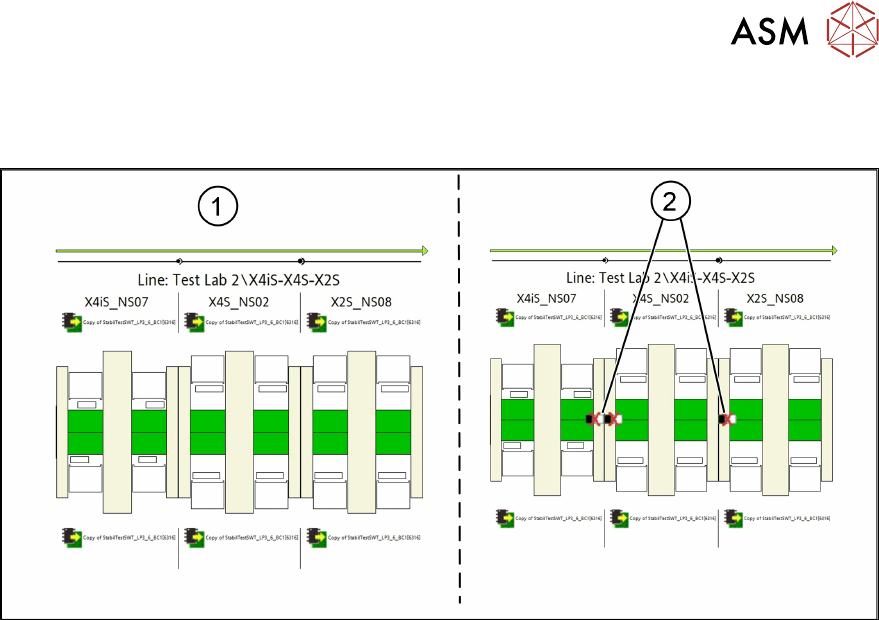
The figure shows the graphic representation in the LCGUI with IPC-HERMES-9852 connections.
1. IPC-HERMES-9852 connections OK
2. IPC-HERMES-9852 connections NOT OK. Deviation of SIPLACE Pro data from the station
settings

4 Working with the Line Control GUI
4.2 Graphic representations
40 Administrator Guide / Administrator Handbuch / 管理员指南 IPC-HERMES-9852 - V1.2 05/2020
5 Operating the station software
5.1 Working with messages
Administrator Guide / Administrator Handbuch / 管理员指南 IPC-HERMES-9852 - V1.2 05/2020 41
5 Operating the station software
5.1 Working with messages
Display of the messages that were issued by IPC-HERMES-9852 protocol (the last 100 messages
are displayed at least).
NOTICE
Definition and description of the messages
For the definition and descriptions of the messages, refer to the documentation of IPC-
HERMES-9852. See also 2.2 "IPC-HERMES-9852 documentation" [}9].
See also
2 5.1.3 "Selection of message types" [}44]
5.1.1 Input and Output Lanes
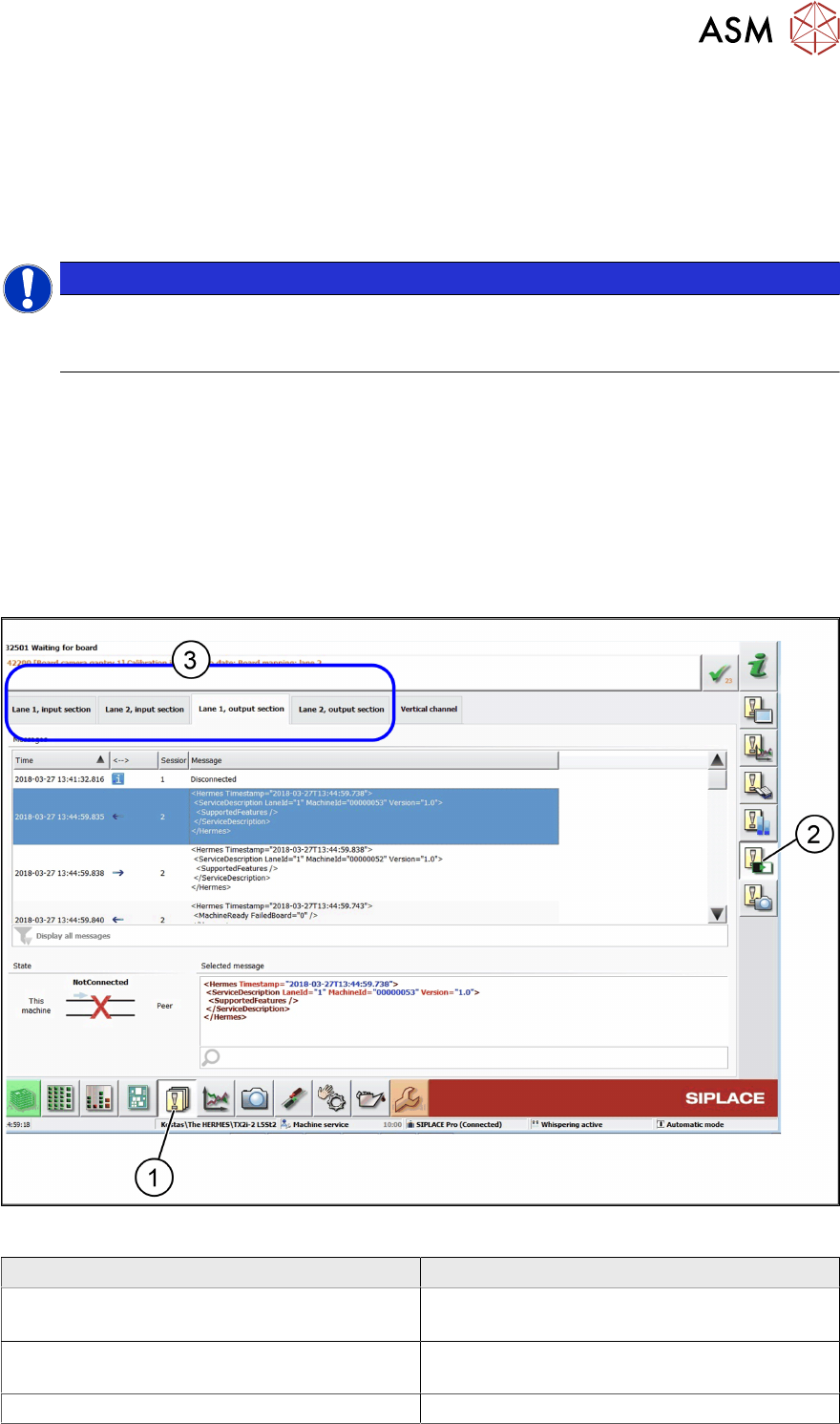
► In the toolbar, click Events (1) and select Hermes: Status and messages (2).
ð The IPC-HERMES-9852 – Events view is displayed.
► Select the Lane 1 input section or Lane 2 input section or Lane 1 output section or Lane
2 output section tab (3).
Editing field - Messages
Field Value/Meaning
Time Time at which the message was issued.
Date and time: YYYY-MM-DD h:min:sec.msec
←→ Specifies the direction in which each message
was sent.
Input section