00198615-04_UM_IPC-HERMES-9852-V1.2_DE_EN_ZH.pdf - 第35页
3 Configuration 3.5 Connection configuration for ASM ProcessLens Administrator Guide / Administrator Handbuch / 管理员指南 IPC-HERMES-9852 - V1.2 05/2020 35 The individual files are named appropriately to identify the associa…
3 Configuration
3.5 Connection configuration for ASM ProcessLens
34 Administrator Guide / Administrator Handbuch / 管理员指南 IPC-HERMES-9852 - V1.2 05/2020
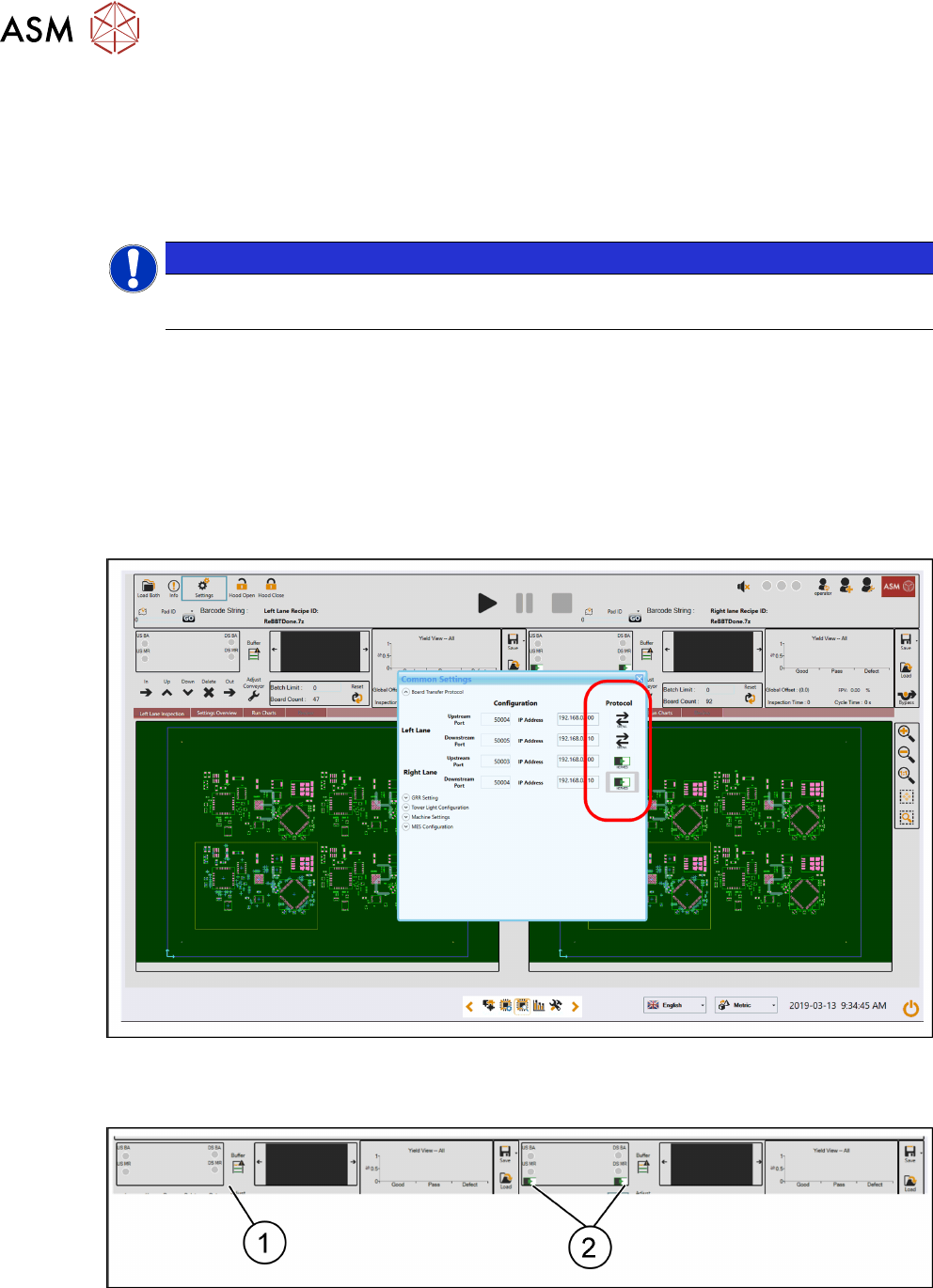
Define the required port and IP address settings for each lane end-point.
●
Left lane upstream
●
Right lane upstream
●
Left lane downstream
●
Right lane downstream
NOTICE
The single lane will only have the right lane end-points.
All port definitions are editable; however, they must be unique. The upstream port values must fol-
low the definitions specified by the upstream equipment, the downstream ports may be any avail-
able port number.
The recommended port numbers for the downstream end-points are 50004 and 50005.
The system will not accept invalid inputs such as non-numeric characters in the port fields.
► Click the transfer protocol icon to switch between IPC-HERMES-9852 and SMEMA; the proto-
cols can be mixed (i.e. right lane can Use IPC-HERMES-9852 and the left lane SMEMA).
► Close the "Settings" dialog to commit the settings.
The transfer protocol iconography will change according to the activated protocol.
The lane status sections of the user interface shall also show where IPC-HERMES-9852 is active
by displaying the IPC-HERMES-9852 iconography.
1. Left lane is using SMEMA.
2. Right lane is using IPC-HERMES-9852.
IPC-HERMES-9852 log data is available in the system log folder, the data is logged in individual
files. The logging format follows the ASM ProcessLens standard for compatibility with other logs,
but it is easily transformed into other formats such as xml.
3 Configuration
3.5 Connection configuration for ASM ProcessLens
Administrator Guide / Administrator Handbuch / 管理员指南 IPC-HERMES-9852 - V1.2 05/2020 35
The individual files are named appropriately to identify the associated lane end-point.
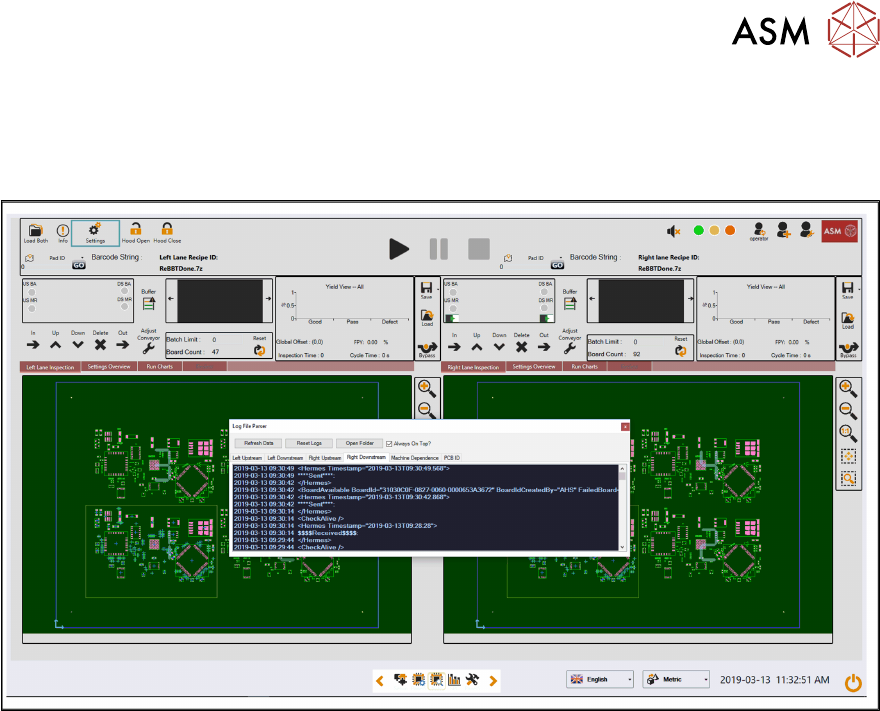
Log data is also viewable via the “ProcessLens Test Toolkit” that is pre-installed on all machines
running 4.0.1.0 or later software. This allows the IPC-HERMES-9852 logs to be monitored in real-
time via a floating GUI window for diagnosis etc.

3 Configuration
3.5 Connection configuration for ASM ProcessLens
36 Administrator Guide / Administrator Handbuch / 管理员指南 IPC-HERMES-9852 - V1.2 05/2020