00198615-04_UM_IPC-HERMES-9852-V1.2_DE_EN_ZH.pdf - 第36页
3 Configuration 3.5 Connection configuration for ASM ProcessLens 36 Administrator Guide / Administrator Handbuch / 管理员指南 IPC-HERMES-9852 - V1.2 05/2020
3 Configuration
3.5 Connection configuration for ASM ProcessLens
Administrator Guide / Administrator Handbuch / 管理员指南 IPC-HERMES-9852 - V1.2 05/2020 35
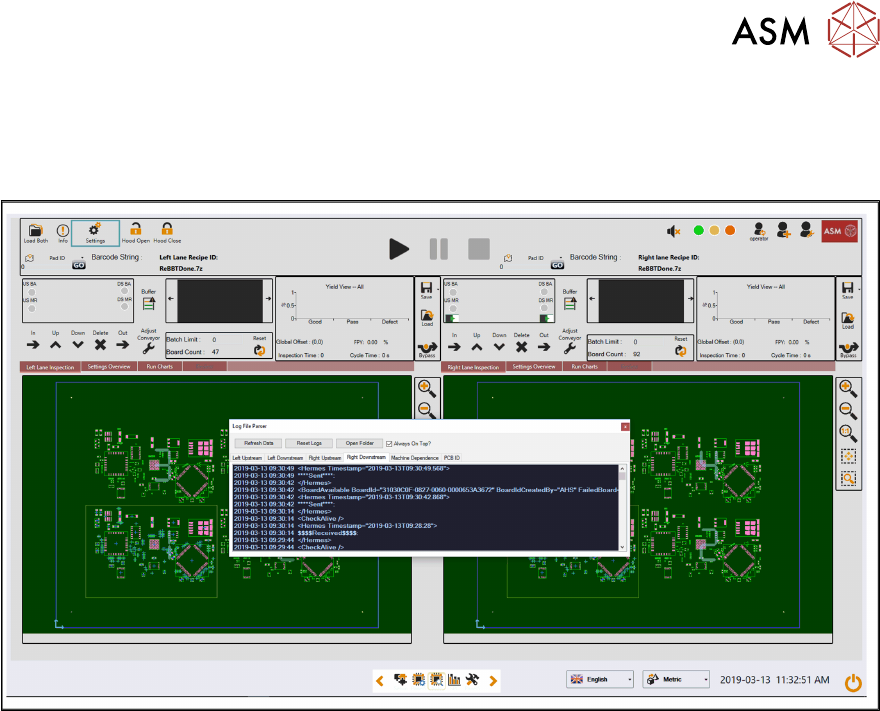
The individual files are named appropriately to identify the associated lane end-point.
Log data is also viewable via the “ProcessLens Test Toolkit” that is pre-installed on all machines
running 4.0.1.0 or later software. This allows the IPC-HERMES-9852 logs to be monitored in real-
time via a floating GUI window for diagnosis etc.

3 Configuration
3.5 Connection configuration for ASM ProcessLens
36 Administrator Guide / Administrator Handbuch / 管理员指南 IPC-HERMES-9852 - V1.2 05/2020
4 Working with the Line Control GUI
4.1 Connection view in the Line Control GUI
Administrator Guide / Administrator Handbuch / 管理员指南 IPC-HERMES-9852 - V1.2 05/2020 37
4 Working with the Line Control GUI
4.1 Connection view in the Line Control GUI
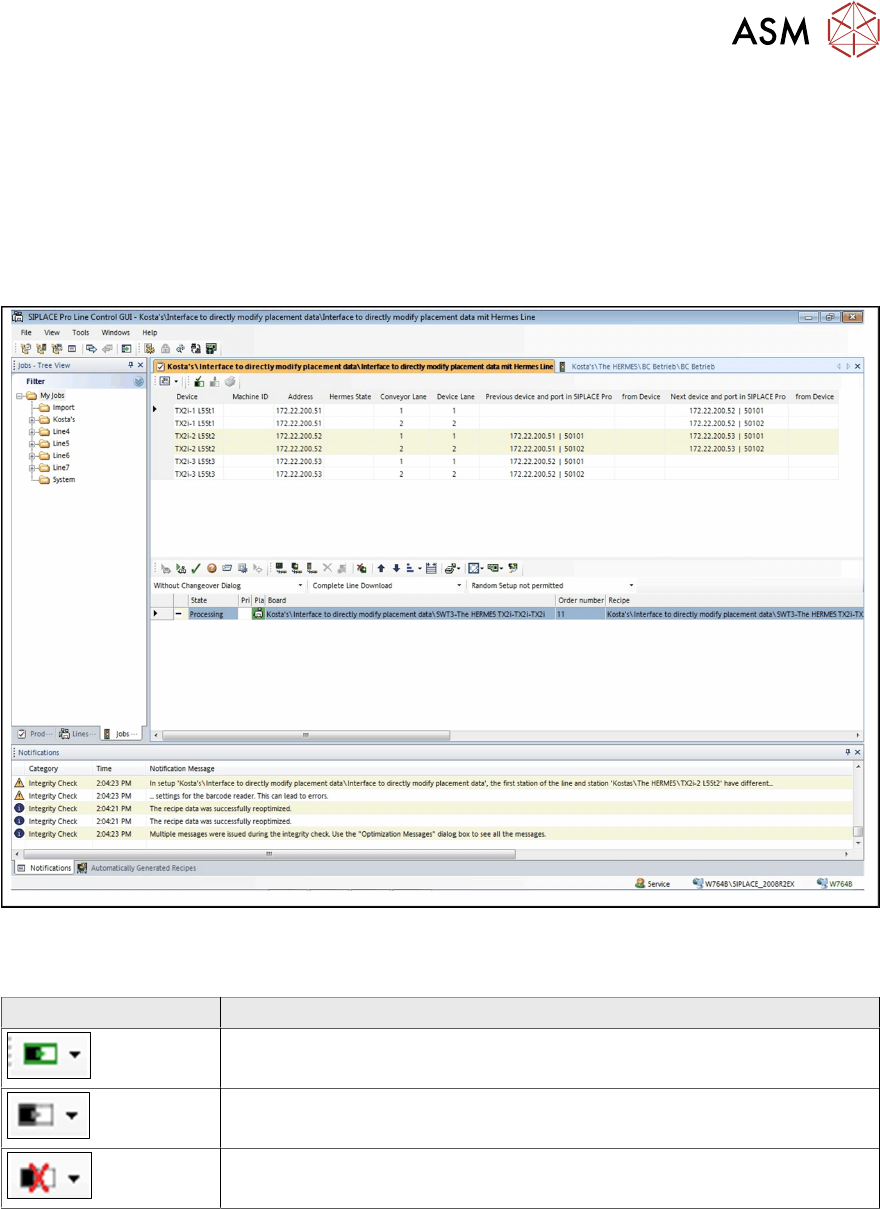
► Open the Line Control GUI.
► Open the line view area.
ð The data of the line and the respective operating states are displayed.
You can switch between a graphic view and a table view in which the information on the Devices
of the line and of SIPLACE Pro is displayed that is relevant for IPC-HERMES-9852. Depending on
the connection status of the IPC-HERMES-9852 configuration, the corresponding icon is displayed.
Field Value/Meaning
Connection to IPC-HERMES-9852 successful.
Connection to IPC-HERMES-9852 not verified.
Connection to IPC-HERMES-9852 with errors.