00198615-04_UM_IPC-HERMES-9852-V1.2_DE_EN_ZH.pdf - 第47页
6 Restrictions Administrator Guide / Administrator Handbuch / 管理员指南 IPC-HERMES-9852 - V1.2 05/2020 47 6 Restrictions The following station configurations are not supported by IPC-HERMES-9852 : ● IPC-HERMES-9852 with sh…

5 Operating the station software
5.2 Apply board width of the IPC-HERMES-9852 data
46 Administrator Guide / Administrator Handbuch / 管理员指南 IPC-HERMES-9852 - V1.2 05/2020
6 Restrictions
Administrator Guide / Administrator Handbuch / 管理员指南 IPC-HERMES-9852 - V1.2 05/2020 47
6 Restrictions
The following station configurations are not supported by IPC-HERMES-9852:
●
IPC-HERMES-9852 with shuttle extension
●
IPC-HERMES-9852 with advanced conveyor interface (Advanced PCB)
If a Shuttle Extension or the advanced conveyor interface (Advanced PCB) is present at the
SIPLACE station, the IPC-HERMES-9852 interface must be deactivated accordingly. You cannot
use the affected conveyor lane in the input or output section for IPC-HERMES-9852 then.
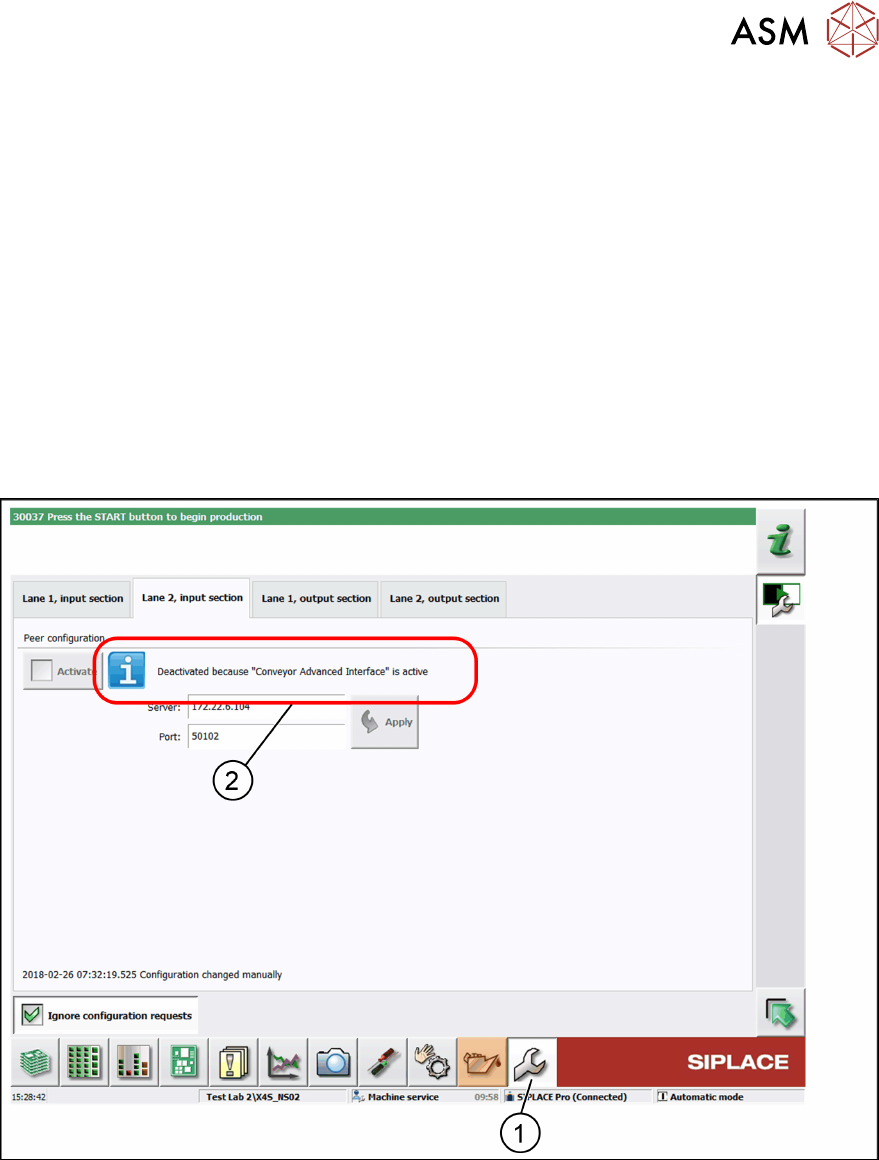
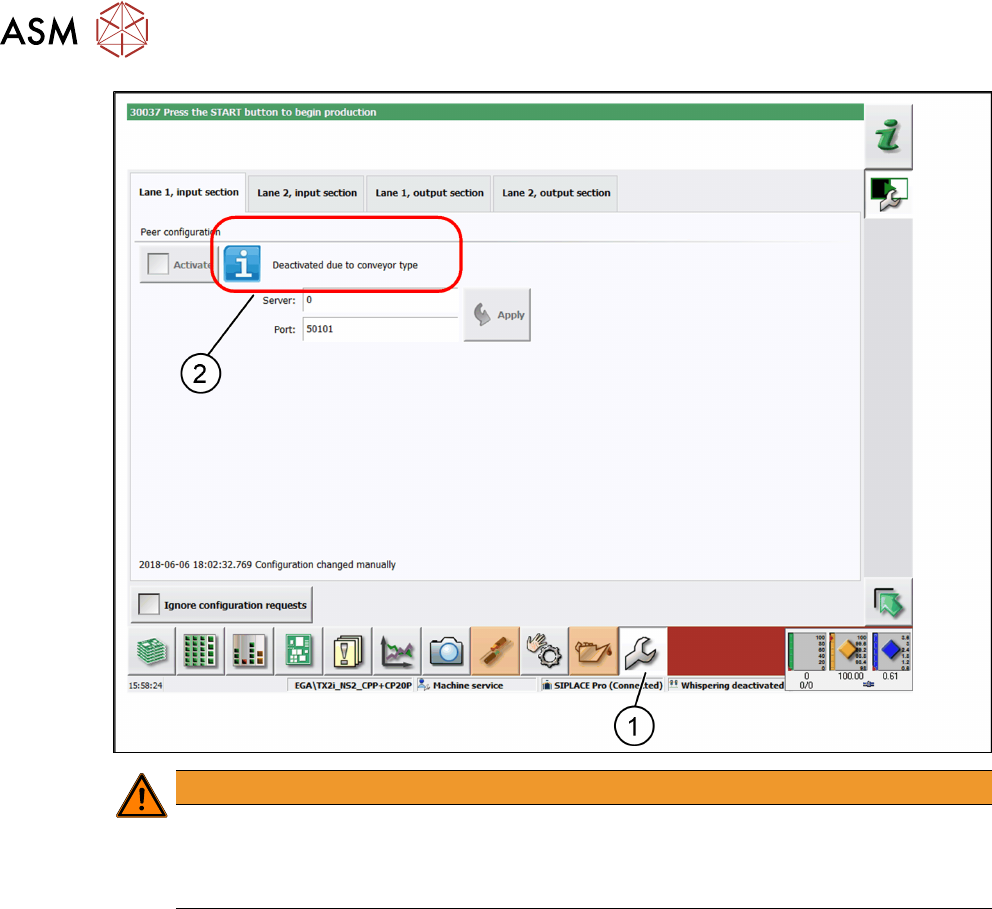
► In the toolbar, click Service (1) and select IPC-HERMES-9852.
ð The IPC-HERMES-9852 – Configuration view is displayed.
► Deactivate the corresponding conveyor lane.
ð A corresponding information is displayed (2).
In the following example, the Advanced PCB conveyor interface is present at conveyor lane 2 (2)
and for this reason it is deactivated for IPC-HERMES-9852.
In the following example, the shuttle extension is present in the input section (2) and for this reason
it is deactivated for IPC-HERMES-9852.
6 Restrictions
48 Administrator Guide / Administrator Handbuch / 管理员指南 IPC-HERMES-9852 - V1.2 05/2020
WARNING
It is absolutely necessary to unplug the hardware connections!
On stations with Shuttle Extension and/or advanced conveyor interface (Advanced PCB),
the corresponding IPC SMEMA interface must be unplugged and the corresponding con-
nection at the conveyor control must be disconnected.