00198615-04_UM_IPC-HERMES-9852-V1.2_DE_EN_ZH.pdf - 第29页
3 Configuration 3.3 Configuring the connections at the SIPLACE station Administrator Guide / Administrator Handbuch / 管理员指南 IPC-HERMES-9852 - V1.2 05/2020 29 3.3 Configuring the connections at the SIPLACE station The ups…
3 Configuration
3.2 Connection configuration in SIPLACE Pro
28 Administrator Guide / Administrator Handbuch / 管理员指南 IPC-HERMES-9852 - V1.2 05/2020
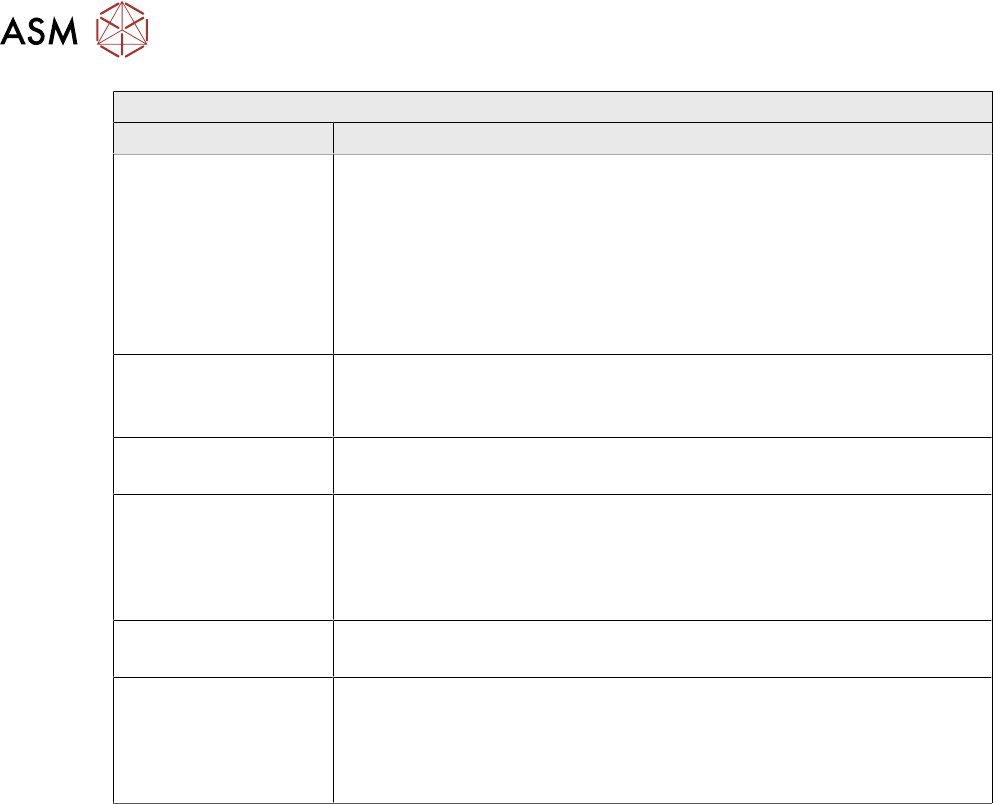
Editing field: To the next machine
Field Value/Meaning
Use IPC-HER-
MES-9852
Enabled:
Instead of the IPC SMEMA interface, IPC-HERMES-9852 is used for the
connection to the next machine in the line. At the next machine in the
line, this configuration is displayed in the From previous machine field
and cannot be edited there.
Disabled:
The IPC SMEMA interface is used for the connection to the next
machine in the line.
Use default ports Enable this option if you want to use the default ports.
Disabled:
Allows entering individual port numbers for the respective conveyor lane.
Port 2 - Left lane
50102 - Port number for the left conveyor lane.
Interface ID The Interface ID for third party devices with additional conveyor lanes
(including return transport) that are not the main transport direction
through the line. The Interface ID is used to identify the input or output
side of special devices (no SIPLACE stations).
Default: No value is entered for the Interface ID.
Port 1 - Right lane
50101 - Port number for the right conveyor lane.
Interface ID The Interface ID for third party devices with additional conveyor lanes
(including return transport) that are not the main transport direction
through the line. The Interface ID is used to identify the input or output
side of special devices (no SIPLACE stations).
Default: No value is entered for the Interface ID.
3 Configuration
3.3 Configuring the connections at the SIPLACE station
Administrator Guide / Administrator Handbuch / 管理员指南 IPC-HERMES-9852 - V1.2 05/2020 29
3.3 Configuring the connections at the SIPLACE station
The upstream system from which the board data is received must be defined for each SIPLACE
station in the line. In other words, the upstream system must be defined in terms of the IP address
or the host name and port number. This connection configuration is made in SIPLACE Pro and can
be viewed here or modified for the individual station.
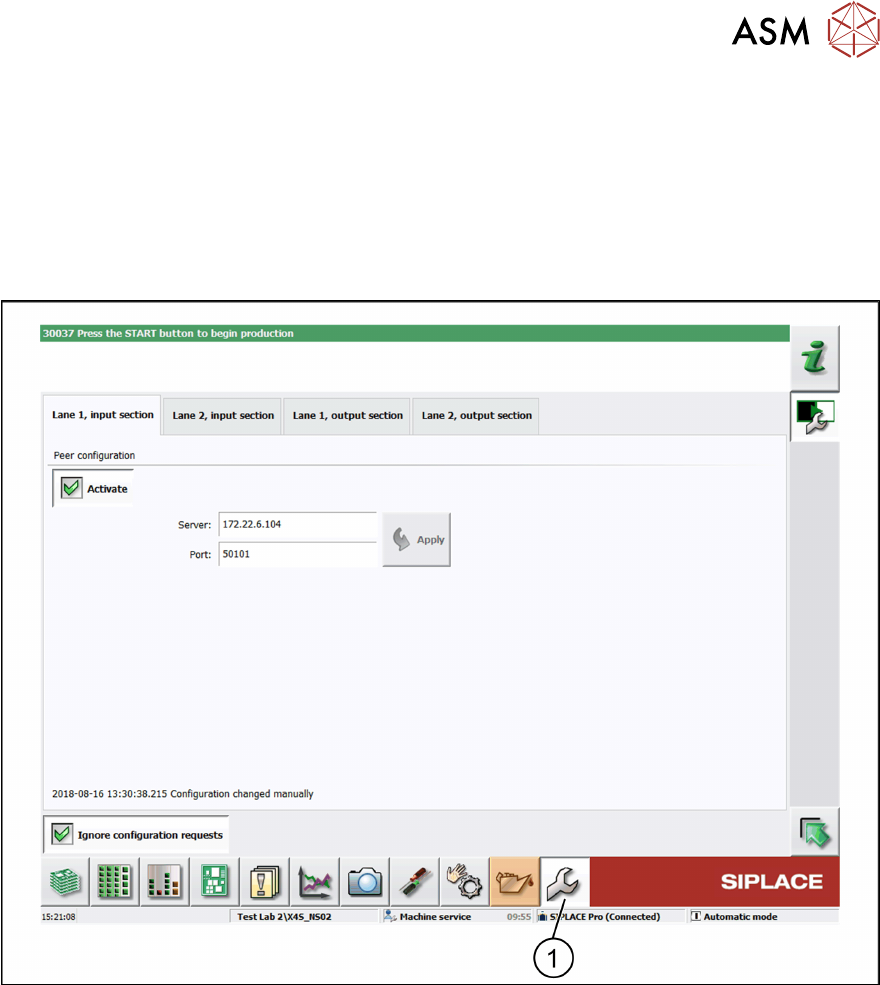
► In the toolbar, click Service (1) and select IPC-HERMES-9852.
ð The IPC-HERMES-9852 – Configuration view is displayed.
Default setting
The Ignore configuration requests option is disabled. Irrespective of the settings that are made
here, the configuration predefined in SIPLACE Pro is applied.
Modifying predefined connection settings (optional)
► Activate the Ignore configuration requests option.
ð The configuration that is predefined in SIPLACE Pro is overwritten by the settings for host
and port that are made here.
A peer on the upstream machine must be defined for each conveyor belt of the input section to al-
low information to be exchanged using IPC-HERMES-9852.
3 Configuration
3.3 Configuring the connections at the SIPLACE station
30 Administrator Guide / Administrator Handbuch / 管理员指南 IPC-HERMES-9852 - V1.2 05/2020
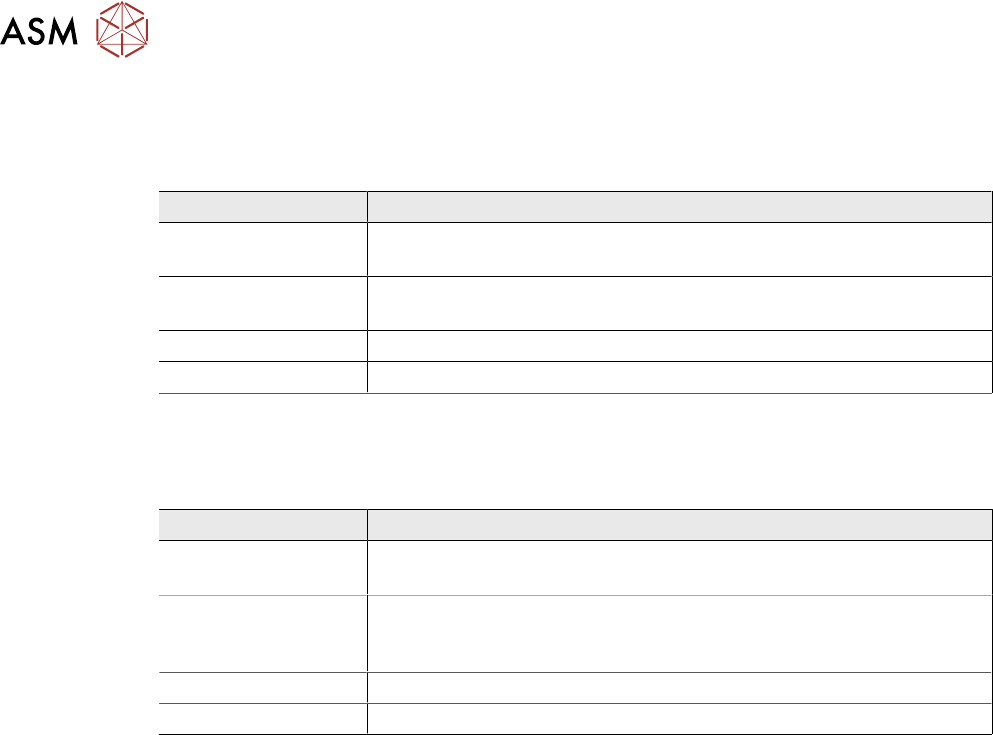
Tabs - Lane 1 / 2, input section
●
Peer configuration
Here, you specify the end point for the communication from the upstream machine.
Field Value/Meaning
Activate Permits the communication with the communication partner on the
downstream machine using IPC-HERMES-9852.
Server IP address or host name of the communication partner on the up-
stream machine.
Port Port number of the communication partner on the upstream machine.
Apply Applies the currently entered settings for the server or port.
Tabs - Lane 1 / 2, output section
●
Peer configuration
Here, you specify the end point for the communication with the downstream machine.
Field Value/Meaning
Activate Permits the communication with the communication partner on the
downstream machine using IPC-HERMES-9852.
Allowed client ad-
dress
IP address or host name of the communication partner on the down-
stream machine. Optional and only recommended if this exact IP ad-
dress is permitted for the downstream machine.
Port Note: This value cannot be configured.
Apply Applies the currently entered settings for the permitted client or port.