DECAN_S1_Troubleshooting_Guide(Eng_Ver1.3)_Print_Web.pdf - 第126页
1-102 Next Generation, Multi-Functional Plac er DECAN S1 Troubleshooting Guide $6015 The head does not have sufficient nozzl es for performing cycle work. [EMER LEVEL] [Problem] The number of nozzles registered in the …
1-101
System Messages of the MMI and Solutions
1-102
Next Generation, Multi-Functional Placer DECAN S1 Troubleshooting Guide
$6015 The head does not have sufficient nozzles for performing cycle work. [EMER LEVEL]
[Problem]
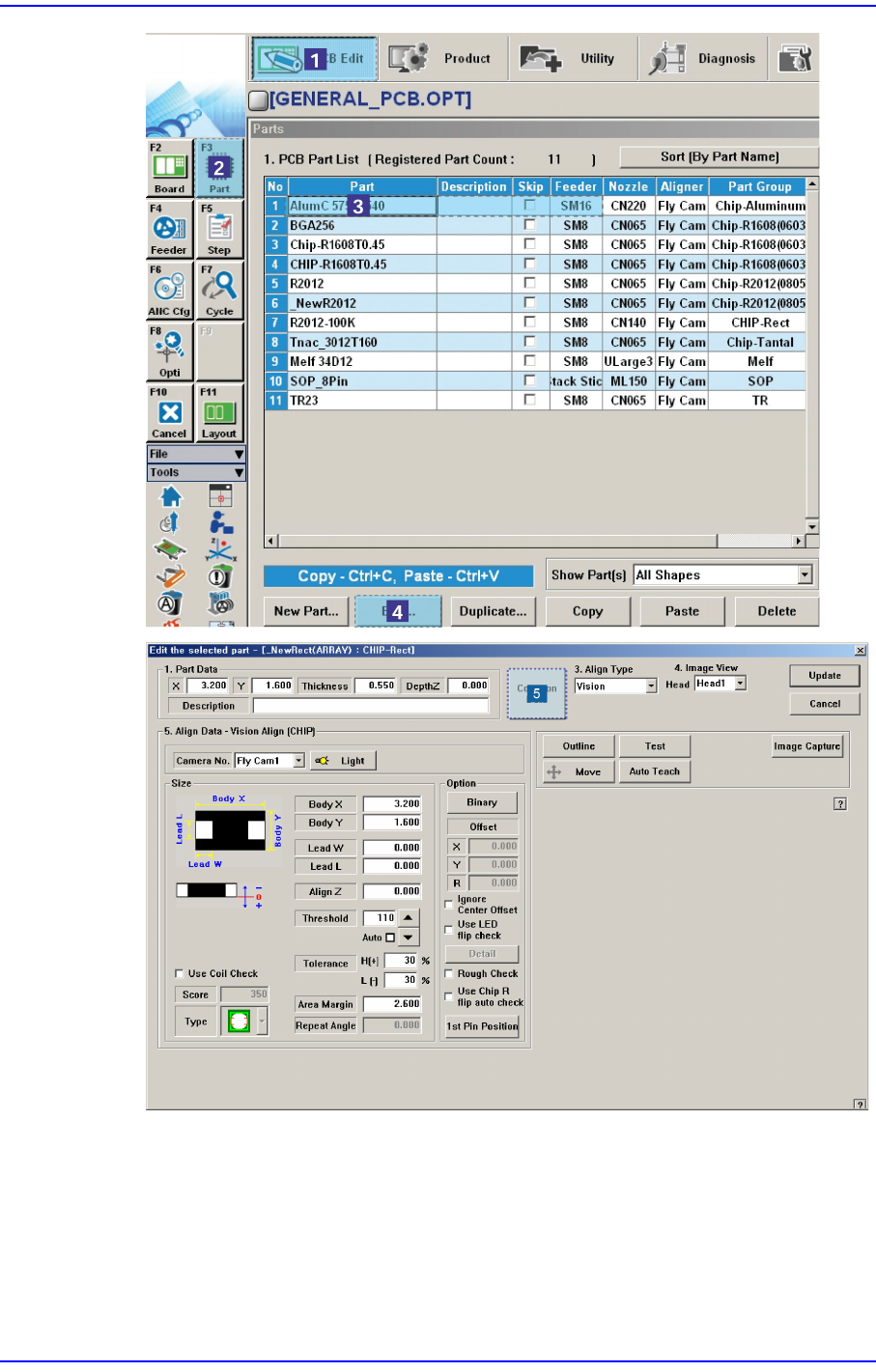
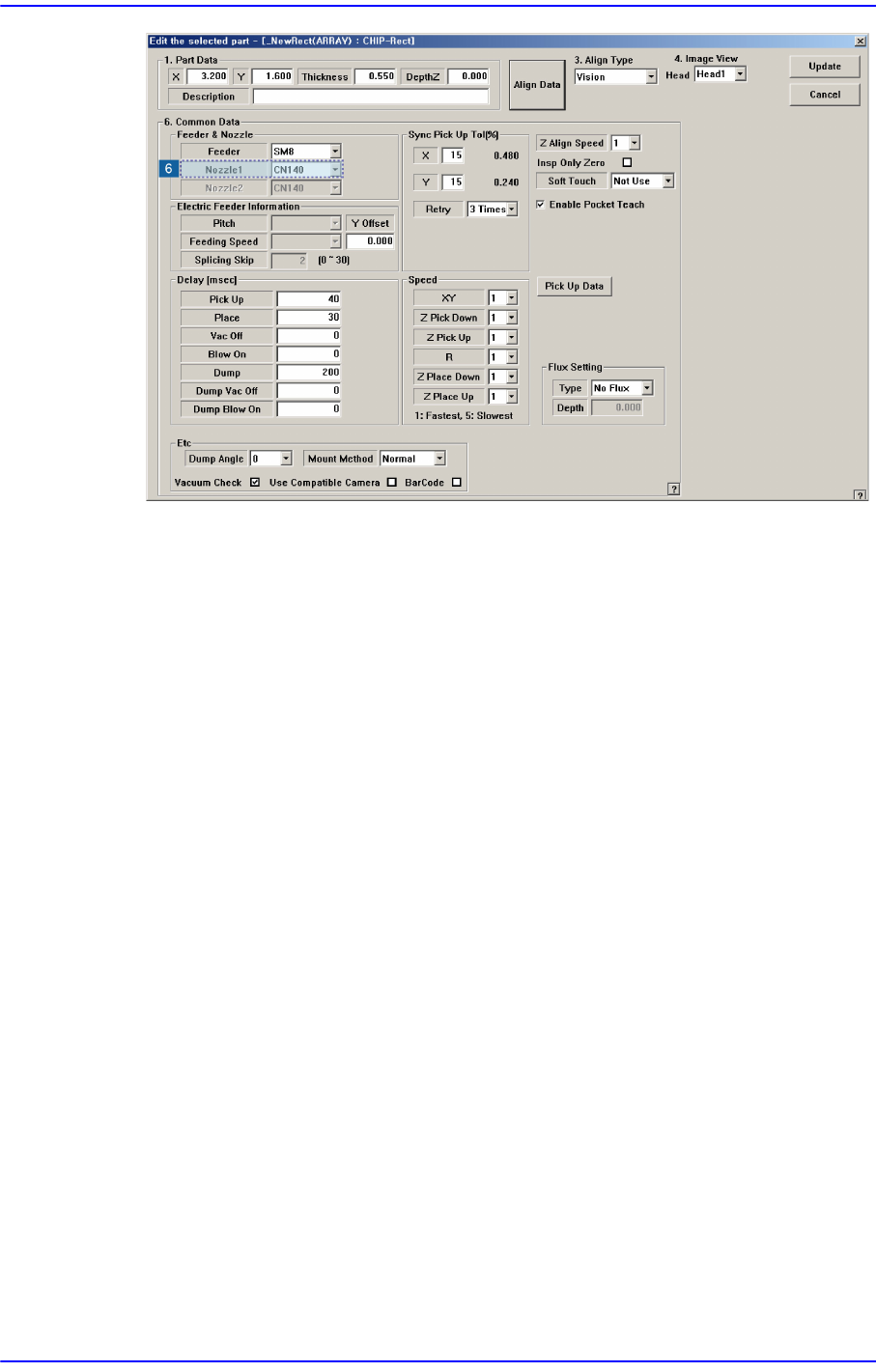
The number of nozzles registered in the ANC is smaller than that of the nozzles
registered in the ‘Step’ dialog box.
[Solution]
Turn off the buzzer by pressing the “STOP” button.
Press the “RESET” button to change the operation mode to “IDLE”.
Register nozzles to fill the nozzle shortage in the ‘ANC Manager’ dialog box and
arrange them to the ANC.
$6020 Can't put, no nozzle in the head.
[Problem]
Nozzles actually do not exist at head when trying to put nozzles.
[Solution]
Turn off the Buzzer by pressing the “STOP” button.
Nozzles actually do not exist at head when trying to put nozzles.
Nozzles actually do not exist at head when trying to put nozzles.
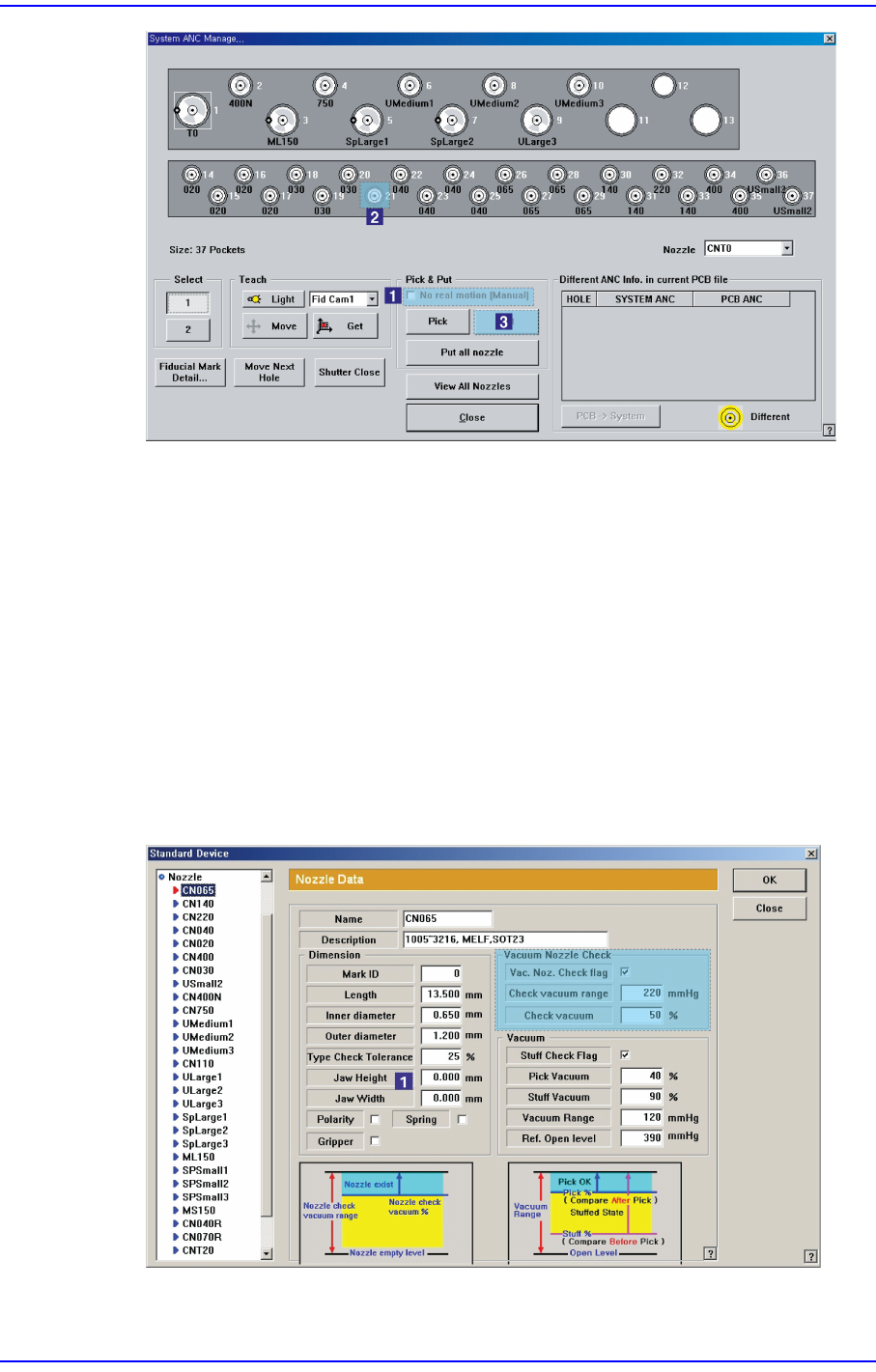
Although there is no nozzle actually mounted on the head, if it is set up to have been
mounted on the head in the dialog box of the ANC menu, check the ‘No real motion
(Manual)’ and perform ANC setup again by clicking the <Put all nozzle> button.
1-103
System Messages of the MMI and Solutions
$6021 Since a part is picked up by the head spindle nozzle, it is not possible to return the
nozzle to the ANC. [EMER LEVEL]
[Problem]
A part is picked up by the nozzle when returning the head spindle nozzle to the ANC.
[Solution]
Turn off the Buzzer by pressing the “STOP” button.
Press the “RESET” button to change the operation mode to “IDLE”.
Check whether a part is picked up by the head spindle nozzle.
Select the ‘Device’ submenu of the ‘System Setup’ menu and select the ‘Nozzle’ item.
Then check the ‘Check Vacuum’ value in the ‘Nozzle’ dialog box.