DECAN_S1_Troubleshooting_Guide(Eng_Ver1.3)_Print_Web.pdf - 第200页
1-176 Next Generation, Multi-Functional Plac er DECAN S1 Troubleshooting Guide Memo Please contact us if any other error messages are shown. Refer to the picture below for the location of the chip card. $e807 An erro…
1-175
System Messages of the MMI and Solutions
Checking the Error message in the Display window. (Check the Error Message by
pressing the Rotary Knob.)
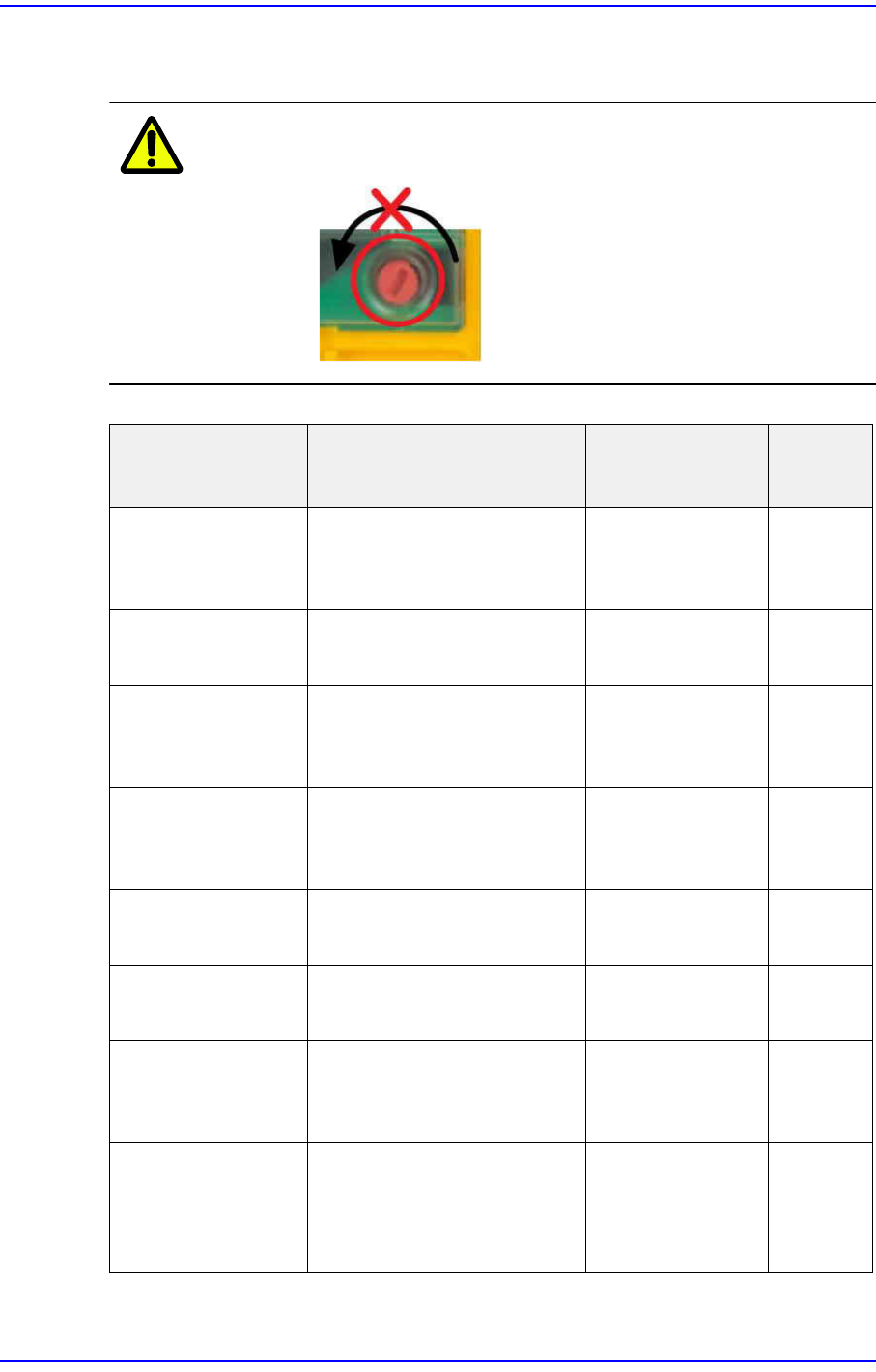
Caution Do not rotate the Rotary Knob.
Error Messages Error Solution
Terminal
s
FAULTY PROJECT There is a mismatch
between the program and
physical hardware.
Check the chip
card assembly.
CHIP CARD ? Cannot read the chip card. Check the chip
card assembly.
FAULTY DEVICE Module error. Check and
replace the safety
PLC module.
PARTIALLY
OPERATED
Single operation of the
redundant input sensor.
Check the Door
and EMG
connection.
T0~T3,
IM0~3
FEED BACK LOOP Feedback error from MC
that is connected to output.
Check the wiring. I15
FAULTY OUTPUT Output stage signal error. Check the MC
wiring.
o0,o1
LOAD SUPPLY Output power error. Check the power
supply, and check
the wiring.
A1,A2,0V
,24V
SUPPLY LOW/
HIGH
The supply power is lower /
higher than the allowable
value.
Check the wiring,
and check the
power of Power
Supply.
A1,A2,0V
,24V
1-176
Next Generation, Multi-Functional Placer DECAN S1 Troubleshooting Guide
Memo Please contact us if any other error messages are shown.
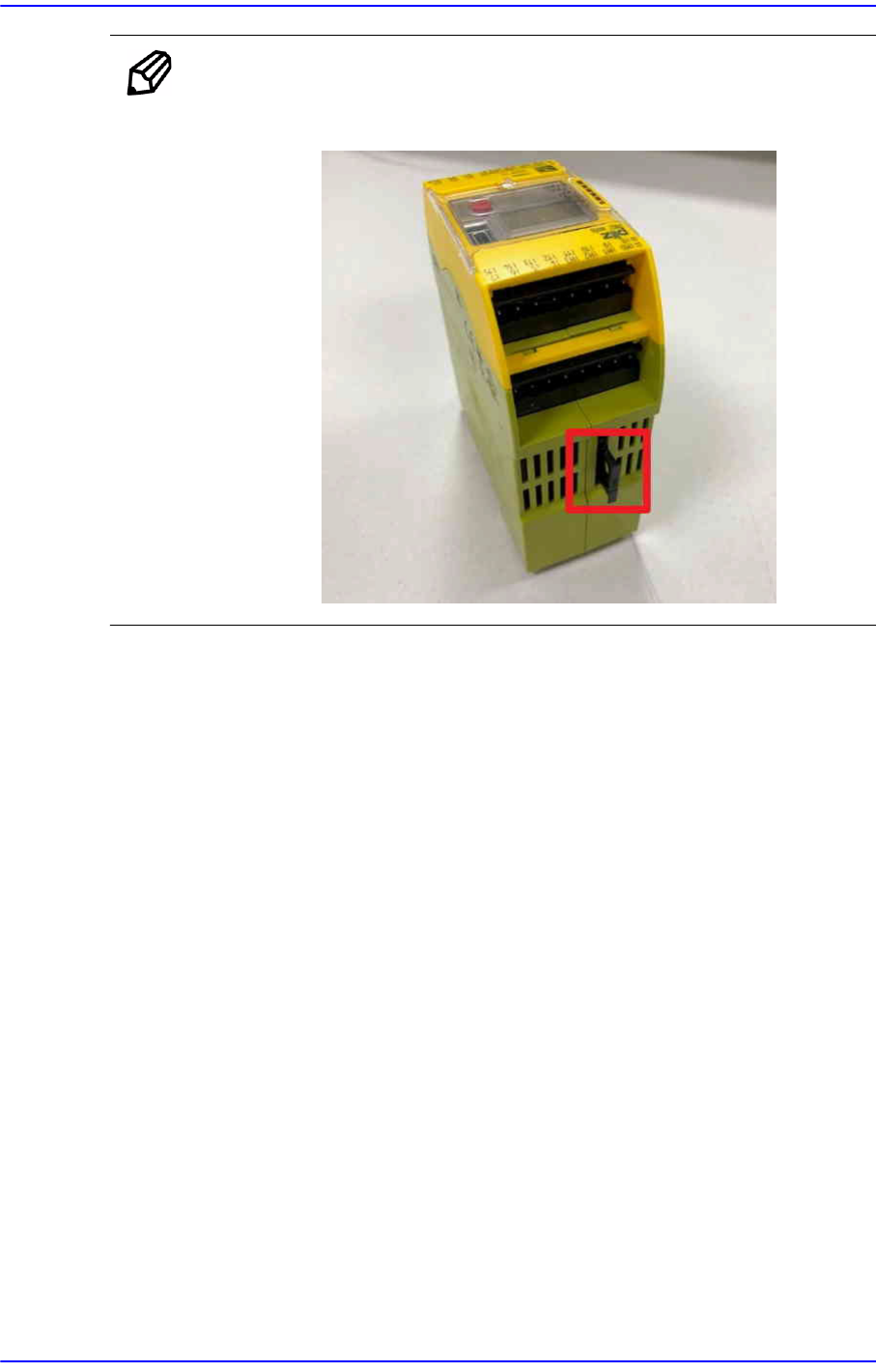
Refer to the picture below for the location of the chip card.
$e807 An error exists in the system data. [EMER LEVEL]
[Problem]
A system data error occurred while loading the system data.
[Solution]
This problem occurred due to incorrect system version of the MMI/RT.
Check if the MMI/RT version is correct.
If trouble continues to occur, please contact the C/S company designated by Hanwha
Precision Machinery Co., Ltd. or the local agent.
$e808 Failed to initialize the S/W. [EMER LEVEL]
[Problem]
An error occurred during system initialization.
[Solution]
Check if the MMI/RT version is correct.
This error may occur when the system data in the system directory is abnormal. The
files to be checked include ‘config_N.db’, ‘machine.cfg’, ‘system.stm’, ‘factory.stm’,
etc.
If trouble continues to occur, please contact the C/S company designated by Hanwha
Precision Machinery Co., Ltd. or the local agent.

1-177
System Messages of the MMI and Solutions
$e809 Failed to initialize the H/W. [EMER LEVEL]
[Problem]
An error occurred during system initialization.
[Solution]
Check if the MMI/RT version is correct.
This error may occur when the system data in the system directory is abnormal. The
files to be checked include ‘config_N.db’, ‘machine.cfg’, ‘system.stm’, ‘factory.stm’,
etc.
Check the system related to the control of the hardware with which a problem
occurred.
In the case of the vision hardware initialization error, turn the machine off normally
and turn it on again to check if it is initialized properly.
If trouble continues to occur, please contact the C/S company designated by Hanwha
Precision Machinery Co., Ltd. or the local agent.
1.4.16. Internal data related errors (Exception Error + OS Error) [$f000~$ffff]
$f800~$fb12An error occurred due to internal S/W problem. [MPU_STOP LEVEL]
[Problem]
Internal S/W problem.
[Solution]
Turn off power to the machine in the usual way. Wait 5 seconds, turn back on and
reboot the system.
$fb22 An object was detected by the front area sensor. [WARNING LEVEL]
$fb22 An object was detected by the rear area sensor. [WARNING LEVEL]
[Problem]
Object was detected by the front (rear) sensor in an unsafe situation.
[Solution]
Check the operation state of the safety sensor.
Remove the object detected by the safety sensor.
$ff00 Cannot start production. [WARNING LEVEL]
[Problem]
The machine driving motor was not homed.
In the case of the docking cart machine, an error occurs due to defective clamping,
vision communication error, etc.