DECAN_S1_Troubleshooting_Guide(Eng_Ver1.3)_Print_Web.pdf - 第141页
1-117 System Messages of the MMI and Solutions $a211 Previous vision comm and is not completed. [EMER LEVEL] [Problem] An error occu rred while recognizing co mpon ents with the flying camera due to H/W problem or S/W …
1-116
Next Generation, Multi-Functional Placer DECAN S1 Troubleshooting Guide
An error occurred while recognizing components with the flying camera due to H/W
problem or S/W problem.
[Solution]
Check the state of the flying camera, cable and vision board. If any problem occurs,
contact the C/S company designated by Hanwha Precision Machinery Co., Ltd. or the
local agent.
Calibrate camera calibration. Please refer to section “Camera Calibration” on the
“12.3.10 Head & Camera Calibration” of the ” Administrator’s Guide”.
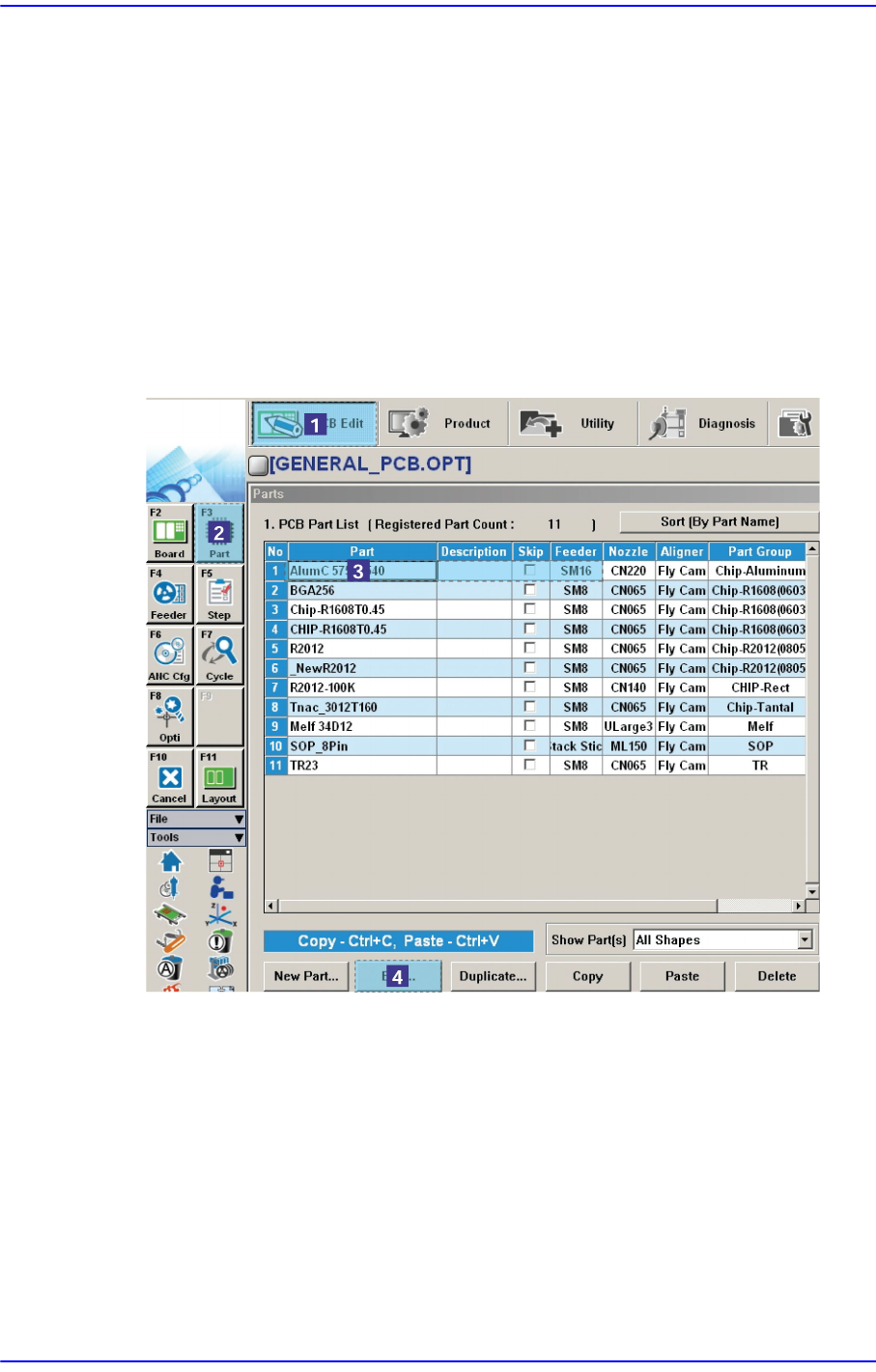
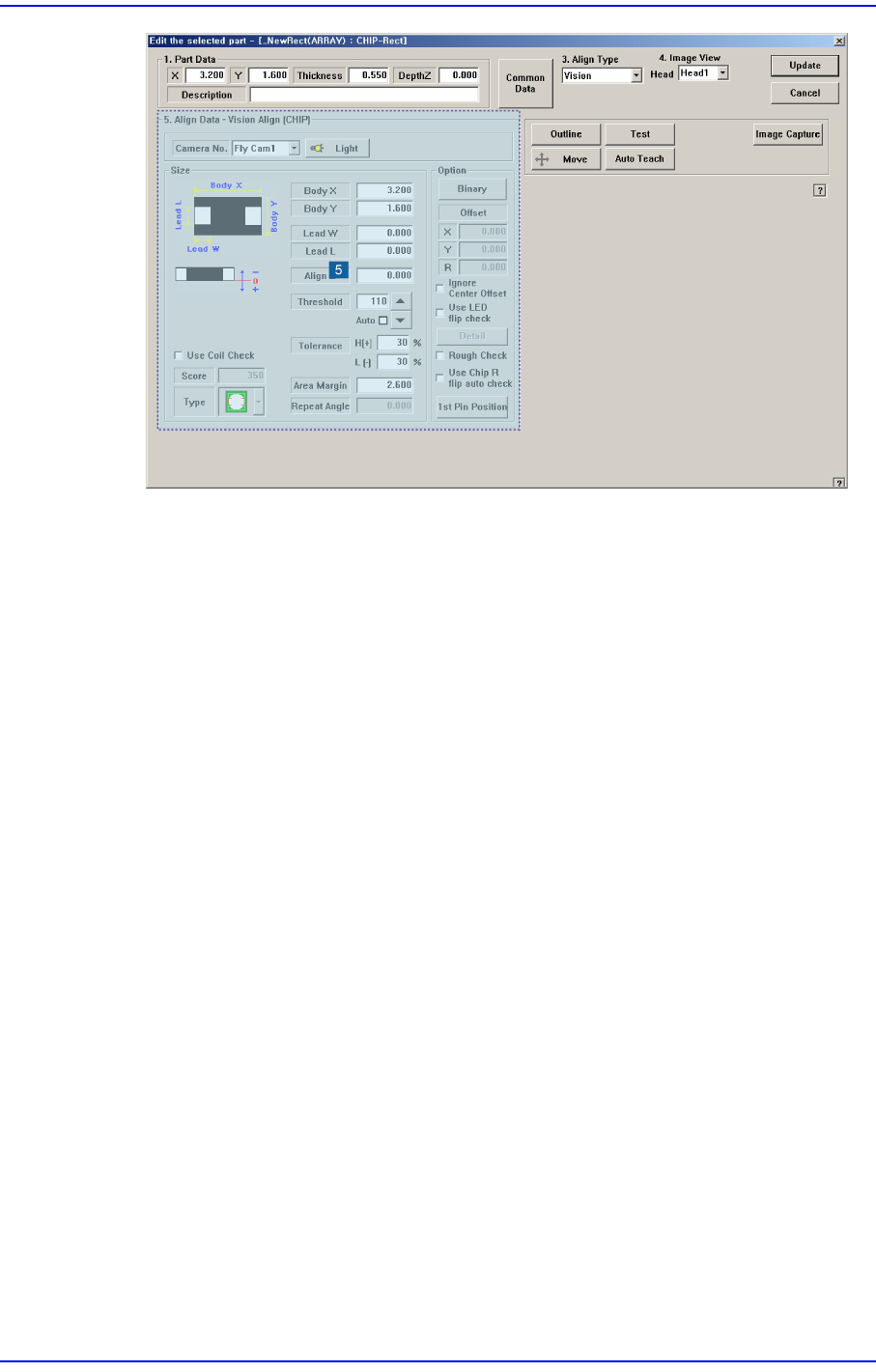
In order to confirm if the component data is normal, select the error occurred
component in “Part” of the “PCB Edit” menu and check if the information contained
in the <Align Data> group is set up in the Profile Editor correctly.
1-117
System Messages of the MMI and Solutions
$a211 Previous vision command is not completed. [EMER LEVEL]
[Problem]
An error occurred while recognizing components with the flying camera due to H/W
problem or S/W problem.
[Solution]
Perform [Solution] in $a210.
$a212 ‘Time Out Error’ of the recognition by the flying camera.
[Problem]
The time for the flying camera to recognize the component exceeded 24.000 seconds.
[Solution]
Perform [Solution] in $a210.
$a213 ‘Time Out Error’ of the recognition by the flying camera.
[Problem]
An error occurred while recognizing components with the flying camera due to H/W
problem or S/W problem.
[Solution]
Perform [Solution] in $a210.
$a220 Recognition by the upward camera is not completed.
[Problem]
1-118
Next Generation, Multi-Functional Placer DECAN S1 Troubleshooting Guide
An error occurred while recognizing components with the flying camera due to H/W
problem or S/W problem.
[Solution]
Turn off power to the machine in the usual way. Wait 5 seconds, turn back on and
reboot the system.
$a221 An error occurred while the upward camera performed recognition.
[Problem]
An error occurred while recognizing components with the flying camera due to H/W
problem or S/W problem.
[Solution]
Check if component data are correct.
Check that the illumination is appropriate.
Check the LED status of the camera.
Check the camera cable.
$a300 Previous vision command is not completed.
[Problem]
Occurs while trying to execute the command of other vision prior to the completion of
the current vision due to fault in the hardware or software.
[Solution]
Turn off power to the machine in the usual way. Wait 5 seconds, turn back on and
reboot the system.
$a401 Incorrect camera ID.
[Problem]
Incorrect camera ID was received due to H/W problem or S/W problem.
[Solution]
Turn off power to the machine in the usual way. Wait 5 seconds, turn back on and
reboot the system.
$a402 An internal error occurred during vision processing.
[Problem]
An error occurred while performing the internal function of vision due to H/W
problem or S/W problem.
[Solution]
Turn off power to the machine in the usual way. Wait 5 seconds, turn back on and
reboot the system.