DECAN_S1_Troubleshooting_Guide(Eng_Ver1.3)_Print_Web.pdf - 第26页
1-2 Next Generation, Multi-Functional Plac er DECAN S1 Troubleshooting Guide 1: Machine Status Indication Ar ea 1.2. Process Trouble Shooting 1.2.1. Pickup Error (Increased Dump Rate) Parts are not picked up - Errors c…
1-1
System Messages of the MMI and Solutions
Chapter1. System Messages of the MMI
and Solutions
1.1. Trouble Shooting Guide in general
If one of the errors to be explained below happens during the operation of machine, take
actions explained in the corrective action section. If such errors persist once these
measures have been taken, or if errors not mentioned in this manual occur, take the
following actions and contact our CS company or local agent.
First, download the log file necessary for the corrective action and store it.
For the errors related to machine operation, carry out homing of all axes, then take
corrective actions.
If the problem persists, turn off the power, and restart after 10 seconds, and take
corrective actions.
If the problem persists even after all the measures explained above have been taken,
send us the log file stored according to the first procedure and consult the C/S
company or the local agent for further actions.
If an abnormal S/W error or another error occurs, send the C/S company or the local agent
following files for faster problem solving.
Work PCB file (A file whose extension is .pcb or .opt)
Error log file (All the files in ‘C:\SmartSM\Log’ f'older)
Machine calibration file (All the files in ‘C:\SmartSM\System’ folder)
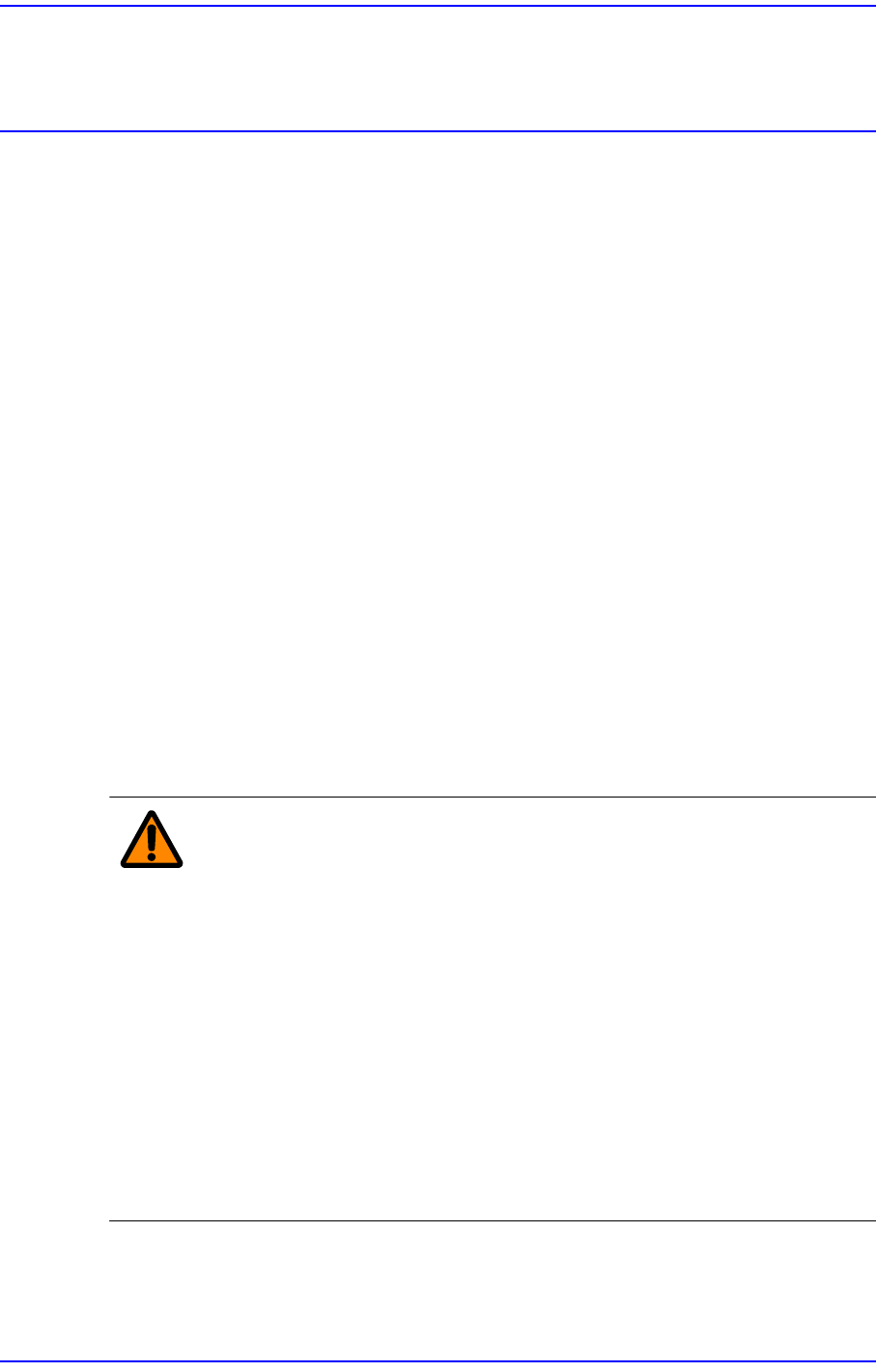
Warning Referring to the machine status indication group of the MMI,
check the error level according to the error code. If the error
level indicates Emergency (EMER) or Freeze (FREEZE),
press the “STOP” button to turn off the buzzer first and then
press the “RESET” button to put the machine in idle state.
Measures can then be taken to rectify this problem.
If it is MPU_STOP, stop the machine normally and reboot it.
Adjusting a sensor or correcting an error while the machine
is in the ready status could cause injury. Release the
‘Ready’ without fail. Adjust the sensor and then take
corrective measures against the error while the machine is
stopped.
1-2
Next Generation, Multi-Functional Placer DECAN S1 Troubleshooting Guide
1: Machine Status Indication Area
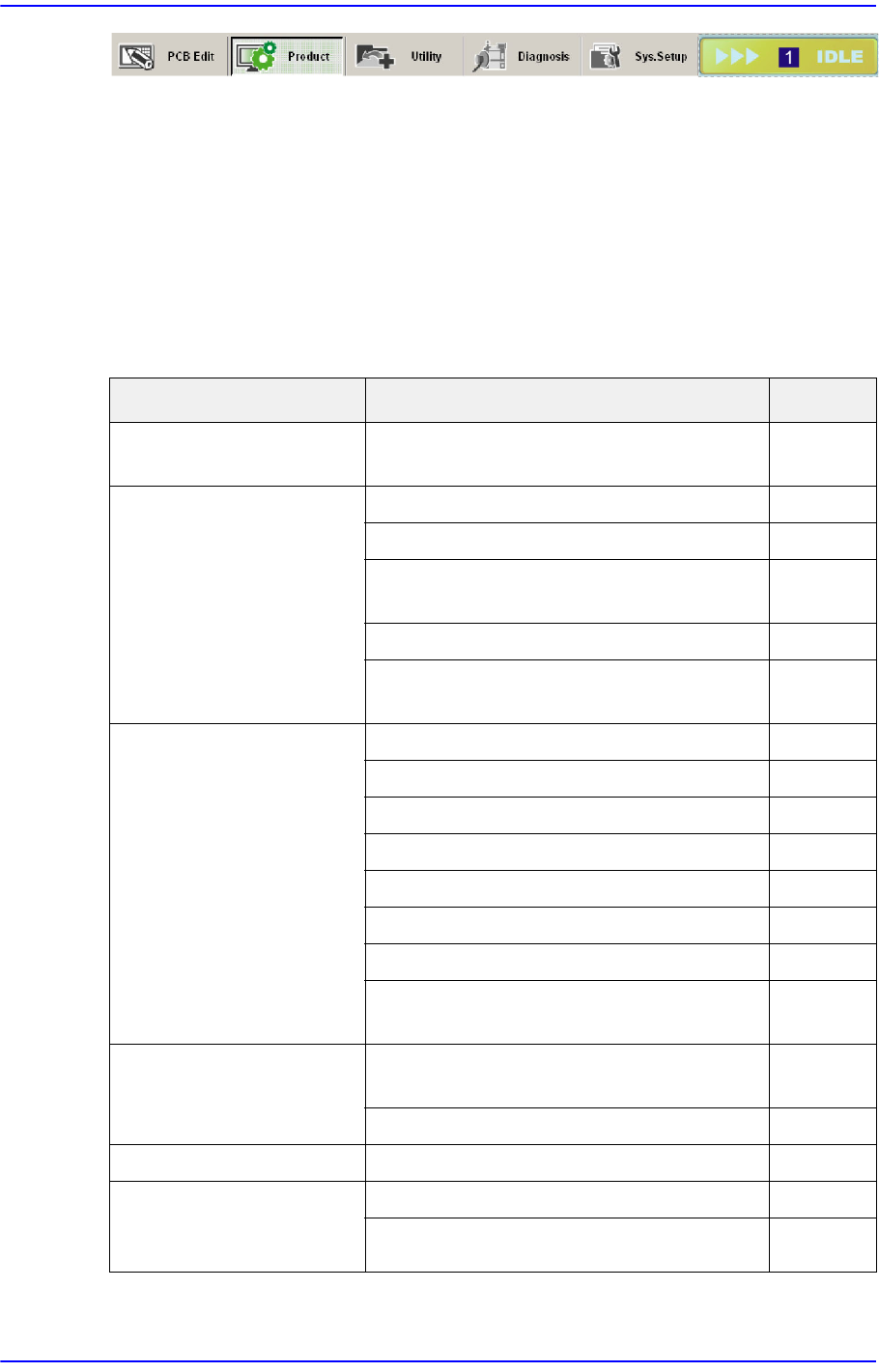
1.2. Process Trouble Shooting
1.2.1. Pickup Error (Increased Dump Rate)
Parts are not picked up - Errors causing parts to not be picked up [Refer to Section
1.2.1.1]
Part Supply Error
Cause Description Remarks
Tape installation error Incorrect installation of tape reel in the
tape feeder
E0000
Part turnover/edge-
standing
Defective reel E0010
The tape guide has been magnetized E0011
Tape guide/Tape guide shutter
deformation
E0012
Defective tape feeder shutter operation E0013
Defective part feeding speed (odd shaped
part feeder)
E0014
Defective feeding Insufficient tape feeder maintenance E0020
Defective tape feeder motor operation E0021
Defective tape feeder cylinder operation E0022
Insufficient feeding force of the feeder E0023
Spring damage and separation E0024
Pitch error E0025
Defective index sensor E0026
Part has not been fed due to insufficient
vibration of the vibration feeder
E0027
Defective vinyl discharge The tape vinyl has been curled inside the
tape guide
E0030
Abnormal vinyl discharge E0031
Tape jamming A part is stuck in the tape discharge path E0040
A part beside the
corresponding part
jumped off
Pickup Z setup error E0050
Fast down movement for pickup E0051
1-3
System Messages of the MMI and Solutions
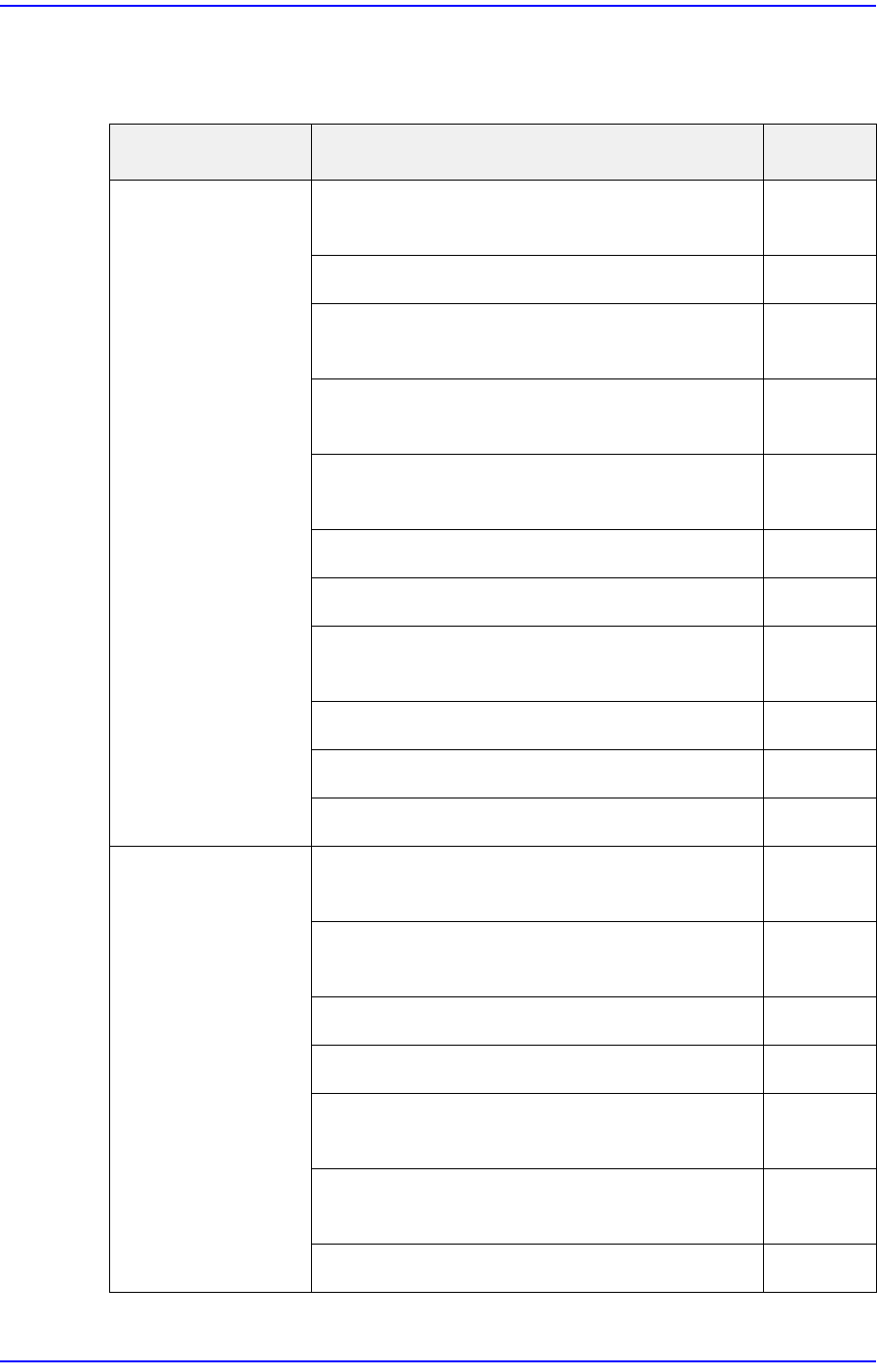
Normal Part Supply
A pickup error occurred
Cause Description Remarks
Low vacuum
pressure / delayed
vacuum creation
A component of the head’s pneumatic system
is defective
E0100
Vacuum air line is contaminated E0101
Low vacuum pressure due to an oil leak into
the vacuum generator
E0102
Defective contact of the head vacuum solenoid
cable connector
E0102
Defective assembly of the solenoid valve
connector in front of the vacuum generator
E0104
Defective head I/O board E0105
Defective vacuum sensor board E0106
Air leaks from (Rotary joint, Coil Tube or
Fittings, Vacuum Sensor Board
E0107
Main pneumatic pressure setup error E0108
Blow setup error E0109
Incorrect Vac Delay setup E0110
Pickup position
Error
Incorrect XY coordinates of the pickup point
due to ball spline deformation
E0120
Incorrect setup of the XY coordinates of the
pickup point (Tape, Vibration, Tray Feeder)
E0121
Incorrect tape guide position E0122
Splicing error E0123
Incorrect Y position for pickup when installing
tape
E0124
Incorrectly set X coordinate for pickup when
installing tape
E0125
Incorrect pickup position adjustment E0126