DECAN_S1_Troubleshooting_Guide(Eng_Ver1.3)_Print_Web.pdf - 第135页
1-111 System Messages of the MMI and Solutions 1: Pressur e Decr ease (Counterclockwise) 2: Pressur e increase (Clockwise) W ith the CN040 nozzles inserted into the nozzle, execute the V acuum dialog box of the Diagnos…
1-110
Next Generation, Multi-Functional Placer DECAN S1 Troubleshooting Guide
$660a A pneumatic system error occurred while measuring the Z-axis height of the head.
[EMER LEVEL]
[Problem]
Since the pneumatic system for the head whose Z-axis height is to be measured does
not operate or the pneumatic pressure is lower than the norm (500 mmHg and above),
the calibration cannot be performed.
[Solution]
Turn off the Buzzer by pressing the “STOP” button.
Press the “RESET” button to change the operation mode to “IDLE”.
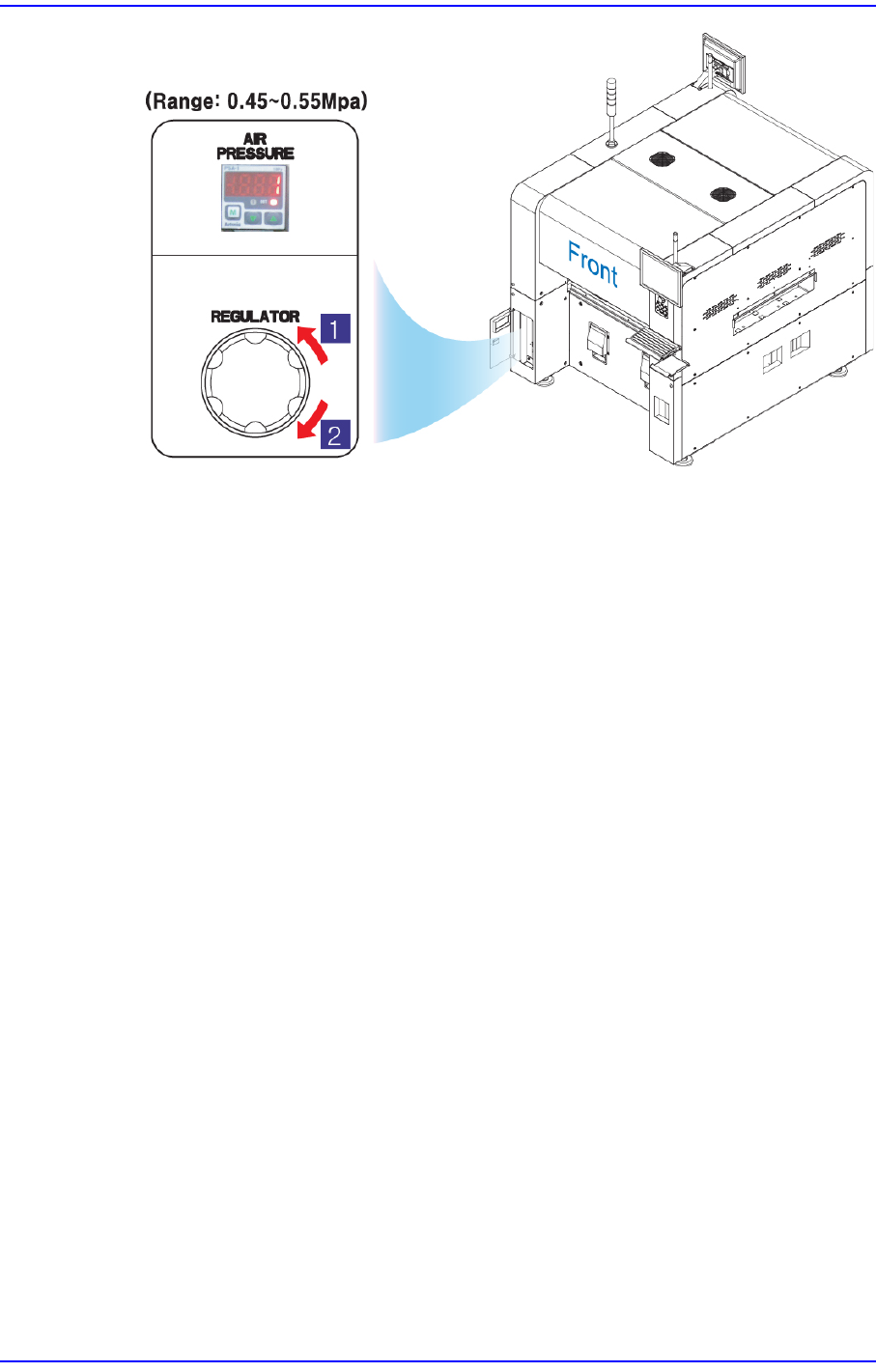
Check if the supplied pneumatic pressure is as high as the set pressure (0.45 ~ 0.55
MPa) by the air pressure gauge through air panel on the front side of the machine.
1-111
System Messages of the MMI and Solutions
1: Pressure Decrease (Counterclockwise)
2: Pressure increase (Clockwise)
With the CN040 nozzles inserted into the nozzle, execute the Vacuum dialog box of
the Diagnostic and close up the nozzle hole using a finger. Then press the Vacuum On
to check if the vacuum is 500 mmHg and above.
If it is below 500 mmHg, check if there is any problem with the pneumatic system or
nozzles.
$660b A pneumatic error occurred during camera calibration. [EMER LEVEL]
[Problem]
Since the pneumatic system for the head does not operate or the pneumatic pressure is
lower than the norm (500 mmHg and above), the calibration cannot be performed.
[Solution]
error code “$660a”.
$660d The pneumatic pressure of Head $H is too high for the Z offset measurement. Check
the filter of the pneumatic system for clogging. [FREEZE LEVEL]
[Problem]
The pneumatic pressure of the nozzle before measurement exceeds the reference
(600Hg) when measuring the Z axis offset with the CN040 nozzle inserted in the
nozzle holder of the head or when measuring the Z axis position of the feeder, flux
unit, etc. automatically.
[Solution]
Check the nozzle for contamination and pneumatic pressure.
When the nozzle has no problem, check the filter of the head and clean it.
1-112
Next Generation, Multi-Functional Placer DECAN S1 Troubleshooting Guide
If the problem occurs continuously, contact our designated C/S or local agent.
$7000 Component alignment method not supported by this equipment. [EMER LEVEL]
[Problem]
The component alignment method that was not defined was setup.
[Solution]
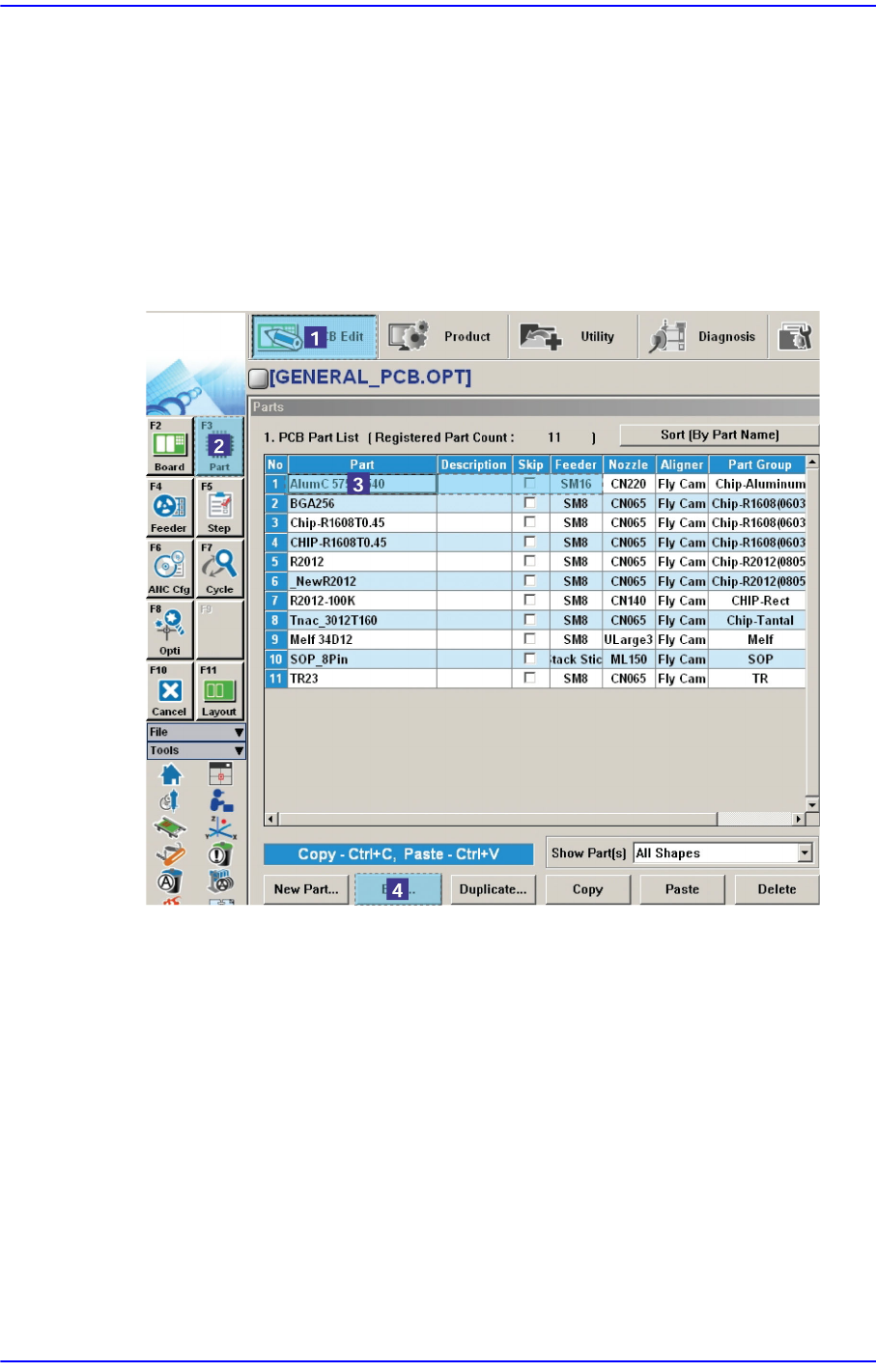
Click the <Edit> button after selecting the error occurred component in ‘Part’ of the
“PCB Edit” menu.