SWIA_503.04_EN.pdf - 第17页
L&A I NSTA LLATION M ANUAL L INE C OMPUTER LCL 50 3.04 NSTALLING THE LINE COMPUTER SOF TWARE INUX U I LRL L (S SE 9.0) 21. In the «File system» optio ns, select « Ext3 » in place of «Reiser». 22. Close the dialog box…
L&A INSTALLATION MANUAL LINE COMPUTER LCL 503.04
NSTALLING THE LINE COMPUTER SOFTWARE INUX U
I
LRL L (S SE 9.0)
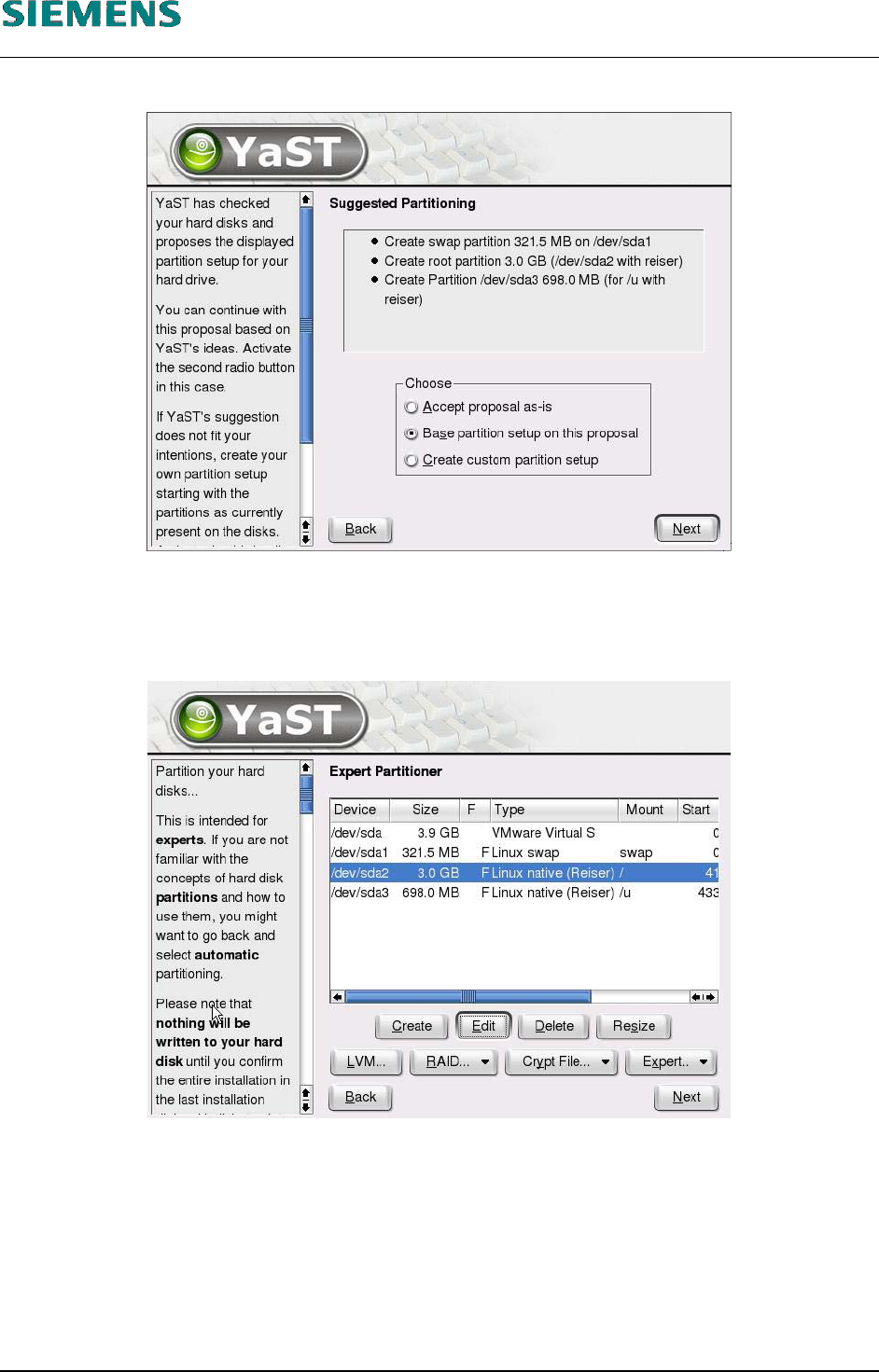
16. To change the default for the filesystem, select the «Partitioning» menu item.
17. The suggested partitioning is displayed. In the «Choose» box, select the «Base partition setup
on this proposal» option.
18. Confirm your choice with «Next».
19. Select the third line (the «Mount» column contains the entry «/»).
20. Select the «Edit» button
L&A EA SUBJECT TO CHANGE WITHOUT PRIOR NOTICE 03.03.2005
RUPERT-MAYER-STR. 44
D-81359 M
UNICH SWIA_503.04_EN.DOC PAGE 16 / 75
L&A INSTALLATION MANUAL LINE COMPUTER LCL 503.04
NSTALLING THE LINE COMPUTER SOFTWARE INUX U
I
LRL L (S SE 9.0)
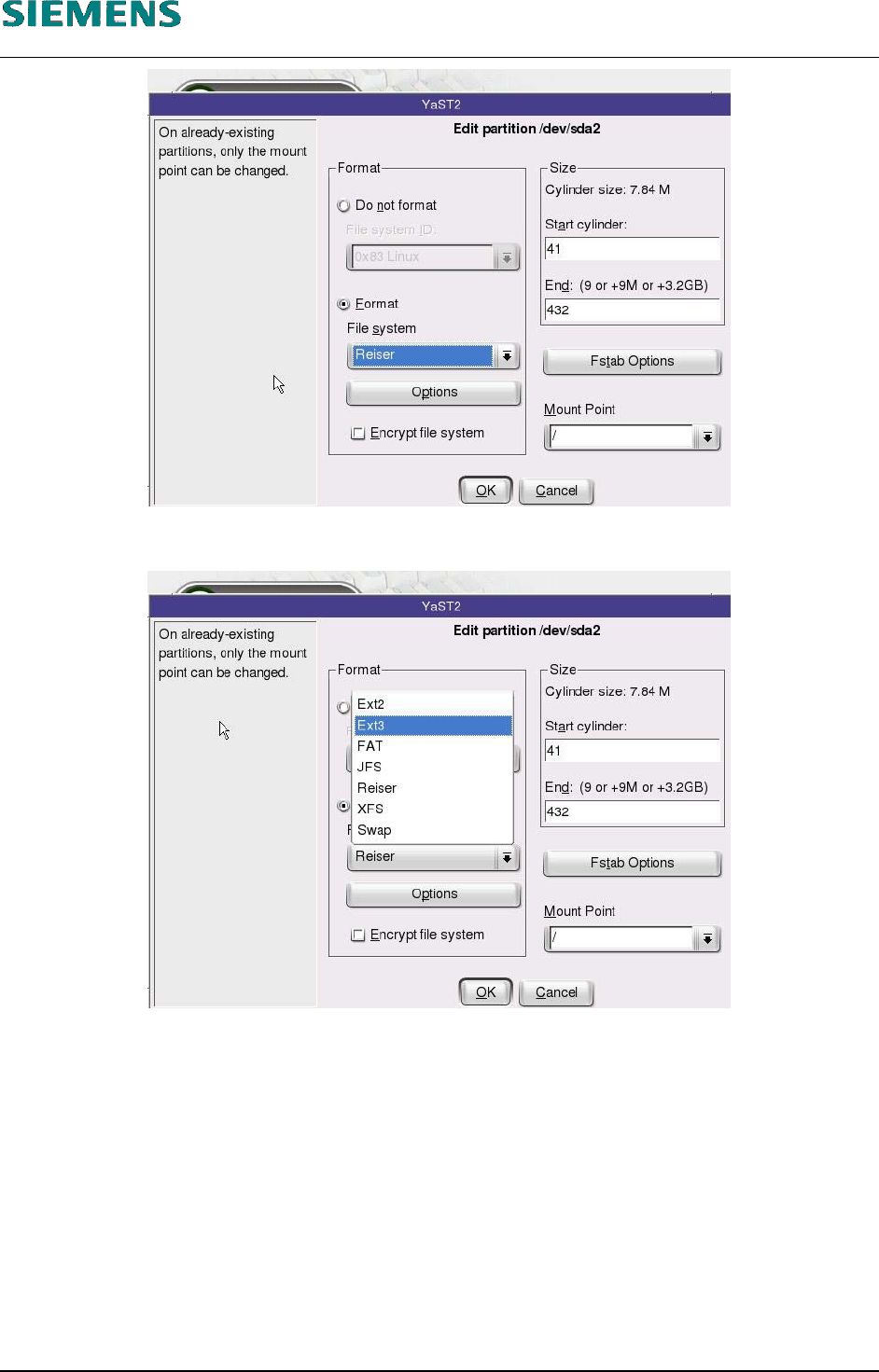
21. In the «File system» options, select «Ext3» in place of «Reiser».
22. Close the dialog box by clicking «OK».
L&A EA SUBJECT TO CHANGE WITHOUT PRIOR NOTICE 03.03.2005
RUPERT-MAYER-STR. 44
D-81359 M
UNICH SWIA_503.04_EN.DOC PAGE 17 / 75
L&A INSTALLATION MANUAL LINE COMPUTER LCL 503.04
NSTALLING THE LINE COMPUTER SOFTWARE INUX U
I
LRL L (S SE 9.0)
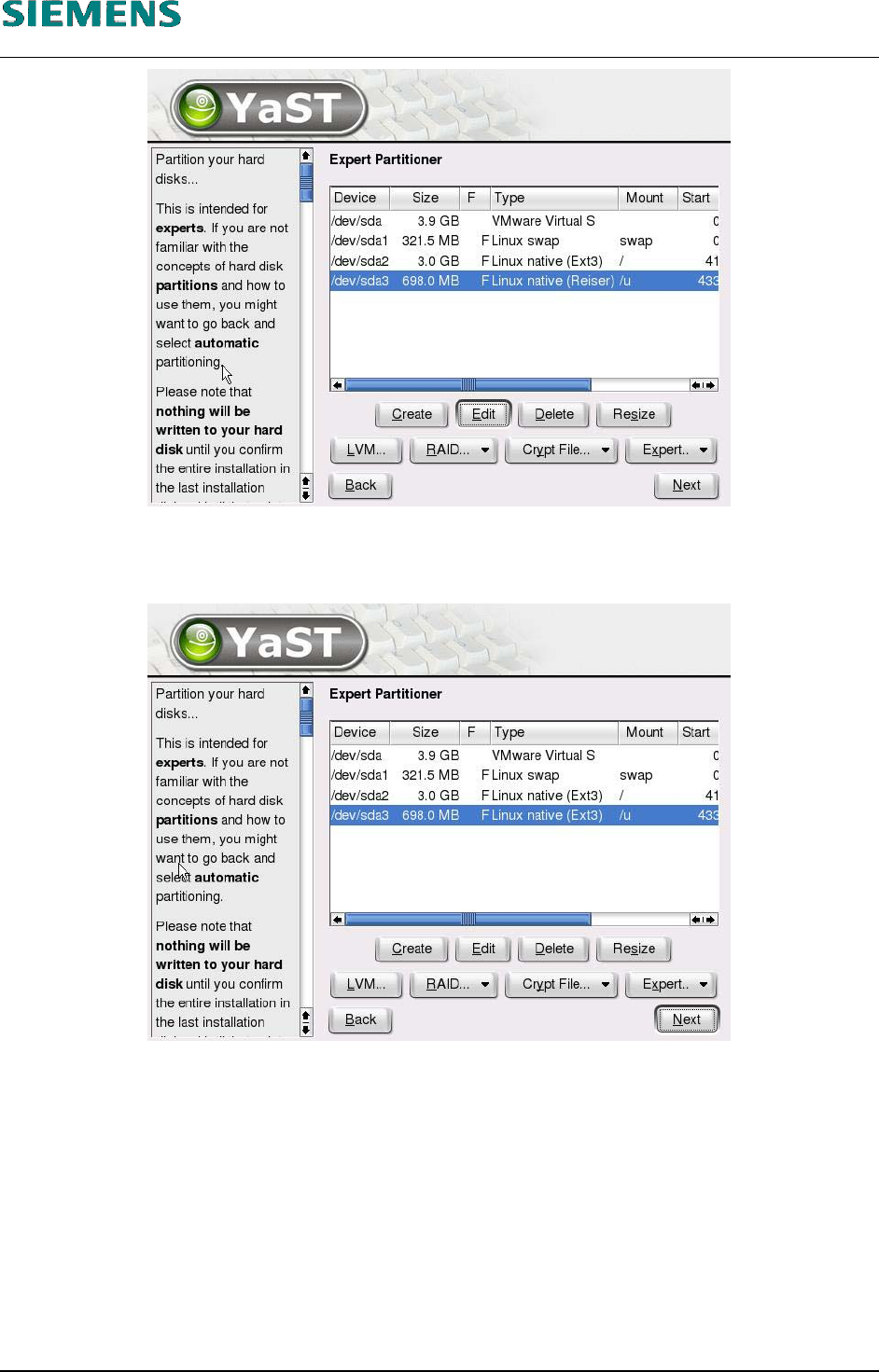
23. Select the fourth line (the «Mount» column contains the entry «/u»).
24. Repeat steps 20 through 22.
25. Now, in both lines the changed filesystem «Ext3» will be displayed in the column «Type».
26. Close the dialog box by clicking «Next».
L&A EA SUBJECT TO CHANGE WITHOUT PRIOR NOTICE 03.03.2005
RUPERT-MAYER-STR. 44
D-81359 M
UNICH SWIA_503.04_EN.DOC PAGE 18 / 75