SWIA_503.04_EN.pdf - 第60页
L&A I NSTA LLATION M ANUAL L INE C OMPUTER LCL 50 3.04 ONFIGURATION OF PRINTER AND ETWORK C HP 5850 (USB N ) 4.3.3 Configuration as a network printer You can only configure the prin ter as a network printer under the…
L&A INSTALLATION MANUAL LINE COMPUTER LCL 503.04
ONFIGURATION OF PRINTER AND ETWORK
C
HP 5850 (USB N )
NOTE
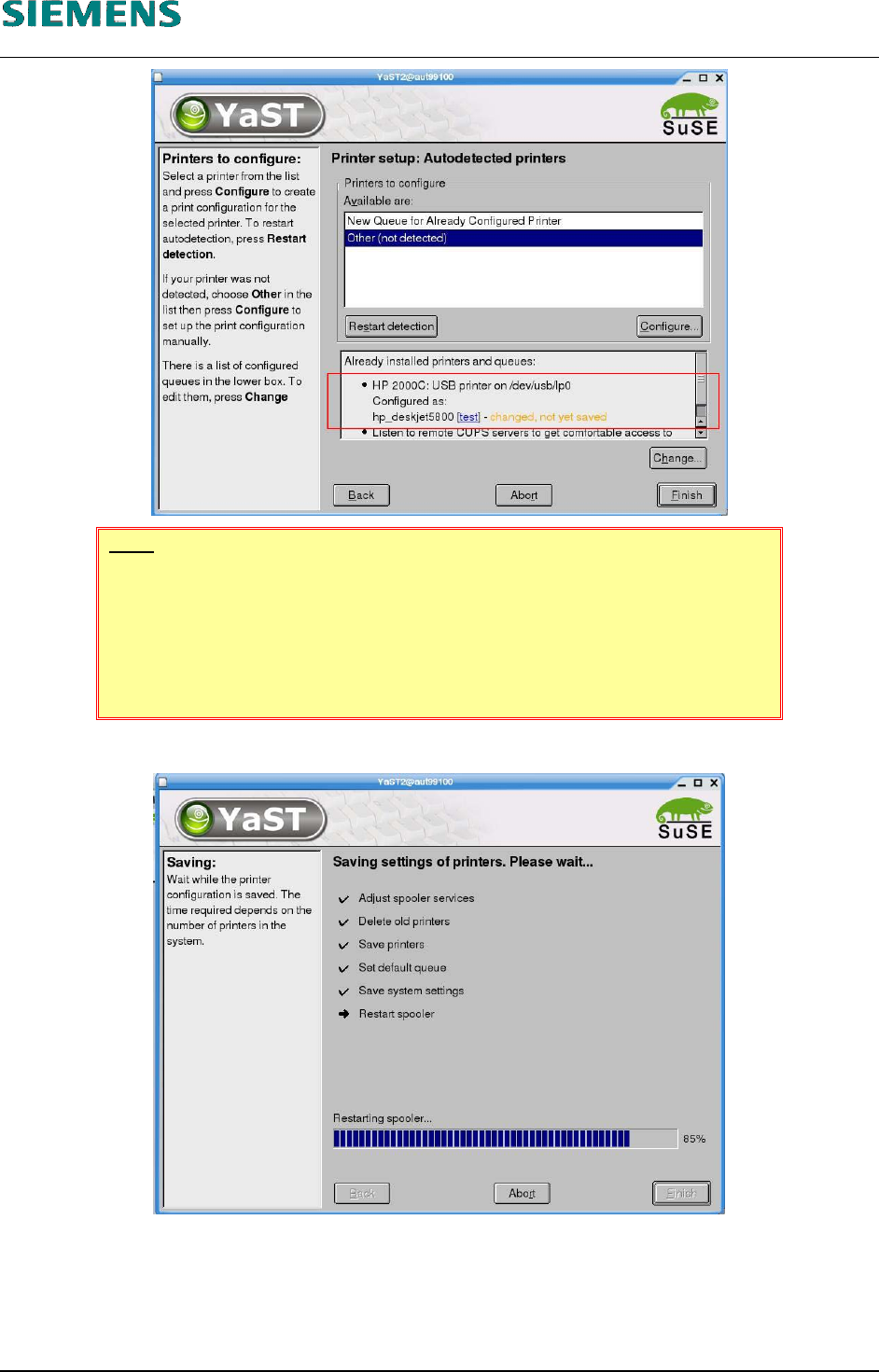
If several printers are installed, you must select the default printer. Click the
«Change» button, select the line containing the required printer and set it as
the default printer by clicking «Set as default».
The default printer is indicated by an arrow in the left column.
26. Click the «Finish» button to save the settings.
27. Close the «YaST Control Center» configuration tool by clicking «Close».
28. You can now use the configured printer. It is not necessary to restart the line computer.
L&A EA SUBJECT TO CHANGE WITHOUT PRIOR NOTICE 03.03.2005
RUPERT-MAYER-STR. 44
D-81359 M
UNICH SWIA_503.04_EN.DOC PAGE 59 / 75
L&A INSTALLATION MANUAL LINE COMPUTER LCL 503.04
ONFIGURATION OF PRINTER AND ETWORK
C
HP 5850 (USB N )
4.3.3 Configuration as a network printer
You can only configure the printer as a network printer under the «auteq Linux 9.0» operating sys-
tem.
4.3.3.1 Requirements
Installed software «SIPLACE auteq-LINUX based on SuSE 9.0».
PC with a configured network card
An appropriate network address has to be set on the printer (see «4.3.4 Configuring the net-
work address of the printer»).
4.3.3.2 Installation procedure
1. Log into the line computer under GNOME as the user «plr».
2. Connect the printer to the network (e.g. customer network).
3. Switch on the printer.
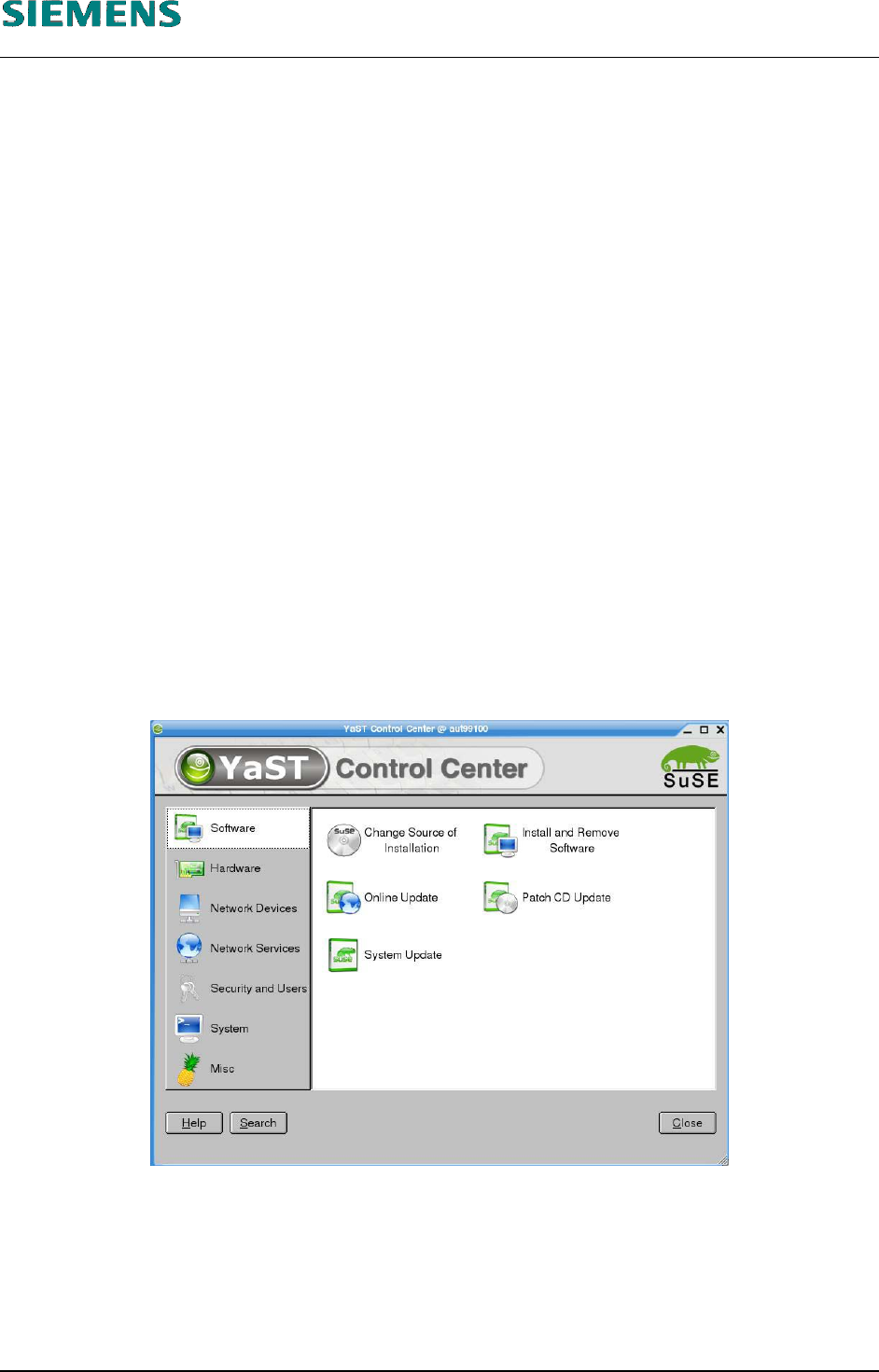
4. Open a terminal window by selecting the menu «Optinons» / «Operating system level».
5. Enter the commands
su -c yast2
(and enter the «root» password) to start the «YaST Control Center» configuration tool.
L&A EA SUBJECT TO CHANGE WITHOUT PRIOR NOTICE 03.03.2005
RUPERT-MAYER-STR. 44
D-81359 M
UNICH SWIA_503.04_EN.DOC PAGE 60 / 75
L&A INSTALLATION MANUAL LINE COMPUTER LCL 503.04
ONFIGURATION OF PRINTER AND ETWORK
C
HP 5850 (USB N )
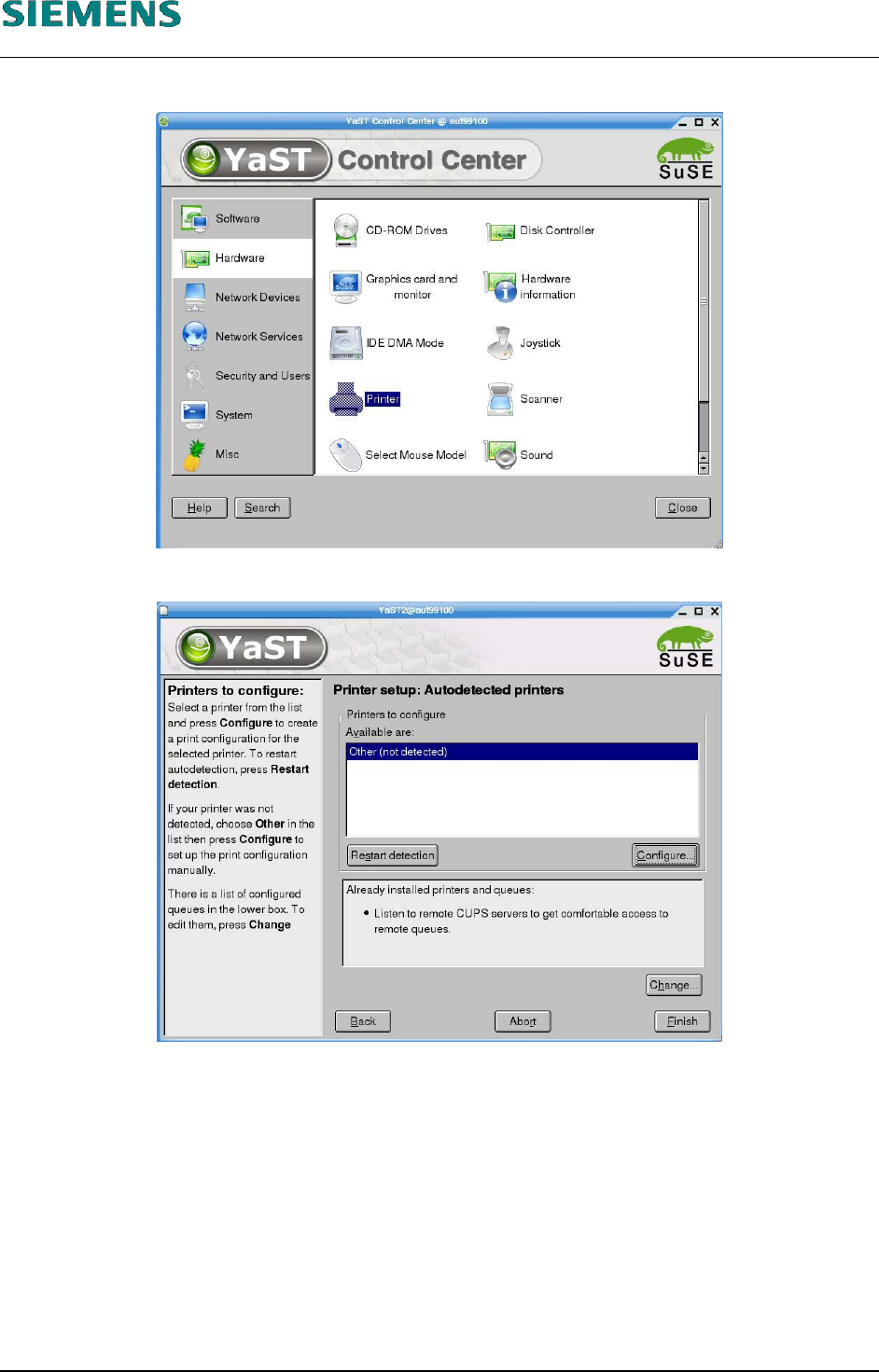
6. On the left, select the «Hardware» menu and then select the «Printer» function on the right.
7. Specify the printer type by clicking the «Configure» button.
L&A EA SUBJECT TO CHANGE WITHOUT PRIOR NOTICE 03.03.2005
RUPERT-MAYER-STR. 44
D-81359 M
UNICH SWIA_503.04_EN.DOC PAGE 61 / 75