SWIA_503.04_EN.pdf - 第55页
L&A I NSTA LLATION M ANUAL L INE C OMPUTER LCL 50 3.04 ONFIGURATION OF PRINTER AND ETWORK C HP 5850 (USB N ) 11. Select the USB port the printer is connected to. 12. You can (should) click the « Test pr inter connect…
L&A INSTALLATION MANUAL LINE COMPUTER LCL 503.04
ONFIGURATION OF PRINTER AND ETWORK
C
HP 5850 (USB N )
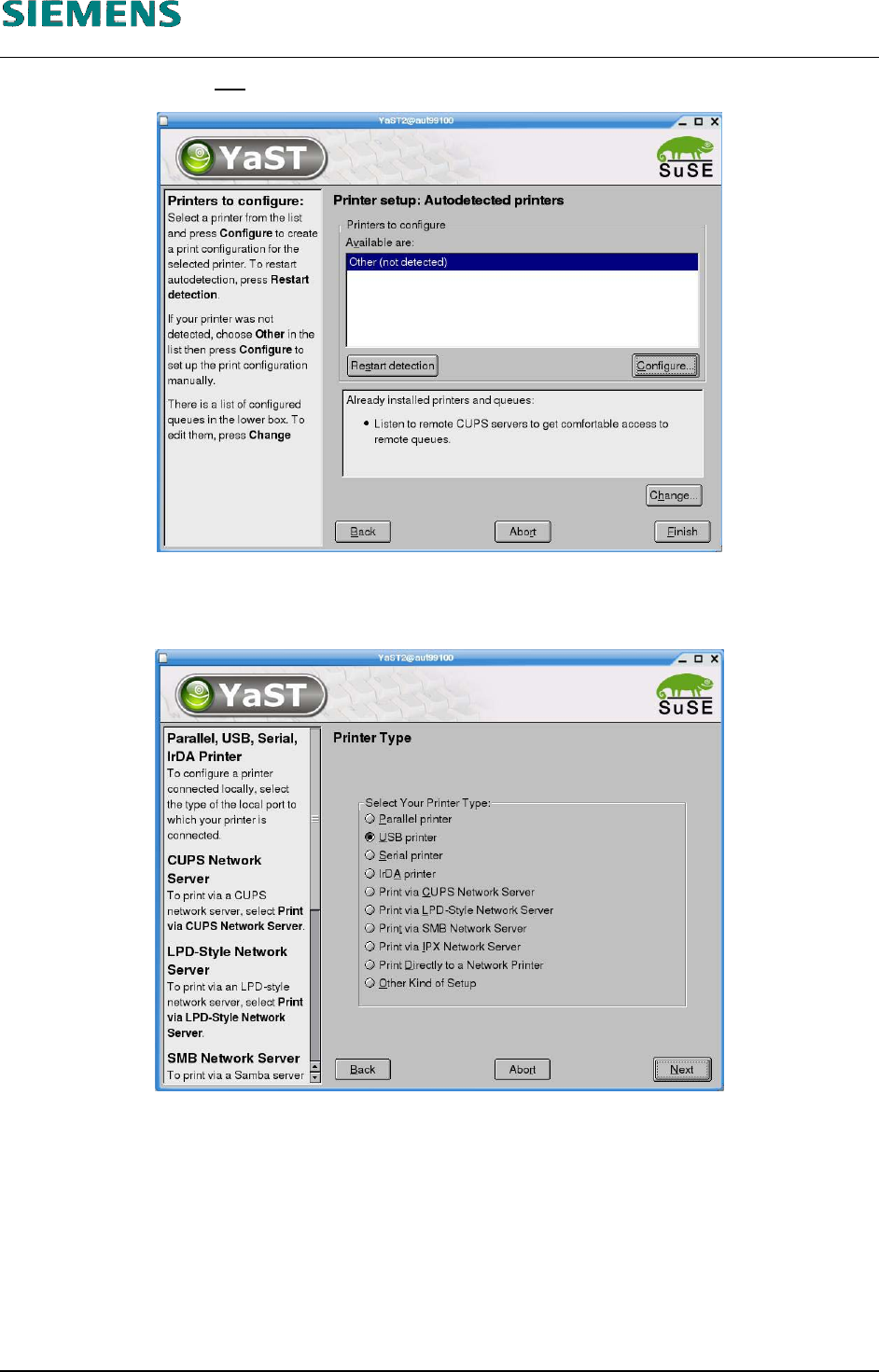
8. If the printer type is not detected automatically:
you can specify the printer type by clicking the «Configure» button.
9. Select the entry «USB printer».
10. Confirm your entry with «Next».
L&A EA SUBJECT TO CHANGE WITHOUT PRIOR NOTICE 03.03.2005
RUPERT-MAYER-STR. 44
D-81359 M
UNICH SWIA_503.04_EN.DOC PAGE 54 / 75
L&A INSTALLATION MANUAL LINE COMPUTER LCL 503.04
ONFIGURATION OF PRINTER AND ETWORK
C
HP 5850 (USB N )
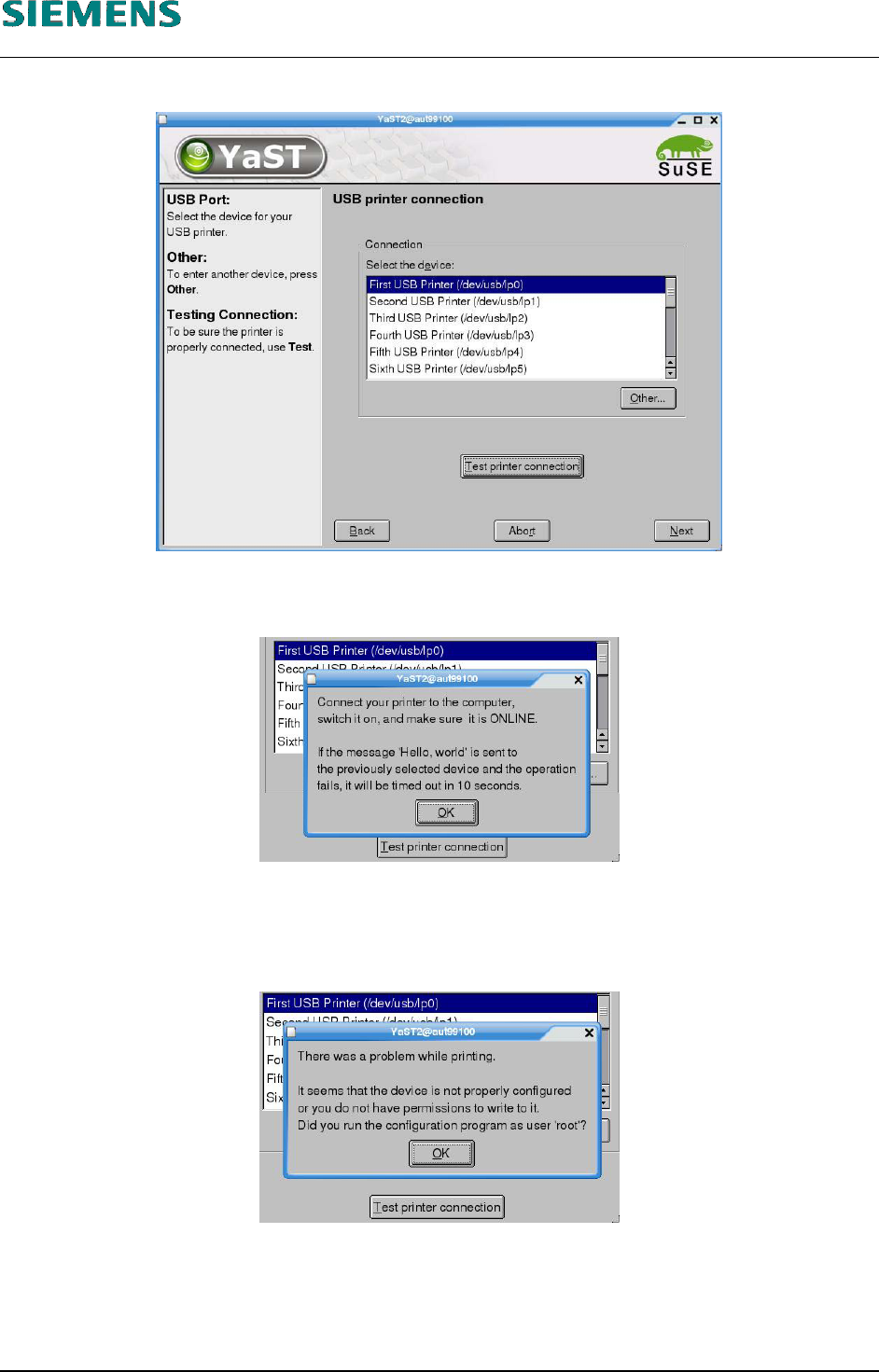
11. Select the USB port the printer is connected to.
12. You can (should) click the «Test printer connection» button to test the connection to the
printer.
13. Confirm the message by clicking «OK».
14. If the connection test fails, confirm the message with «OK», return to point 11 above and select
a different port.
If the printer is not detected on any port, cancel configuration (using the «Abort» button in the
dialog box shown in point 10 above) and check the BIOS settings again (See «4.3.2.2.1
Requirements» above).
L&A EA SUBJECT TO CHANGE WITHOUT PRIOR NOTICE 03.03.2005
RUPERT-MAYER-STR. 44
D-81359 M
UNICH SWIA_503.04_EN.DOC PAGE 55 / 75
L&A INSTALLATION MANUAL LINE COMPUTER LCL 503.04
ONFIGURATION OF PRINTER AND ETWORK
C
HP 5850 (USB N )
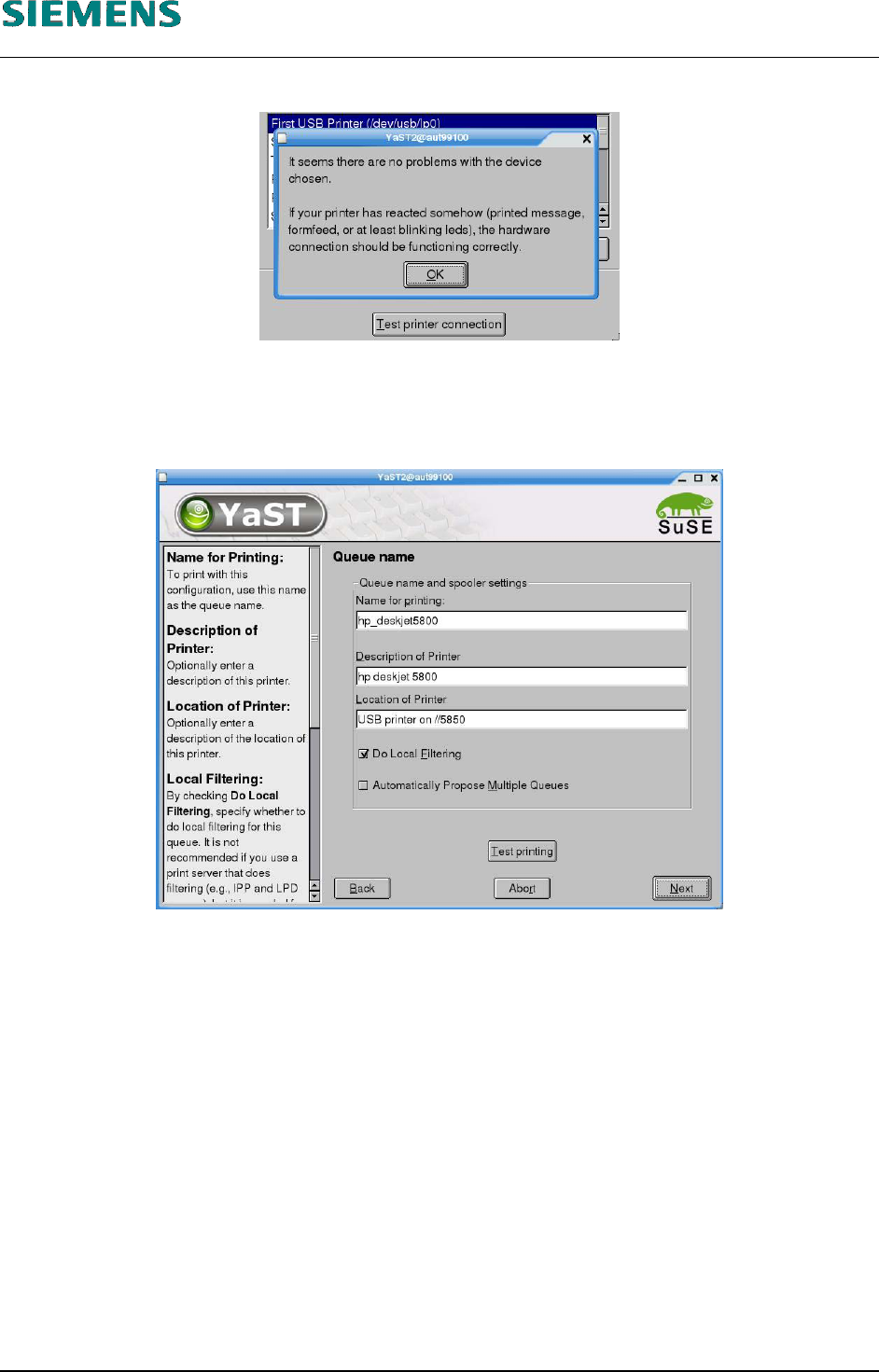
15. If the connection test was successful, confirm the message with «OK».
16. Confirm the dialog box shown in point 10 above by clicking the «Next» button.
17. You can either freely assign a name, description and location to a printer or accept the default
settings.
18. Confirm your entries by clicking «Next».
L&A EA SUBJECT TO CHANGE WITHOUT PRIOR NOTICE 03.03.2005
RUPERT-MAYER-STR. 44
D-81359 M
UNICH SWIA_503.04_EN.DOC PAGE 56 / 75