SWIA_503.04_EN.pdf - 第26页
L&A I NSTA LLATION M ANUAL L INE C OMPUTER LCL 50 3.04 NSTALLING THE LINE COMPUTER SOF TWARE INUX U I LRL L (S SE 9.0) 54. It is not necessary to reconfigure the g raphics adapter. The recommended resolution (102 4x7…
L&A INSTALLATION MANUAL LINE COMPUTER LCL 503.04
NSTALLING THE LINE COMPUTER SOFTWARE INUX U
I
LRL L (S SE 9.0)
49. Close the «Network cards configuration overview» dialog box by clicking «Finish» (see Figure
4-2).
50. Close the «Network configuration» dialog box by clicking «Next» (see Figure 4-1).
51. The network configuration is now saved.
4.2.3.6 PLR-Password / Configure Graphic Adapter
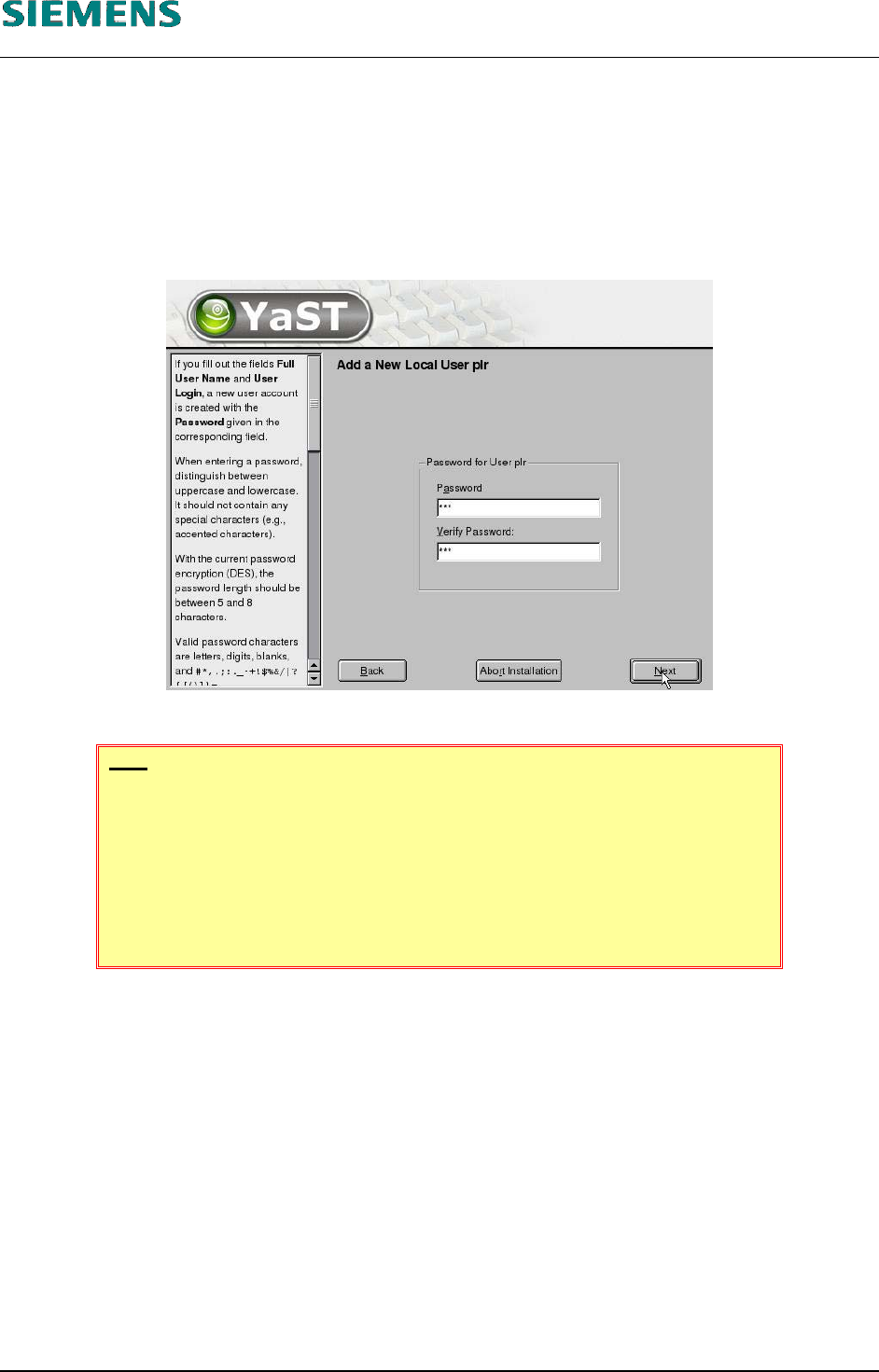
52. Type in the password for user «plr» and confirm it again.
HINT
If the password you had chosen, is to simple, you get this warning:
You have used the username as part of the password.
This is not good security practice. Are you sure?
Confirm the given password with «Yes»; but select «No» if you want to enter
another password.
53. Close the dialog box with «Next».
L&A EA SUBJECT TO CHANGE WITHOUT PRIOR NOTICE 03.03.2005
RUPERT-MAYER-STR. 44
D-81359 M
UNICH SWIA_503.04_EN.DOC PAGE 25 / 75
L&A INSTALLATION MANUAL LINE COMPUTER LCL 503.04
NSTALLING THE LINE COMPUTER SOFTWARE INUX U
I
LRL L (S SE 9.0)
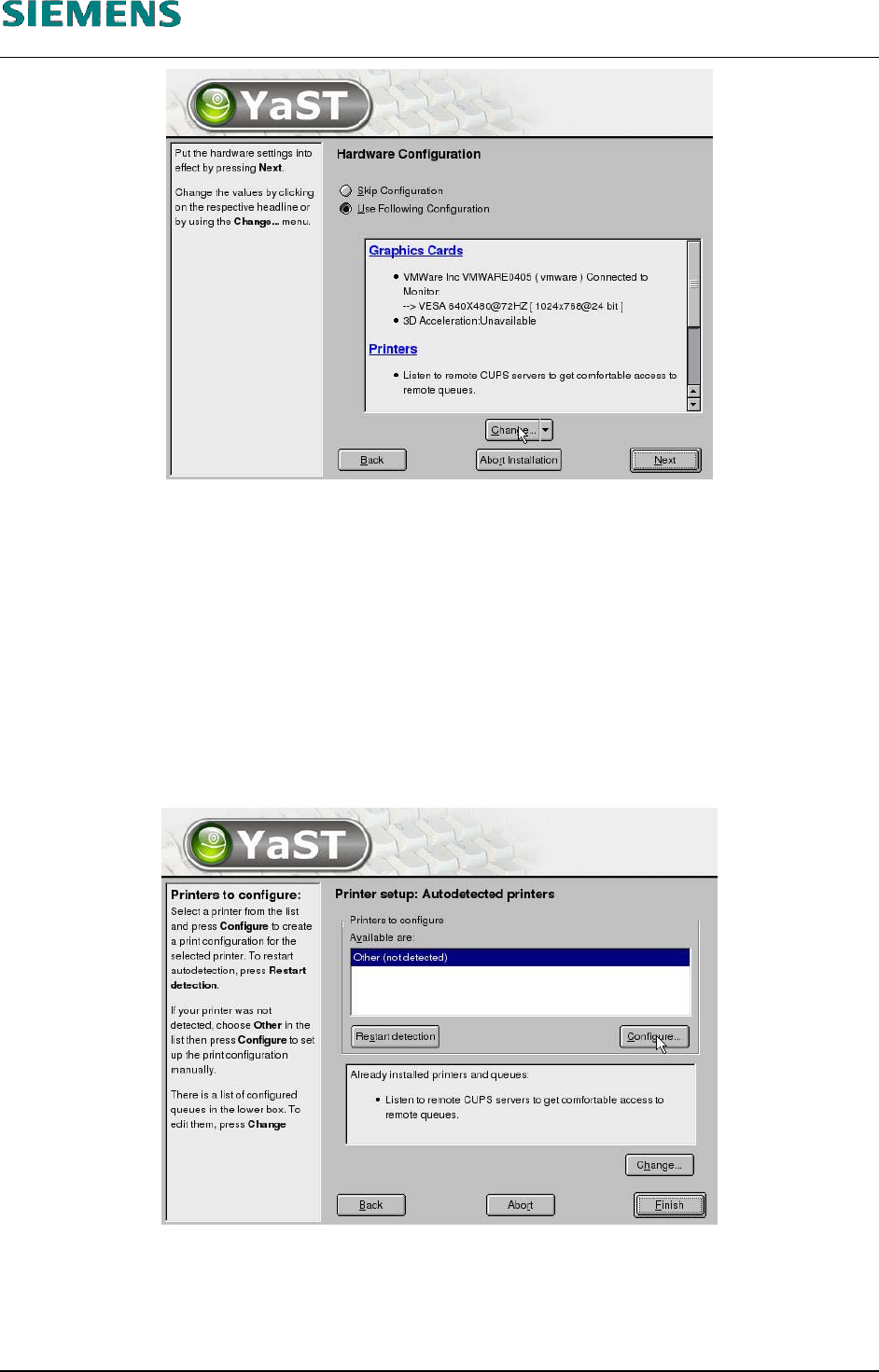
54. It is not necessary to reconfigure the graphics adapter. The recommended resolution (1024x768,
16 Bit) can be retained.
4.2.3.7 Configure Printer
55. If you want to configure a printer at the parallel port of the computer, continue at step 56 below.
For the configuration of an USB- or network printer, consider 4.3 Configuration of HP 5850
printer (USB and Network). The configuration will be executed later on, using the linecomputer
application. Select «Next» and continue at step 66 below on page 29.
56. Printers are installed by selecting the item «Printers».
57. Click the «Configure» button to open the «Printer Type» dialog box.
L&A EA SUBJECT TO CHANGE WITHOUT PRIOR NOTICE 03.03.2005
RUPERT-MAYER-STR. 44
D-81359 M
UNICH SWIA_503.04_EN.DOC PAGE 26 / 75
L&A INSTALLATION MANUAL LINE COMPUTER LCL 503.04
NSTALLING THE LINE COMPUTER SOFTWARE INUX U
I
LRL L (S SE 9.0)
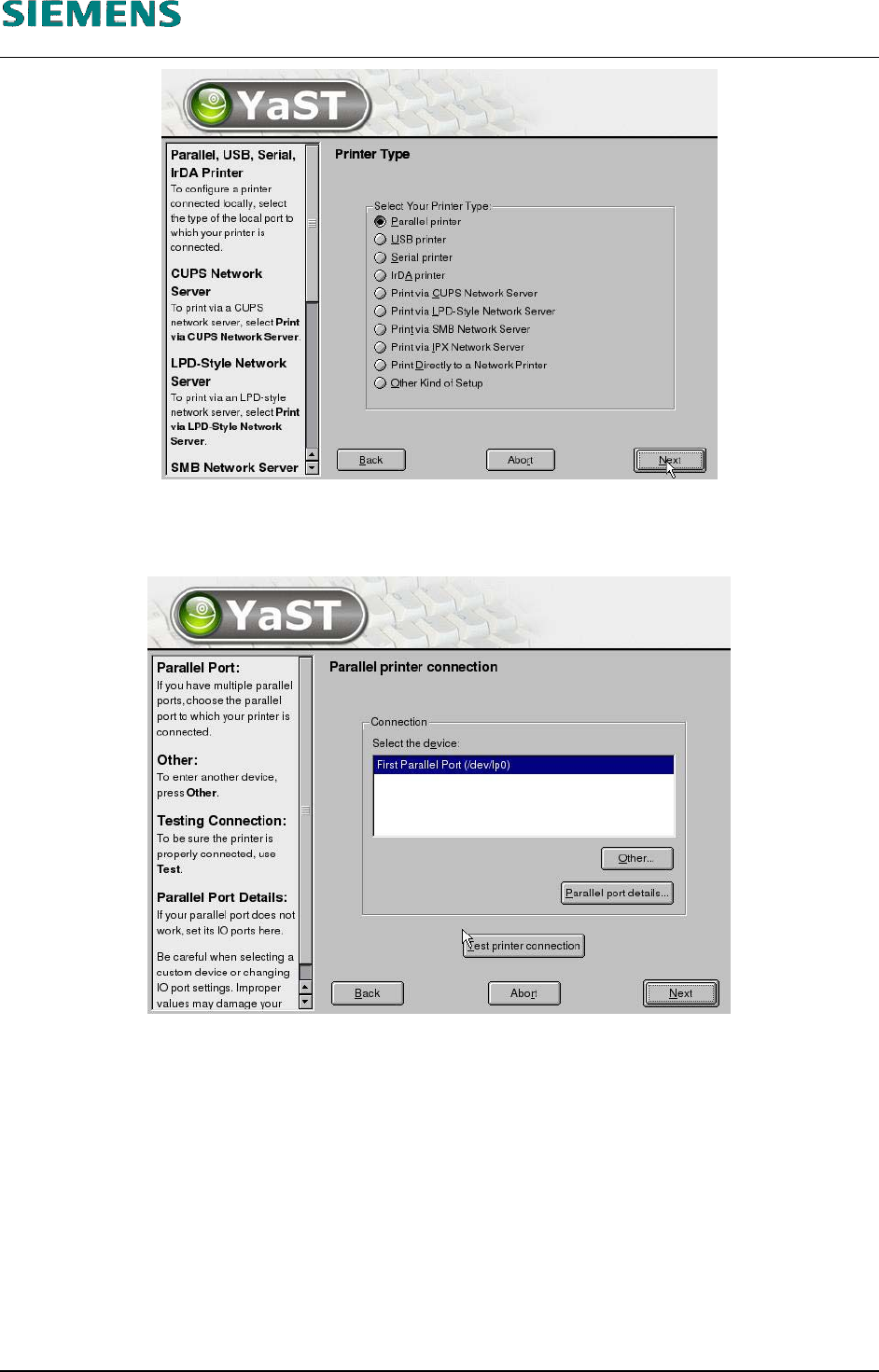
58. If a printer is connected to the parallel port, the setting «Parallel printer» is retained.
59. Click the «Next» button.
60. Click the «Next» button.
L&A EA SUBJECT TO CHANGE WITHOUT PRIOR NOTICE 03.03.2005
RUPERT-MAYER-STR. 44
D-81359 M
UNICH SWIA_503.04_EN.DOC PAGE 27 / 75