SWIA_503.04_EN.pdf - 第69页
L&A I NSTA LLATION M ANUAL L INE C OMPUTER LCL 50 3.04 ONFIGURATION OF PRINTER AND ETWORK C HP 5850 (USB N ) 14. The device selection is no w shown in the selected language. 15. The network settings are shown by clic…
L&A INSTALLATION MANUAL LINE COMPUTER LCL 503.04
ONFIGURATION OF PRINTER AND ETWORK
C
HP 5850 (USB N )
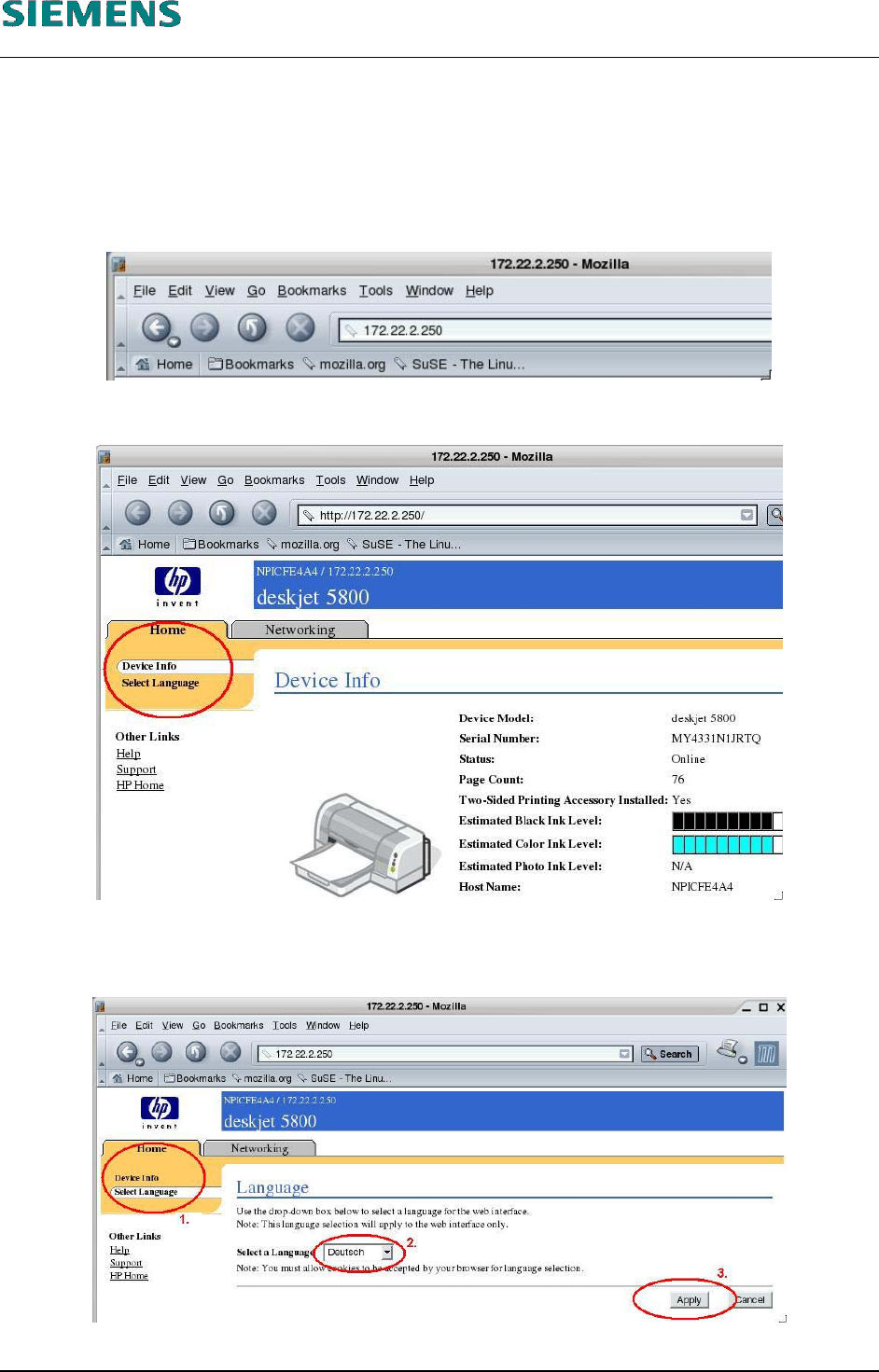
9. Use the command
mozilla
to start the browser.
10. Establish a connection to the printer by entering the TCP/IP address of the printer in the address
field of the browser.
11. The device configuration of the printer is displayed.
12. The selection in the top left (indicated by a red circle) allows you to change the language to your
local language.
13. Confirm your selection with the «Apply» button.
L&A EA SUBJECT TO CHANGE WITHOUT PRIOR NOTICE 03.03.2005
RUPERT-MAYER-STR. 44
D-81359 M
UNICH SWIA_503.04_EN.DOC PAGE 68 / 75
L&A INSTALLATION MANUAL LINE COMPUTER LCL 503.04
ONFIGURATION OF PRINTER AND ETWORK
C
HP 5850 (USB N )
14. The device selection is now shown in the selected language.
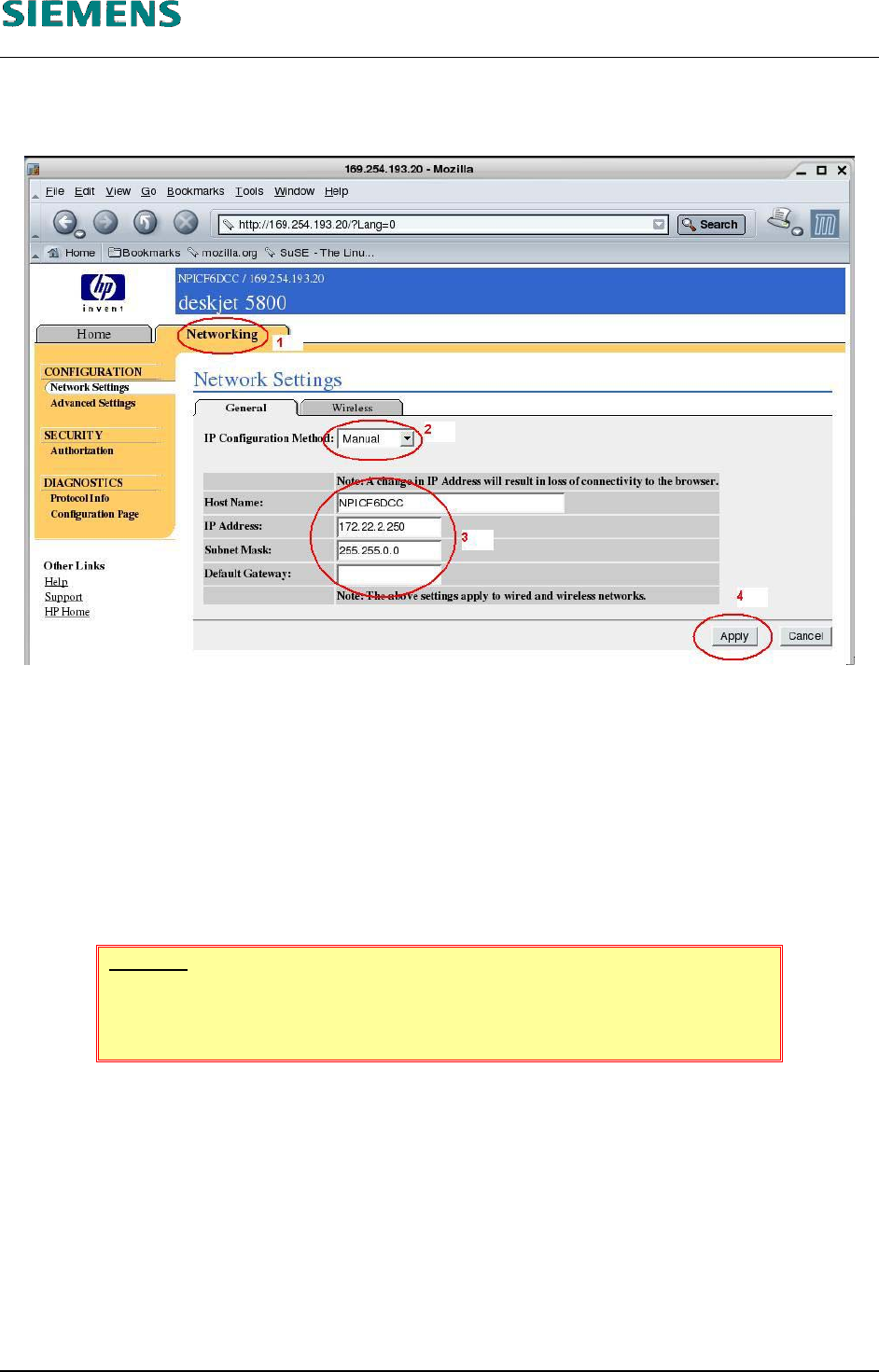
15. The network settings are shown by clicking the «Network» tab (1).
16. Select as «IP Configuration Method» the value ‹Manual› (2)
17. (3) Change the settings for
the printer name («Host Name»)
the TCP/IP address of the printer («IP Address»)
the subnet mask of the printer («Subnet Mask»)
the address of the default gateway.
18. Click the «Apply» (4) button to change the settings in the printer.
WARNING
If you change the address of the printer, the connection to the printer is in-
terrupted when you click the «Apply» button.
L&A EA SUBJECT TO CHANGE WITHOUT PRIOR NOTICE 03.03.2005
RUPERT-MAYER-STR. 44
D-81359 M
UNICH SWIA_503.04_EN.DOC PAGE 69 / 75
L&A INSTALLATION MANUAL LINE COMPUTER LCL 503.04
ONFIGURATION OF PRINTER AND ETWORK
C
HP 5850 (USB N )
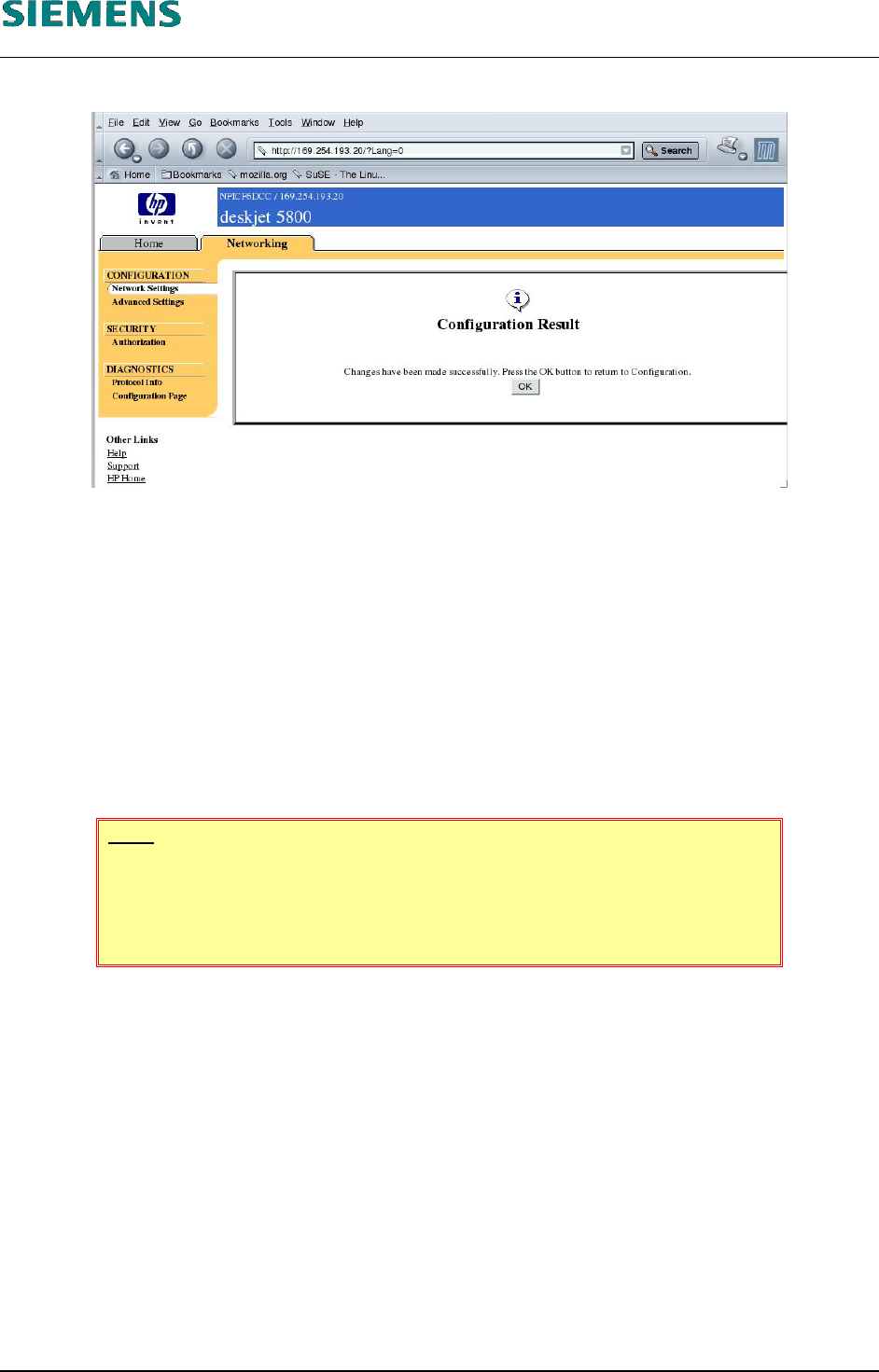
19. The configuration program still informs you that the settings were updated successfully.
20. Confirm with «OK»
21. Close the browser with «File» / «Quit».
22. The computer must be rebooted to cancel the temporarily changed address. After you have
performed a shutdown, the computer reverts to the original addresses.
4.3.4.4 Configuring a wireless network.
The «HP Deskjet 5850» printer can also be operated in a wireless LAN.
The customer's network administrator must configure the printer for a wireless LAN.
NOTE
The use of wireless LAN devices is prohibited within Siemens AG!
Whether or not the printer can be operated in wireless mode at the cus-
tomer's site must be clarified on a case-by-case basis.
L&A EA SUBJECT TO CHANGE WITHOUT PRIOR NOTICE 03.03.2005
RUPERT-MAYER-STR. 44
D-81359 M
UNICH SWIA_503.04_EN.DOC PAGE 70 / 75