SWIA_503.04_EN.pdf - 第28页
L&A I NSTA LLATION M ANUAL L INE C OMPUTER LCL 50 3.04 NSTALLING THE LINE COMPUTER SOF TWARE INUX U I LRL L (S SE 9.0) 61. Click « Next » after you have entered th e printer name and a de scription of the printer. 62…
L&A INSTALLATION MANUAL LINE COMPUTER LCL 503.04
NSTALLING THE LINE COMPUTER SOFTWARE INUX U
I
LRL L (S SE 9.0)
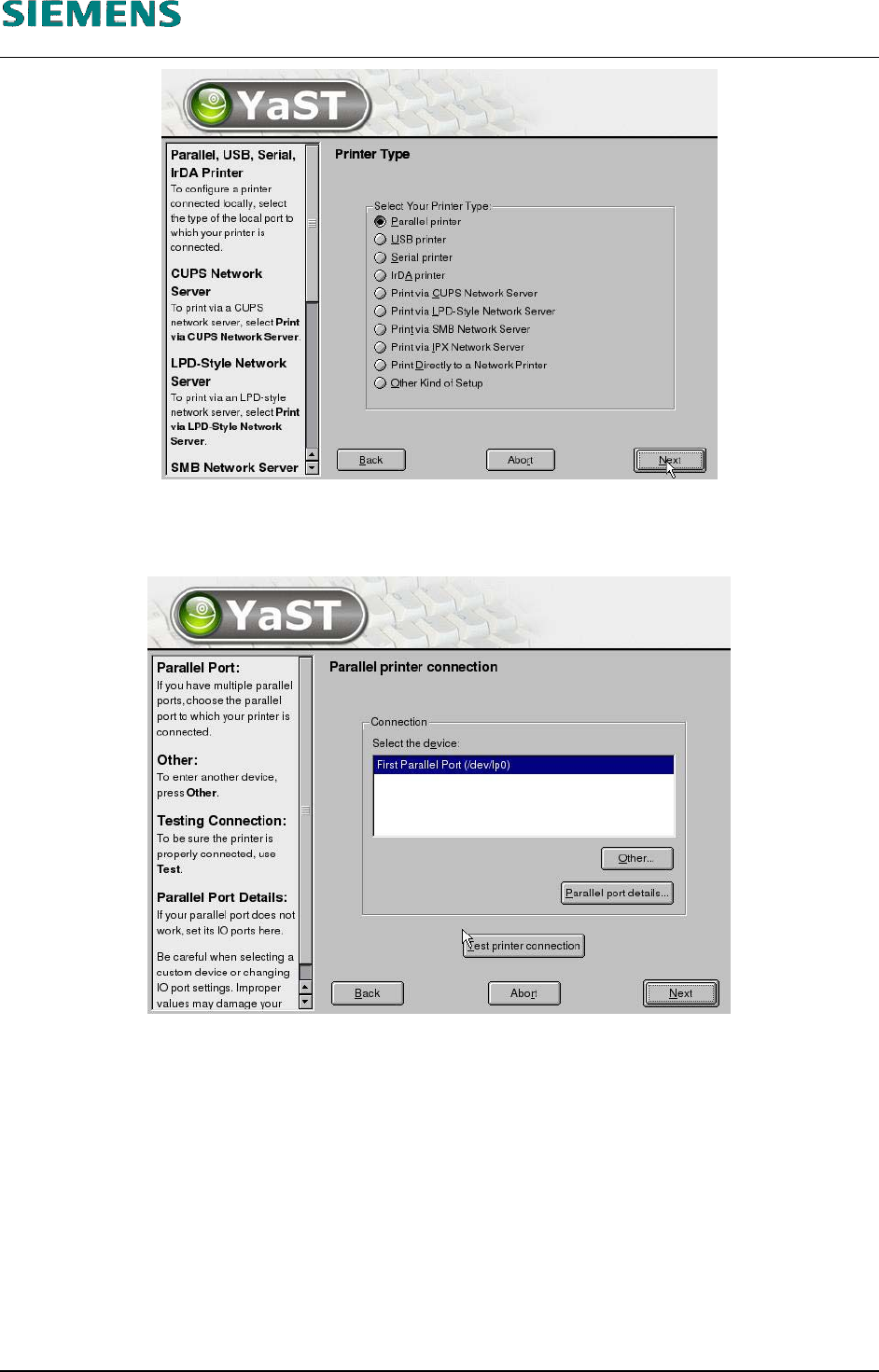
58. If a printer is connected to the parallel port, the setting «Parallel printer» is retained.
59. Click the «Next» button.
60. Click the «Next» button.
L&A EA SUBJECT TO CHANGE WITHOUT PRIOR NOTICE 03.03.2005
RUPERT-MAYER-STR. 44
D-81359 M
UNICH SWIA_503.04_EN.DOC PAGE 27 / 75
L&A INSTALLATION MANUAL LINE COMPUTER LCL 503.04
NSTALLING THE LINE COMPUTER SOFTWARE INUX U
I
LRL L (S SE 9.0)
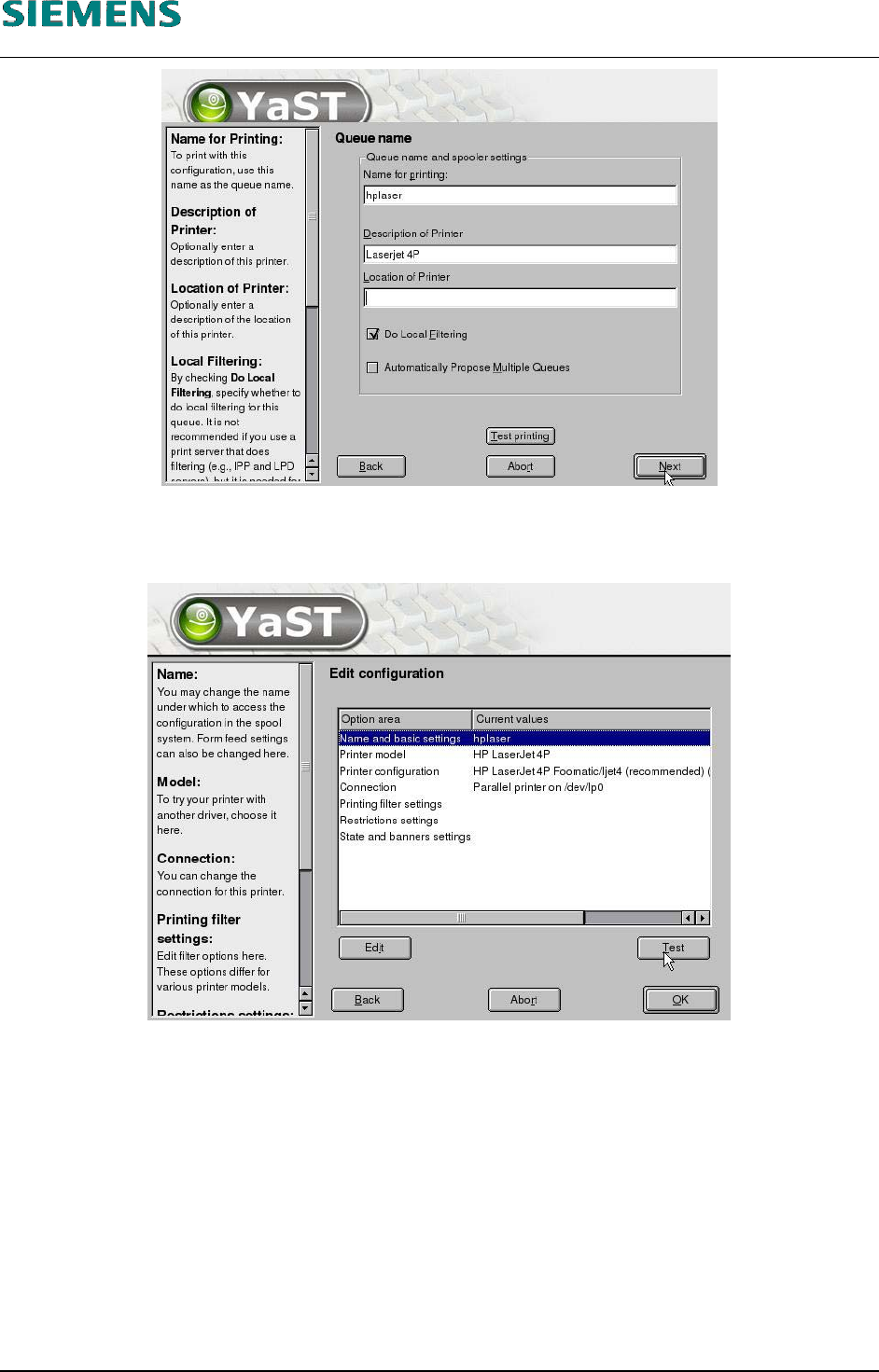
61. Click «Next» after you have entered the printer name and a description of the printer.
62. Select the printer manufacturer and model and click «Next».
63. You can print a test page by clicking «Test».
64. Close the dialog box by clicking «OK».
L&A EA SUBJECT TO CHANGE WITHOUT PRIOR NOTICE 03.03.2005
RUPERT-MAYER-STR. 44
D-81359 M
UNICH SWIA_503.04_EN.DOC PAGE 28 / 75
L&A INSTALLATION MANUAL LINE COMPUTER LCL 503.04
NSTALLING THE LINE COMPUTER SOFTWARE INUX U
I
LRL L (S SE 9.0)
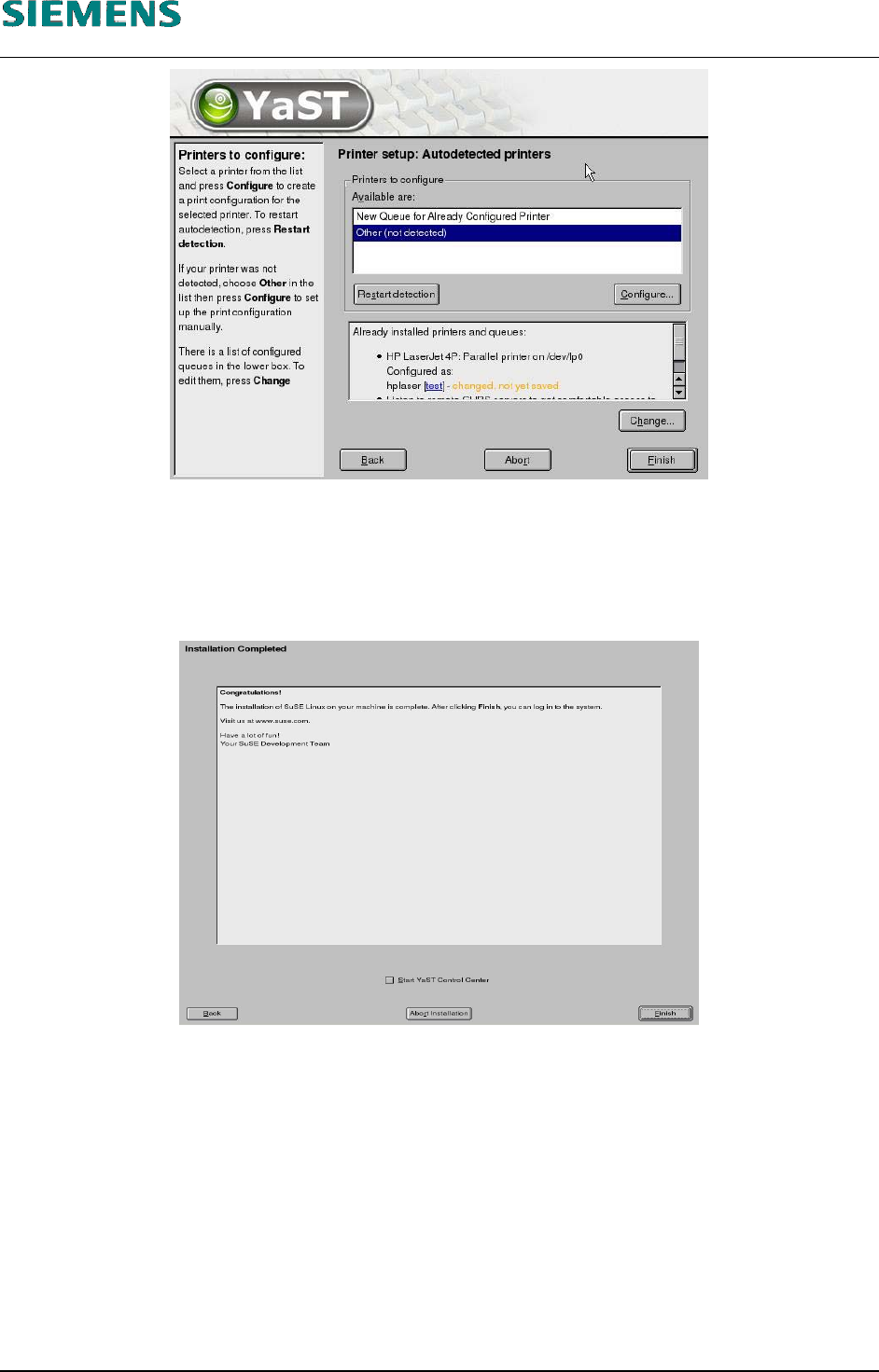
65. Close the «Printer setup: Autodetected printers» dialog box by clicking «Finish». This completes
the installation of the printer.
66. Configuration terminates with the «Installation Completed» message. This message can then be
confirmed with the «Finish» button.
67. The system is restarted automatically and is now ready for you to carry out the installation of the
line computer software.
L&A EA SUBJECT TO CHANGE WITHOUT PRIOR NOTICE 03.03.2005
RUPERT-MAYER-STR. 44
D-81359 M
UNICH SWIA_503.04_EN.DOC PAGE 29 / 75