SWIA_503.04_EN.pdf - 第23页
L&A I NSTA LLATION M ANUAL L INE C OMPUTER LCL 50 3.04 NSTALLING THE LINE COMPUTER SOF TWARE INUX U I LRL L (S SE 9.0) 41. After you have entered the host name and domain name, click « OK » to confirm your entries. 4…
L&A INSTALLATION MANUAL LINE COMPUTER LCL 503.04
NSTALLING THE LINE COMPUTER SOFTWARE INUX U
I
LRL L (S SE 9.0)
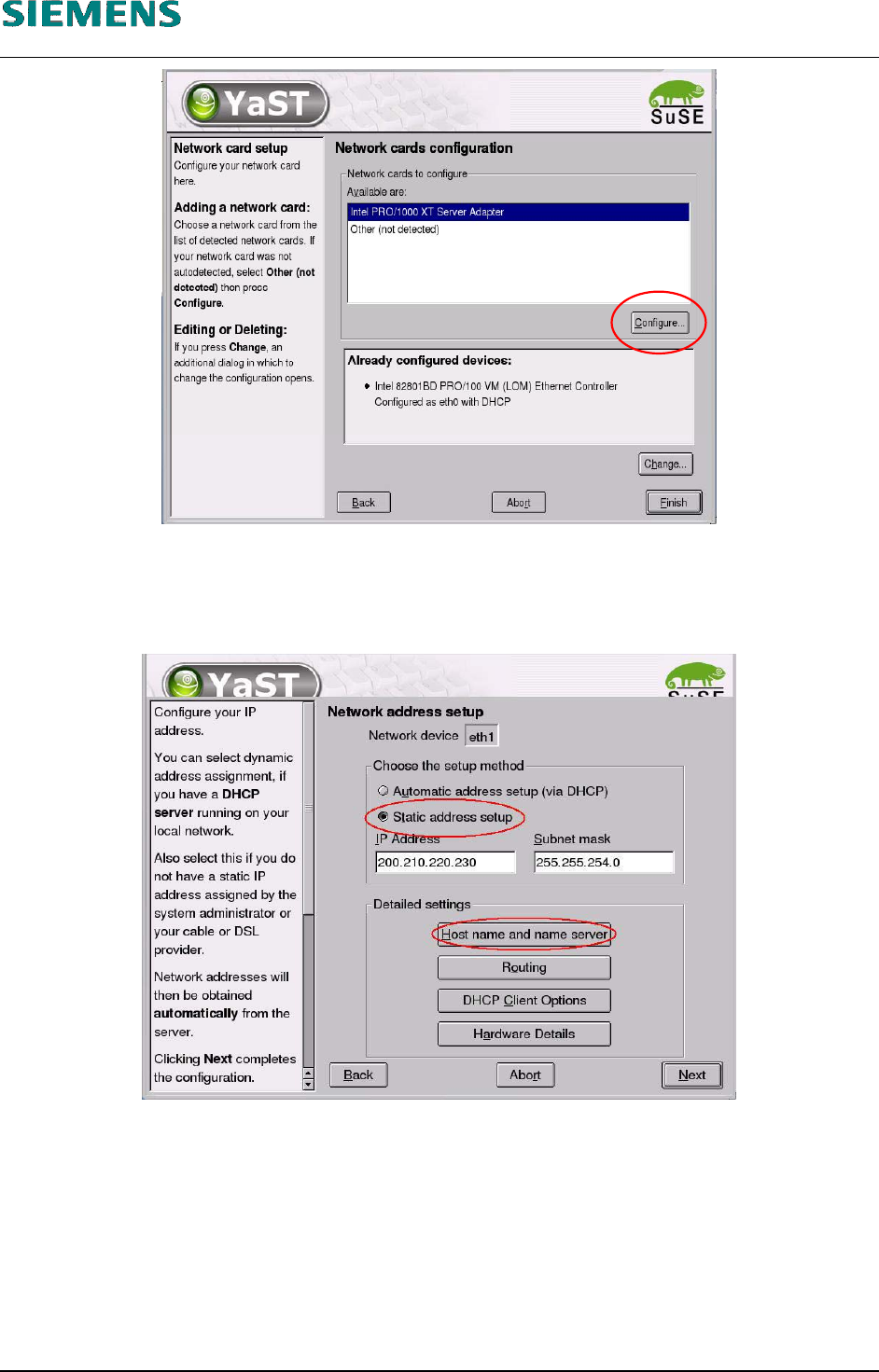
38. In the «Network cards configuration» dialog box, change the configuration for the second net-
work adapter (SIPLACE LAN) by clicking the «Configure» button.
39. Select the option «Static address setup».
40. After you have entered the TCP/IP address and the subnet mask, the host name must be en-
tered. Do this by clicking the button «Host name and name server».
L&A EA SUBJECT TO CHANGE WITHOUT PRIOR NOTICE 03.03.2005
RUPERT-MAYER-STR. 44
D-81359 M
UNICH SWIA_503.04_EN.DOC PAGE 22 / 75
L&A INSTALLATION MANUAL LINE COMPUTER LCL 503.04
NSTALLING THE LINE COMPUTER SOFTWARE INUX U
I
LRL L (S SE 9.0)
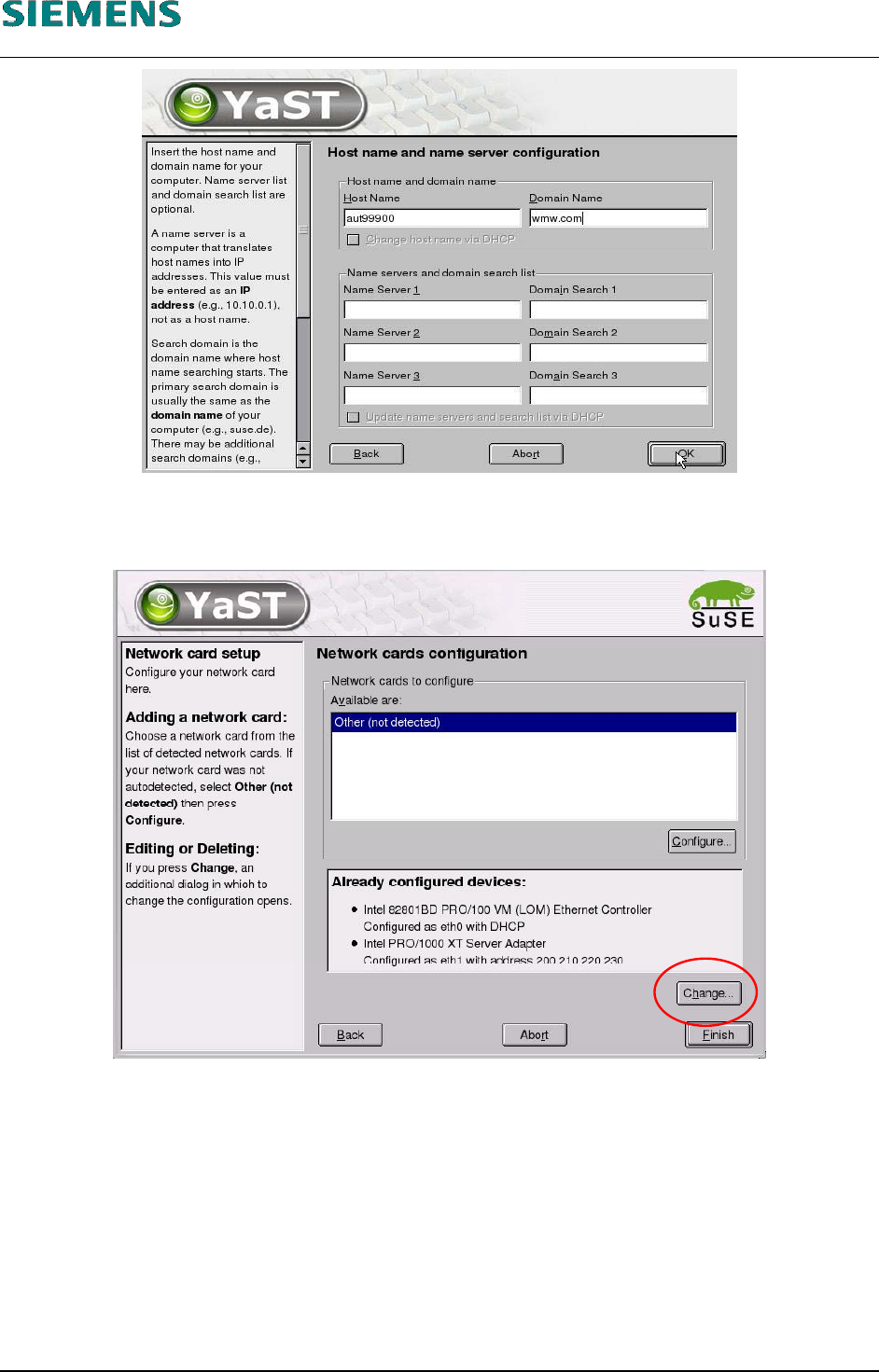
41. After you have entered the host name and domain name, click «OK» to confirm your entries.
42. Close the «Network address setup» dialog box by clicking the «Next» button.
43. To change the settings for the first adapter (customer network adapter), select the «Change»
button.
L&A EA SUBJECT TO CHANGE WITHOUT PRIOR NOTICE 03.03.2005
RUPERT-MAYER-STR. 44
D-81359 M
UNICH SWIA_503.04_EN.DOC PAGE 23 / 75
L&A INSTALLATION MANUAL LINE COMPUTER LCL 503.04
NSTALLING THE LINE COMPUTER SOFTWARE INUX U
I
LRL L (S SE 9.0)
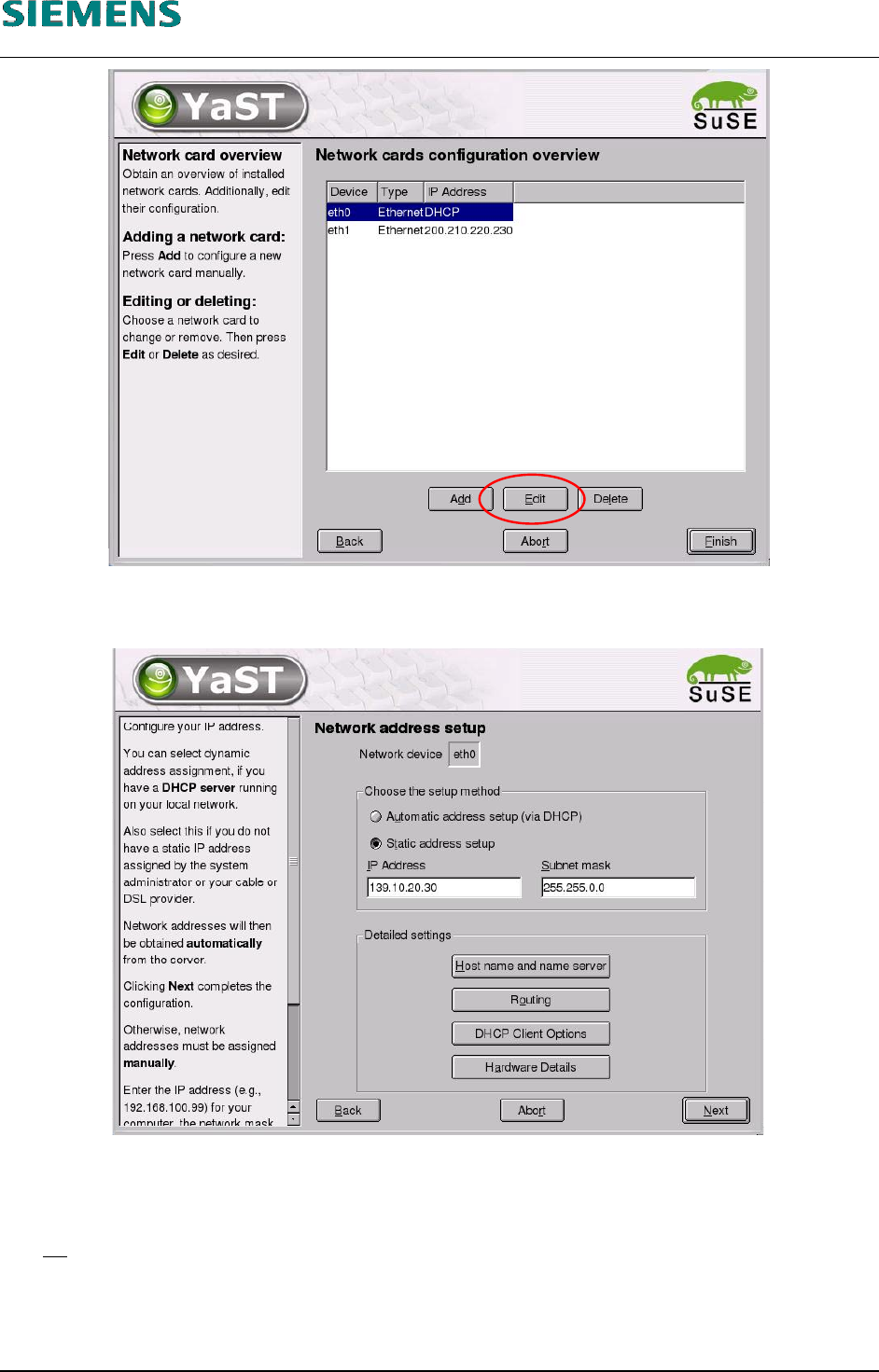
Figure 4-2
44. Click the «Edit» button.
45. Select the option «Static address setup».
46. You only need to enter the TCP/IP address and the subnet mask.
47. No
other host name is needed.
48. Close the dialog box by clicking the «Next» button.
L&A EA SUBJECT TO CHANGE WITHOUT PRIOR NOTICE 03.03.2005
RUPERT-MAYER-STR. 44
D-81359 M
UNICH SWIA_503.04_EN.DOC PAGE 24 / 75