SWIA_503.04_EN.pdf - 第34页
L&A I NSTA LLATION M ANUAL L INE C OMPUTER LCL 50 3.04 NSTALLING THE LINE COMPUTER SOF TWARE INUX U I LRL L (S SE 9.0) 9. The syste m is restarted and must be booted from CD. 10. At the prompt, select the «Installati…
L&A INSTALLATION MANUAL LINE COMPUTER LCL 503.04
NSTALLING THE LINE COMPUTER SOFTWARE INUX U
I
LRL L (S SE 9.0)
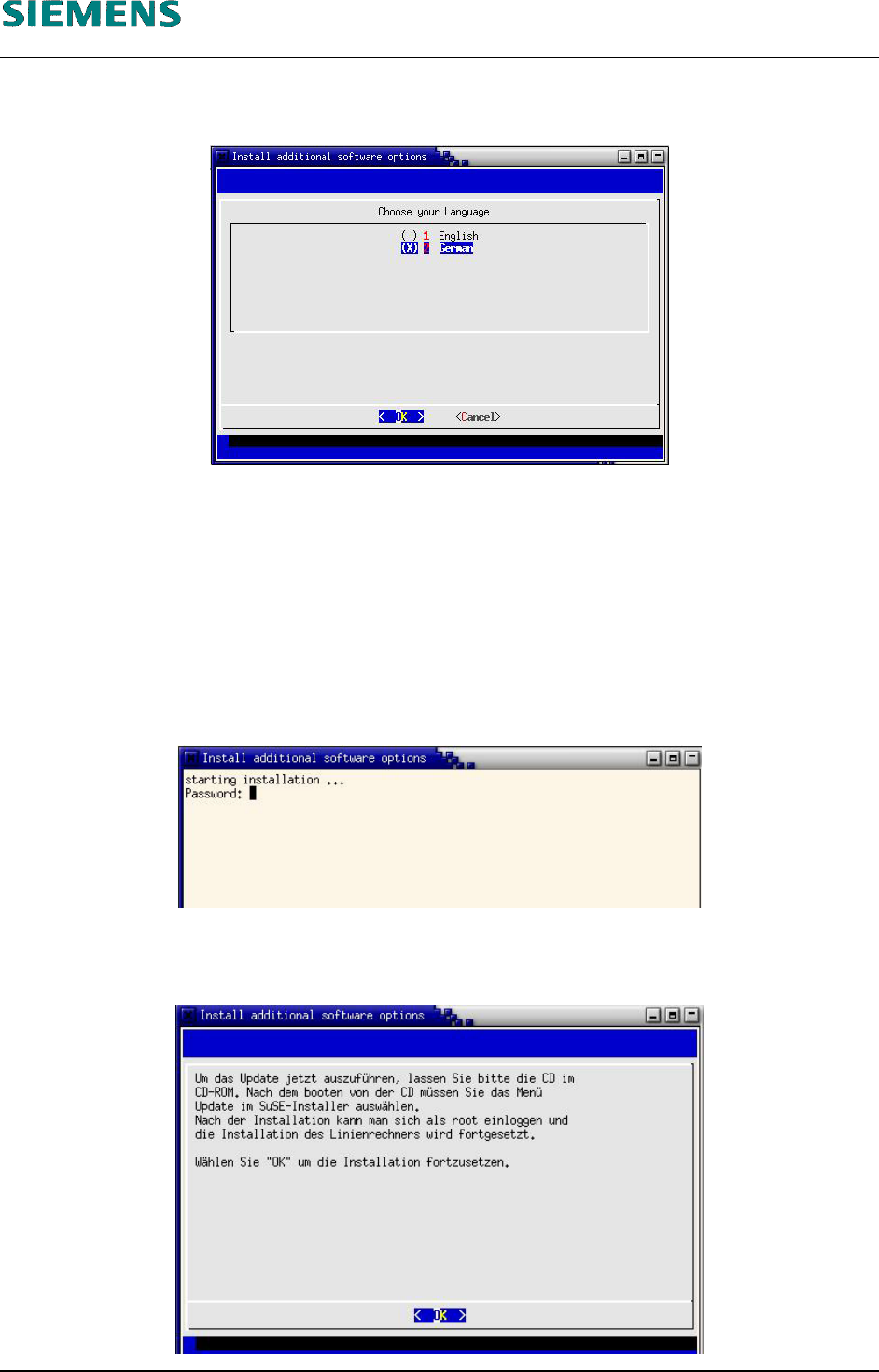
4. At first, the dialog box «Choose your Language» appears where you should select the
appropriate language.
5. Select the language by entering the appropriate number (1 for English or 2 for German) and then
use the spacebar to activate it (a cross is displayed next to the selected language).
The language selection only refers to the text for the subsequent messages!
6. The query in the next dialog box must be confirmed with «Yes» in order to continue with the
installation (regardless of the language you have selected).
7. Now the password for user «root» is queried in order to obtain authorization for the update
process (or to prevent unauthorized new installations!).
8. Then a dialog box appears which describes what needs to be done next. Confirm this dialog box
with ‹Enter›.
L&A EA SUBJECT TO CHANGE WITHOUT PRIOR NOTICE 03.03.2005
RUPERT-MAYER-STR. 44
D-81359 M
UNICH SWIA_503.04_EN.DOC PAGE 33 / 75
L&A INSTALLATION MANUAL LINE COMPUTER LCL 503.04
NSTALLING THE LINE COMPUTER SOFTWARE INUX U
I
LRL L (S SE 9.0)
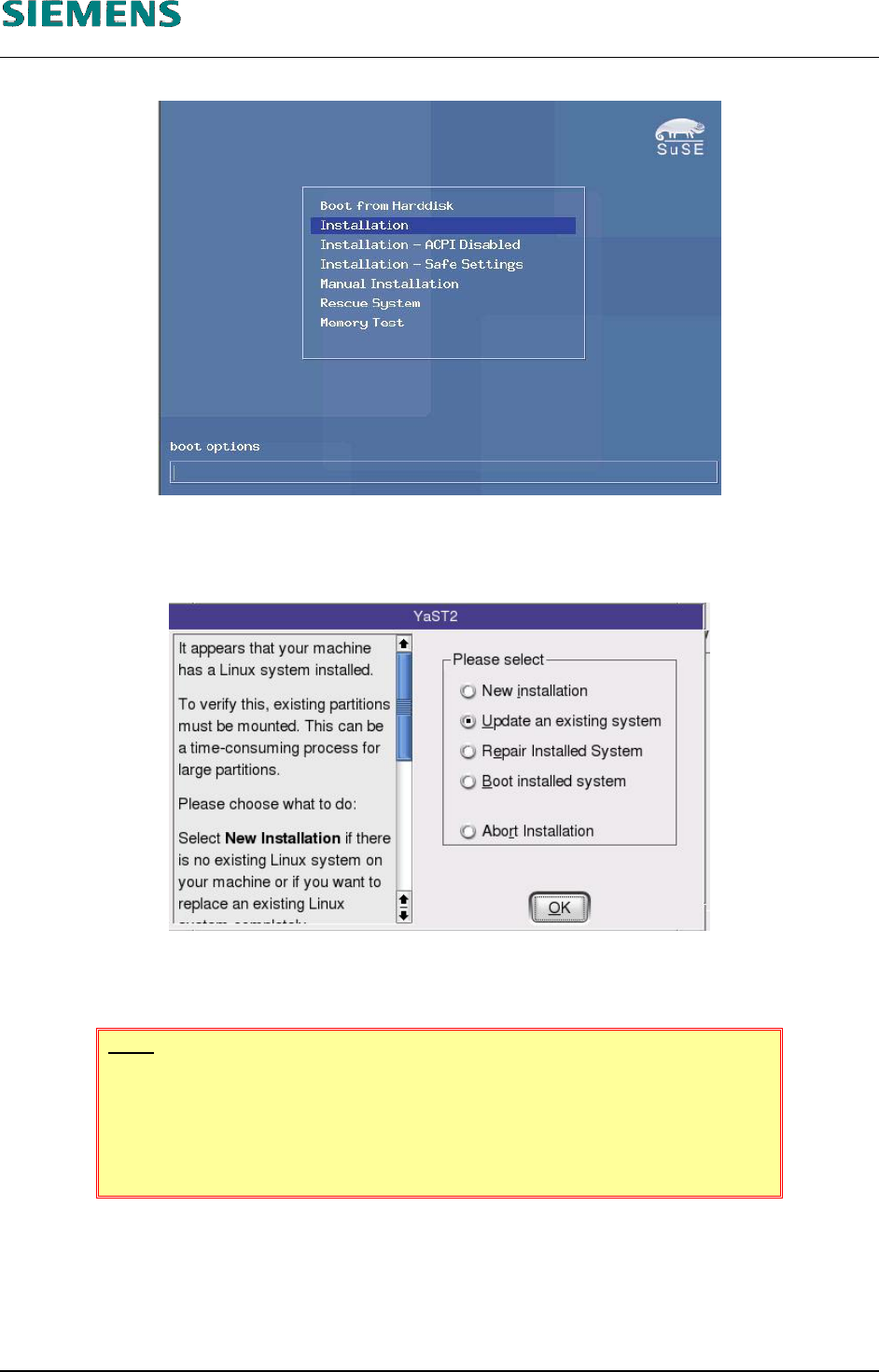
9. The system is restarted and must be booted from CD.
10. At the prompt, select the «Installation» menu item
11. In the next dialog box, the installer program (YaST2) asks for the installation mode.
12. Select the option «Update an existing system» (this ensures that existing customer data and
settings remain unchanged).
NOTE
«New installation» can also be selected at this point. If you do so, the
computer will be completely re-installed. Any existing data will be lost!
Continue with chapter 4.2.3 Installation Manual «new installation», step 14
above on page 15).
L&A EA SUBJECT TO CHANGE WITHOUT PRIOR NOTICE 03.03.2005
RUPERT-MAYER-STR. 44
D-81359 M
UNICH SWIA_503.04_EN.DOC PAGE 34 / 75
L&A INSTALLATION MANUAL LINE COMPUTER LCL 503.04
NSTALLING THE LINE COMPUTER SOFTWARE INUX U
I
LRL L (S SE 9.0)
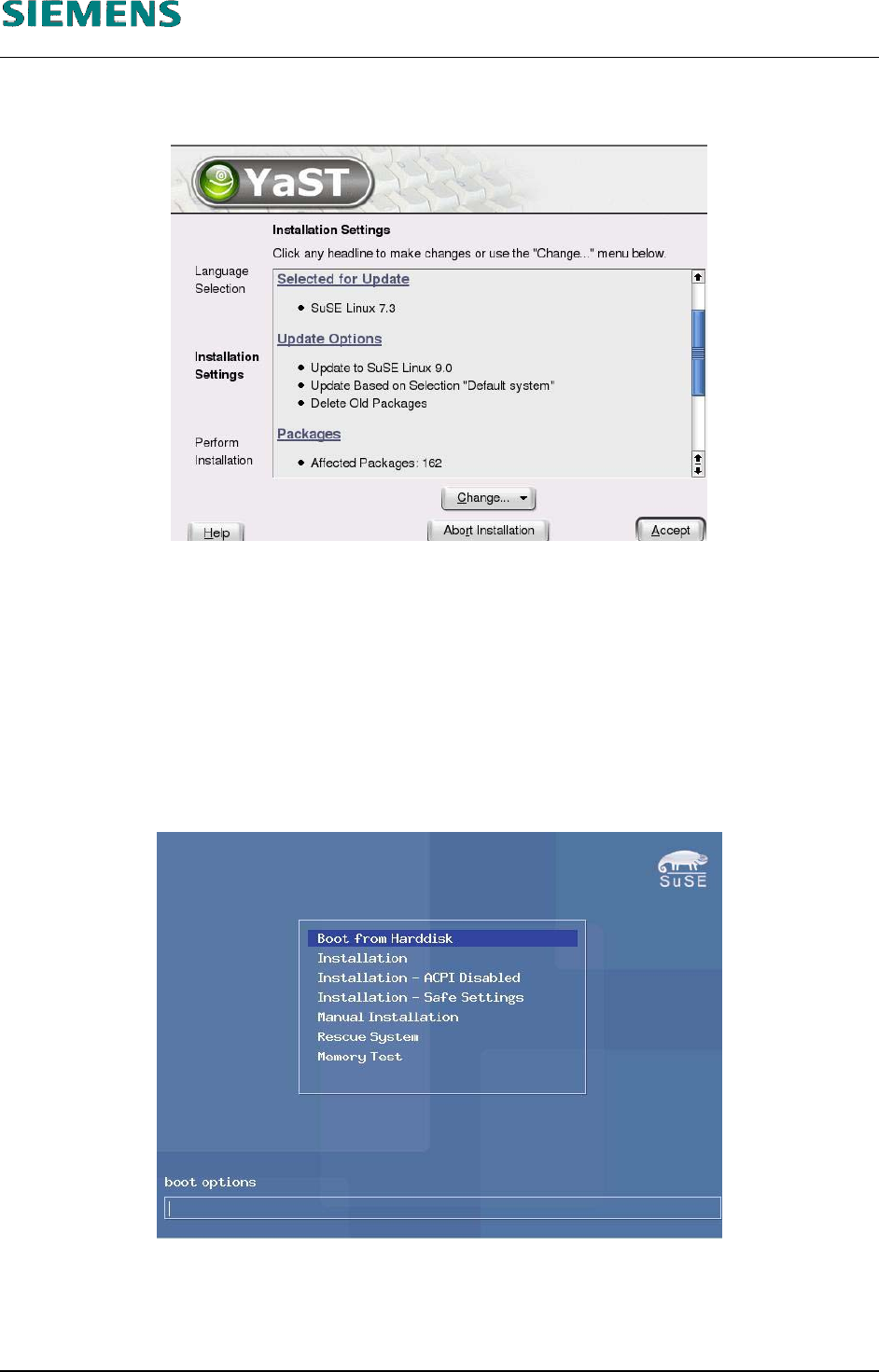
13. The installer program then assembles all the actions that need to be performed. When updating,
the following will appear:
14. Confirm your selection by clicking «Accept».
15. Before finally starting the update, another confirmation query appears. This must be confirmed
using the «Yes, Update» button.
16. The new programs are now installed. Depending on the hardware being used, this process will
take between 20 and 50 minutes (no further information will need to be entered by the user).
17. After completely reading in the new operating system, the computer will be restarted. The
installation CD must remain in the drive for this process!
18. At the prompt, select «Boot from Harddisk».
19. Now an automatic configuration of the system is carried out. When updating, no user input will
be required for this process.
L&A EA SUBJECT TO CHANGE WITHOUT PRIOR NOTICE 03.03.2005
RUPERT-MAYER-STR. 44
D-81359 M
UNICH SWIA_503.04_EN.DOC PAGE 35 / 75