SWIA_503.04_EN.pdf - 第37页
L&A I NSTA LLATION M ANUAL L INE C OMPUTER LCL 50 3.04 NSTALLING THE LINE COMPUTER SOF TWARE INUX U I LRL L (S SE 9.0) 4.2.5 Installation entries of LCL sof tware installation 1. When prompted with the message «Passw…
L&A INSTALLATION MANUAL LINE COMPUTER LCL 503.04
NSTALLING THE LINE COMPUTER SOFTWARE INUX U
I
LRL L (S SE 9.0)
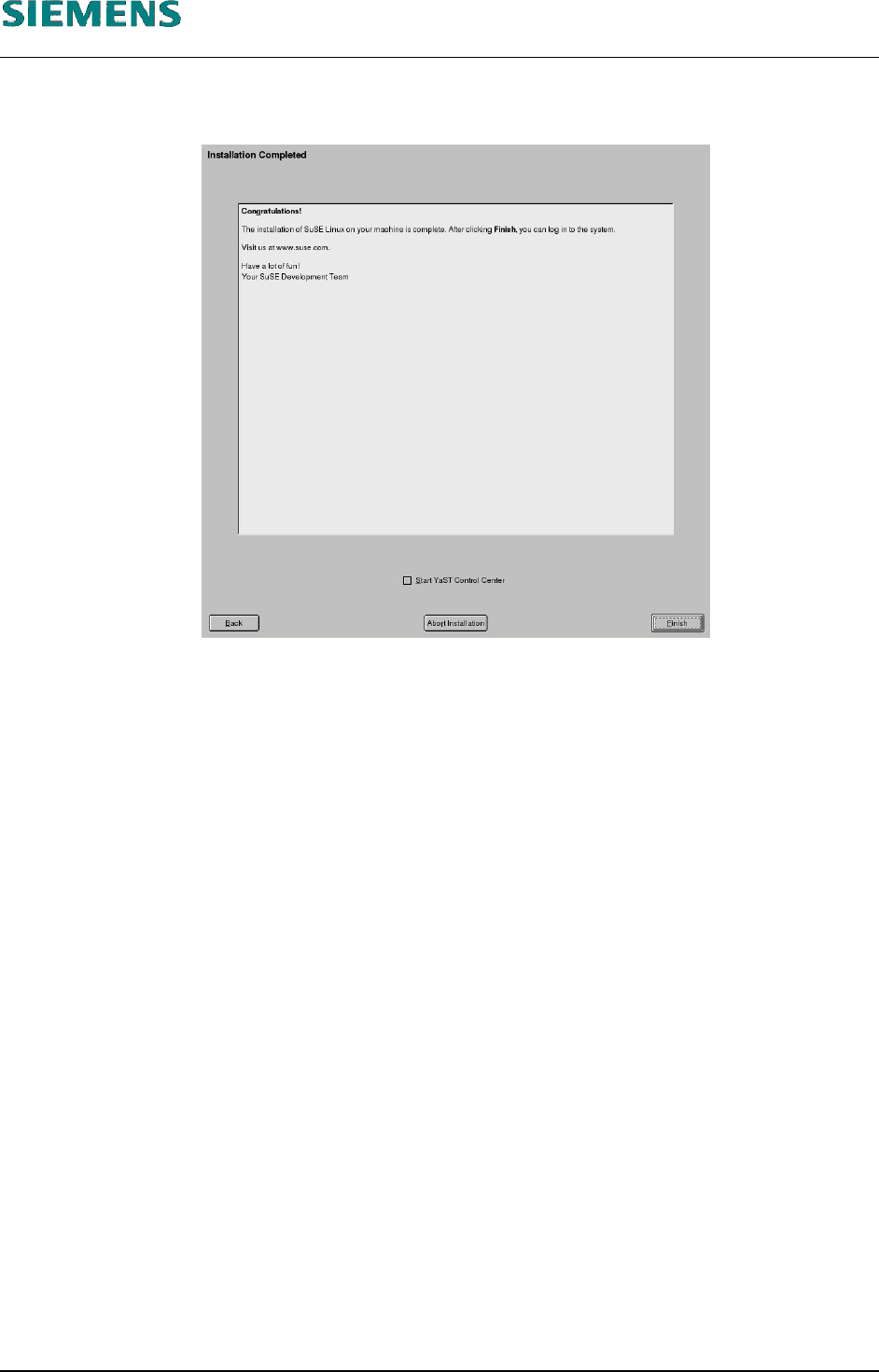
20. Automatic configuration terminates with the «Installation Completed» message. This message
can then be confirmed with the «Finish» button.
21. The system is restarted and is now ready for you to carry out the installation of the line computer
software.
22. When updating, the following procedures should be carried out:
- Log in as user «root».
- When the following message appears
Please insert the Linecontrol CD and press any key
insert the CD (if you have not already done so) and press any key to continue.
23. This will now start the graphical installation routine for the line computer software.
(See chapter 4.2.5 Installation entries of LCL software installation, step 2 below)
24. After installation of the line computer software you must configure the CD writer if needed.
(See chapter 4.2.6 Configuration CD writer on page 40)
L&A EA SUBJECT TO CHANGE WITHOUT PRIOR NOTICE 03.03.2005
RUPERT-MAYER-STR. 44
D-81359 M
UNICH SWIA_503.04_EN.DOC PAGE 36 / 75
L&A INSTALLATION MANUAL LINE COMPUTER LCL 503.04
NSTALLING THE LINE COMPUTER SOFTWARE INUX U
I
LRL L (S SE 9.0)
4.2.5 Installation entries of LCL software installation
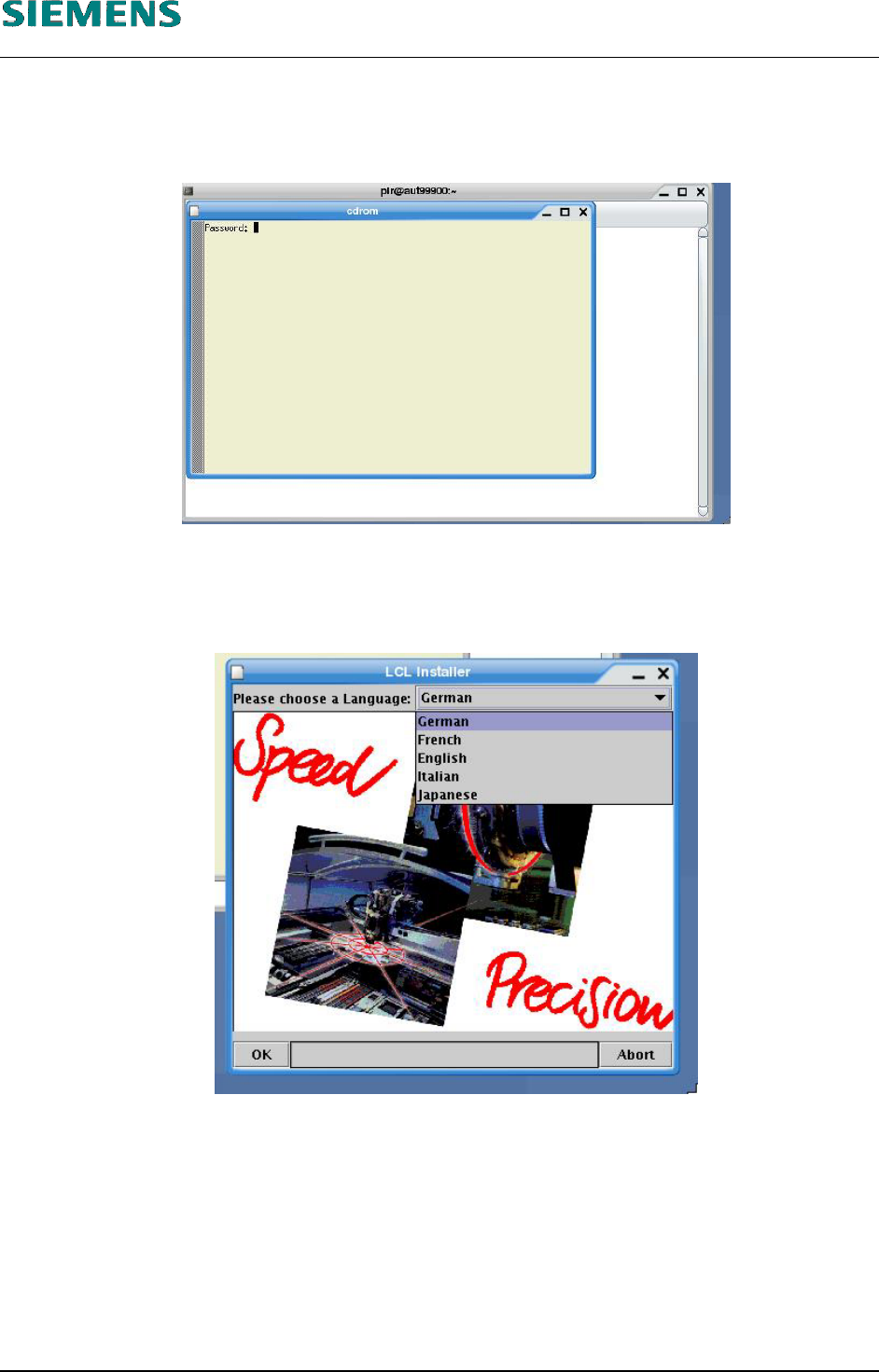
1. When prompted with the message «Password:», enter the password of user «root».
2. Firstly, the language for the line computer has to be selected
Please choose a Language
with a list of the available languages.
3. Select the prefered language, and click the «OK» button.
4. Now the linecomputer software will be installed.
5. During a new installation (there are still no data on the system), continue at step 10 below.
6. If there is already master data stored on the computer, the following request appears: Select
«Convert GF-Bibliothek» or
«Don’t convert GF-Bibliothek»
L&A EA SUBJECT TO CHANGE WITHOUT PRIOR NOTICE 03.03.2005
RUPERT-MAYER-STR. 44
D-81359 M
UNICH SWIA_503.04_EN.DOC PAGE 37 / 75
L&A INSTALLATION MANUAL LINE COMPUTER LCL 503.04
NSTALLING THE LINE COMPUTER SOFTWARE INUX U
I
LRL L (S SE 9.0)
7. Click the «OK» button.
The «select line» window appears
8. Select the desired production line, and confirm with «OK».
9. (All !) the stations will now be converted.
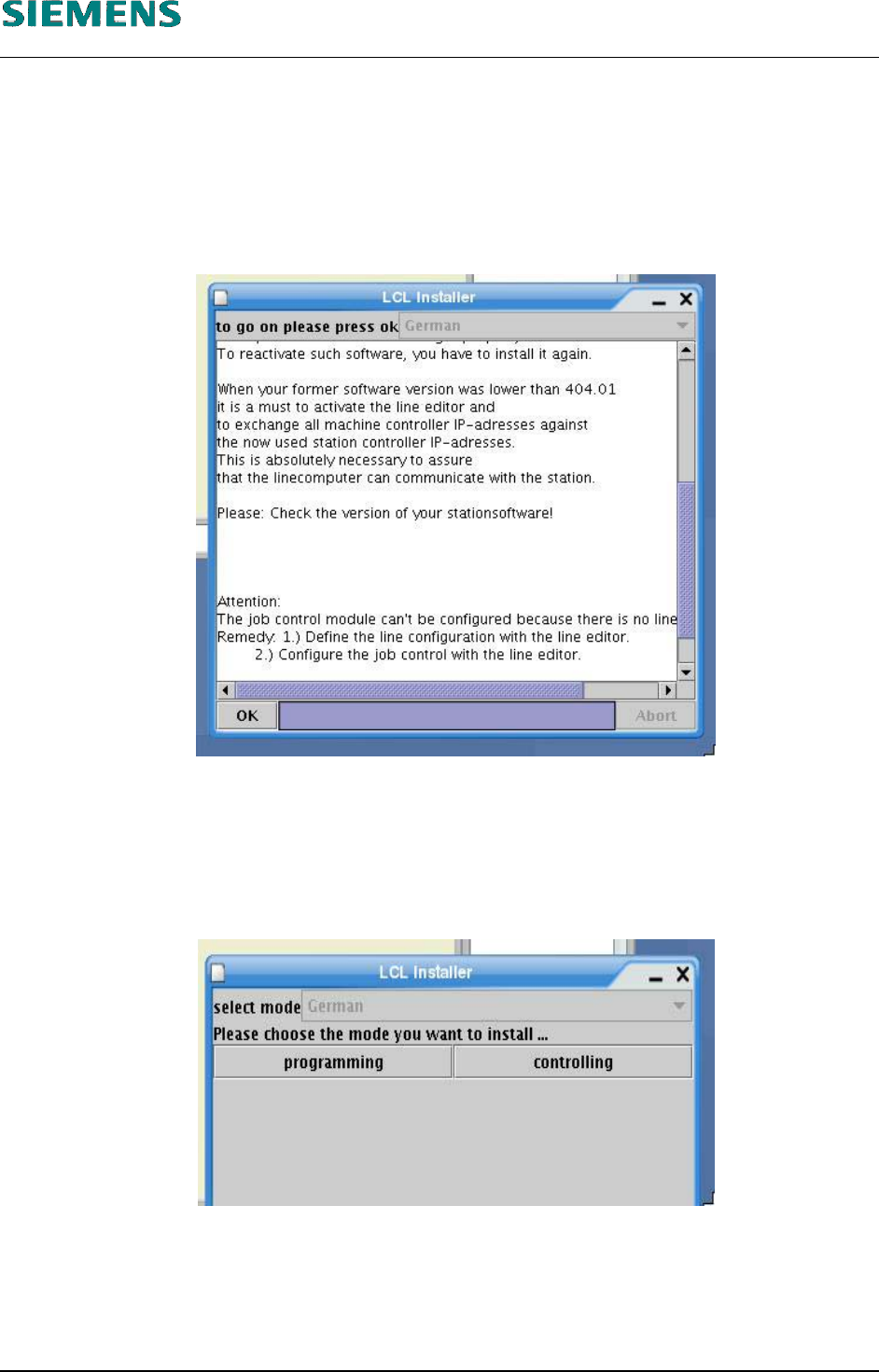
10. Once the installation is completed, the request «to go on please press ok» appears.
11. Confirm the hint with the «OK» button.
12. The «select mode – Please chose the mode you want to install...» window appears
13. Select «programming» if the software is to be set up as a programming station or
«controlling» if the software is to be set up as a control station (line computer)..
L&A EA SUBJECT TO CHANGE WITHOUT PRIOR NOTICE 03.03.2005
RUPERT-MAYER-STR. 44
D-81359 M
UNICH SWIA_503.04_EN.DOC PAGE 38 / 75