SWIA_503.04_EN.pdf - 第8页
L&A I NSTA LLATION M ANUAL L INE C OMPUTER LCL 50 3.04 NSTALLATION UPGRADE INSTRUCTION S I / 4.1.6 Installing the SCO LCU CD under Linu x If the SCO line computer CD is read in on a Linux co mputer, the installation …

L&A INSTALLATION MANUAL LINE COMPUTER LCL 503.04
NSTALLATION UPGRADE INSTRUCTIONS I /
4. Installation/upgrade instructions
4.1 Definitions
4.1.1 Initial installation
At the start of initial installation there is no data on the hard disk. Following a query from the line
computer software, the installation program can also install sample master data on the hard disk.
The prerequisite for the line computer software installation is a correctly installed SuSE-LINUX 7.3 or
9.0 operating system.
4.1.2 Update
If the only difference between the new software version and the already installed version is the
revision level (e.g. LCL.503.01 ⇒ LCL.503.02), this is referred to as an update. When an update is
performed, the master data is retained.
4.1.3 Upgrade
If the new software differs from the already installed software by its version designation (e.g. SCO
OpenServer; LCU.502.03 ⇒ LCU.503.01), this is referred to as an upgrade. When an upgrade is
performed, the master data is retained and, if required, automatically converted to the new data
format.
4.1.4 Migration from SCO to Linux
Before installing the LCL software, all the data which is to be reused must be backed up. The master
data can be reused after SuSE-LINUX 7.3 / 9.0 and LCL.503.01-LCL.503.04 have been installed.
The backup tool «SDH_Backup» cannot be used for Linux.
4.1.5 Installation with central data storage
During the installation procedure, only data on the local disk is manipulated. Therefore, the following
procedure is to be observed by customers with central data storage.
Copy central GF-/RI library from the central computer to the local line computer under UNIX.
Perform the installation.
Copy GF-/RI-/ST library from the local line computer to the central computer.
L&A EA SUBJECT TO CHANGE WITHOUT PRIOR NOTICE 03.03.2005
RUPERT-MAYER-STR. 44
D-81359 M
UNICH SWIA_503.04_EN.DOC PAGE 7 / 75
L&A INSTALLATION MANUAL LINE COMPUTER LCL 503.04
NSTALLATION UPGRADE INSTRUCTIONS I /
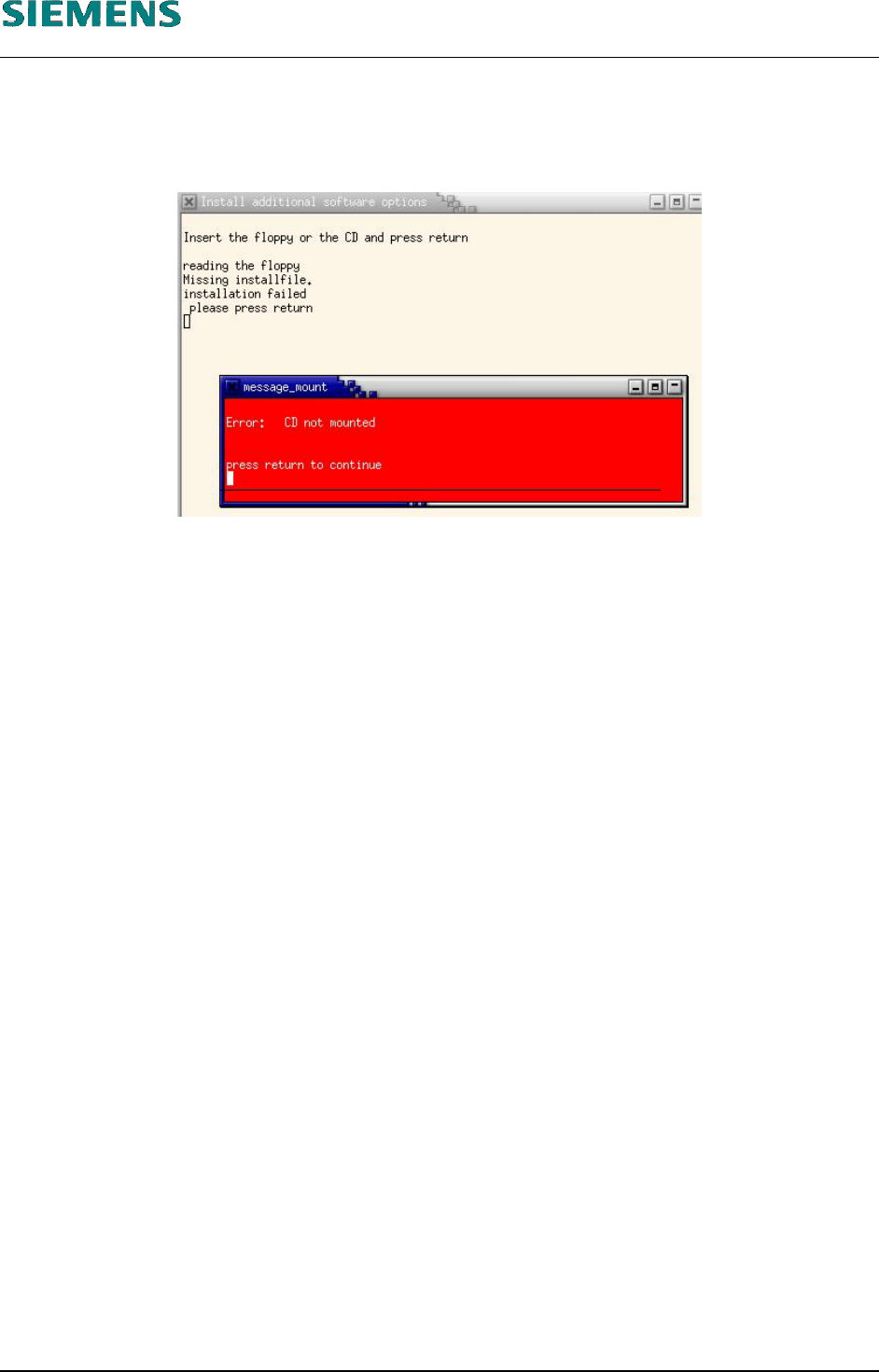
4.1.6 Installing the SCO LCU CD under Linux
If the SCO line computer CD is read in on a Linux computer, the installation aborts with the message
«file not found».
L&A EA SUBJECT TO CHANGE WITHOUT PRIOR NOTICE 03.03.2005
RUPERT-MAYER-STR. 44
D-81359 M
UNICH SWIA_503.04_EN.DOC PAGE 8 / 75
INSTALLATION MANUAL LINE COMPUTER LCL 503.04 L&A
VERVIEW O
4.2 Installing the line computer software LRL Linux (SuSE 9.0)
4.2.1 Overview
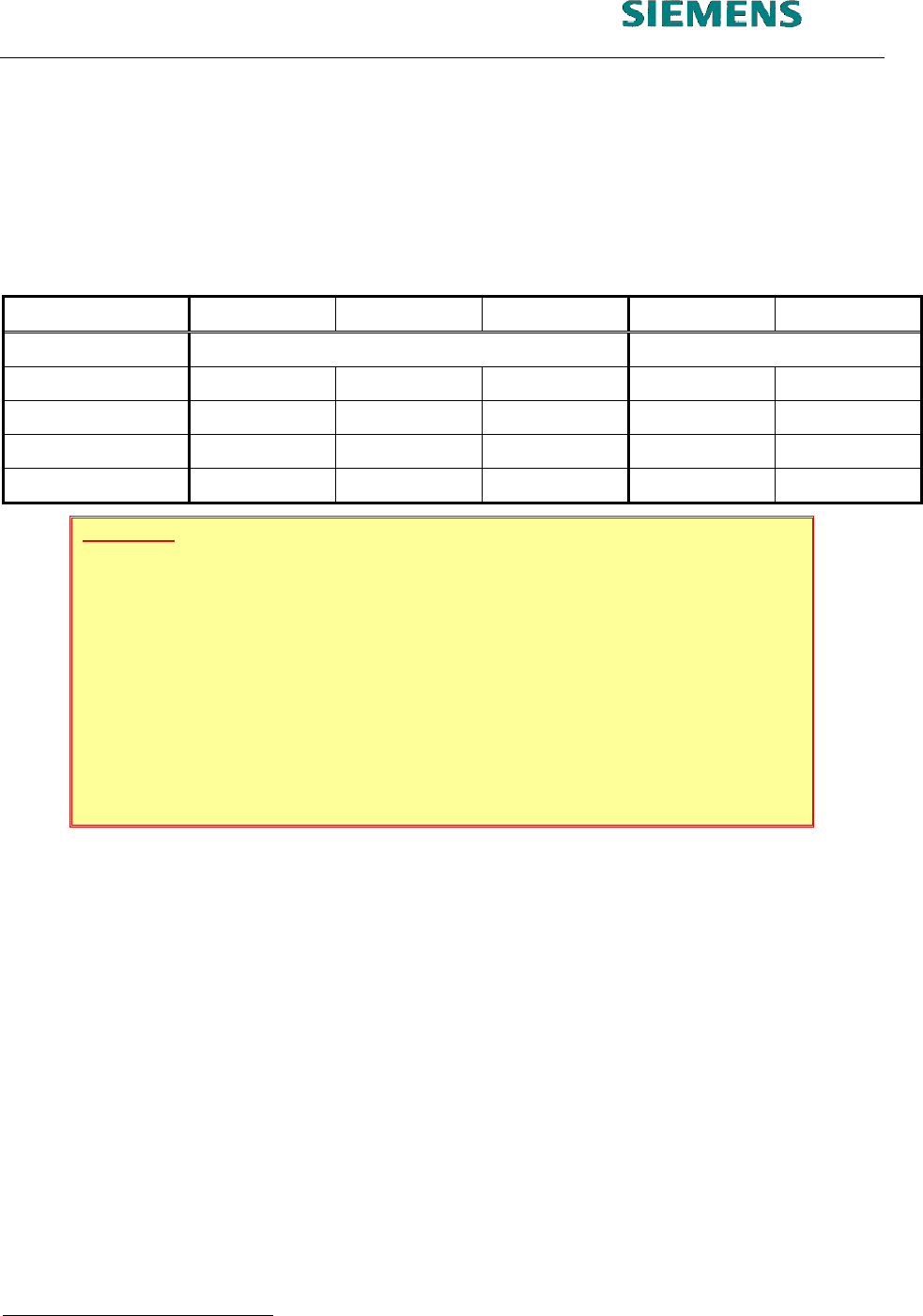
Installation can be carried out from a number of different initial scenarios. Different activities with re-
spect to data backup and data conversion are necessary depending on the initial scenario.. The
table below provides an overview:
New hardware SCO 3.0 SCO 5.0 SuSE 7.3 SuSE 9.0
Action New installation Update
Data backup - X X (X) -
Boot from CD X X X - -
«Install options»
1
- - - X X
Data conversion X X X - -
ATTENTION
Since the first installation routine 2002, some components had been changed,
which had to be considered. Especially
the computer type Econel 30
the computer type Econel 40
the computer type Econel 50
the 19” monitor (flat screen)
The manual had been supplemented by using USB- and network printers. Also the
usage of the alternative filesytem «EXT3» had been included.
Before the installation is carried out, a data backup run must be performed.
When migrating from SCO 3.0, data must first be converted at least to 403 format. Then the
data can be backed up over the network, for example.
When migrating from SCO 5.0, it is recommended that data is backed up over the network.
The backup tool «SDH_Backup« cannot be used for backing up data for Linux.
When migrating from SuSE 7.3, it is recommended that data are backed up.
After the software has been installed, the data must be reloaded into the master data maintenance
system. Any further data conversion is carried out by re-installing the LRL software and selecting the
menu option «OPTIONS» / «Install options».
After data backup has been carried out, continue as follows:
in the event of a new installation, proceed with section 4.2.2 New installation
1
This means, to install the software use the function «Options» / «Install Options» from the application menu.
03.03.2005 SUBJECT TO CHANGE WITHOUT PRIOR NOTICE L&A EA
R
UPERT-MAYER-STR. 44
P
AGE 9 / 75 SWIA_503.04_EN.DOC D-81359 MUNICH