SWIA_503.04_EN.pdf - 第44页
L&A I NSTA LLATION M ANUAL L INE C OMPUTER LCL 50 3.04 NSTALLING THE LINE COMPUTER SOF TWARE INUX U I LRL L (S SE 9.0) 4.2.7.2 Configuri ng the NFS client 1. You con figure the NFS client using the menu path Options …
L&A INSTALLATION MANUAL LINE COMPUTER LCL 503.04
NSTALLING THE LINE COMPUTER SOFTWARE INUX U
I
LRL L (S SE 9.0)
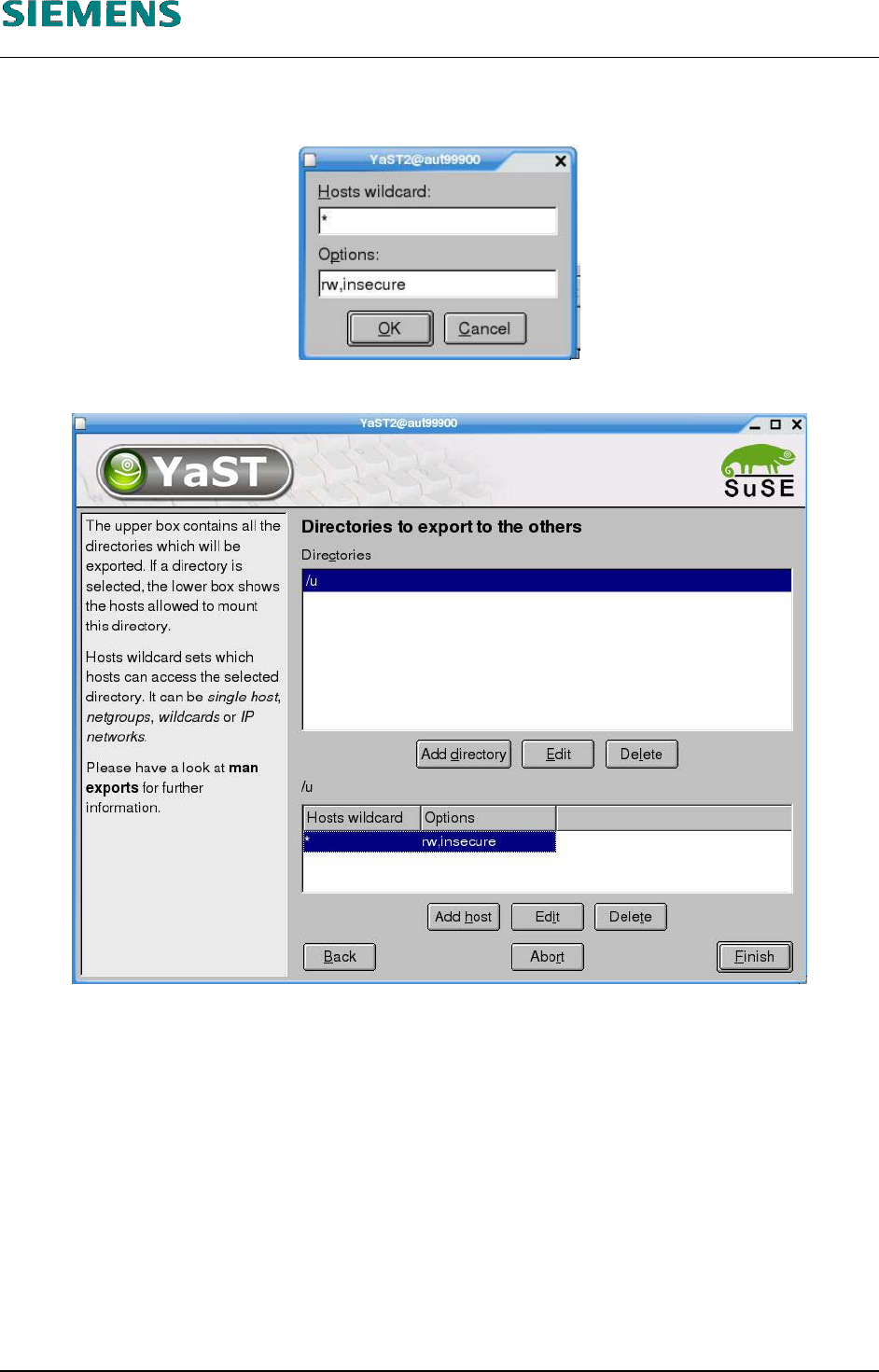
8. Now you can specify the options for this directory. You must replace the default options «Op-
tions») with the value «rw,insecure» to share the directory for writing.
9. Click «OK» to confirm your settings.
10. Complete configuration by clicking «Finish».
11. The settings take effect immediately. There is no need to reboot the line computer.
L&A EA SUBJECT TO CHANGE WITHOUT PRIOR NOTICE 03.03.2005
RUPERT-MAYER-STR. 44
D-81359 M
UNICH SWIA_503.04_EN.DOC PAGE 43 / 75

L&A INSTALLATION MANUAL LINE COMPUTER LCL 503.04
NSTALLING THE LINE COMPUTER SOFTWARE INUX U
I
LRL L (S SE 9.0)
4.2.7.2 Configuring the NFS client
1. You configure the NFS client using the menu path
Options
Network
Log on external computer
2. The familiar configuration routine is started and the user will be asked for
the host name,
the TCP/IP address
the path to which a connection has to be established.
3. After the NFS client has been configured, the line computer must be rebooted.
L&A EA SUBJECT TO CHANGE WITHOUT PRIOR NOTICE 03.03.2005
RUPERT-MAYER-STR. 44
D-81359 M
UNICH SWIA_503.04_EN.DOC PAGE 44 / 75
INSTALLATION MANUAL LINE COMPUTER LCL 503.04 L&A
ENERAL G
4.3 Configuration of HP 5850 printer (USB and Network)
4.3.1 General
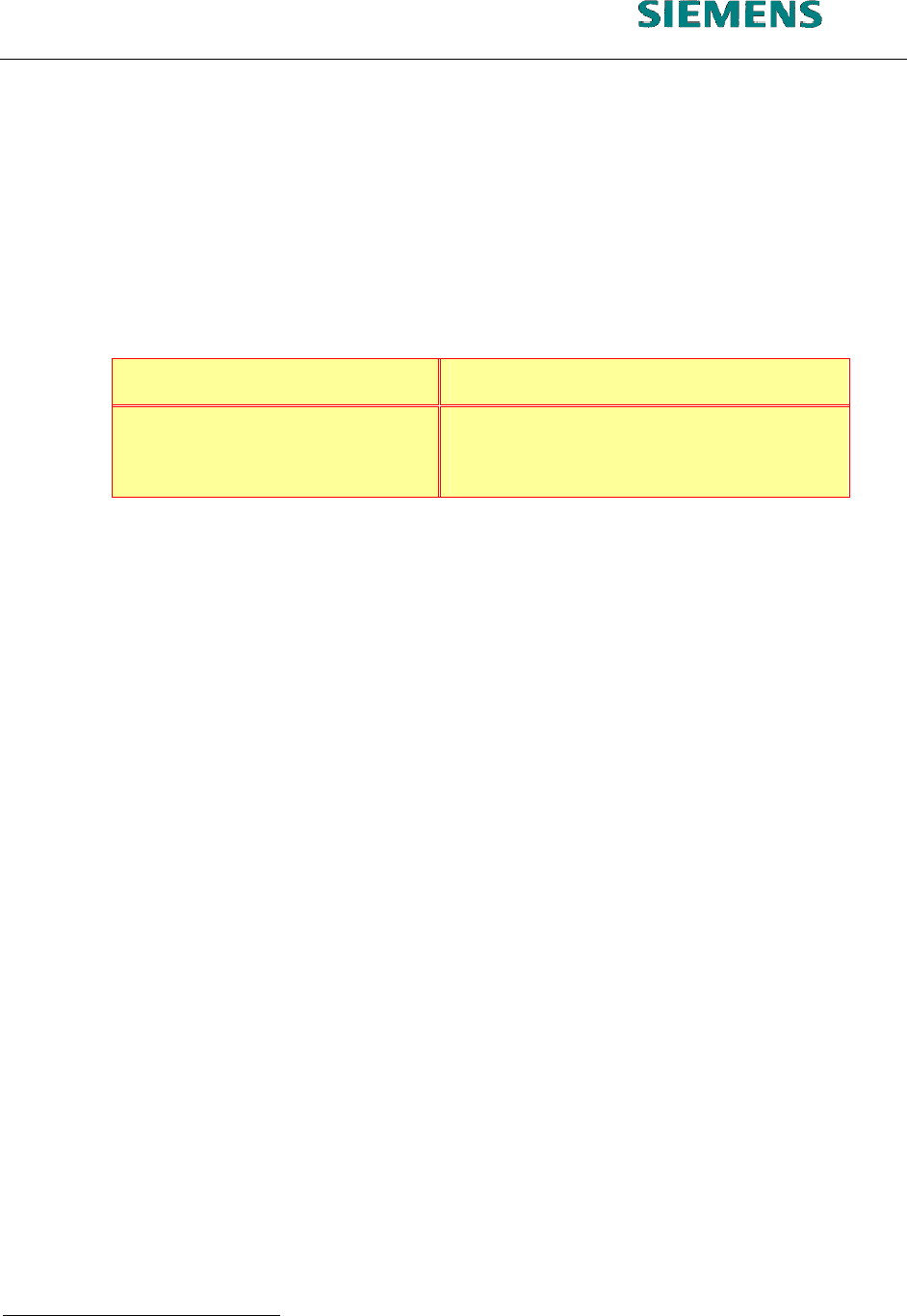
An «HP deskjet 5850» was selected as the printer for the line computer application. This printer can
be installed locally as a USB printer or as a network printer. Installation platforms are available on
SuSE 7.3 (LCL 503.03) and SuSE 9.0 (LCL 503.04). SuSE 9.0 supports both forms of printer installa-
tion, while only local installation on the USB port is possible under SuSE 7.3.
USB printer Network printer
LCL 503.03 (auteq Linux 7.3)
possible not possible
LCL 503.04 (auteq Linux 9.0)
possible possible
The various installation options for the «HP deskjet 5850» are described below.
4.3.2 Configuration on the USB port
4.3.2.1 Local installation on the USB port under SuSE 7.3
4.3.2.1.1 Requirements:
Installed software «SIPLACE auteq-LINUX based on SuSE 7.3».
PC with USB port.
Activate USB support in the BIOS (computer-dependent
1
)
4.3.2.1.2 Installation procedure:
1. Log into the line computer under GNOME as the user «plr».
2. Connect the printer to the USB port of the computer.
3. Open a terminal window by selecting menu «Options» / «Operating system level».
1
E.g. «Primergy Econel 20» system:
«Advanced» page,
«Advanced System Configuration» entry
«USB Host Controller:» entry must have the value ‹Enabled›.
03.03.2005 SUBJECT TO CHANGE WITHOUT PRIOR NOTICE L&A EA
R
UPERT-MAYER-STR. 44
P
AGE 45 / 75 SWIA_503.04_EN.DOC D-81359 MUNICH