SWIA_503.04_EN.pdf - 第41页
L&A I NSTA LLATION M ANUAL L INE C OMPUTER LCL 50 3.04 NSTALLING THE LINE COMPUTER SOF TWARE INUX U I LRL L (S SE 9.0) 6. Select entry « LITE-ON » and click the button « Edit » 7. The dia log « Please enter drive dat…
L&A INSTALLATION MANUAL LINE COMPUTER LCL 503.04
NSTALLING THE LINE COMPUTER SOFTWARE INUX U
I
LRL L (S SE 9.0)
4.2.6 Configuration CD writer
Only for the update from SuSE 7.3 to SuSE 9.0 it is necessary to configure the CD writer.
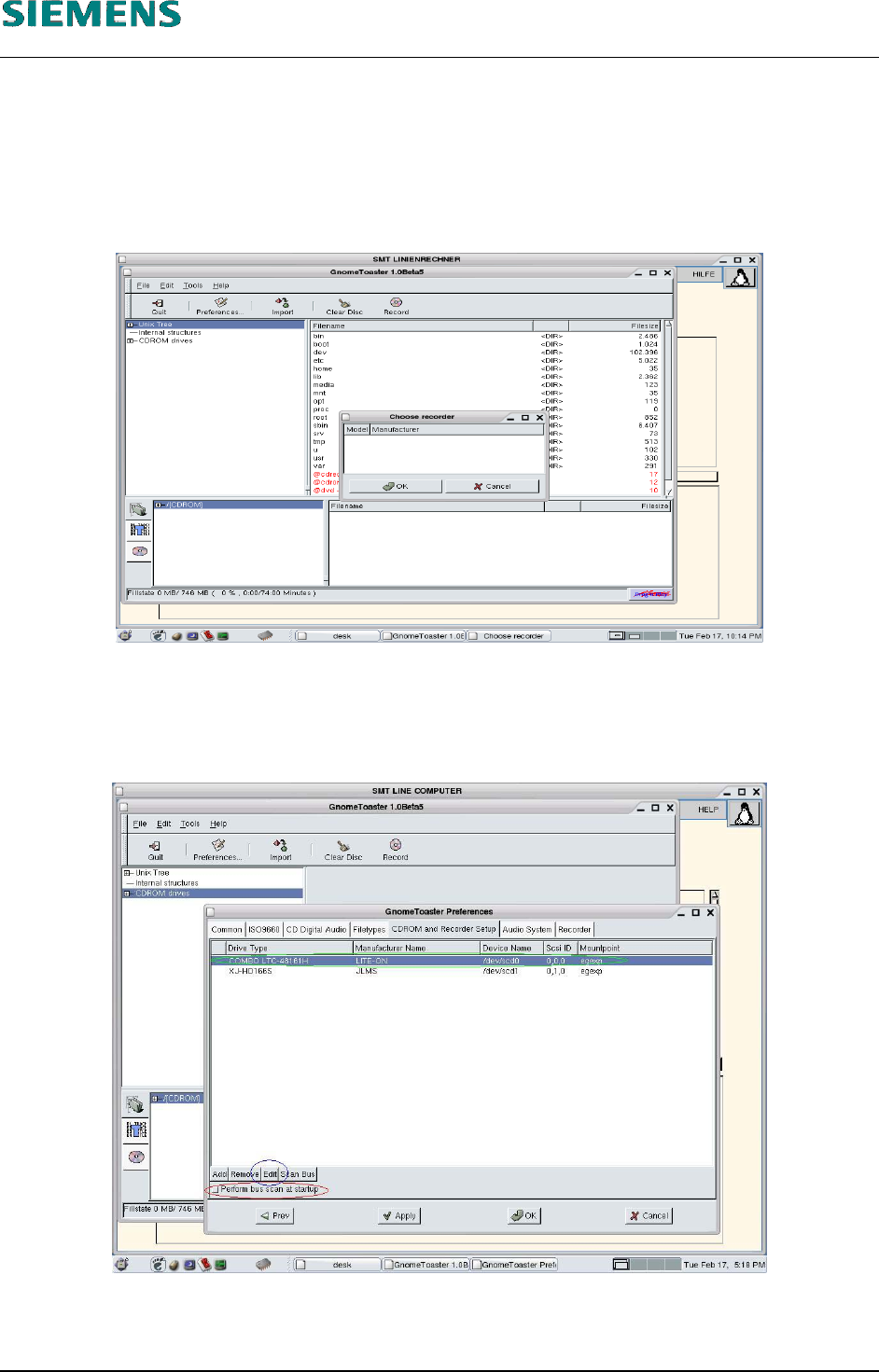
1. Select Media/CD-Burner to start the program GnomeToaster
2. Close the dialog «Choose recorder» with «OK» button.
3. Select button «Preferences...».
The dialog «GnomeToasterPerferences» opens.
4. Deactivate button «Perform bus scan at startup».
5. Select register «CDROM and Recorder setup».
L&A EA SUBJECT TO CHANGE WITHOUT PRIOR NOTICE 03.03.2005
RUPERT-MAYER-STR. 44
D-81359 M
UNICH SWIA_503.04_EN.DOC PAGE 40 / 75
L&A INSTALLATION MANUAL LINE COMPUTER LCL 503.04
NSTALLING THE LINE COMPUTER SOFTWARE INUX U
I
LRL L (S SE 9.0)
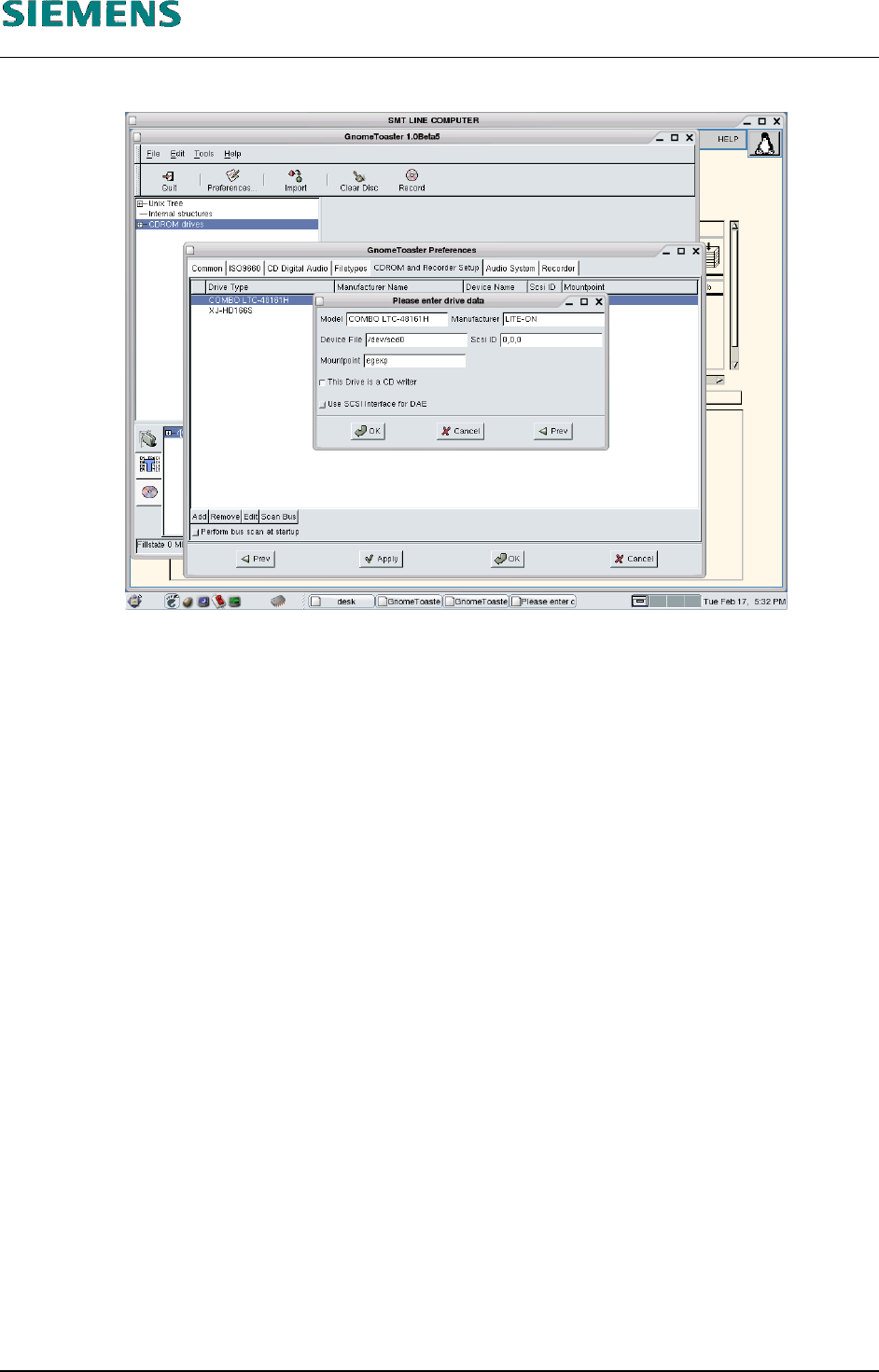
6. Select entry «LITE-ON» and click the button «Edit»
7. The dialog «Please enter drive data» opens.
8. Select button «This is a CD writer».
9. Close dialog with «OK»
10. Close dialog «GnomeToasterPerferences» with «Apply» and «OK».
11. Exit «GnomeToaster» with «File» / «Exit» .
L&A EA SUBJECT TO CHANGE WITHOUT PRIOR NOTICE 03.03.2005
RUPERT-MAYER-STR. 44
D-81359 M
UNICH SWIA_503.04_EN.DOC PAGE 41 / 75
L&A INSTALLATION MANUAL LINE COMPUTER LCL 503.04
NSTALLING THE LINE COMPUTER SOFTWARE INUX U
I
LRL L (S SE 9.0)
4.2.7 NFS configuration («Allow access»)
There are two aspects of configuring an NFS connection:
sharing a directory on the NFS server (e.g. the «central line computer»)
connecting to this directory from the NFS client (e.g. the «local line computer»)
4.2.7.1 Configuring the NFS server
1. You configure the NFS server using the menu path
Options
Network
Permit access
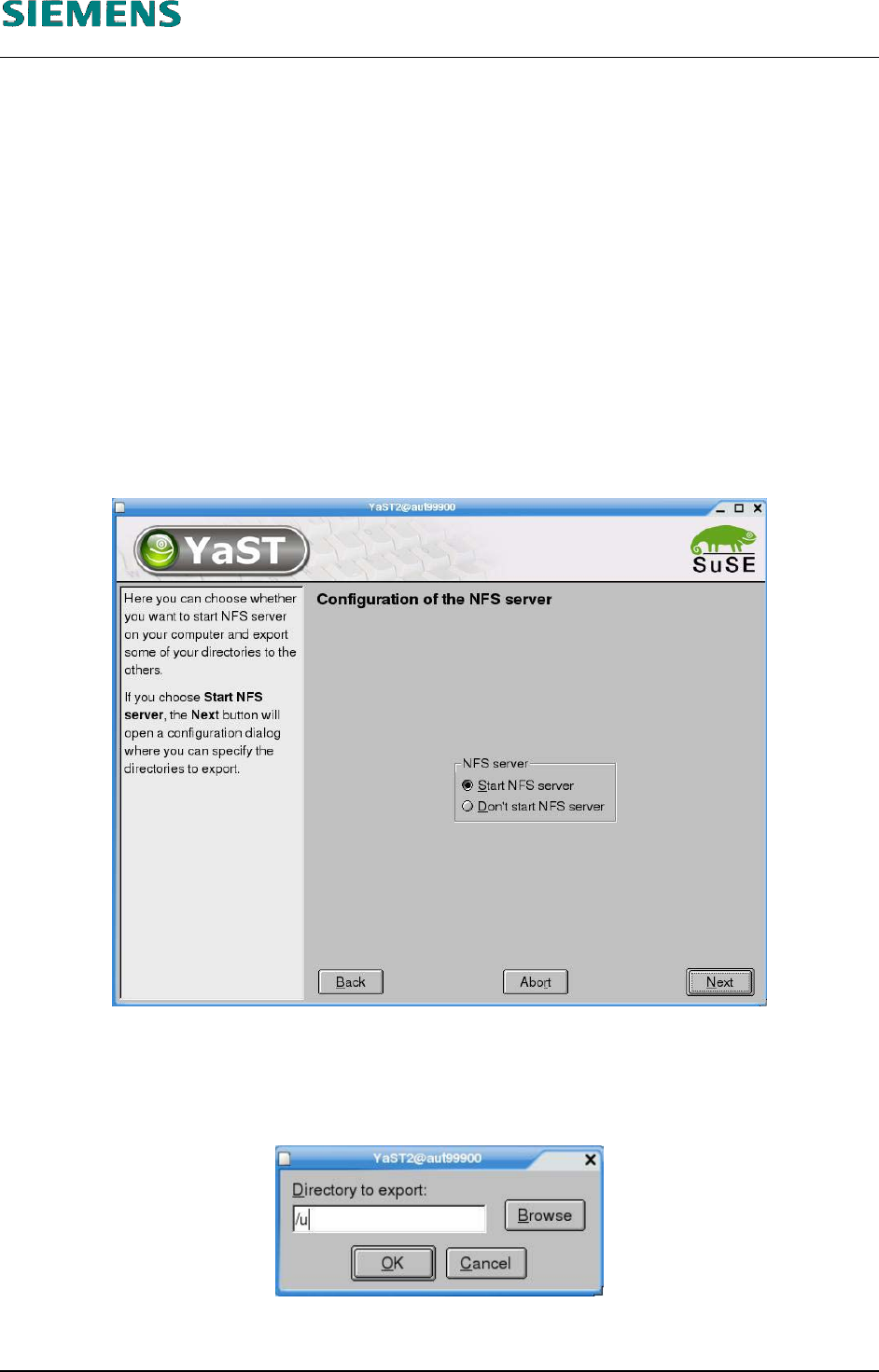
2. The «YaST» configuration dialog starts.
3. Activate the option «Start NFS server»
4. Click the «Next» button.
5. If no directories have been shared, you can select the «Add directory» button.
6. specify the path to the directory in the dialog box («/u»).
7. Click «OK» to confirm your settings.
L&A EA SUBJECT TO CHANGE WITHOUT PRIOR NOTICE 03.03.2005
RUPERT-MAYER-STR. 44
D-81359 M
UNICH SWIA_503.04_EN.DOC PAGE 42 / 75