SWIA_503.04_EN.pdf - 第63页
L&A I NSTA LLATION M ANUAL L INE C OMPUTER LCL 50 3.04 ONFIGURATION OF PRINTER AND ETWORK C HP 5850 (USB N ) 12. Now enter the network address of the printer. Enter the address which was set on the printer when you c…
L&A INSTALLATION MANUAL LINE COMPUTER LCL 503.04
ONFIGURATION OF PRINTER AND ETWORK
C
HP 5850 (USB N )
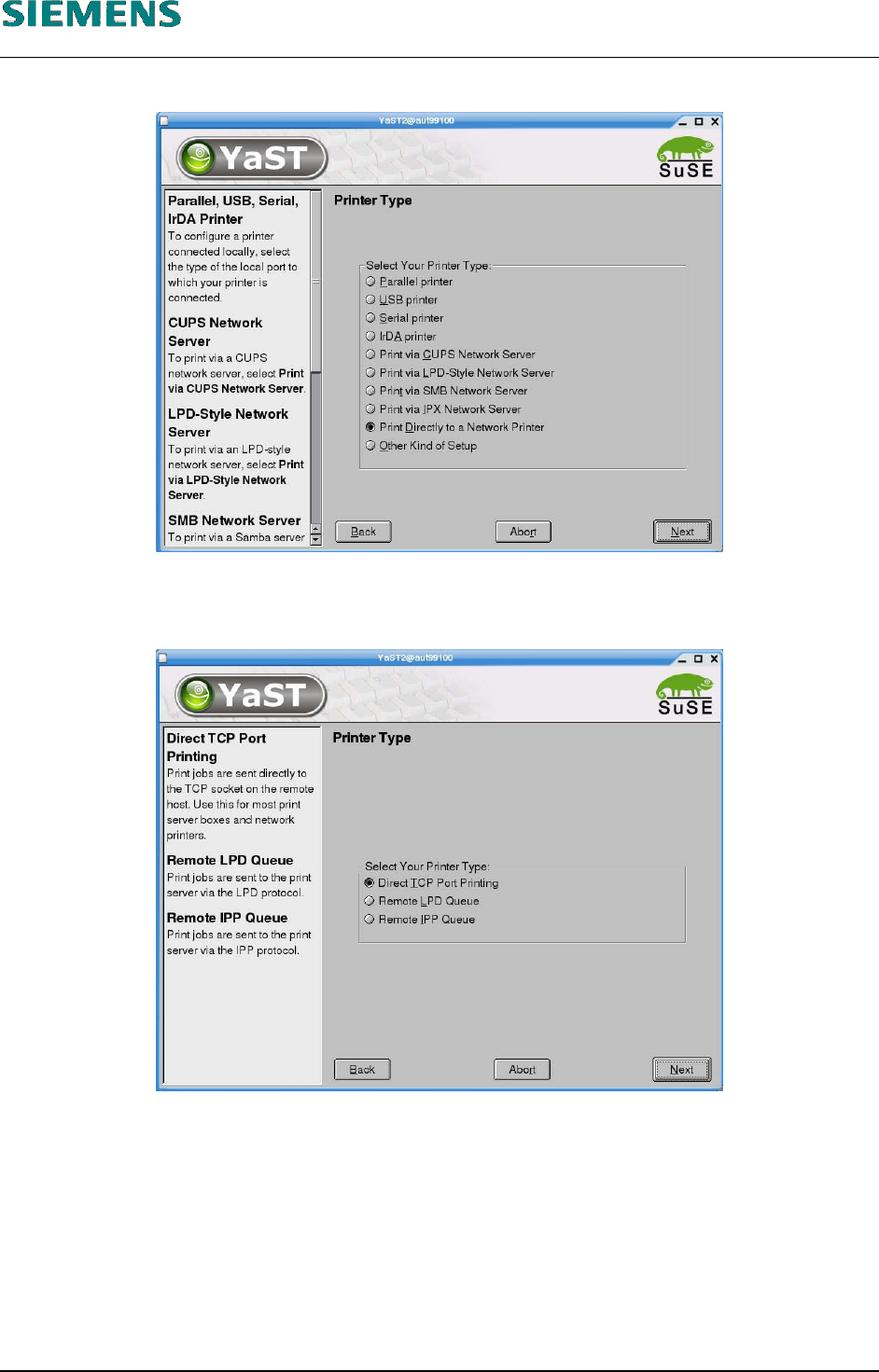
8. Select the entry «Print Directly to a Network Printer».
9. Confirm your entry with «Next».
10. Select the default setting «Direct TCP Port Printing» as the subsidiary printer type.
11. Confirm your entry with «Next».
L&A EA SUBJECT TO CHANGE WITHOUT PRIOR NOTICE 03.03.2005
RUPERT-MAYER-STR. 44
D-81359 M
UNICH SWIA_503.04_EN.DOC PAGE 62 / 75
L&A INSTALLATION MANUAL LINE COMPUTER LCL 503.04
ONFIGURATION OF PRINTER AND ETWORK
C
HP 5850 (USB N )
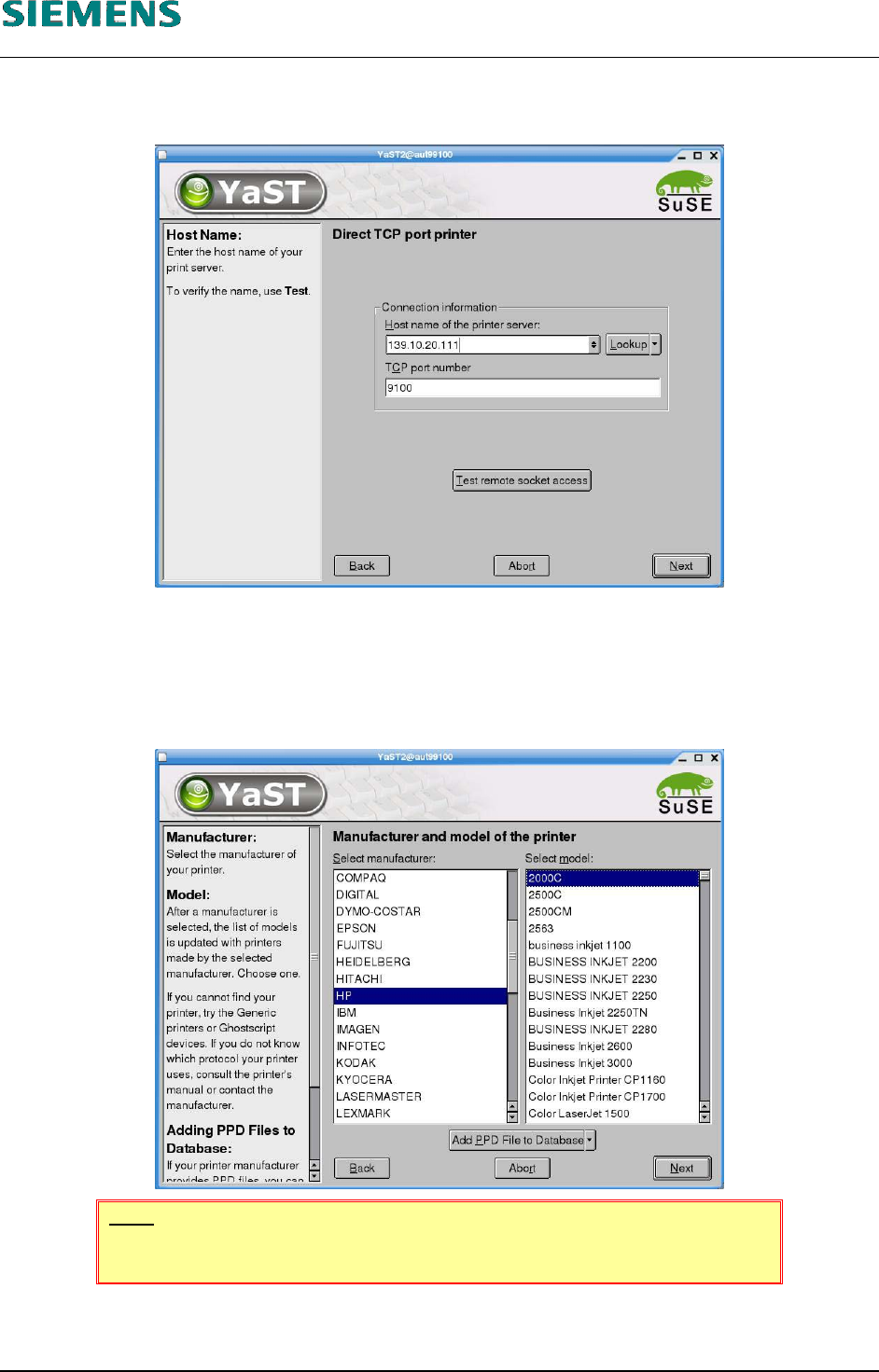
12. Now enter the network address of the printer. Enter the address which was set on the printer
when you configured the network printer (see below «4.3.4.3 Configuration procedure»).
13. Confirm your entries by clicking «Next».
14. Select the printer manufacturer and model:
HP (Hewlett-Packard)
(DeskJet) 2000C
NOTE
The model specified above must be selected!
15. Confirm your choice with «Next».
L&A EA SUBJECT TO CHANGE WITHOUT PRIOR NOTICE 03.03.2005
RUPERT-MAYER-STR. 44
D-81359 M
UNICH SWIA_503.04_EN.DOC PAGE 63 / 75
L&A INSTALLATION MANUAL LINE COMPUTER LCL 503.04
ONFIGURATION OF PRINTER AND ETWORK
C
HP 5850 (USB N )
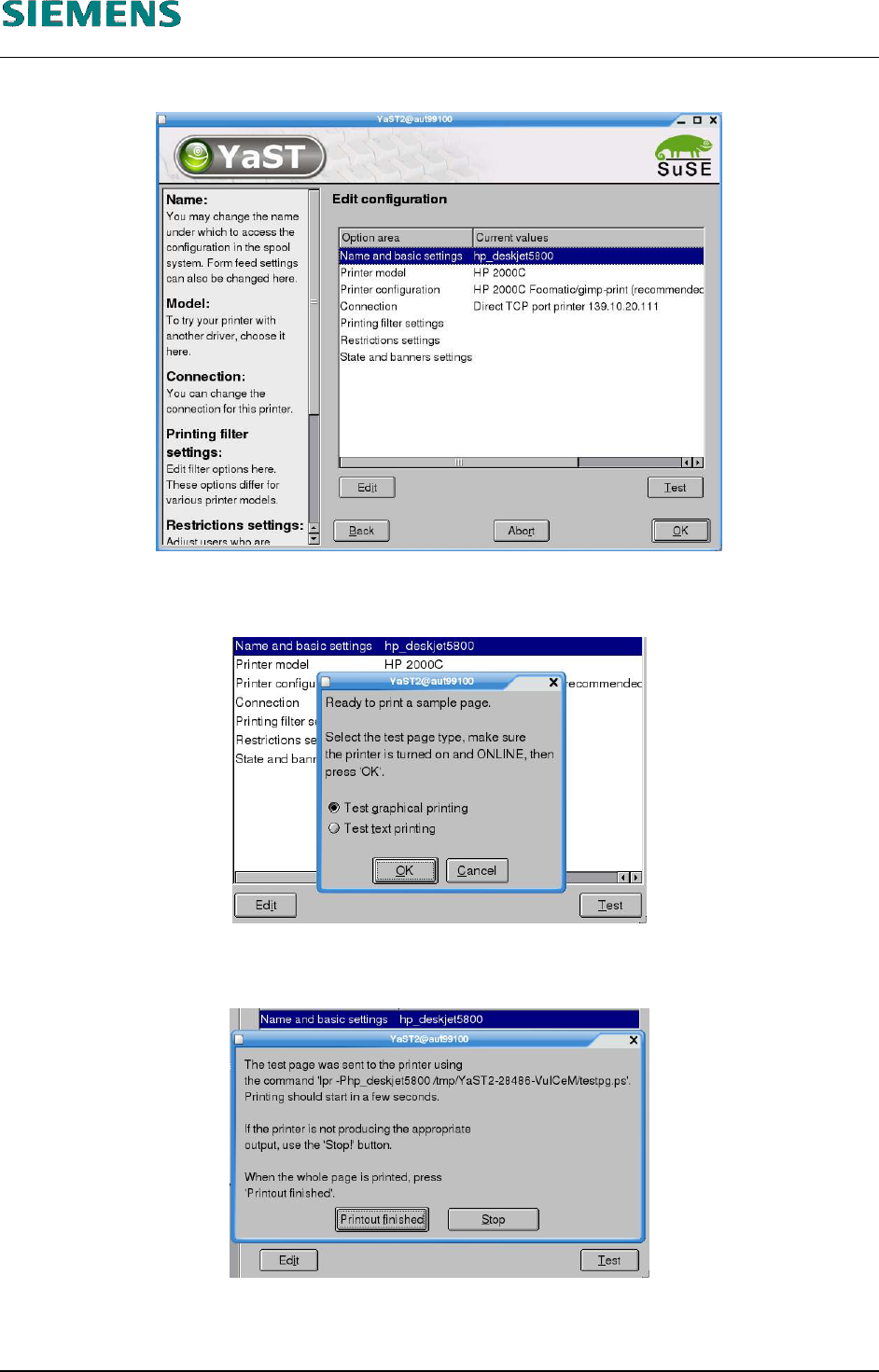
16. The printer settings are now displayed.
17. You can print a test page to test correct operation of the printer by clicking the «Test» button
(you can also skip this step and continue at point 19 below).
18. Once the test page has been printed, confirm this by clicking «Printout finished». If the page is
not printed correctly, you can stop the print operation with the «Stop» button.
19. Close the dialog box shown in point 16 above by clicking «OK».
L&A EA SUBJECT TO CHANGE WITHOUT PRIOR NOTICE 03.03.2005
RUPERT-MAYER-STR. 44
D-81359 M
UNICH SWIA_503.04_EN.DOC PAGE 64 / 75