SWIA_503.04_EN.pdf - 第20页
L&A I NSTA LLATION M ANUAL L INE C OMPUTER LCL 50 3.04 NSTALLING THE LINE COMPUTER SOF TWARE INUX U I LRL L (S SE 9.0) 30. Respond to the confir mation prompt with « Yes, install ». Installation then starts. 31. The …
L&A INSTALLATION MANUAL LINE COMPUTER LCL 503.04
NSTALLING THE LINE COMPUTER SOFTWARE INUX U
I
LRL L (S SE 9.0)
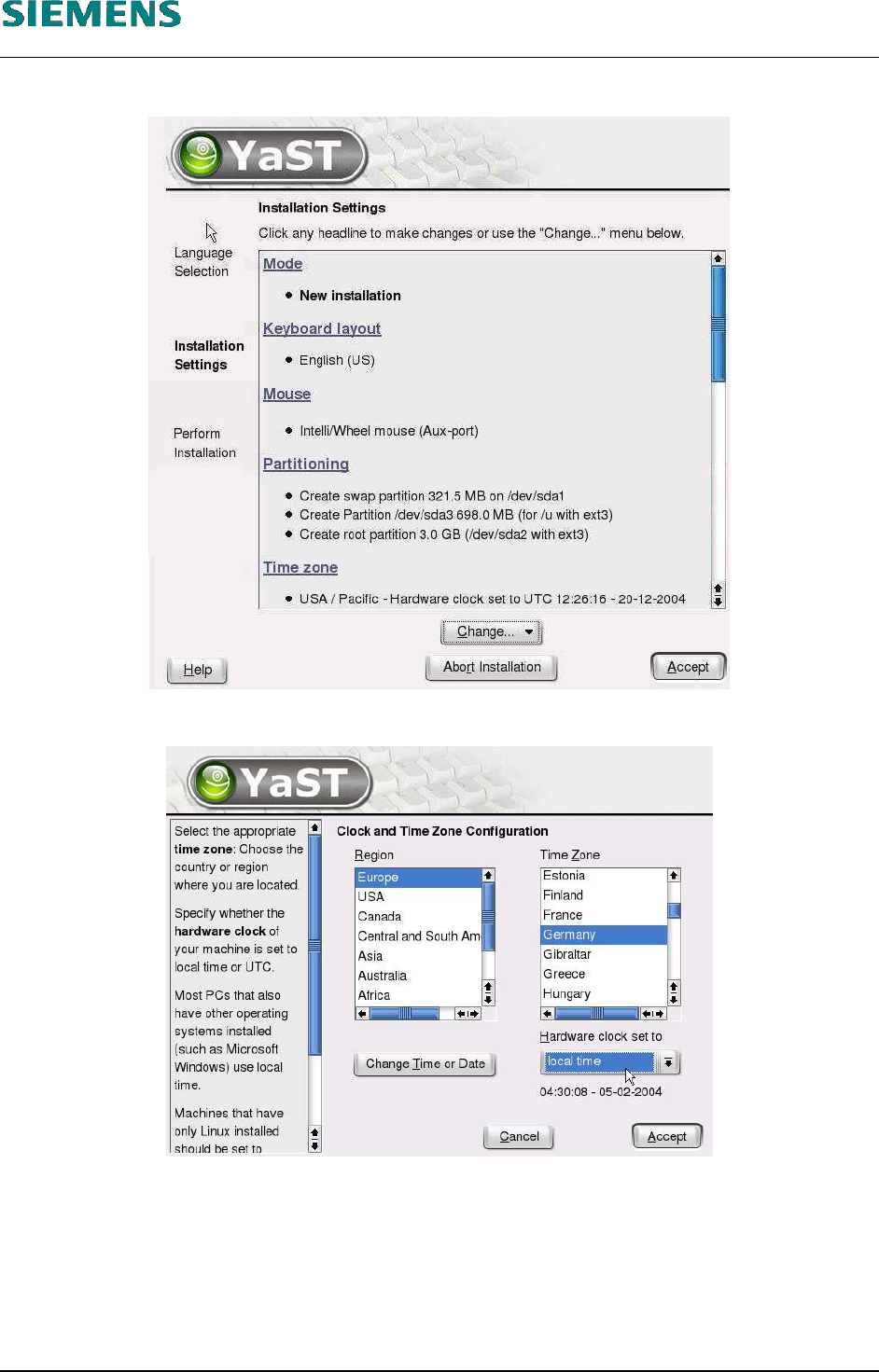
4.2.3.4 Configure Time Zone / Standardinstallation
27. Select the «Time zone» item to change the time zone.
28. Select the entries for
«Region»,
«Time Zone»
«Hardware clock set to» (on «local time»)
and confirm your entries with «Accept».
29. Finally confirm the suggested «Installation settings» with the «Accept» button.
L&A EA SUBJECT TO CHANGE WITHOUT PRIOR NOTICE 03.03.2005
RUPERT-MAYER-STR. 44
D-81359 M
UNICH SWIA_503.04_EN.DOC PAGE 19 / 75
L&A INSTALLATION MANUAL LINE COMPUTER LCL 503.04
NSTALLING THE LINE COMPUTER SOFTWARE INUX U
I
LRL L (S SE 9.0)
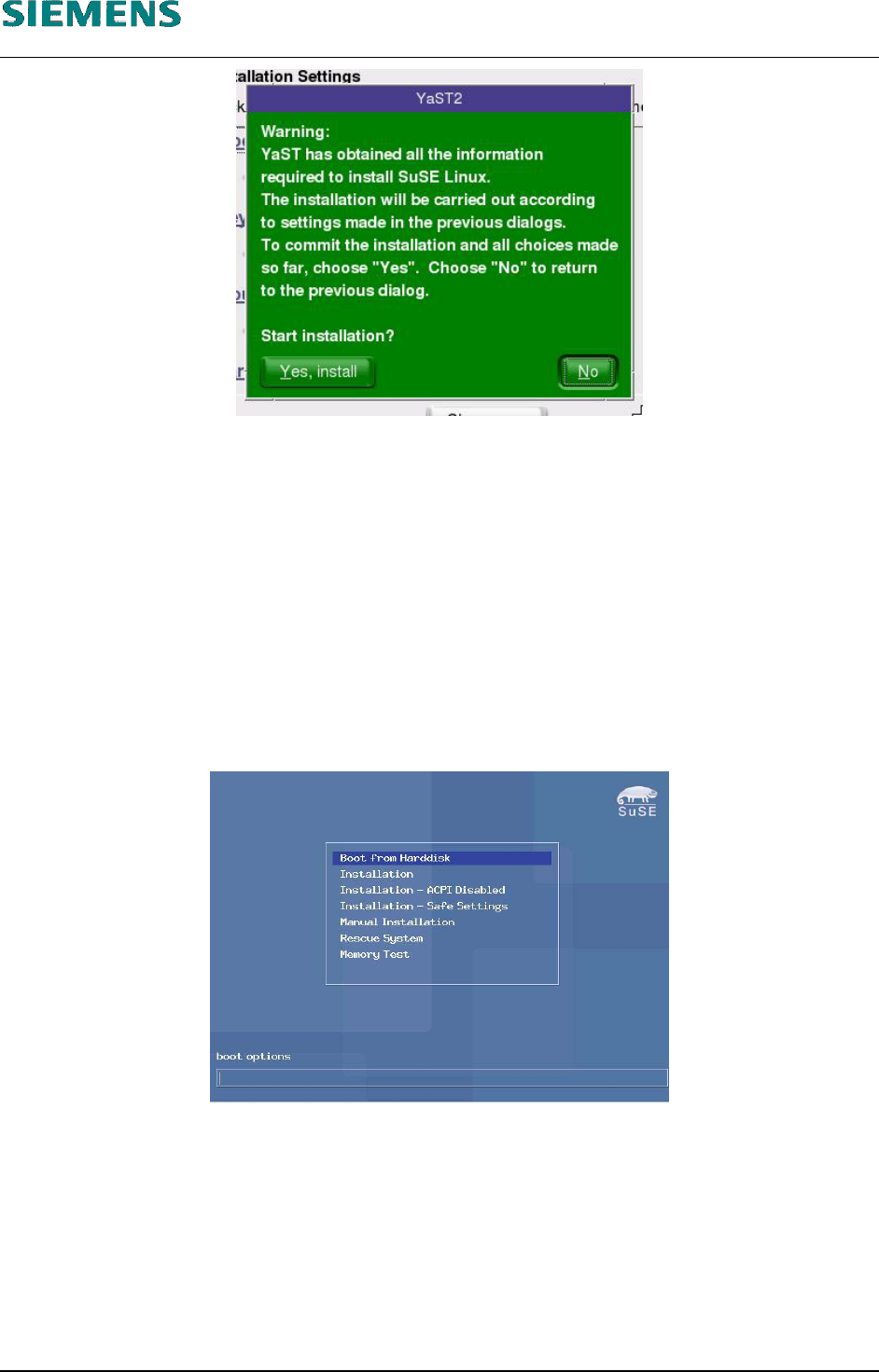
30. Respond to the confirmation prompt with «Yes, install». Installation then starts.
31. The system shows the progress of the installation of the individual operating system packages.
The installation least about 20-30 minutes.
32. A reboot is carried out automatically once basic installation of the operating system has been
carried out.
33. On systems, using the 19” monitor, once again the resolution must be changed to the value of
1024x768 before continueing the installtion. Press ‹F2› key on the start screen to change the
resolution, then continue the installation as normal
34. On the welcome screen, the entry «Boot from Harddisk» must be selected.
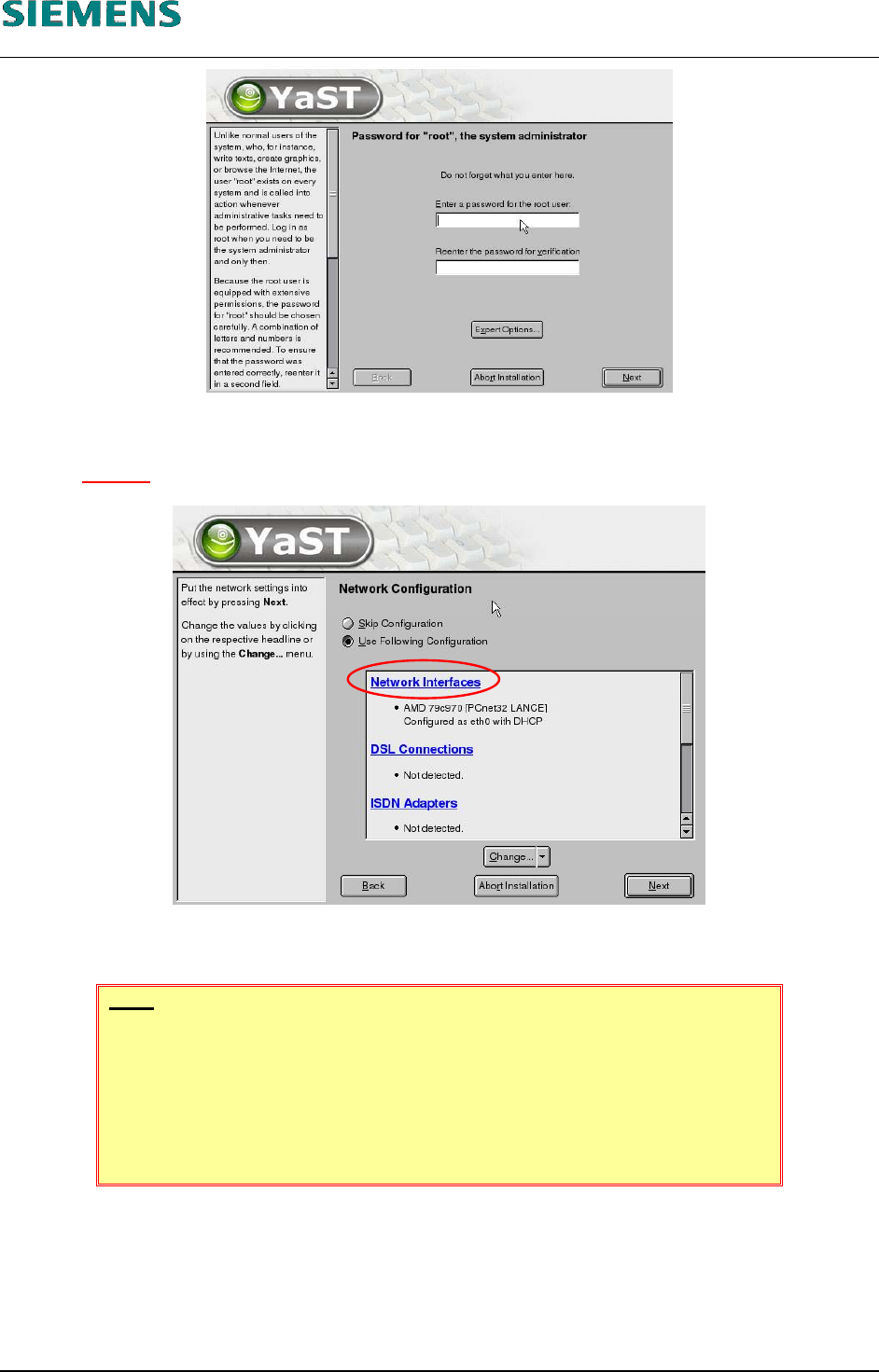
35. You are asked to enter the password for the «root» user (two times for confirmation).
L&A EA SUBJECT TO CHANGE WITHOUT PRIOR NOTICE 03.03.2005
RUPERT-MAYER-STR. 44
D-81359 M
UNICH SWIA_503.04_EN.DOC PAGE 20 / 75
L&A INSTALLATION MANUAL LINE COMPUTER LCL 503.04
NSTALLING THE LINE COMPUTER SOFTWARE INUX U
I
LRL L (S SE 9.0)
4.2.3.5 Configure Network Cards
36. You have to configure the network cards! (at least, one of them)
Figure 4-1
37. Select the menu item «Network Interfaces».
NOTE
Configuration of the network adapters varies slightly between different com-
puter types. The following steps apply to «Econel 30» and «Econel 40»
computers. These computers have an onboard card (Intel PRO/100), which
should be used for the customer network and a plug-in adapter (Intel
PRO/1000), which should be reserved for the SIPLACE network.
L&A EA SUBJECT TO CHANGE WITHOUT PRIOR NOTICE 03.03.2005
RUPERT-MAYER-STR. 44
D-81359 M
UNICH SWIA_503.04_EN.DOC PAGE 21 / 75