SWIA_503.04_EN.pdf - 第71页
I NSTA LLATION M ANUAL L INE C OMPUTER LCL 50 3.04 L&A A NNEX 4.3.5 Annex 03.03.2005 S UBJECT TO CHANGE WITHOUT PRIOR NOTICE L&A EA R UPERT -M AYER -S TR . 44 P AGE 71 / 75 SWIA_503.04_EN.DOC D-81359 M UNICH
L&A INSTALLATION MANUAL LINE COMPUTER LCL 503.04
ONFIGURATION OF PRINTER AND ETWORK
C
HP 5850 (USB N )
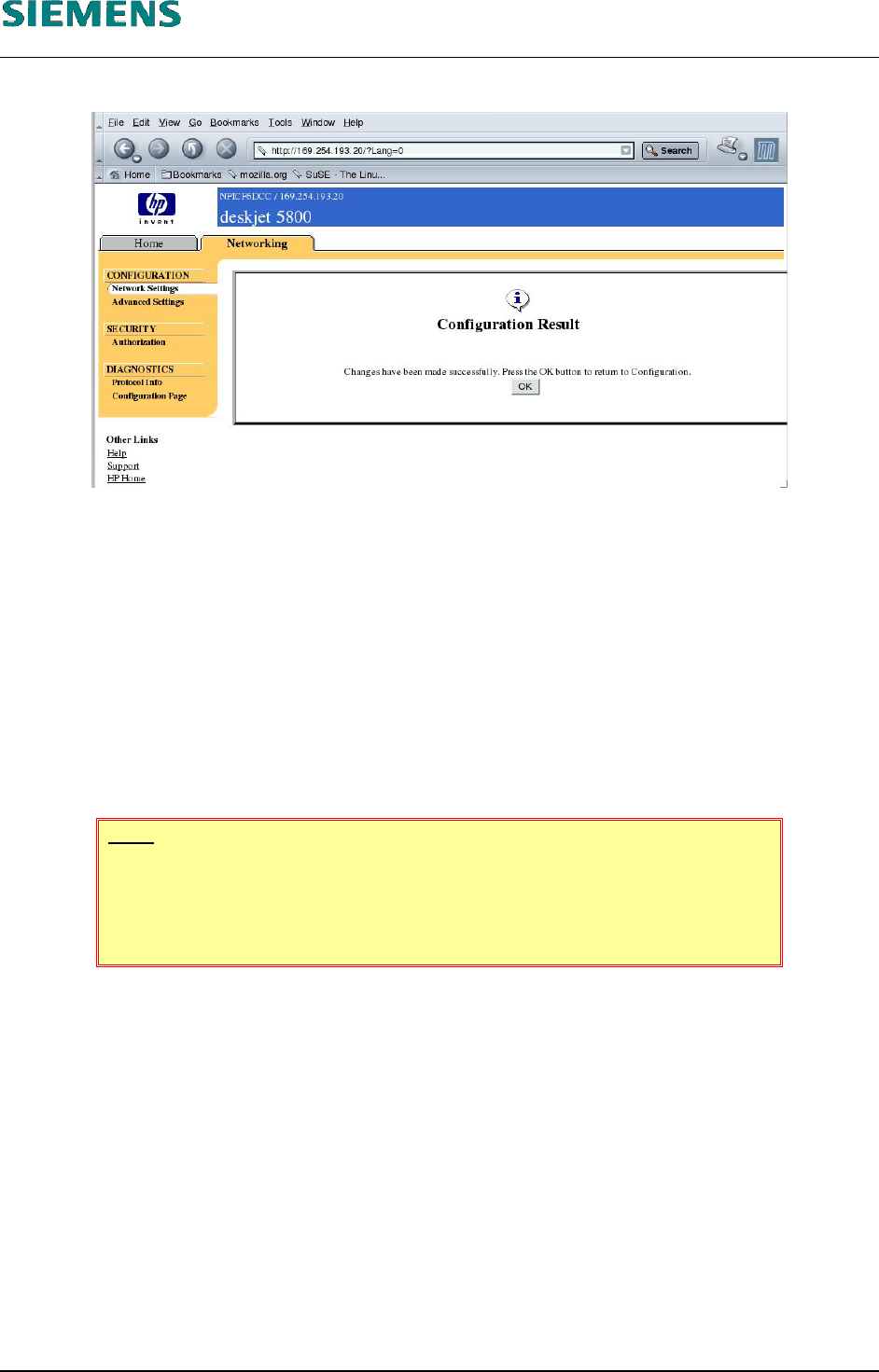
19. The configuration program still informs you that the settings were updated successfully.
20. Confirm with «OK»
21. Close the browser with «File» / «Quit».
22. The computer must be rebooted to cancel the temporarily changed address. After you have
performed a shutdown, the computer reverts to the original addresses.
4.3.4.4 Configuring a wireless network.
The «HP Deskjet 5850» printer can also be operated in a wireless LAN.
The customer's network administrator must configure the printer for a wireless LAN.
NOTE
The use of wireless LAN devices is prohibited within Siemens AG!
Whether or not the printer can be operated in wireless mode at the cus-
tomer's site must be clarified on a case-by-case basis.
L&A EA SUBJECT TO CHANGE WITHOUT PRIOR NOTICE 03.03.2005
RUPERT-MAYER-STR. 44
D-81359 M
UNICH SWIA_503.04_EN.DOC PAGE 70 / 75
INSTALLATION MANUAL LINE COMPUTER LCL 503.04 L&A
ANNEX
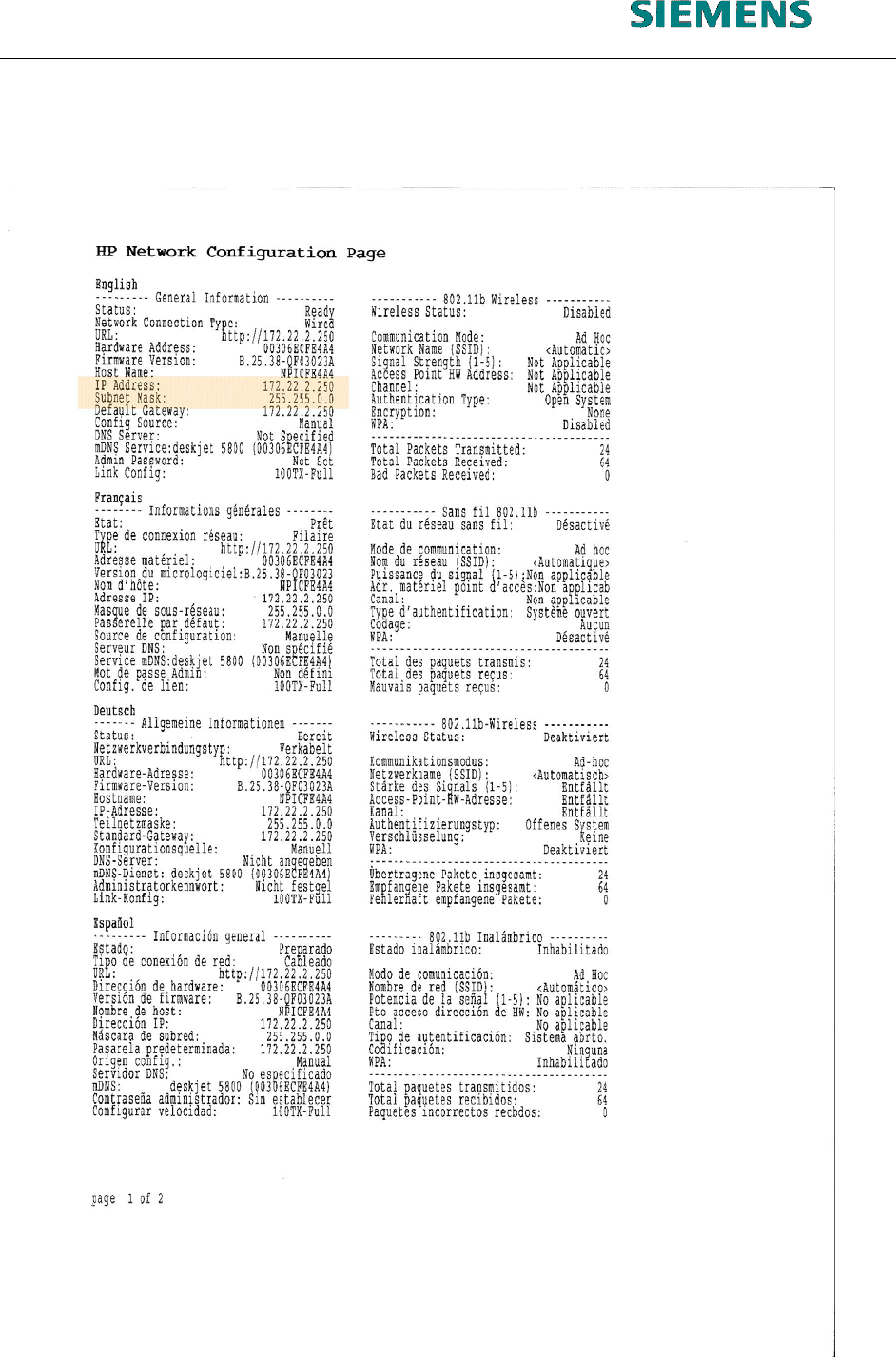
4.3.5 Annex
03.03.2005 SUBJECT TO CHANGE WITHOUT PRIOR NOTICE L&A EA
R
UPERT-MAYER-STR. 44
P
AGE 71 / 75 SWIA_503.04_EN.DOC D-81359 MUNICH
INSTALLATION MANUAL LINE COMPUTER LCL 503.04 L&A
IGRATION FROM U TO U M LCL.503.03 (S SE 7.3) LCL.503.04 (S SE 9.0)
4.4 Installing Service Pack LCL.503.04.SP1
The Service Pack LCL.503.04.SP1 is not a full version of the line computer software. Only
patched modules will be replaced. The Service Pack thus requires LCL.503.04 to have been installed
already.
WARNING
Using an «Econel 50» with linecomputer software LCL 503.04 and Service
Pack 1, you have to use the special CD «CD LINUX 503.04 – Service Pack
1 – Econel 50».
You must not use the former installation CD for the Service Pack 1 (version
01)!
The following different scenarios are possible:
• LCL.503.04 is already installed:
LCL.503.04.SP1 can be installed directly.
• New installation required:
First install LCL.503.04, (including operating sys-
tem)
then install LCL.503.04.SP1.
• Update of LCL.503.03 (SuSE 7.3) to
LCL.503.04 (SuSE 9.0)
In this case, three steps are required, as described
in detail in chapter 4.4.1 below.
If LCL.503.04 has already been installed. the service pack is installed in the same way as an option
using «Options» / «Install options».
The computer must be rebooted after installation.
4.4.1 Migration from LCL.503.03 (SuSE 7.3) to LCL.503.04 (SuSE 9.0)
When migrating from LCL.503.03 (SuSE 7.3) to LCL.503.04 (SuSE 9.0), the Service Pack makes a
correction, which increases the size of the hard disk partition for the root partition.
The user must be logged in as «root» to allow this to be done. Furthermore, no other user can be
logged in as «plr», otherwise the partitions cannot be changed.
The following three steps must be carried out:
Run the Service Pack under SuSE 7.3 as user root
Install the full version of LCL.503.04
Install the Service Pack under SuSE 9.0 as user plr
The steps in detail are as follows:
03.03.2005 SUBJECT TO CHANGE WITHOUT PRIOR NOTICE L&A EA
R
UPERT-MAYER-STR. 44
P
AGE 72 / 75 SWIA_503.04_EN.DOC D-81359 MUNICH