TSR2000-Series-Teaching-Pendant-User-Guide-V1.pdf - 第11页
11 8.2 Cr eating the C alibration L ocation Du ring Pr ogra mming Points List – This method inserts a cal ibration point (R EF PT ) into the body of the program, w hich can be modified at anytime. It is also possible to …
10
8.1 Calibrating the Dispense Tip
When a dispense tip is changed, or the valve is removed from the robot, it is normal for the tip/valve to be slightly out of
the original position when reattached. By creating a physical calibration point, on the device or fixture, the program can be
adjusted to suit the new tip position. This change will only effect the current program and not other programs stored in the
memeory. All programs can have their own unique calibration position.
There are 2 ways to achieve this calibration in the x, y and z axis:
Reference Point – by inserting a “REF PT”, into the Points List, during programming, calibration of the tip is performed
at a specified place by the user, such as a pointed stick or cross-hair markings on the holding fixture.
Home Adjust – if the “REF PT” is not inserted into the program the robot will use the first dispensing location as the
calibration co-ordinate.
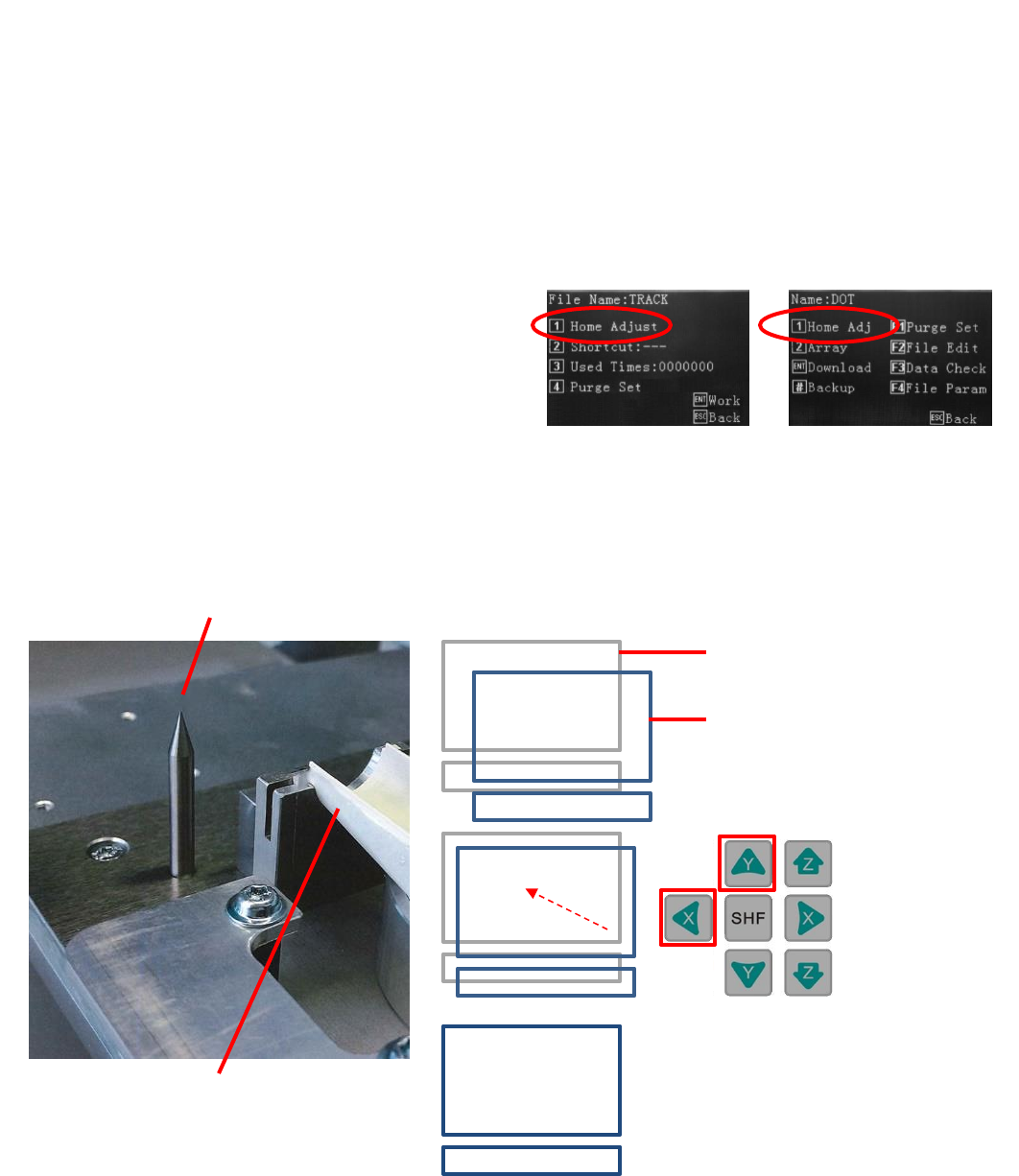
By pressing Home, Home Adjust or Home Adj
Home Adjust can be found in the following screens:
If this function is performed in the Editing screen the program
will need to be Downloaded after the Home Adjust.
In Operation Menu
In Editing Screen
Typical calibration pin
Device to be dispensed onto
Original dispense location
New dispense location due to
dispense tip variance or valve
refitted to robot slightly out of
position.
Use jog keys to
align.
Dispense tip now calibrated.
11
8.2 Creating the Calibration Location During Programming
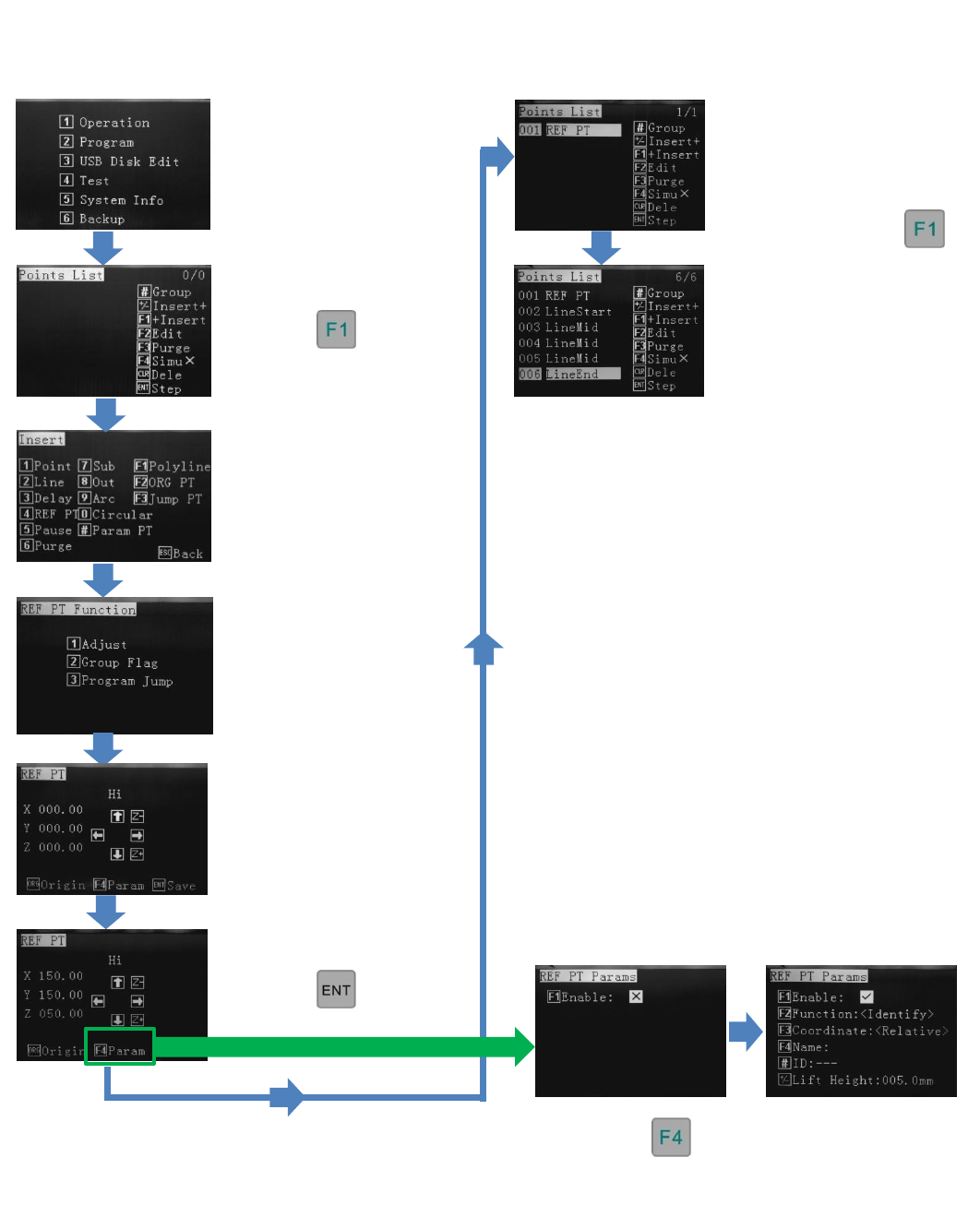
Points List – This method inserts a calibration point (REF PT) into the body of the program, which can be modified at
anytime. It is also possible to modify the stored progam to include a calibration point (REF PT) later. It is recommended to
program in the calibration point (REF PT) at the start
Reference Section 9.2
Reference Section 9.2
From the Insert screen,
select option 4 – REF PT
Press 1
Options 2 and 3 are for
future use
Press
Press
Use jog or alphanumeric
keys to move to
calibration location.
The calibration location is
now set.Continue to write
program by inserting the
dispensing co-ordinates.
Start by pressing
This program consisisted of a
Polyline to created a gasket
(square).
If is pressed, these
functions are for future use and should not
be altered.
12
8.3 Veryfying the Calibration Location During Live Use
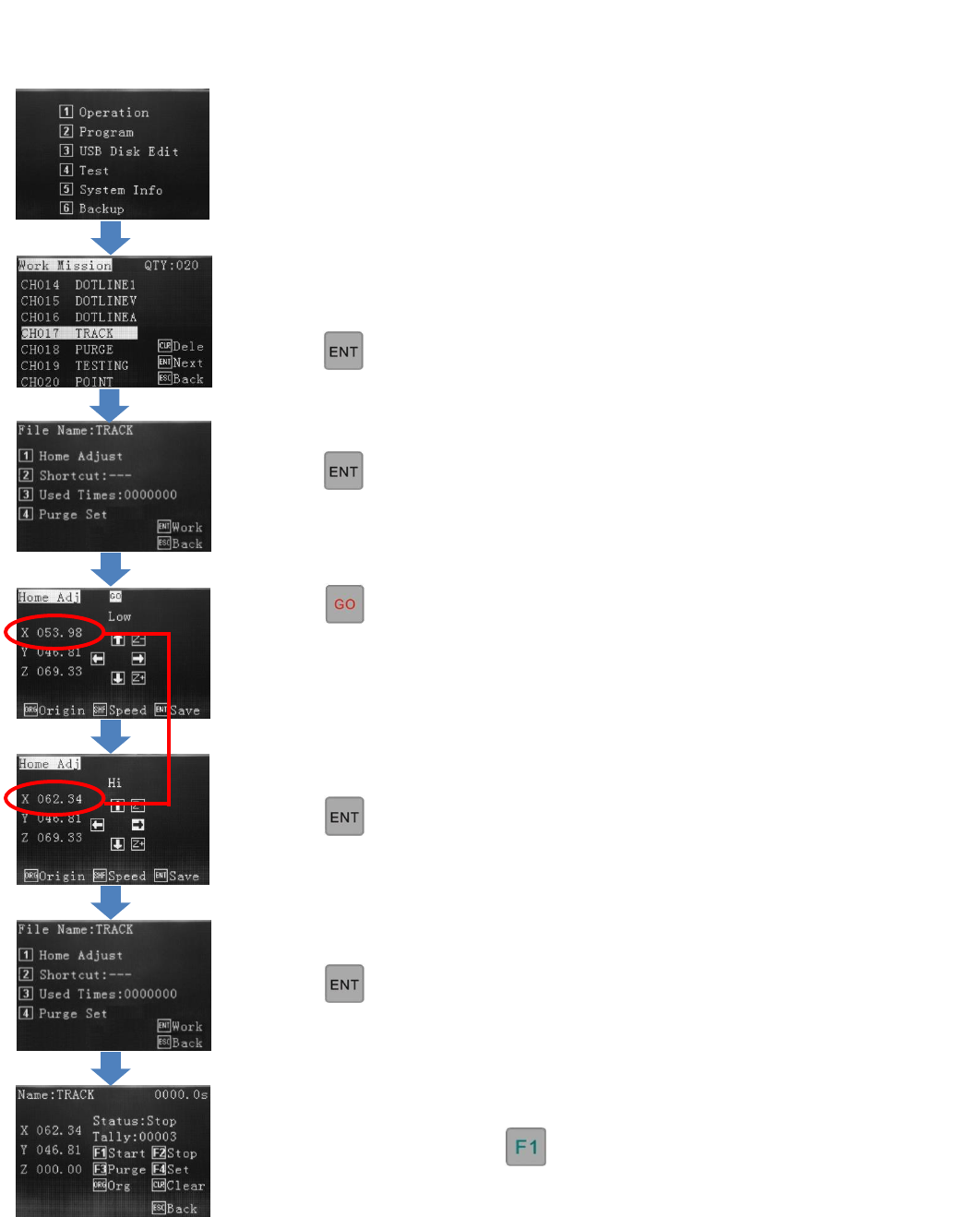
If no tip calibration is required,
press
If tip calibration is required, press
1 – Home Adjust
Select 1 - Program
Select the program, to run.
Press
Press
The tip will move to the Cal pin if one is
stored or to the first dispensing location if
a Cal point is not stored, in the
programming.
Operation Screen – If a calibration point (REF PT) has been stored in the program the dispense tip will move to this pin
location, when Home Adjust is pressed. If no calibration point has been stored, in the programming, the dispense tip will
move to the first dispensing location, when Home Adjust is pressed.
The program can be run with
Press
Use jog keys to correct tip position.
Press
This change does not affect the original
written program location.