TSR2000-Series-Teaching-Pendant-User-Guide-V1.pdf - 第17页
17 Cont. fro m page 16 Understan ding Lift H eight and Retract H eight Lift Height - is found in the Point Parameters Menu under the the L ift S et option. After the dispensing cycle, t he Z -ax is w ill move up to the L…
16
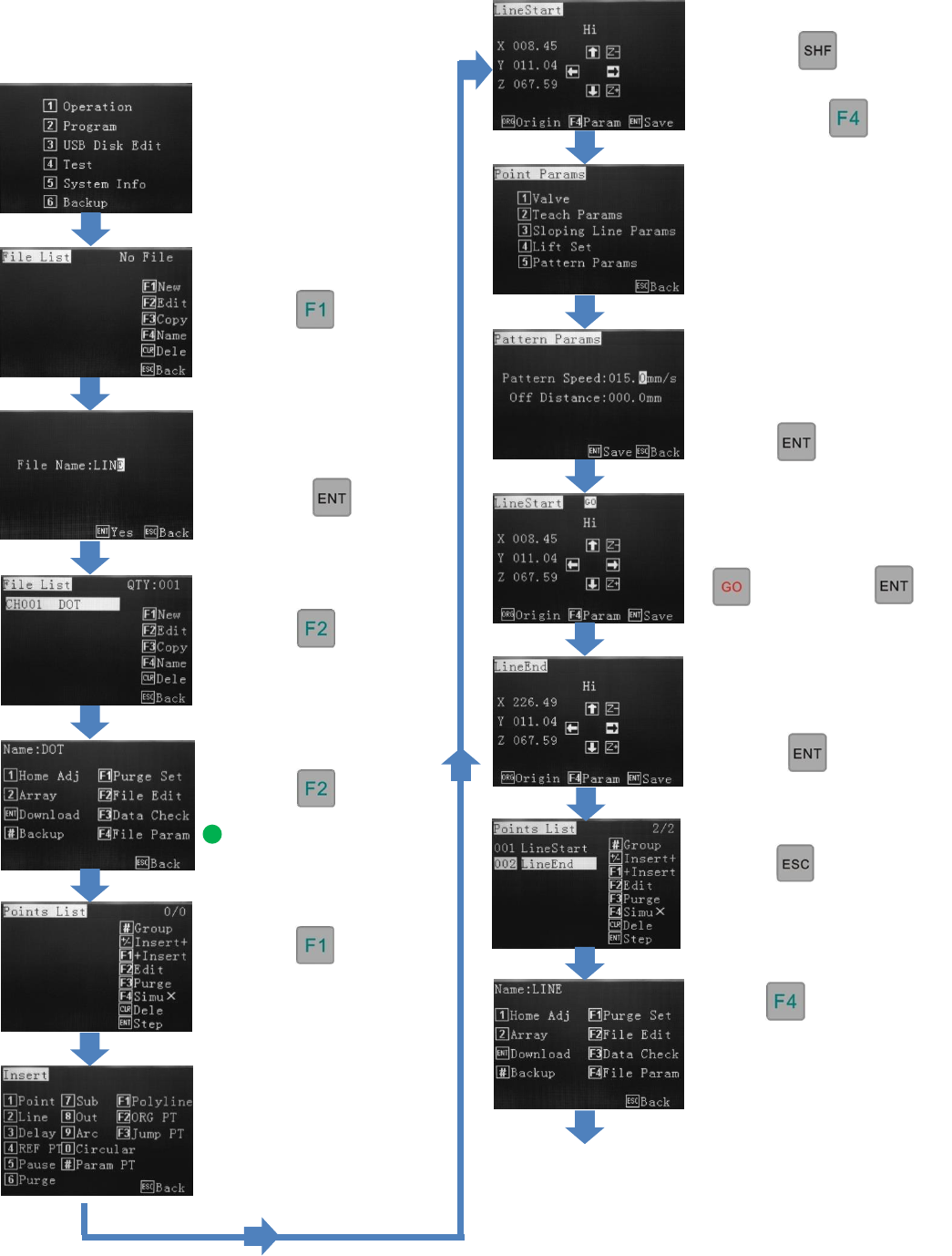
9.2 Creating a New Program
Press 2
Press
Enter a program name. Use
the alphanumeric keypad
and press
Press
Press
See Section 10 for
Explanation of File
Parameters.
Press
From the Insert screen,
select one of the options.
(for this Line example,
select option 2)
Change the move speed
with the key.
When line start location is
reached press
Use alphanumeric keys to
move the line end location.
Press
Press
This enables changes to the
file parameters.
Press 5
Use alphanumeric keys to
change dispense speed.
(Pattern Speed).
Press twice
If “GO” is flashing at
the top of screen, press
then press
Press twice.
This will go to the file
processing menu
Go to page 17
17
Cont. from page 16
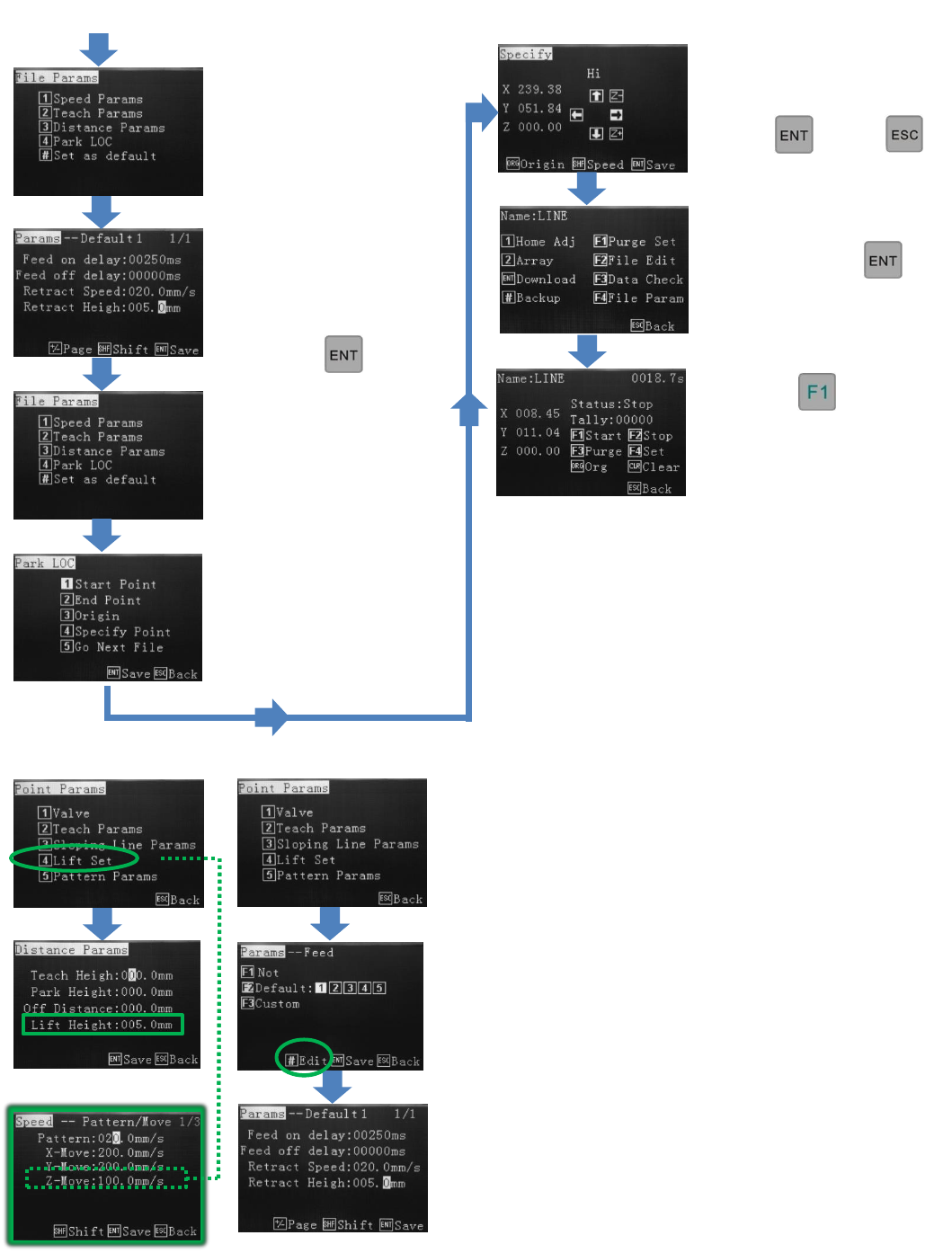
Understanding Lift Height and Retract Height
Lift Height - is found in the Point Parameters Menu under the
the Lift Set option. After the dispensing cycle, the Z-axis will
move up to the Lift Height at the normal moving (non-
dispensing) speed of the machine. If required, a different Lift
Height can be applied to any or all of the dispensing patterns,
however, if the speed is set to slow this would also mean that
when the robot is required to go to Origin (0, 0 ,0), the z-axis will
take a long to time to home.
Retract Height - can be found within the Teach Parameters
Menu. Retract Heights are applied to the Feed Slots used to
created patterns. If a dot is created using Feed Slot 1 and a 2
nd
dot
is created using the same feed slot, the same parameters will be
applied to dot 2 including Retract Height. A Retract Speed can
be applied to Retract Heights.
If Retract Height is greater than Lift Height, Retract Height
Overides. If Lift Height is greater than Retract Height, Retract
parameters will operate first (height and speed) then the Lift
parameters will complete the up movement. If Retract and Lift
Height are the same the Retract Height and Speed override the
Lift Height and Speed.
Use the alphanumeric
keys to change the retract
speed, retract height and
feed on/feed off delay.
Press
Press
This starts the dispensing
cycle.
Use the alphanumeric keys to
select a park location.
Press then
To save, press
Press 4
Select where the valve
should go to after
dispensing.
Press 3
18
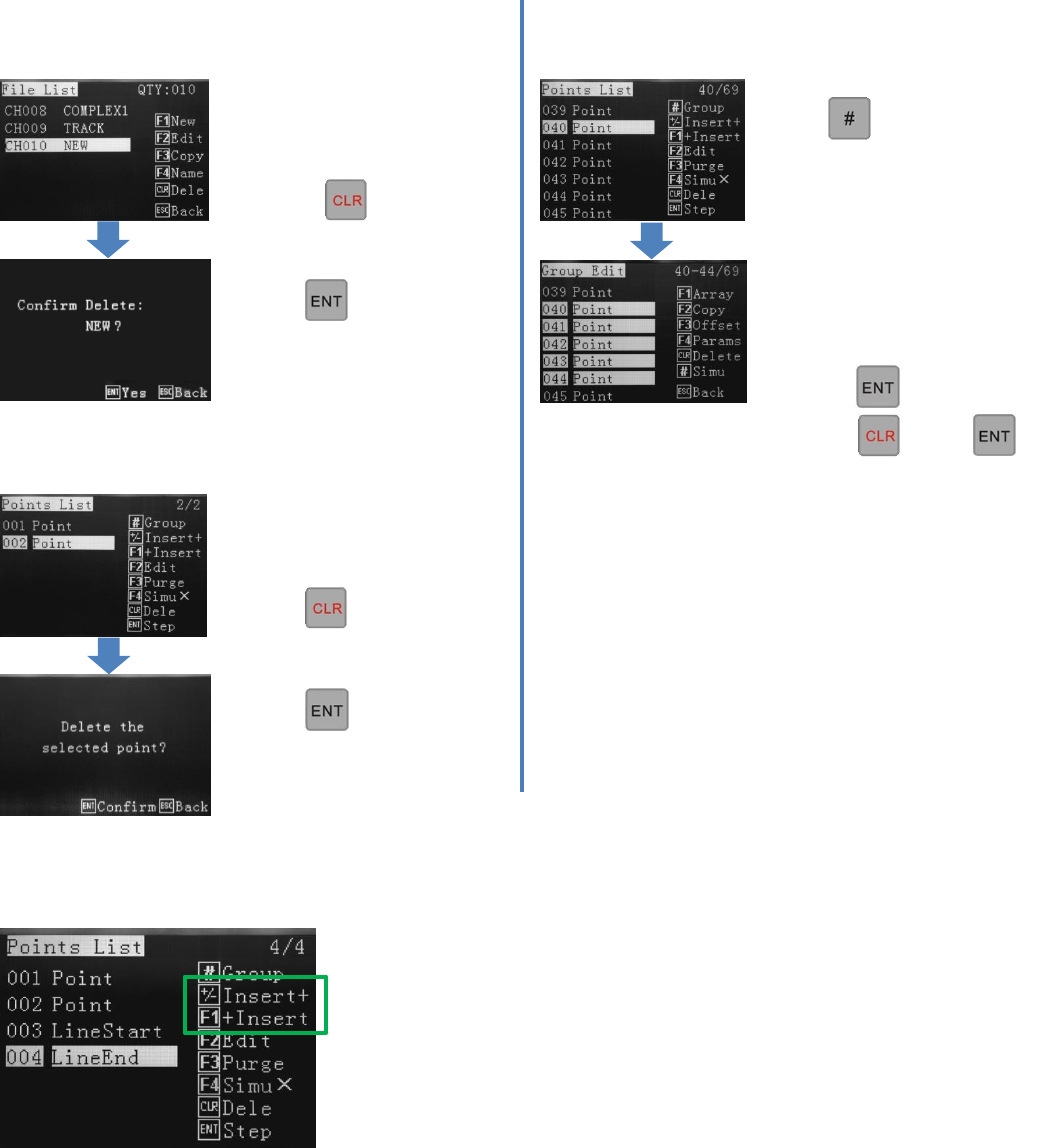
9.3 How to Delete a Program 9.5 How to Delete Multiple Points in a Program
In the File List menu, select
the program to delete.
Press
Press
This confirms deletion.
9.4 How to Delete a Point in a Program
In the “Points List”, within a
Program, select a point in the
Program to delete.
Press
Press
This confirms deletion.
9.6 Insert + / + Insert Definition
Press in the Points List.
This goes to Group Edit.
Use up/down arrow keys to
select points to delete.
To confirm…
press twice.
Press then
This confirms deletion.
Insert + and + Insert a both methods on inserting a dispense location into the
Points List.
Insert + inserts the co-ordinate above the highlighted line.
+ Insert Inserts the co-ordinate below the highlighted line.