TSR2000-Series-Teaching-Pendant-User-Guide-V1.pdf - 第24页
24 9.13 How to Create an Arc Referenc e Section 9.2 and 9.24 . From the Ins ert screen, select option 9. Change the move speed with the key . When arc start locat ion is reached press Press 5. Use alphanumeri c keys to c…
23
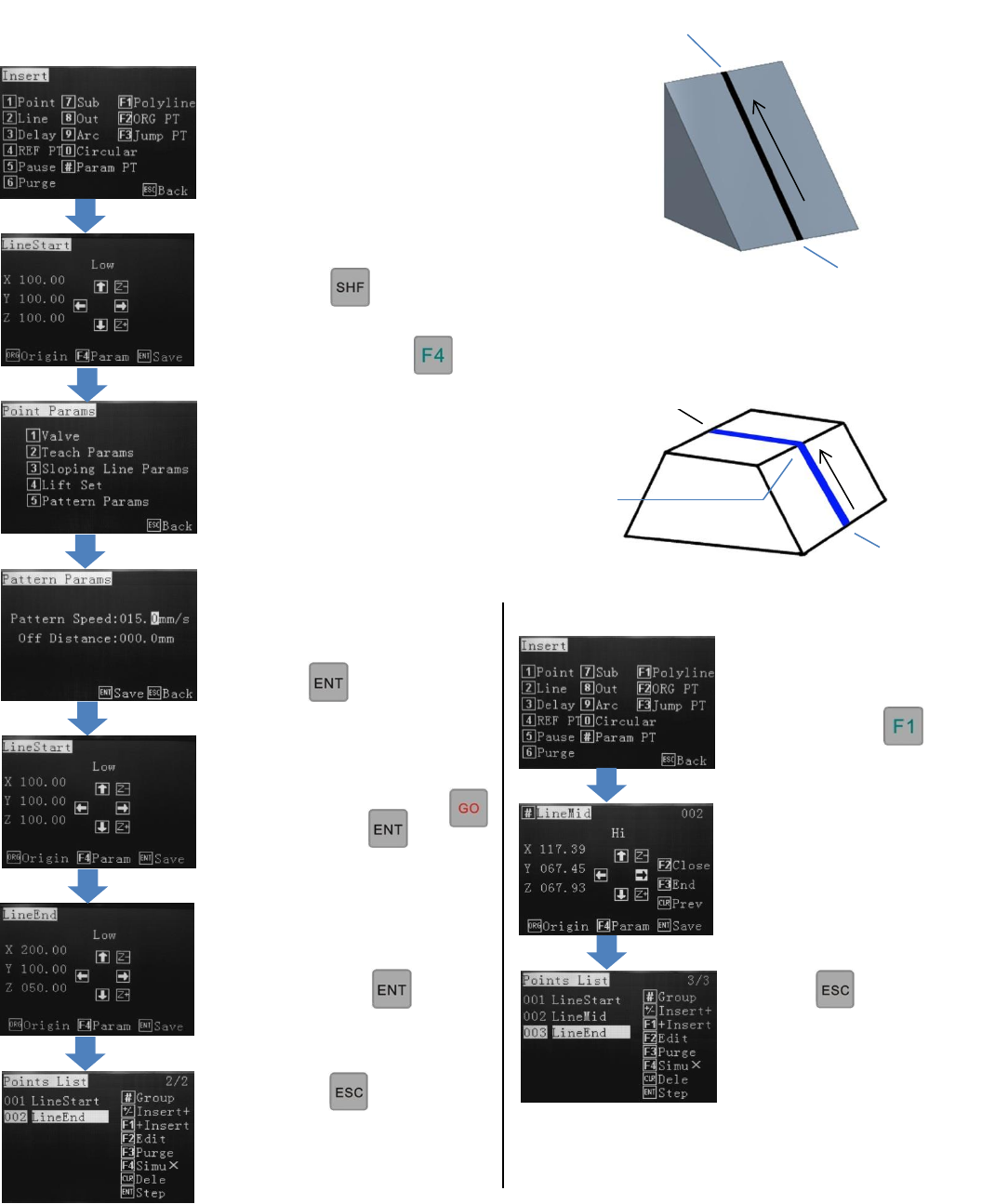
9.12 How to Create an Elevated Line (Bead)
How to Create a Multiple Point Elevated Line
Press twice
The program can now be
downloaded or edited
further.
Change the move speed
with the key
When line start location is
reached press
Use alphanumeric keys to
change the dispense speed
(pattern speed).
Press twice.
Use alphanumeric keys to
move the line end location
and press
Press twice
The program can now be
downloaded or edited
further.
If “GO” is flashing, at the
top of the screen press
then press
Press 5.
Line Start
Line End
Follow the instructions in
Section 9.16 for creating
a Polyline.
Reference Section 9.2 and
9.24 From the Insert screen,
select option 2.
Reference Section 9.2
and 9.24
From the Insert screen,
select option
Line Mid
Line End
Line Start
24
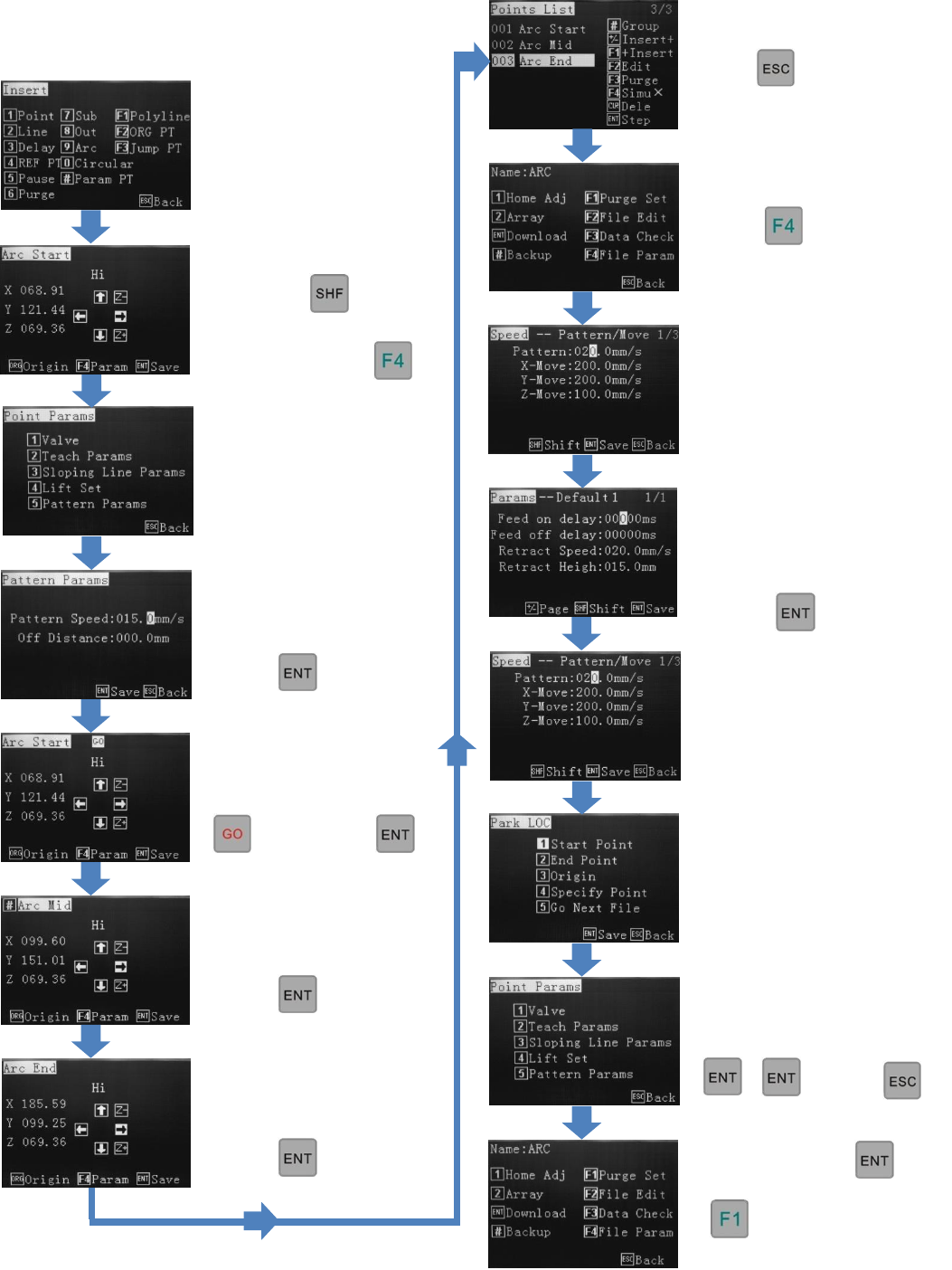
9.13 How to Create an Arc
Reference Section 9.2 and
9.24. From the Insert screen,
select option 9.
Change the move speed
with the key.
When arc start location
is reached press
Press 5.
Use alphanumeric keys to
change dispense speed
(pattern speed).
Press twice.
If “GO” is flashing at the
top of the screen press
then press
Use jog keys to move to
Arc mid-point location.
Press
Use jog keys to move to
Arc end-point location.
Press
.
Press twice.
Press
Press 4
To save, press
Starts the dispensing
cycle
Press 2
Select where the valve
should go to after dispensing.
Use the alphanumeric keys to
change the retract speed,
retract height and feed
on/feed off delay.
Press
(Optional) Use the
alphanumeric keys to select a
park location.
then
25
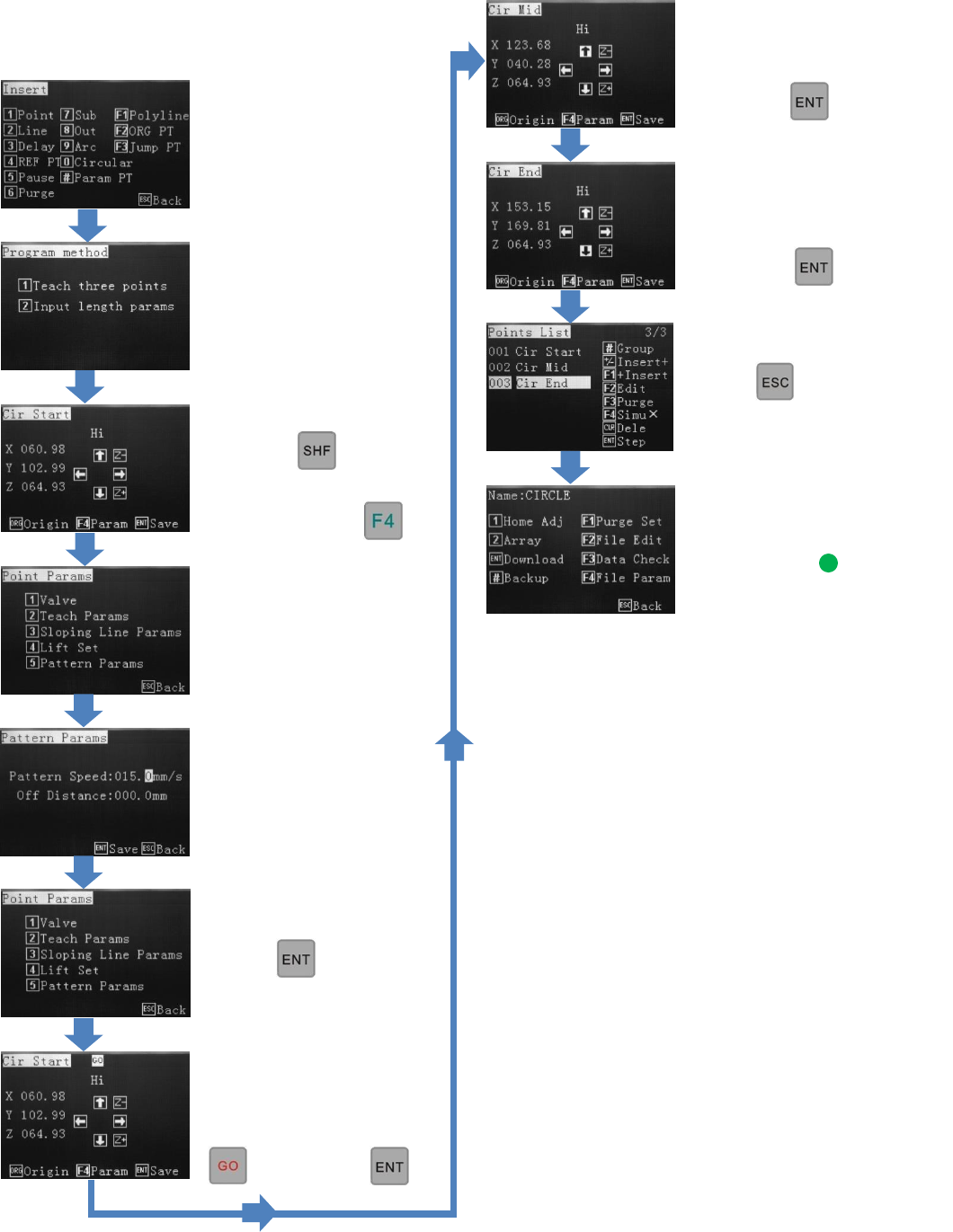
9.14 How to Create a Circle (3-Point Method)
Reference Section 9.2
From the Insert screen,
select option 0.
Select option 1.
Change the move speed
with the key.
When circle start location
is reached press
Press 5.
Use alphanumeric keys to
change dispense speed.
(Pattern Speed).
Press twice.
If “GO” is flashing at the
top of the screen press
then press
Use jog keys to move to
circle mid point location.
Press
Use jog keys to move to
circle mid point location.
Press
Press twice.
Follow instructions, on
next page, by