TSR2000-Series-Teaching-Pendant-User-Guide-V1.pdf - 第47页
47 10.5 # Set as Defau lt: By applying this option all speeds, delay times, lift heights dot dispensing time, etc, will be applied to all new pr ograms being created. 10.6 Insert Scr een: 1 – a dispensing do t. 2 – a lin…
46
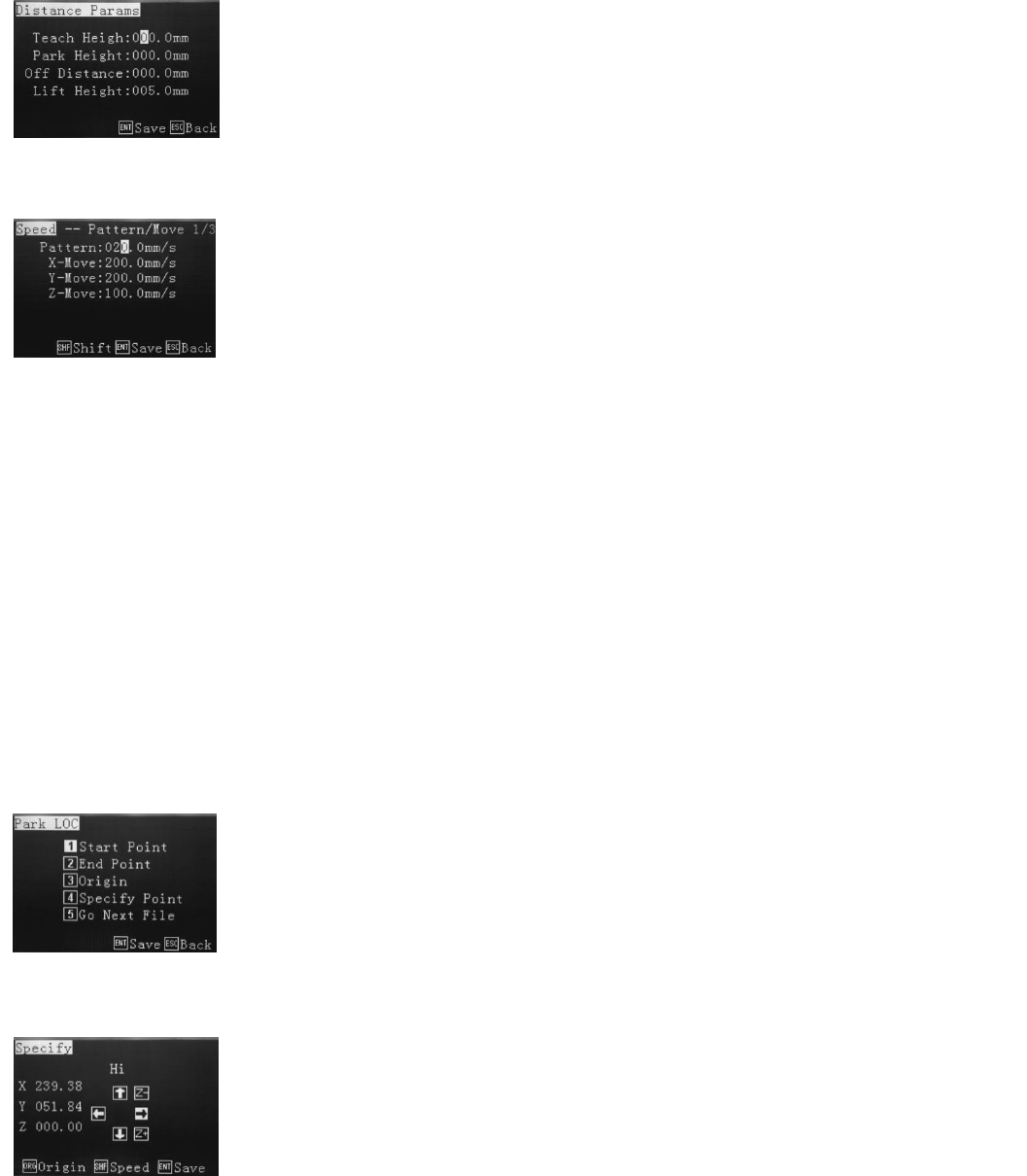
10.2 Teach Parameters:
10.3 Distance Parameters:
10.4 Park Location:
The Park Location is the position the dispensing tip should move to once the program has
completed. For the tip to move the Start, End or Origin location, the operator must select
option 1, 2 or 3. The operator to program a Specific Point, which is anywhere within the
robots working area by using the same programming method used to create a dot. The
operator can also choose to Go to next file be selecting option 5. This will display a File List
and the next program to follow can be selected from the List. The selected next file will start
dispensing once the original program has been completed.
When selecting Specify, the display requires a position anywhere in the robots working area
to be selected. At the end of the dispensing program the tip will move to this specified
location.
Note:
Lift height = Z-retract Height, the default lift height is 5mm and can be changed in the “Distance Params” menu. The
“Lift Speed” is the same speed as the Z-speed, and cannot be changed.
Retract height = Z-retract Height, no default setting. It can be changed in the “Teach Params” menu. The “Retract
Speed” also can be set in the same menu.
If the Retract height is bigger than the lift height then the Z-retract speed will override the lift height speed.
If the Retract height is less than the lift height then the Z-retract speed will apply to the retract height first.
Teach Height – during program it is usually set to 000.0, the height from moving from one
point to the next is the Teach Height.
Park Height – when program is completed the Z-axis will lift to a safety height. If no co-
ordinate is set the Z-axis will lift to 0 co-ordinate and back to finishing point. Before
processing, the z-axis will also move to this safety point.
Off Distance – the distance at which the valve will stop dispensing before the finish point.
Normally used when joining one line to another for a clean finish.
Lift Height – the distance the z axis will move up after a dispense cycle.
Refer to section 9.2 - Understanding Lift Height and Retract Height
The feed on delay relates the dispensing time for a dot. Feed off delay is the time the
dispensing valve will stay at the end of the dispensing co-ordinate not dispensing, before
moving to the next co-ordinate. Retract Speed is the speed of the tip retracting after a
finished cycle and Retract height is the height the tip move up to after the dispensing of
each position is complete, before moving to the next dispense location.
47
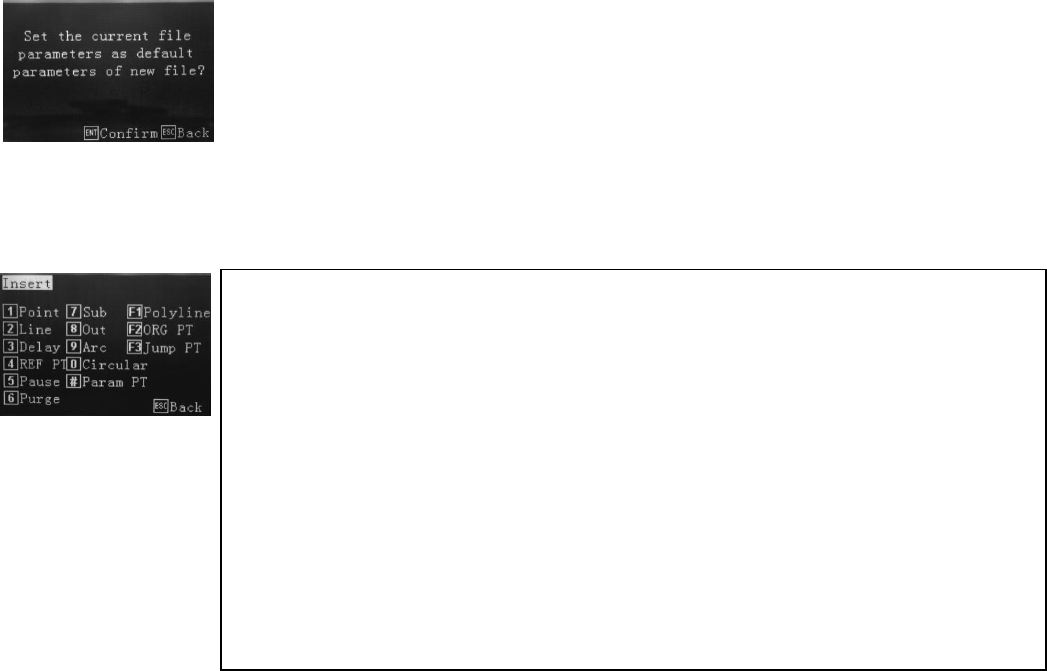
10.5 # Set as Default:
By applying this option all speeds, delay times, lift heights dot dispensing time, etc, will be
applied to all new programs being created.
10.6 Insert Screen:
1 – a dispensing dot.
2 – a line consisting of a start and end position.
3 – the time delay from 1 location to the immediate next.
4 – Calibration Point, used when a calibration pin is fixed to the base of device fixture.
5 – robot pauses and waits for input signal or manual (F1) start to run the next step.
6 – Setting a location for the valve to wait. Adding time will allow purge with fluid.
7 – insert another program, from the memory, at that specific location.
8 – turn on output signals (UV light, another dispense valve, camera, etc)
9 – an arc using 3 point programming.
0 – a circle using 3 point programming or by inputting circle dimensions.
# – setting motion speeds from one dispense location to another.
F1 – a series of lines connected with no dispensing interruption.
F2 – moves to origin position before moving to next dispensing location.
F3 – to run the front dispensing again.
48
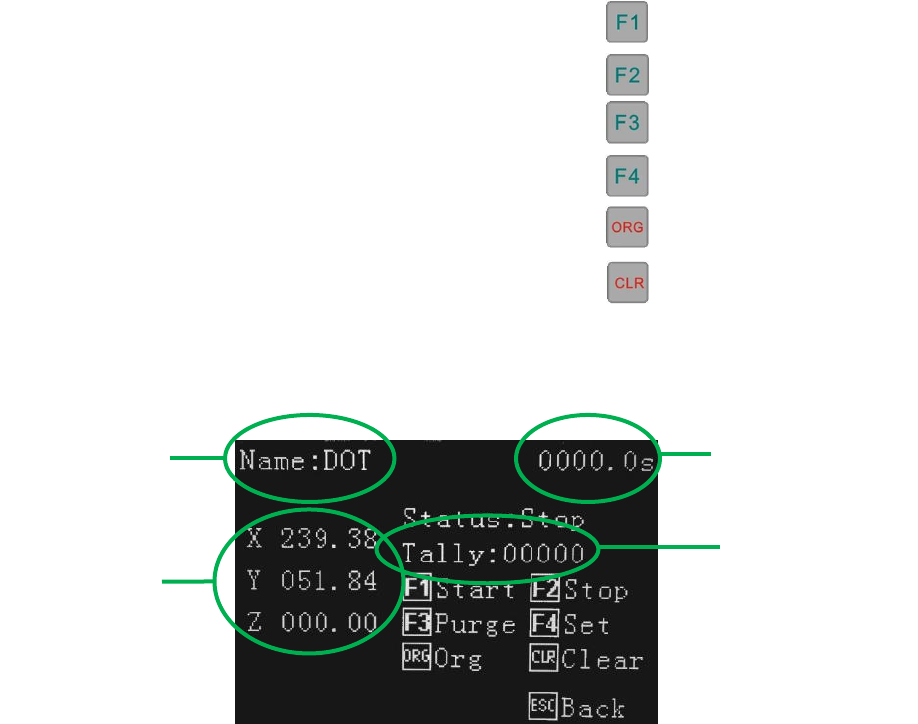
11. SET MENU
This display is shown once a program has been download. In the Set Menu the following can be achieved:
• Run the program by pressing
• Stop the program by pressing
• Perform a Purge function by pressing (separate function)
• Set up a Looping sequence by pressing
• Go to Origin location by pressing
• Reset the program counter (Tally) by pressing
Axis location
Program Name
Program
Completion Time
Counter