TSR2000-Series-Teaching-Pendant-User-Guide-V1.pdf - 第6页
6 5. EXAMPLE S OF TYPICAL DISPENSIN G P A TTE RNS Dot Line Polyline Polyline w ith round edges Ar c Circle Dot (Point) Array 10 x 10 Pattern Array 2 x 2 Polyline Mid Polyline Start/E nd Column distance Row distance Colum…
5
3 . CLASSIFICATION OF A POINT
The programming has many types of point. Graphic points include point, line origin, etc. Non-graphic points include
delay point, clean point, etc and can refer to the following table. When inserting a “point” the operator must select to
insert the point at the front or back of the selected point.
No.
Point
Type
Instruction
1
Point
Graphic
The speed between points is the “jog move speed”. Can set
the lift height and delay time.
2
Line
Graphic
Includes Line start, Line middle and Line end points
3
Delay (Time)
Non-Graphic
Delay point is used to set delay time in the range of 0 –
65532ms.
4
Mark
Graphic
Mark point is a moving assistant point and is only used to
move to another position and is also valid during simulated
step.
5
Pause
Non-Graphic
When setting a pause point the robot will pause automatically
until a start signal is sent.
6
Clean
Non-Graphic
Set the clean point location and parameters.
7
Subroutine
Non-Graphic
Subroutine is a teaching file and can be inserted into another
teaching file but cannot be edited again.
8
Output
Non-Graphic
For setting an input/output by inserting an output point.
9
Origin
Graphic
Reference point. Also a basic point when group skewing.
In the teaching pendant, the teaching file exists as points. A line is a special graphic point and has at least two points:
Line-Start and Line-End. In this way it is made of segment lines. When processed it is a continual line.
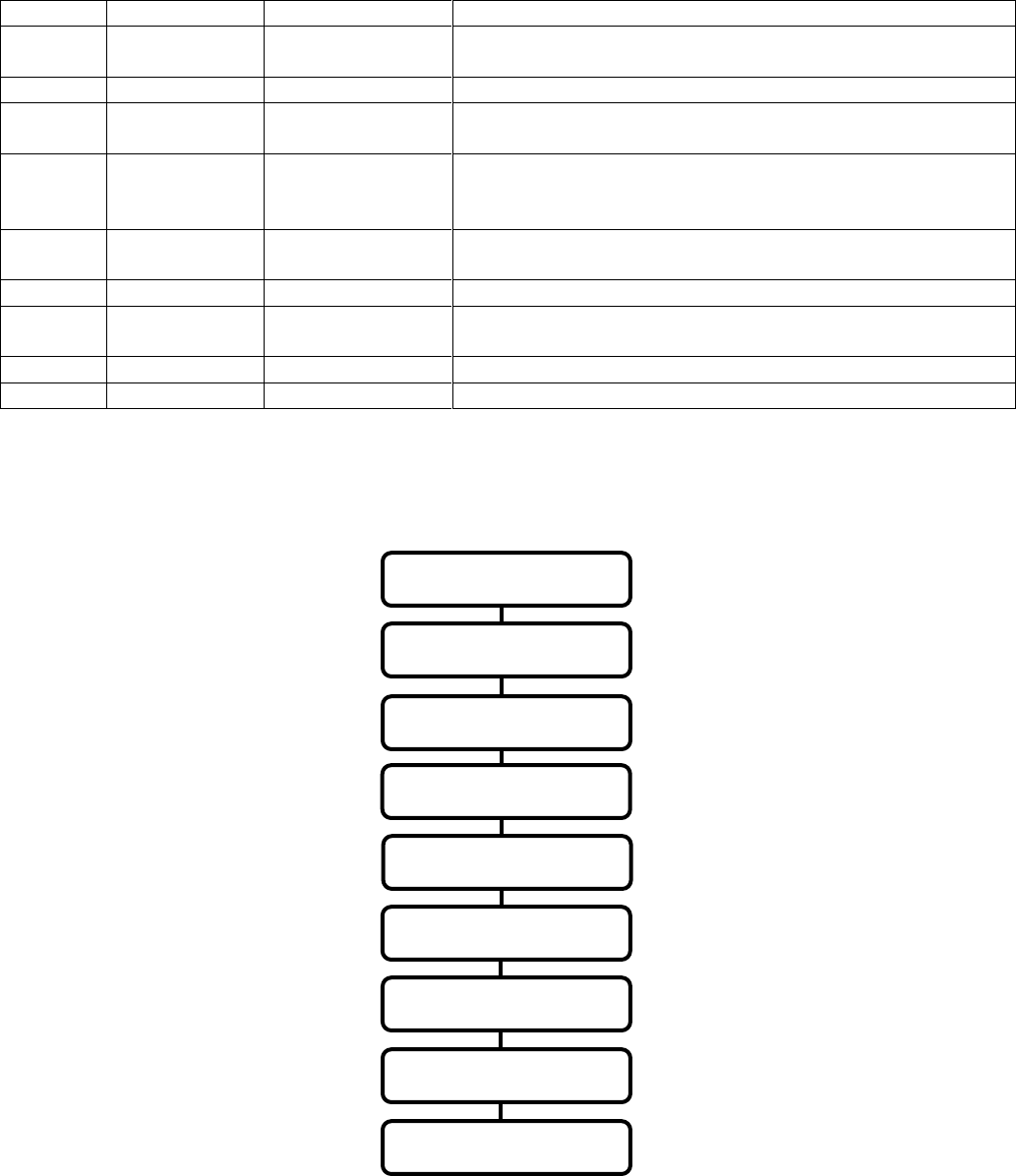
4. RAPID INSTRUCTION OF DISPENSING PROCESS
START
ATTACH DEVICE
NEW TEACHING FILE
END
PROCESS
EDIT PARAMETERS
SELECT PROCESSING FILE
DOWNLOAD TEACHING FILE
EDIT TEACHING FILE
6
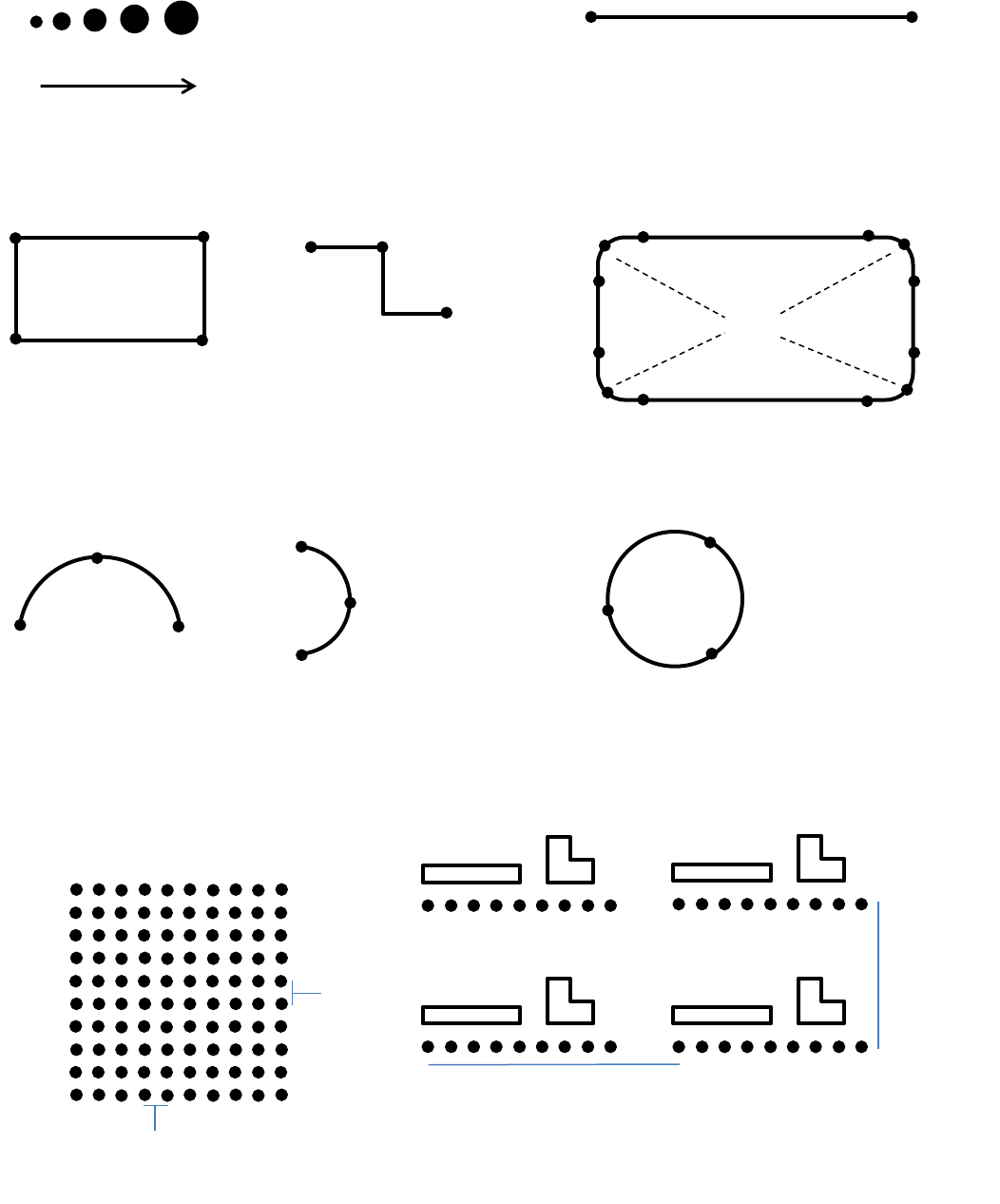
5. EXAMPLES OF TYPICAL DISPENSING PATTERNS
Dot Line
Polyline Polyline with round edges
Arc Circle
Dot (Point) Array 10 x 10 Pattern Array 2 x 2
Polyline Mid
Polyline Start/End
Column distance
Row
distance
Column
distance
Row
distance
Array Y Axis
Polyline Mid
Polyline
End
Polyline Start
Arc Start
Arc Mid
Arc End
Arc Mid
Arc Start
Arc End
Point 1
Point 3
Point 2
Line Start
Line End
Polyline Mid
Polyline Mid
Or set in degrees:
360°, 370°, etc.
P-Mid
P-Mid
P-Mid
P-Mid
P-Mid
P-Mid
P-Mid
Polyline Start/End
Arc
Mid
Increasing feed on time
Array X Axis
7
6. FIRMWARE SCREENS EXPLAINED
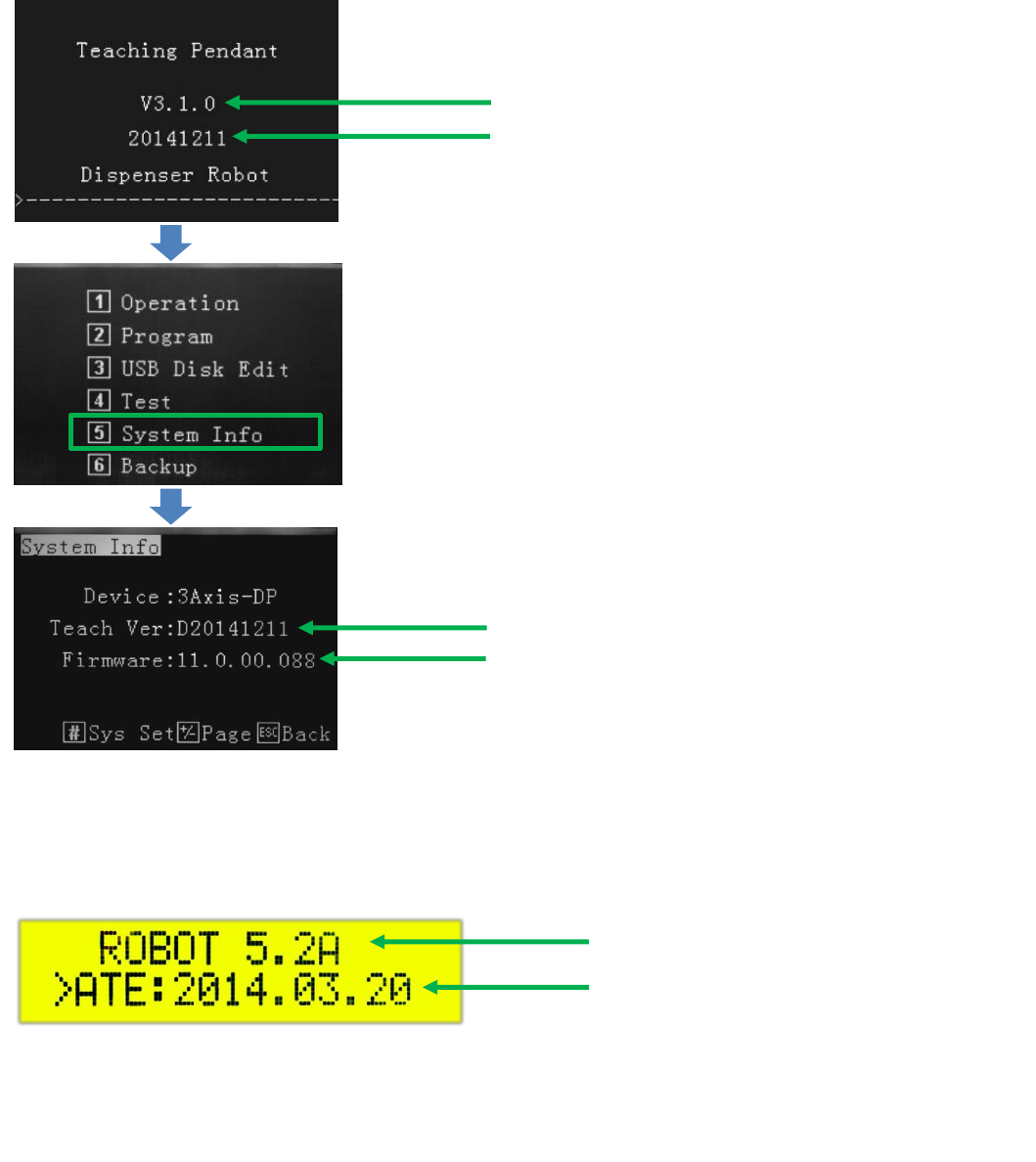
After connecting the teaching pendant to the robot, turn on the power switch. The system will initialize and move to the
origin (0, 0, 0) location. For a brief moment the LCD screen will display:
Firmware date of teaching pendant
Teaching pendant version
Firmware date of teaching pendant
Mainboard version
Press 5
Display board verison
Firmware date of display board
On the main robot front screen, whilst the teaching pendant in attached, the following information is displayed:
Periodic updates will be made availiable should new features be added to the robot. These updates can be performed through
the teaching pendant’s USB port.