TSR2000-Series-Teaching-Pendant-User-Guide-V1.pdf - 第26页
26 9.15 How to Create a C irc le (Inputting Di mensions) Referenc e Section 9.2 From the Insert sc reen, Select option 0. Select option 2. Use arrows to input data Choose direction w ith Choose start Poin t with W ith th…
25
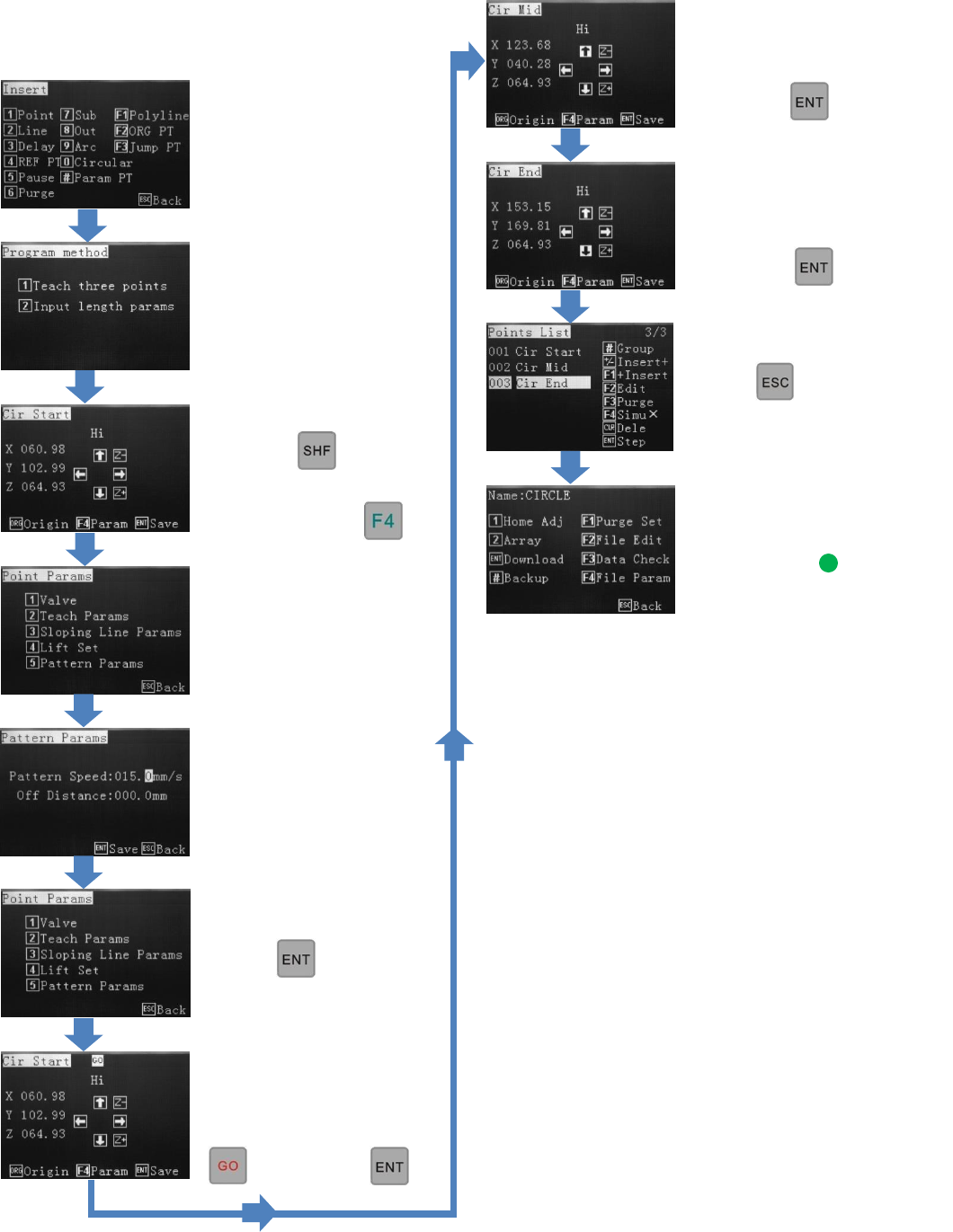
9.14 How to Create a Circle (3-Point Method)
Reference Section 9.2
From the Insert screen,
select option 0.
Select option 1.
Change the move speed
with the key.
When circle start location
is reached press
Press 5.
Use alphanumeric keys to
change dispense speed.
(Pattern Speed).
Press twice.
If “GO” is flashing at the
top of the screen press
then press
Use jog keys to move to
circle mid point location.
Press
Use jog keys to move to
circle mid point location.
Press
Press twice.
Follow instructions, on
next page, by
26
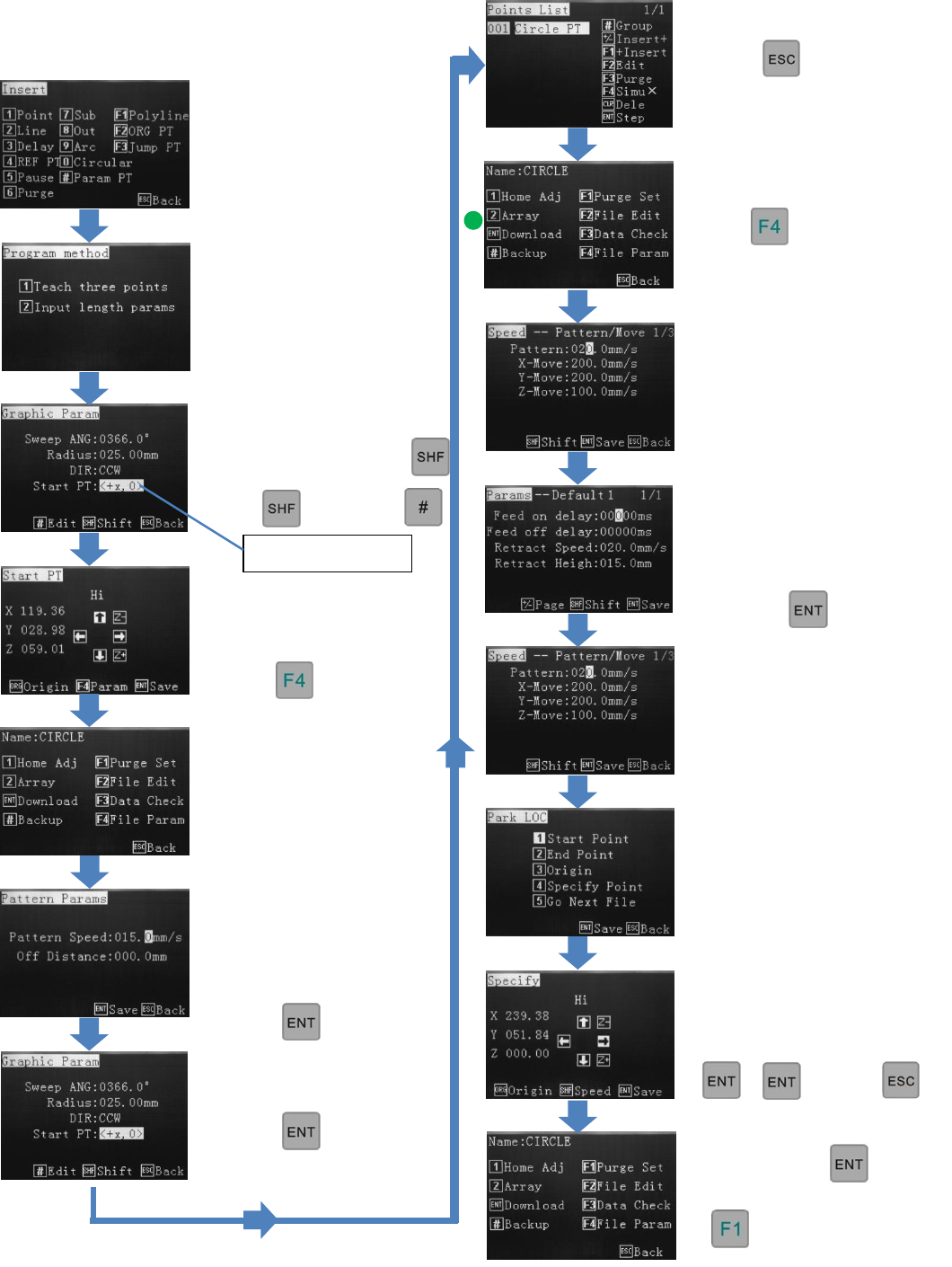
9.15 How to Create a Circle (Inputting Dimensions)
Reference Section 9.2
From the Insert screen,
Select option 0.
Select option 2.
Use arrows to input data
Choose direction with
Choose start Point with
With then press
Use jog keys to move to
circle start point location.
Press
Press 5.
Use alphanumeric keys to
change dispense speed.
(Pattern Speed).
Press
Press
To save, press
Starts the
dispensing
cycle
Press 4
Select where the valve should
go to after dispensing.
Press 2
Press twice
Press
(Optional) Use the
alphanumeric keys to select
a park location.
then
Refer to 9.23
Use the alphanumeric keys to
change the retract speed,
retract height and feed
on/feed off delay.
Press
27
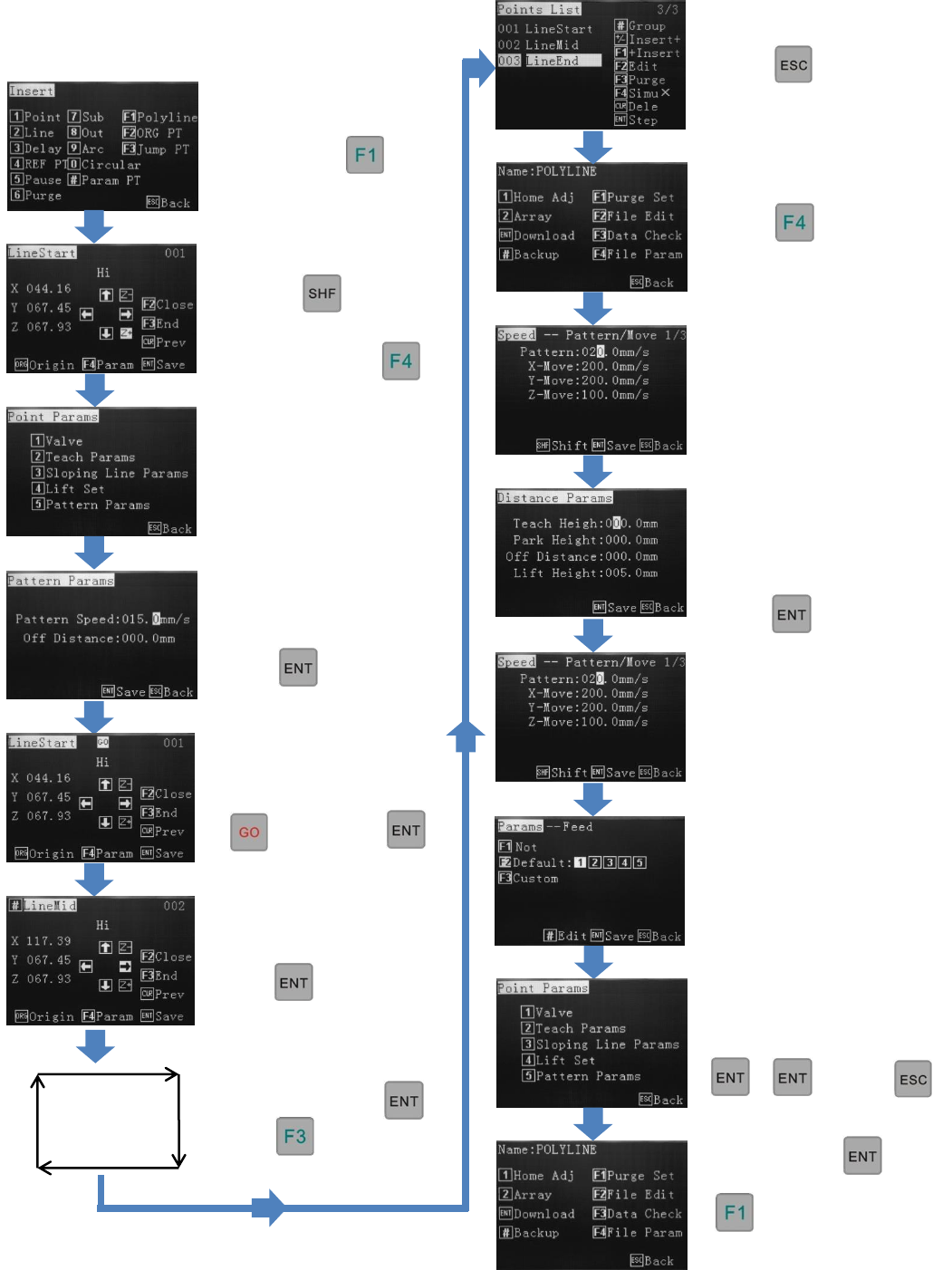
9.16 How to Create a Polyline (Multiple Joined Lines)
Reference Section 9.2 and
9.24. From the Insert screen,
Select option
Change the move speed
with the key
When line start location
is reached, press
Press 5 (Repeat this speed
change for every LineMid
in the Points List).
Use alphanumeric keys to
change the dispense speed
(Pattern Speed).
Press twice.
If “GO” is flashing, at
the top of the screen
then press
Use jog keys to move to
next position.
Press
Continue moving to each
location and press
Press at the final
location to end the pattern.
1
2
3
4
5
Press twice.
Press 2
Press 4
Select where the valve
should go to after
dispensing.
Press
(Optional) Use the
alphanumeric keys to select a
park location.
then
To save, press
Starts the
dispensing
cycle
Use the alphanumeric keys
to change the retract speed,
retract height and feed
on/feed off delay.
Press