TSR2000-Series-Teaching-Pendant-User-Guide-V1.pdf - 第12页
12 8.3 V eryfying the Calibrati on Locat ion During Live Use If no tip calibration is required, press If tip calibration is required, press 1 – Home Adjust Select 1 - Program Select the progr am, to run. Press Press The …
11
8.2 Creating the Calibration Location During Programming
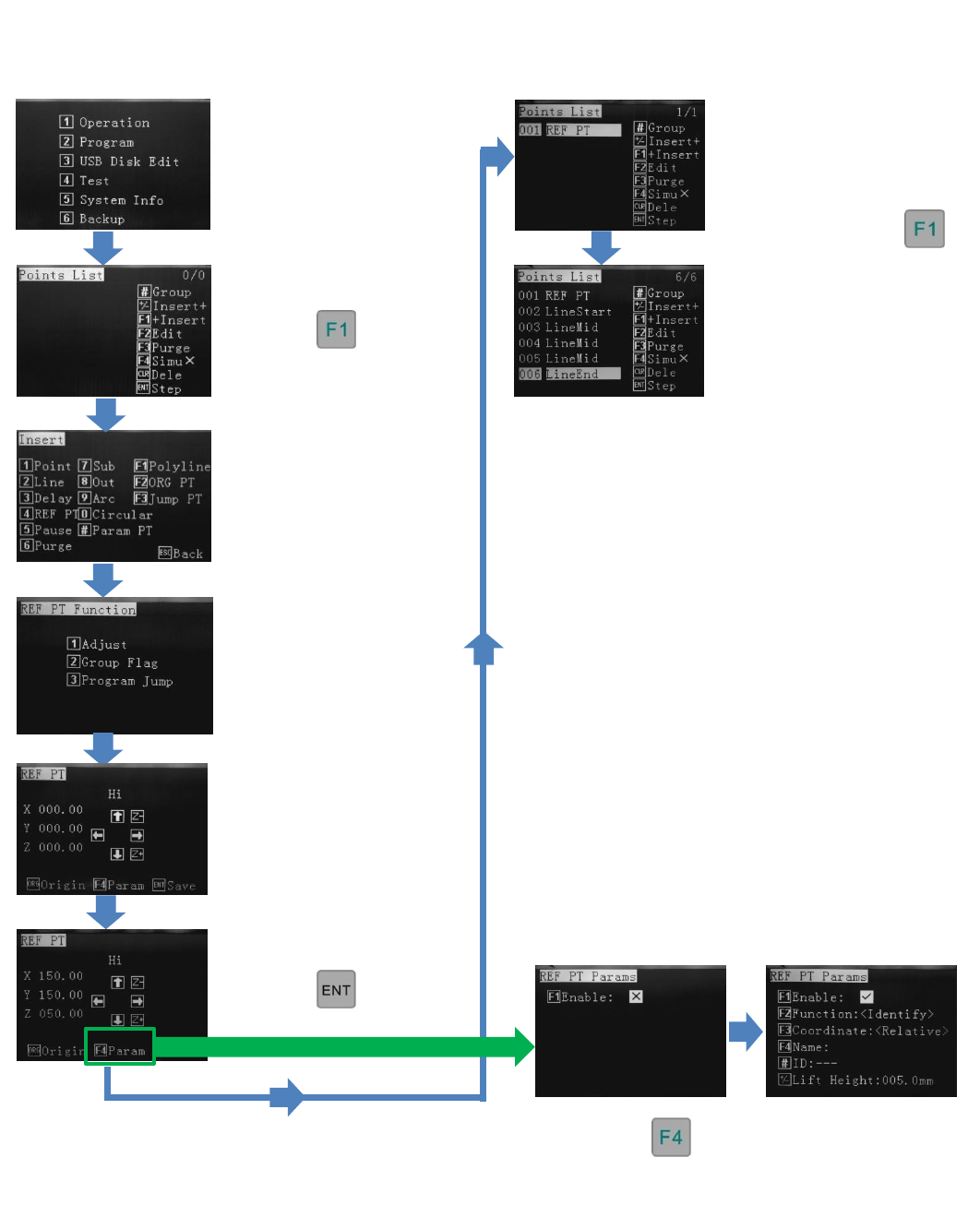
Points List – This method inserts a calibration point (REF PT) into the body of the program, which can be modified at
anytime. It is also possible to modify the stored progam to include a calibration point (REF PT) later. It is recommended to
program in the calibration point (REF PT) at the start
Reference Section 9.2
Reference Section 9.2
From the Insert screen,
select option 4 – REF PT
Press 1
Options 2 and 3 are for
future use
Press
Press
Use jog or alphanumeric
keys to move to
calibration location.
The calibration location is
now set.Continue to write
program by inserting the
dispensing co-ordinates.
Start by pressing
This program consisisted of a
Polyline to created a gasket
(square).
If is pressed, these
functions are for future use and should not
be altered.
12
8.3 Veryfying the Calibration Location During Live Use
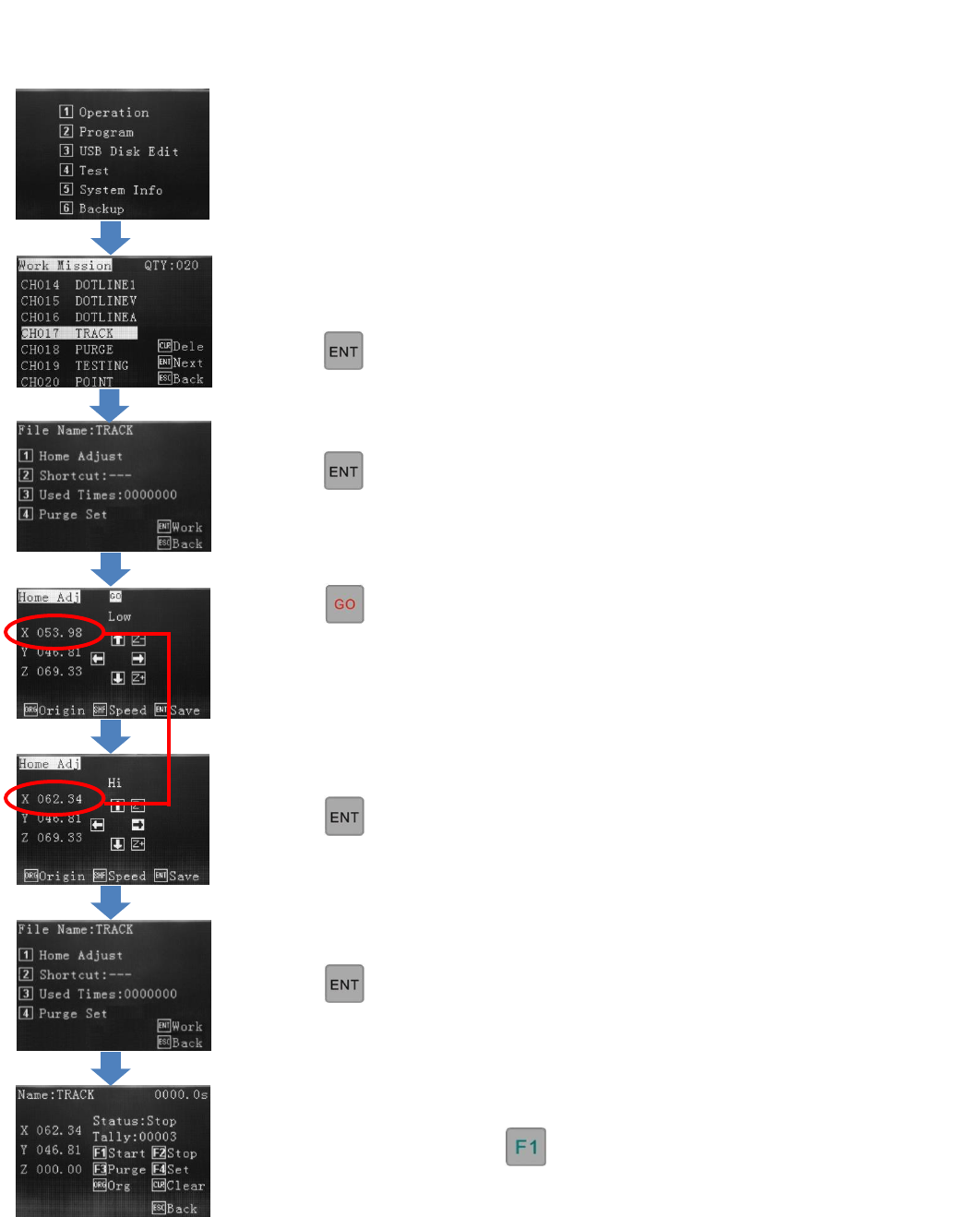
If no tip calibration is required,
press
If tip calibration is required, press
1 – Home Adjust
Select 1 - Program
Select the program, to run.
Press
Press
The tip will move to the Cal pin if one is
stored or to the first dispensing location if
a Cal point is not stored, in the
programming.
Operation Screen – If a calibration point (REF PT) has been stored in the program the dispense tip will move to this pin
location, when Home Adjust is pressed. If no calibration point has been stored, in the programming, the dispense tip will
move to the first dispensing location, when Home Adjust is pressed.
The program can be run with
Press
Use jog keys to correct tip position.
Press
This change does not affect the original
written program location.
13
8.4 Shortcut – communicates with external PLC when robot used as a “cell” in an in-line robot
Shortcut refers to the robot being a intergrated as a module in an in-line process. The teaching pendant instructions, below,
are to set the external binary signal up for this process. The pendant would be disconnected when in live use. The signal is
communicated through the rear DB37 connector.
If the robot is on a bench top, being operator controlled, then the Shortcut is not used.
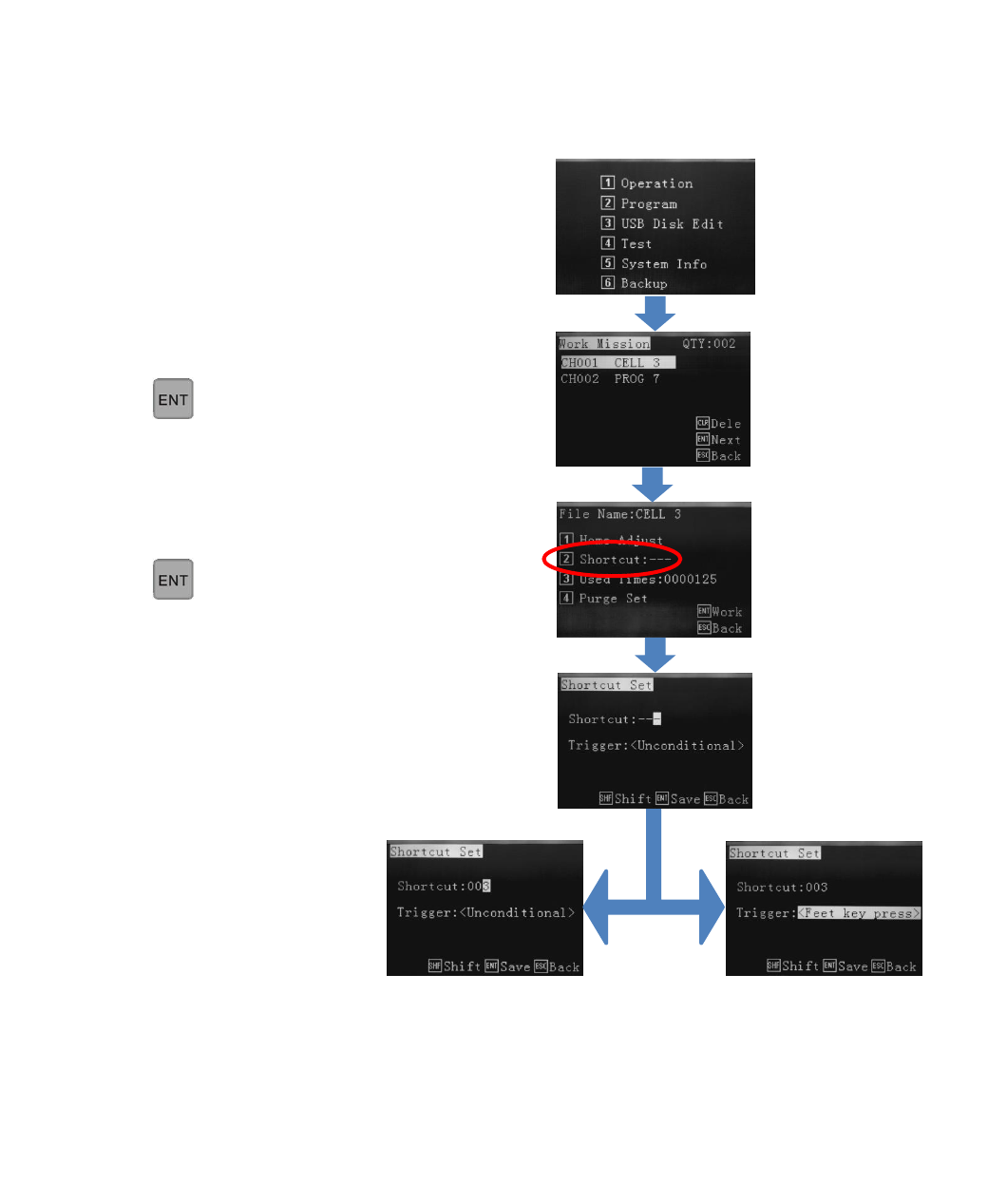
Select 1 - Operation
Select the progam using the arrow.
Press
Select 2 – Shortcut
Press
- - - means no binary Shortcut signal set. Use
numeric keys to set Shortcut binary signal (as per
external PLC). If Shortcut 003 is set, the external
PLC needs to send binary signal 003 to the robot.
Trigger:
Unconditional – the robot
receives the external signal
and completes the dispensing
cycle.
Trigger:
Feet key press – the robot
receives the external signal but
will wait for the line operator to
press the the “Feed key”. When
Feed key is pressed the
dispensing cycle will start.