00198000-02_VD_709.1_DE_EN.pdf - 第12页
Station Software 709.1 / Version Descript ion Ausgabe 05/2016 E dition 12 If the placement machine runs in 2 - in - 1 mode, the S tart and S top butt ons are duplicat ed on the station softwa re GUI: Figure 4-3: Start an…
Station Software 709.1 / Version Description Ausgabe 05/2016 Edition
11
4.2 Independent Placement – 2-in-1 Mode
Compatible mode: Complete
I-Placement is a placement mode in a dual gantry placement area, where every gantry only places
components on the board of the assigned conveyor lane. This mode can be used to boost
performance and decouple the operation of the left and right conveyor lane. From this station
software version, it is also possible to operate the placement machine independently for the two
lanes. The placement machine is then running in 2-in-1 mode.
Restrictions:
Not applicable for single conveyor, alternating placement, synchronous mode or machines
equipped with Smart Pin Support.
Prerequisites:
– 2-in-1 mode only applies for dual conveyor placement machines in which independent jobs
have been started on both lanes.
– The two recipes must have no gantry in common (for placing, measuring) on this placement
machine.
The following actions can be performed on one conveyor lane while another product is being
produced on the other conveyor lane:
– Teaching board fiducials
– Teaching fiducials for feeder modules (e.g. component pocket)
– Teaching component shapes
– Pin1 detection
– Correcting pickup position
– Teaching placement positions
– Inspecting a position in order to decide whether it should be placed or not
– Teaching trays
– Skipping a placement head segment
– Changing the placement list
Station Software 709.1 / Version Description Ausgabe 05/2016 Edition
12
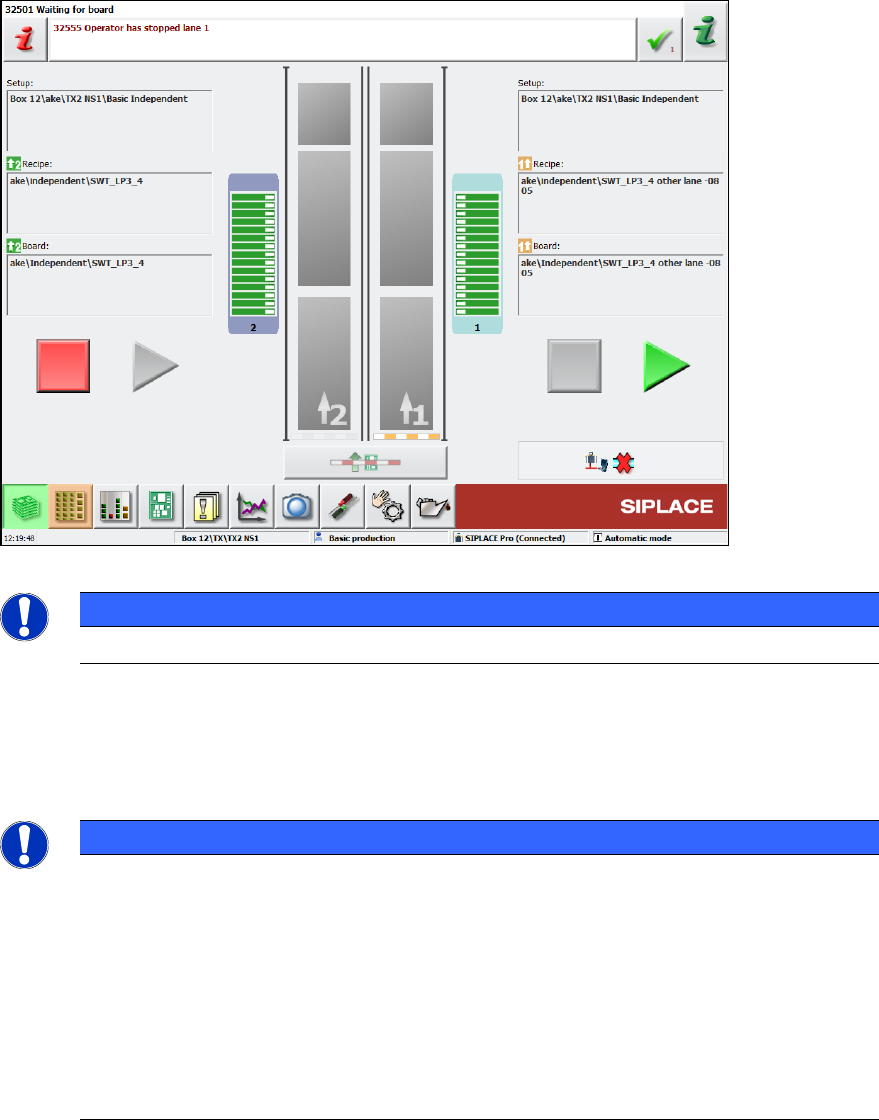
If the placement machine runs in 2-in-1 mode, the Start and Stop buttons are duplicated on the
station software GUI:
Figure 4-3: Start and Stop buttons for each conveyor lane
NOTICE
The 2-in-1 mode has no effect on the hardware Start and Stop buttons!
In the example above, conveyor lane 1 has been stopped (conveyor is blocked, Start button is
highlighted) whereas conveyor lane 2 is producing (conveyor is open, Stop button is highlighted).
If a different job is started via SIPLACE Pro (or in standalone mode) that does not qualify for 2-in-1-
mode, the GUI would revert to a single Start/Stop button.
NOTICE
The notion of Start/Stop extends to the job on the left or right conveyor and to all
gantries associated with that job! Assuming an SX2 placement machine in I-
mode this
intuitively results in gantry 1 starting/stopping in conjunction with the job on conveyor
lane 1 (likewise for conveyor lane 2 and gantry 2).
However, if "Borrow Performance" is used (please refer to chapter 9), there might be a
job on conveyor lane 1 that is processed by both gantry 1 and 2 while conveyor lane 2 is
just driving the boards for a different job through the machine. Now stopping the job on
conveyor lane 1 (the right Stop button) would block conveyor 1 and stop gantry 1 and
gantry 2! Conversely, pressing the left Stop button would only block conveyor lane
2, but
not affect gantry 2.
Station Software 709.1 / Version Description Ausgabe 05/2016 Edition
13
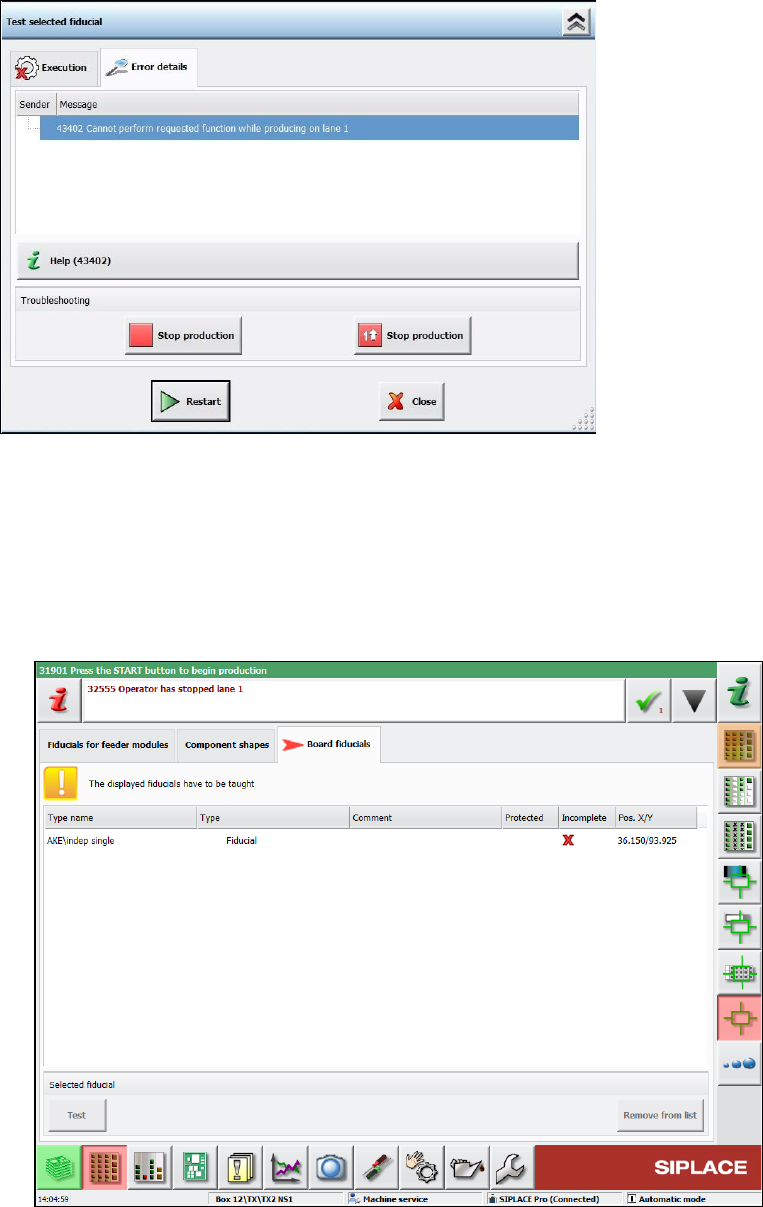
When, for example, teaching is triggered by pressing the appropriate buttons, the GUI prompts for
machine stop like this:
Figure 4-4: Prompt for machine stop
The teaching workflow does not change in 2-in-1 mode. The only difference is that the other
conveyor lane will continue producing while the operator is teaching.
The following dialogs allow editing while simultaneously producing on the other conveyor lane in
2-in-1 mode:
● Teaching board fiducials, component shapes and fiducials for feeder modules.
These machine requests can be taught in the following new dialog.
Figure 4-5: Teaching machine requests