00198000-02_VD_709.1_DE_EN.pdf - 第13页
Station Software 709.1 / Version Descript ion Ausgabe 05/2016 E dition 13 When , f or example, teaching is trigger ed by pressing the appropriat e buttons, the GUI p rompts for machine stop l ike this: Figure 4-4: Prompt…
Station Software 709.1 / Version Description Ausgabe 05/2016 Edition
12
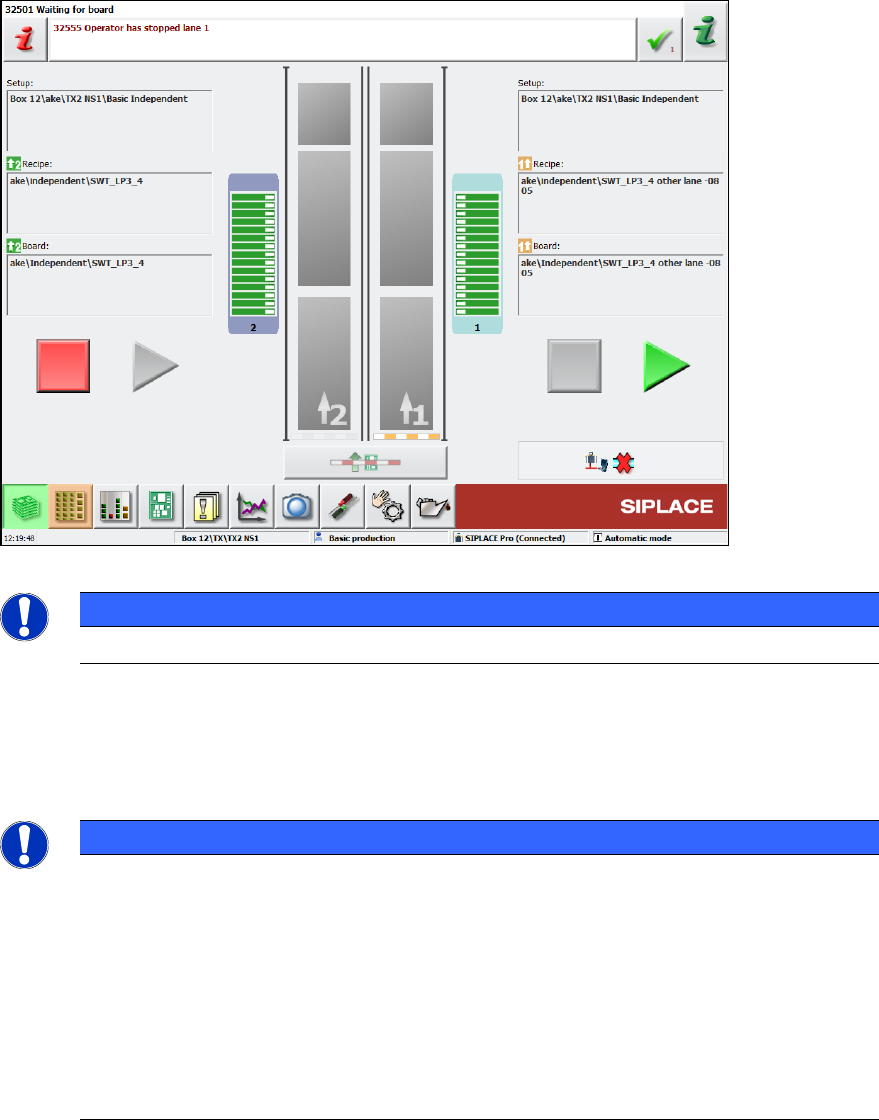
If the placement machine runs in 2-in-1 mode, the Start and Stop buttons are duplicated on the
station software GUI:
Figure 4-3: Start and Stop buttons for each conveyor lane
NOTICE
The 2-in-1 mode has no effect on the hardware Start and Stop buttons!
In the example above, conveyor lane 1 has been stopped (conveyor is blocked, Start button is
highlighted) whereas conveyor lane 2 is producing (conveyor is open, Stop button is highlighted).
If a different job is started via SIPLACE Pro (or in standalone mode) that does not qualify for 2-in-1-
mode, the GUI would revert to a single Start/Stop button.
NOTICE
The notion of Start/Stop extends to the job on the left or right conveyor and to all
gantries associated with that job! Assuming an SX2 placement machine in I-
mode this
intuitively results in gantry 1 starting/stopping in conjunction with the job on conveyor
lane 1 (likewise for conveyor lane 2 and gantry 2).
However, if "Borrow Performance" is used (please refer to chapter 9), there might be a
job on conveyor lane 1 that is processed by both gantry 1 and 2 while conveyor lane 2 is
just driving the boards for a different job through the machine. Now stopping the job on
conveyor lane 1 (the right Stop button) would block conveyor 1 and stop gantry 1 and
gantry 2! Conversely, pressing the left Stop button would only block conveyor lane
2, but
not affect gantry 2.
Station Software 709.1 / Version Description Ausgabe 05/2016 Edition
13
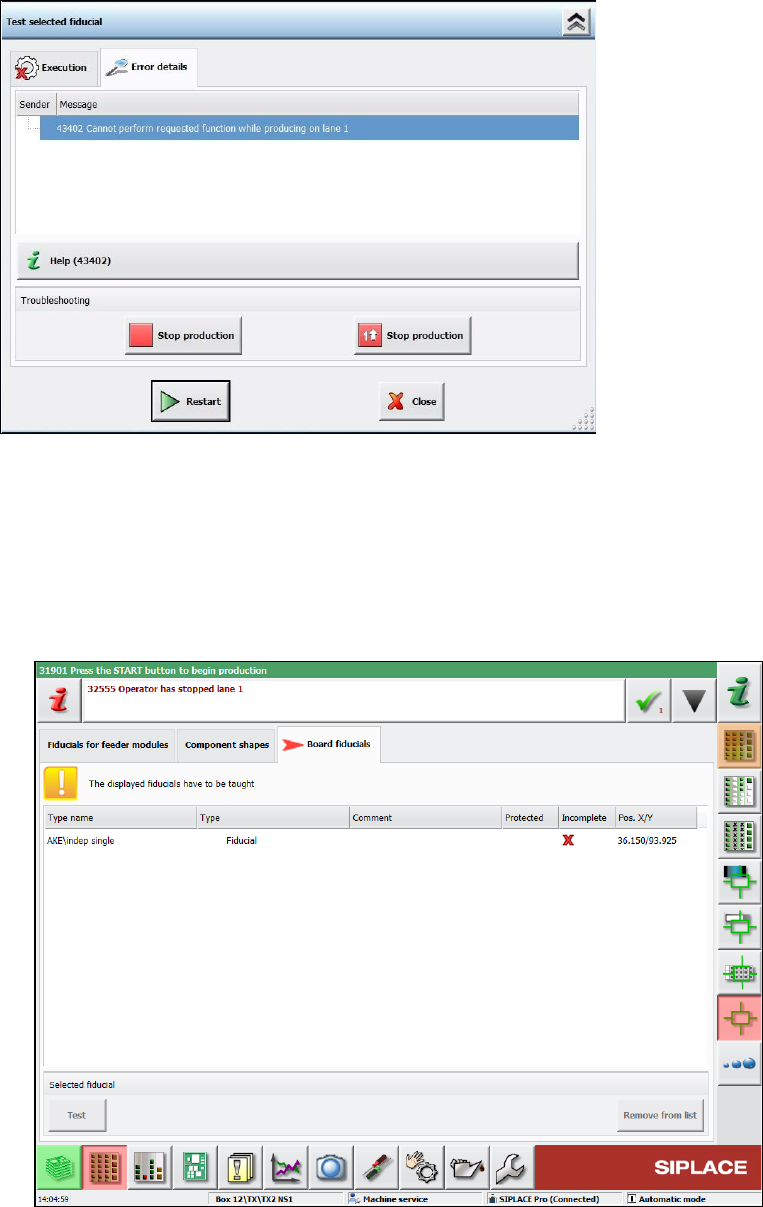
When, for example, teaching is triggered by pressing the appropriate buttons, the GUI prompts for
machine stop like this:
Figure 4-4: Prompt for machine stop
The teaching workflow does not change in 2-in-1 mode. The only difference is that the other
conveyor lane will continue producing while the operator is teaching.
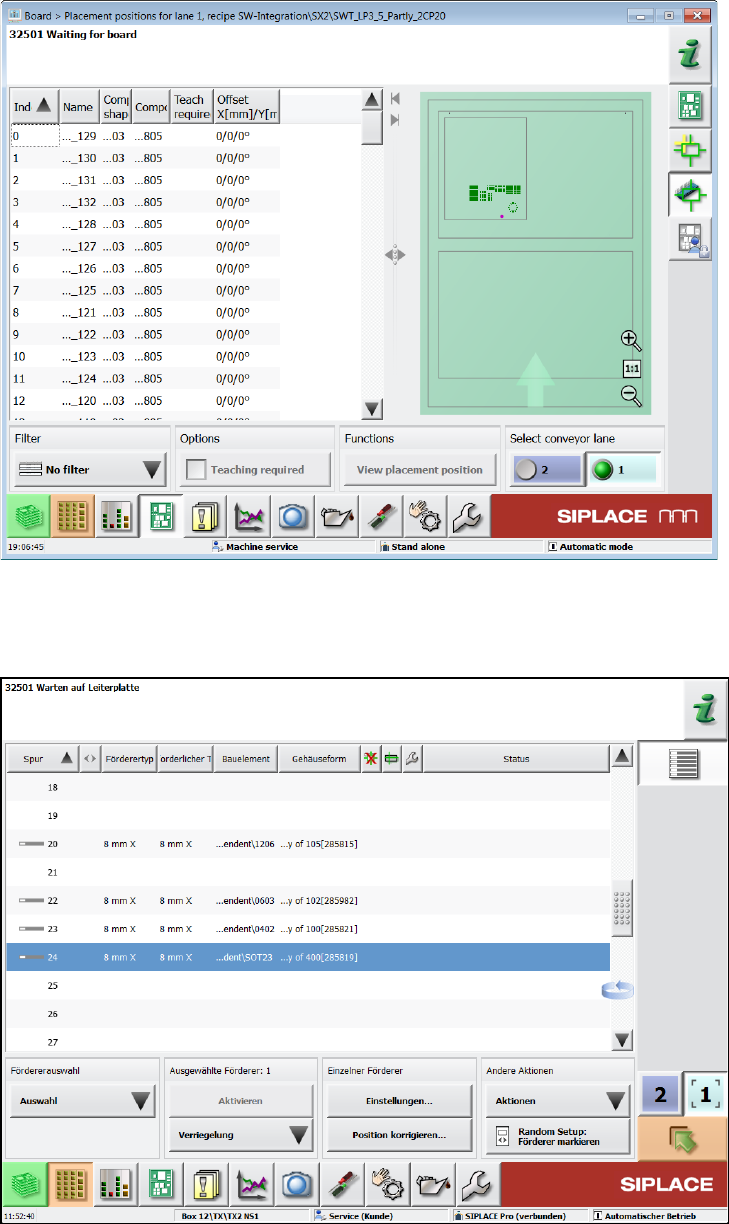
The following dialogs allow editing while simultaneously producing on the other conveyor lane in
2-in-1 mode:
● Teaching board fiducials, component shapes and fiducials for feeder modules.
These machine requests can be taught in the following new dialog.
Figure 4-5: Teaching machine requests
Station Software 709.1 / Version Description Ausgabe 05/2016 Edition
14
● Teaching placement positions
Figure 4-6:Teaching placement positions
● Teaching tray (similar to teaching component shapes)
● Correcting pickup position
Figure 4-7: Correcting pickup position